

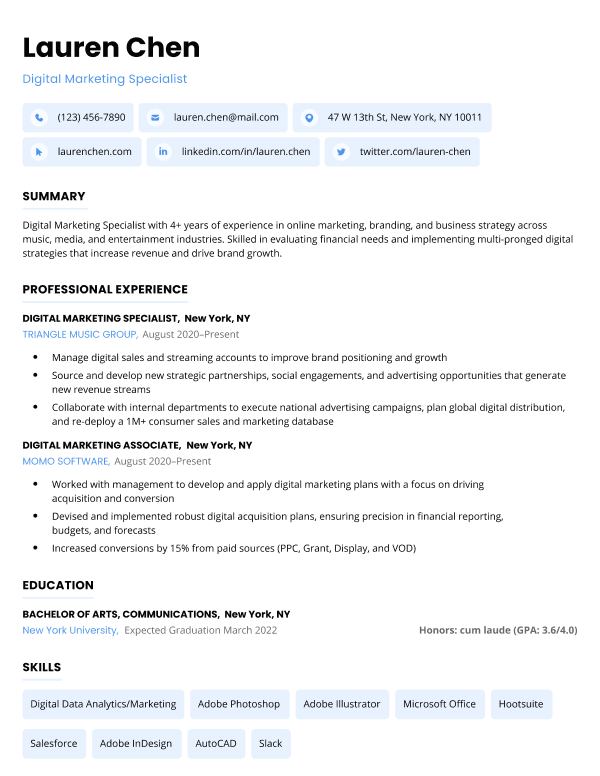
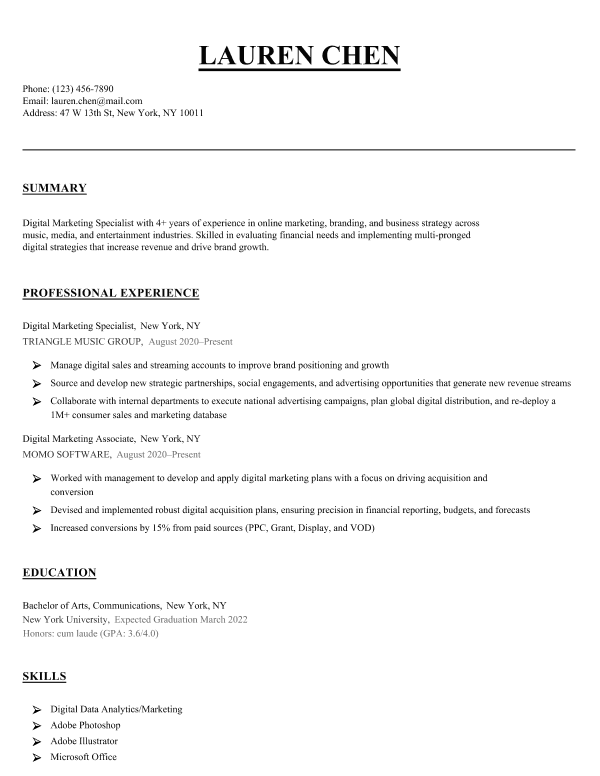
“Level of education” refers to the highest degree or diploma you’ve earned, such as high school, associate’s, bachelor’s, master’s, or doctorate. Only list your high school diploma if it is your highest level of education or if a specific course (such as four years of Spanish) provides job-specific skills like language fluency.
Blog Resume Help How to List a Degree on a Resume
How to List a Degree on a Resume
 Written By Lauren MastroniCareer Expert & Senior Digital Content Writer
 Reviewed By Corissa PetersonCertified Professional Resume Writer (CPRW) & Content Editor
Lauren Mastroni is a Senior Digital Content Writer at Resume Genius, where she creates data-driven career content and actionable job search advice. With a background in academic research, she brings...
Updated


Struggling to get interviews?
From associate’s degrees to PhDs, we’ll explain how to list any type of degree on your resume.
Always add your degrees to the education section of your resume in reverse-chronological order (so your most recent degree goes on top), like this:
EDUCATION
Master of Science in Data Science
Columbia University | New York, NY
May 20XX
Bachelor of Arts in Economics
University of Texas at Austin | Austin, TX
Graduated: May 20XX
Recent graduates (0–2 years experience) should place this section near the top of their resume, while established professionals (5+ years) should move it after their work history.
ViewsLikes
Our Expert:
How to list different degrees on your resume
Here’s how to list a degree on your resume by type:
Associate’s degree
Write your degree as “Associate of” (not “Associate’s”).
Spell out the full degree name when space allows. Use a standard abbreviation only if you need to save space:
- AA = Associate of Arts
- AB = Associate of Business
- ABA = Associate of Business Administration
- AAS = Associate of Applied Science
- AS = Associate of Science
- ASN = Associate of Nursing
Here’s what to include when listing an associate's degree:
- Degree name, using the full name or the appropriate abbreviation
- Major or field of study
- Name of the college or university
- Location of the school (city and state)
- Year of graduation or expected graduation
If you lack work experience and want to add extra details about your degree, include the following optional information:
- GPA (if 3.5 or higher)
- Academic honors or awards (if applicable)
- Relevant coursework (if directly related to the job you’re applying for)
- Additional activities, such as volunteer work and school clubs
EDUCATION
AA in Business Administration
Great Falls College
Great Falls, MT 20XX
Honors: Cum Laude
GPA: 3.5
Our resume builder can make you a resume in as little as 5 minutes. Pick the template you want, and our software will format everything for you.
Bachelor’s degree
Similar to an associate's degree, you can abbreviate each type of bachelor's degree in different ways:
- BA = Bachelor of Arts
- BBA = Bachelor of Business Administration
- BEd = Bachelor of Education
- BLA = Bachelor of Liberal Arts
- BSW = Bachelor of Social Work
- BS = Bachelor of Science
Before using any abbreviations, keep the role you're applying for in mind. For example, if you have a BSW and you're applying for a job that involves social services, the hiring manager will likely be familiar with the abbreviation.
However, if you're applying to a restaurant management position with a Bachelor of Social Work, the employer will likely not recognize the abbreviation “BSW.” In this case, it's best to write out the full name of your degree.
When including a Bachelor's degree on your resume, add this information:
- Degree name, such as “Bachelor of Arts,” “Bachelor of Science,” or the appropriate abbreviation (BA, BS, BSc)
- Major or field of study (if applicable to the job you’re applying for)
- Name of the university
- Location of the university (city and state)
- Year of graduation
If you lack work experience and want to add extra details about your degree, include the following optional information:
- GPA (if 3.5 or higher)
- Academic honors or awards
- Relevant coursework
EDUCATION
BBA / Minor in Marketing
River Brook University
Chicago, IL, 20XX
Honors: Cum Laude
GPA: 3.6
Master’s degree
Here are the different ways you can abbreviate a master’s degree on your resume:
- MA = Master of Arts
- MS, MSc = Master of Science
- MBA = Master of Business Administration
- MIB = Master of International Business
- ME, MEng = Master of Engineering
- MEd = Master of Education
It’s up to you whether or not to use periods in your abbreviations. For example, MA versus M.A., or M.Ed. versus MEd. Both styles are acceptable, but make sure you stick to one throughout your resume for consistency.
When listing a master's degree you should follow the same guidelines for listing associate and bachelor degrees by including the necessary details and any relevant coursework or honors.
- Degree name, use “Master of Arts” or the abbreviation “MA” or “M.A.”
- Field of study or major
- Name of the university
- Location of the university (city and state)
- Year of graduation or expected graduation
Add these details if they’re relevant to the position or if you’re a recent graduate:
- GPA (if 3.5 or higher)
- Academic honors or awards (if applicable)
- Thesis title (if relevant to the job you’re applying for)
- Relevant coursework (if directly related to the job)
EDUCATION
Master of Business Administration
Florida State University
Gainesville, FL, 20XX
Honors: Magna Cum Laude
GPA: 3.8
Relevant coursework: Supply Chain Management, Service and Operations Management, Business Ethics
PhD
When listing a PhD on your resume, you should follow the same format as other degrees, but with some additional points because your degree is more advanced.
Here are some common abbreviations for a doctoral degree:
- PhD = Doctor of Philosophy
- EdD = Doctor of Education
- PsyD = Doctor of Psychology
- DBA = Doctor of Business Administration
- DNP = Doctor of Nursing Practice
- PharmD = Doctor of Pharmacy
- JD = Juris Doctor (while technically a professional doctorate and not a PhD, this is the standard degree for lawyers in the US)
Here's how to effectively list your PhD on your resume:
- Include details like your university name, location, year of completion (or expected completion), and field of study or specific program
- Highlight relevant information including dissertation title (if relevant to the job), areas of specialization, any honors or awards, and relevant coursework (if applicable)
- Include your funding or fellowships
- Add any relevant publications
- List any teaching or research assistant positions separately in your work experience section
EDUCATION
PhD in Computer Science
Stanford University
Stanford, CA, 20XX
Dissertation: "Advances in Machine Learning Algorithms for Natural Language Processing"
Specializations: Artificial Intelligence, Natural Language Processing
Honors: NSF Graduate Research Fellowship (20XX-20XX)
Multiple degrees
Follow these steps to format your education section if you have multiple degrees:
- Start with your highest level of education
- List each degree separately
- Use consistent formatting for all degrees
- Include all relevant information for each degree as outlined above
EDUCATION
MS in Electrical Engineering
Stanford University
Stanford, CA, 20XX
Thesis: "Advancements in Quantum Computing Architectures"
Honors: National Science Foundation Graduate Research Fellow
BS in Physics
University of Texas
Austin, TX, 20XX
AS in Engineering
Austin Community College
Austin, TX, 20XX
If you have multiple degrees from the same institution, you can group them together to save space:
EDUCATION
Master of Business Administration, 20XX
Bachelor of Arts in Economics, 20XX
University of California
Berkeley Berkeley, CA
When listing an unfinished degree, include the program name, years attended, and total credits earned. Frame the experience positively by using action-oriented language to highlight relevant coursework or honors that demonstrate the professional value you gained.
Certifications and licenses
Deciding where to list professional certifications or licenses depends on how many you have. If you have only one or two relevant credentials, you can include them at the bottom of your education section to save space.
However, if you have several certifications or if they are central to your profession, create a dedicated "Certifications" or "Licenses" section to ensure they stand out to hiring managers.
When listing licenses or certifications on your resume, include the following details:
- Official name of the certification or license
- Name of the issuing organization
- Date of completion and the expiration date (if applicable)
CERTIFICATIONS
Certified Project Management Professional (PMP)
Project Management Institute
Issued: March 20XX
Google Data Analytics Professional Certificate
Google
Issued: August 20XX
Certified ScrumMaster (CSM)
Scrum Alliance
Issued: January 20XX
Frequently asked questions about how to list a degree on a resume
Review some of the most common questions we receive about listing degrees on your resume:
What is a field of study on a resume?
A field of study is your major or the specific area you focused on during your education, like Biology, Computer Science, or English Literature.
Is it “bachelor” or “bachelor’s” on a resume?
Usually you should only use “bachelor” on a resume, because you’re listing your specific degree, for example:
- Bachelor of Arts in Philosophy
- Bachelor of Science
You can use “bachelor’s” when speaking generally about the type of degree you have, for example: “I have a bachelor’s degree.”
About the Author

Career Expert & Senior Digital Content Writer
5Years of Experience
240Articles Written
9Articles Reviewed
Lauren Mastroni is a Senior Digital Content Writer at Resume Genius, where she creates data-driven career content and actionable job search advice. With a background in academic research, she brings a research-focused approach to topics like resume writing, interviewing, and career development. Lauren is dedicated to helping job seekers at all stages navigate the hiring process and present themselves more effectively to employers.


Table of Contents
Related Articles
Resume Help
Resume Examples for Jobs in 2026
Geoffrey Scott
March 23, 2026

Lauren Mastroni
April 16, 2026

Resume Help
How to Make a Resume for Any Job in 2026
Sebastian Morgan
June 15, 2026
Resume Help
6 Best Resume Paper Types (& How to Choose)
Ida Pettersson
March 30, 2026

Samuel Johns
April 13, 2026


Conrad Benz
June 21, 2026

Corissa Peterson
August 26, 2026
Resume Help
Creative Resume TemplatesSebastian Morgan
September 15, 2026