


Struggling to get interviews?
As a hiring manager with 7 years of experience, I know that writing a resume can be time-consuming and difficult. So I’ve taken the time to thoroughly test and evaluate the top online resume builders to help you make the process easier.
The best online resume builders speed up the resume writing process with template designs, pre-written content, and AI features that make your resume professional and easy for employers to scan.
But because there are so many resume-building sites and apps out there, comparing their features and finding the right tool for your budget can be difficult.
To help you choose the best platform for your situation, I’ve ranked the top resume builders for job seekers. I’ve based my reviews on software quality, template variety, pricing, and user feedback, as well as my own insights from hours spent reviewing resumes and helping candidates get better jobs.
10 Best Resume Builders of The Year (Ranked)
| Builder Name | Overall Rating | Price |
|---|---|---|
| Resume Genius | ★★★★★ | $2.95 trial, $23.95/month, $95.40/year |
| Resume.com | ★★★★☆ | Free |
| Resume.io | ★★★★☆ | $2.95 7-day trial, $29.95/month, or $49.95/quarter |
| Canva | ★★★★☆ | Free basic, $120/year for Pro |
| Jobscan | ★★★☆☆ | Free basic, $49.95/month unlimited |
| Teal | ★★★☆☆ | $13/week, $29/month, or $79/quarter |
| Kickresume | ★★★☆☆ | $24/month, $54/quarter, or $96/year |
| Novoresume | ★★★☆☆ | $21.99/month, $39.99/quarter, or $139.99/year |
| EnhanCV | ★★☆☆☆ | $29/month |
| Rezi | ★★☆☆☆ | Free basic, $29/month or $149 one-time fee for unlimited |
1. Resume Genius
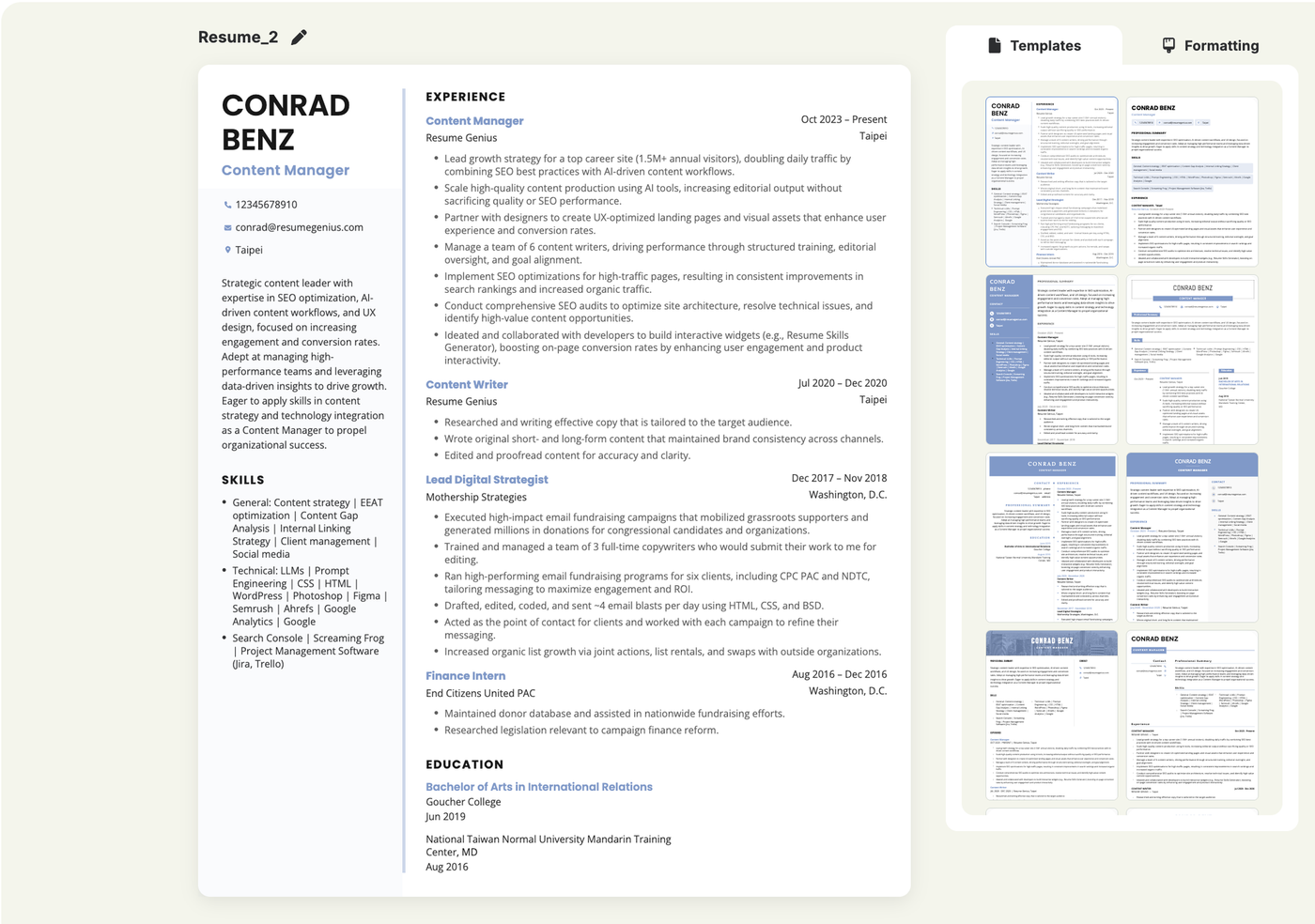
Resume Genius is designed for beginners and first-time job seekers. The resume builder guides you step-by-step through template selection, writing, and document formatting. There’s zero learning curve.
Resume Genius offers 32 templates. The selection is narrower than design-first competitors (e.g., Canva). This makes picking a suitable resume easy if you don’t have a specific design in mind. All Resume Genius templates are ATS-ready and approved by recruiters and HR managers.
I should disclose that I work for Resume Genius and it’s my job to make the builder the most helpful tool it can be.
To keep this review neutral, here’s what actual users and competitors think:
What people like about Resume Genius
What people dislike about Resume Genius
Resume Genius pricing
- $2.95 for a 14-day trial with unlimited downloads in Docx and PDF format
- $95.40 for an annual plan
Best for
Beginners: Resume Genius is fast and user-friendly, making it a great pick for inexperienced job seekers who want a guided, step-by-step resume-building experience.
User reviews
Reviews of Resume Genius are overwhelmingly positive, with a 4.6/5 rating on Trustpilot and over 43,000 reviews. Users frequently comment on ease-of-use and attractiveness of templates.
2. Resume.com (Indeed Resume Builder)
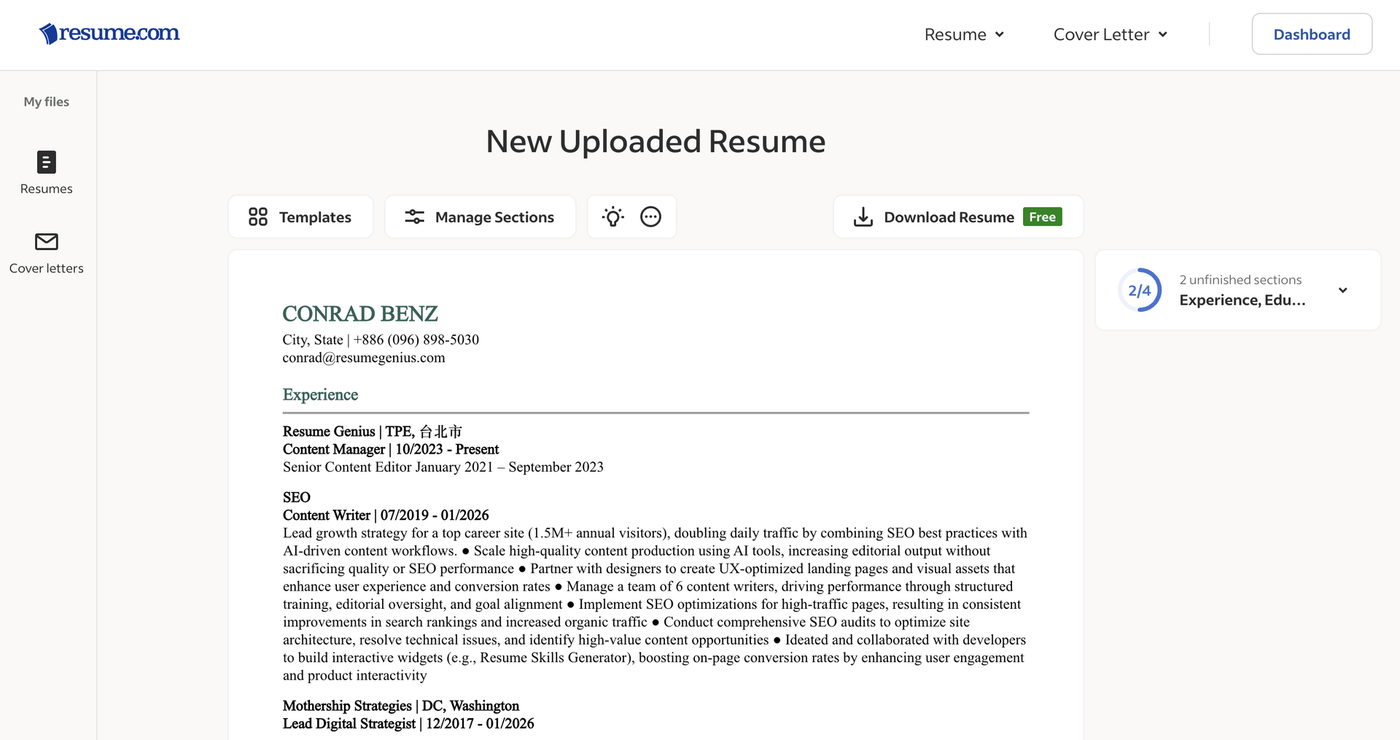
While Indeed is best known as a job board, it also owns resume.com – one of the top free resume builders available online.
Indeed’s resume builder offers 15 unique templates and allows you to add custom sections, which is enough for job seekers who already have a basic understanding of how to write a resume.
If you just need a simple resume builder and don’t want to pay, resume.com is perfect. However, the builder lacks many of the helpful features you’ll find in other builders, and its template choices are very basic.
Additionally, the “upload resume” feature doesn’t work as well as some other builders on this list. As you can see from the screenshot above, it incorrectly parsed the bullet points on my sample resume.
Pros
- Costs nothing
- Easy to use
Cons
- Templates are basic
- The builder lacks features found in other software options
Resume.com pricing
Resume.com is completely free.
Best for
Budget-conscious job seekers: If you’re on a tight budget and need a simple resume, Indeed’s builder is a good option. Just expect basic templates and fewer features than premium builders.
User reviews
Resume.com has a 1.4/5 rating on Trustpilot with 50 reviews, making it the lowest rated on this list. However, Indeed hasn’t claimed the profile and the reviews are mostly old.
3. Resume.io
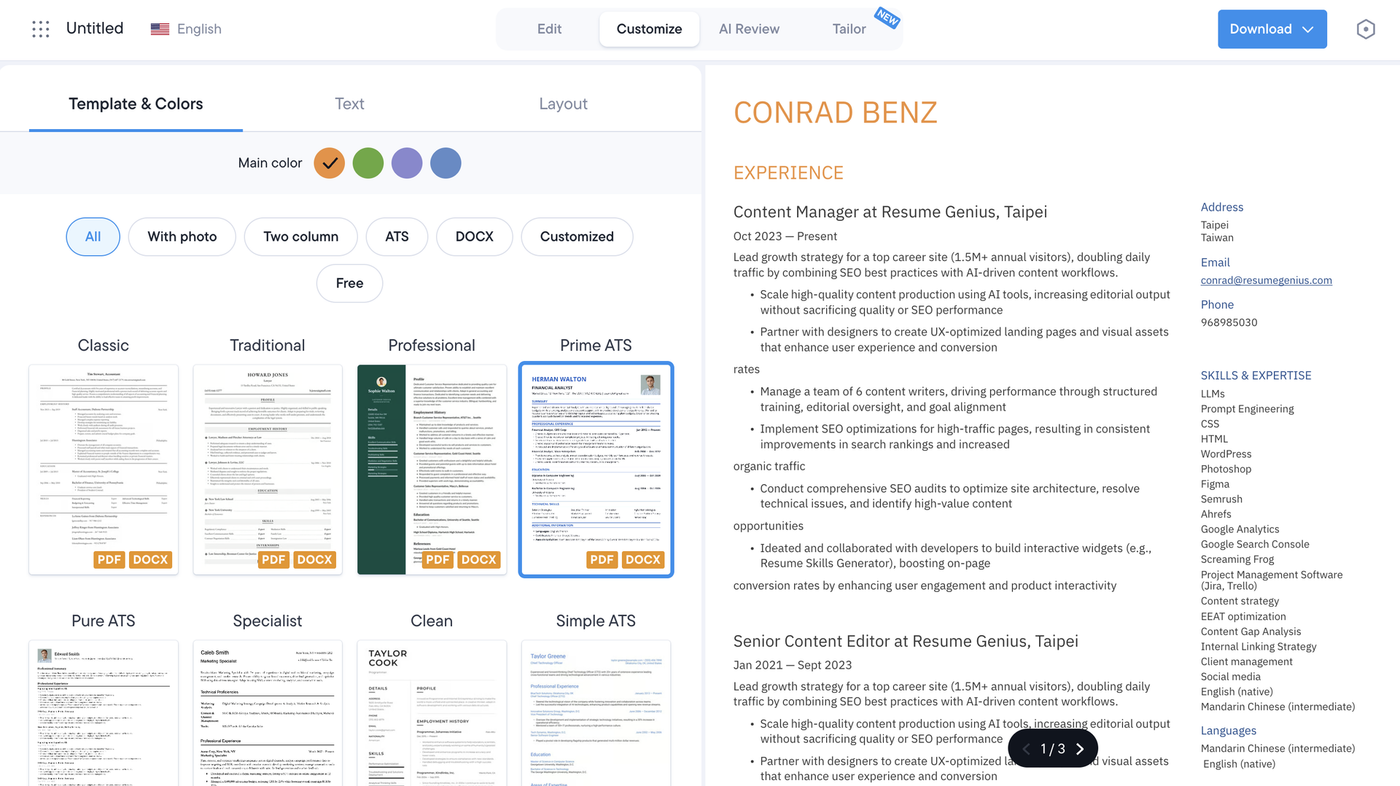
Resume.io’s sleek platform immediately caught my eye with its polished interface and user-friendly design.
Once you sign up, you get a whole suite of tools to help jumpstart your job search, from an AI review of your resume to features that let you tailor your resume to a specific job. I found the tailoring tool in Resume.io’s builder especially interesting, but the results weren’t as polished as I’d hoped. Some of the suggestions for my test resume felt clunky, and the resume summary it generated was way too long.
Template-wise, Resume.io’s resume builder has a strong mix of free and premium designs, with a focus on international standards (including templates designed for specific markets, like Japan. But its free template options are limited to 5 different designs.
Pros
- Sleek and professional interface
- Live preview feature
Cons
- Forced signup before starting
- Premium access is expensive
Resume.io pricing
- $2.95 for a 7-day trial (auto-renews at $29.95/month unless canceled)
- $49.95 for a 3-month package
Best for
Seamless experience: Resume.io is a solid choice if you value a sleek user experience and don’t need extensive customization. The live preview feature is impressive, but some tools feel unfinished, and the free templates won’t be the best options for most job seekers.
User reviews
Resume.io has a 4.3/5 rating on Trustpilot with 55,000 reviews. Users particularly appreciate the platform’s intuitive design and AI assistance.
4. Canva Resume Builder
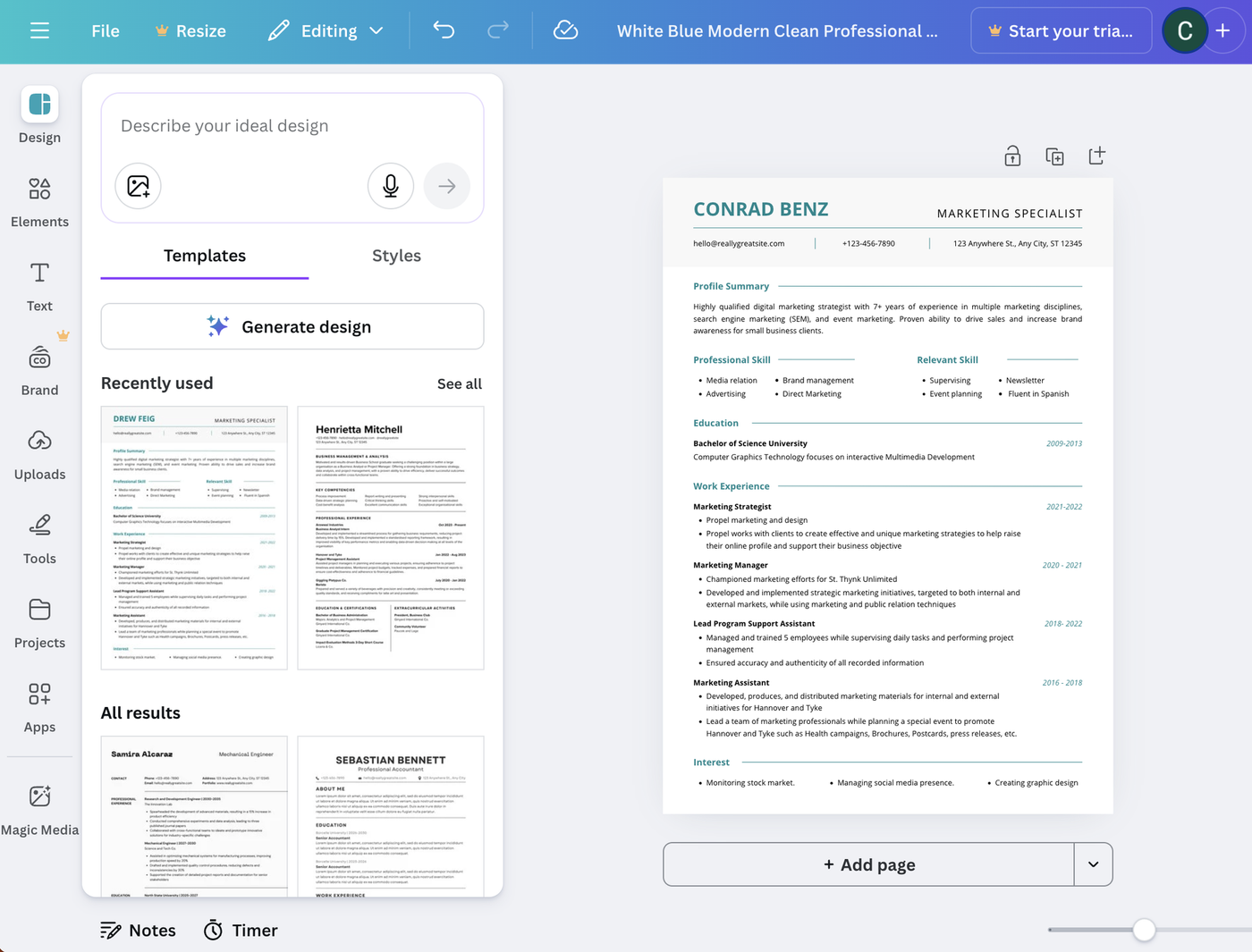
Canva’s biggest selling point is its template library. Designers can submit their own creations to the platform, which gives Canva an overwhelming variety of templates. If you work in design and want a unique-looking resume, Canva is the best option available, hands down.
However, most of its resume templates aren’t designed by HR or resume-writing professionals, which means they’re not necessarily ATS-optimized. On top of that, many templates are overdesigned, making them unsuitable for most jobs.
Canva’s builder itself is intuitive, but requires more work than most resume builders. You’ll need to manually enter all your information, and Canva doesn’t offer pre-filled content or guide you through how to write your resume.
Pros
- Many resume template options
- Highly customizable
Cons
- Need to manually fill in each section
- Most templates are not ATS-optimized
Canva pricing
Canva’s resume builder is free to use, but its premium templates require Canva Pro ($120/year).
Best for
Designers and creatives: With a massive template library, Canva is a great choice for designers and job seekers in creative industries.
User reviews
Canva has a 2.9/5 rating on Trustpilot with over 3,000 reviews. Users generally like the templates, but find the interface difficult to use.
5. JobScan
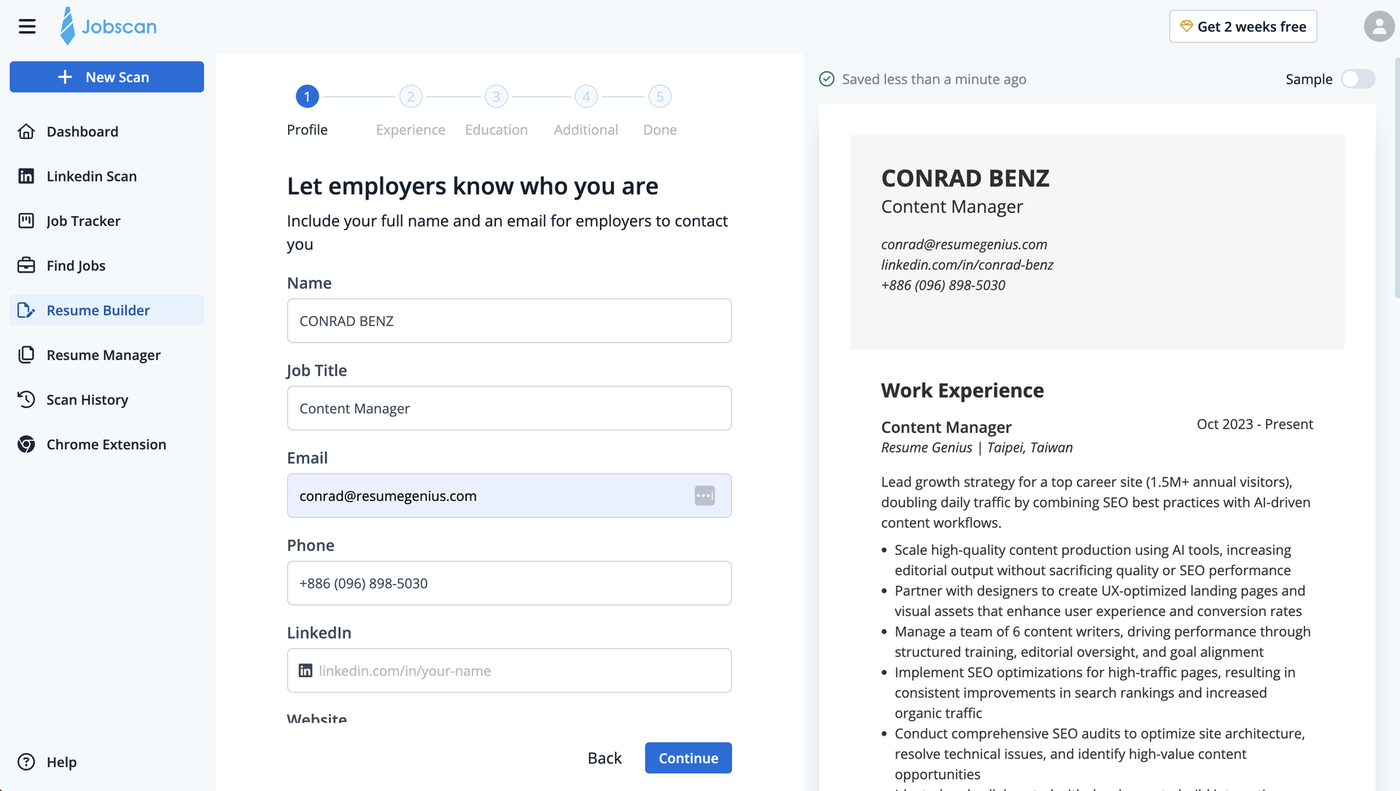
JobScan’s resume builder is straightforward and formats your information clearly, even if you don’t have much work experience.
Where JobScan excels is its ATS-compatibility check. After you generate your resume, you can run a free scan to see what might be missing, whether you need to add more keywords, and how your skills compare to the competition.
The downside? Very limited template options. The designs are basic and not particularly eye-catching. However, if your main goal is to bypass ATS systems at large companies, JobScan is worth considering. Just be prepared to compromise on aesthetics.
Pros
- Free
- Includes an ATS scan
Cons
- Very basic templates
- Few features
JobScan pricing
JobScan’s resume builder is free. For extra features and more in-depth resume scans, you’ll need to pay $49.95/month.
Best for
ATS-optimization: JobScan is a simple-to-use free resume builder with a focus on ATS scans. However, its template choices are limited, and the builder lacks more advanced features.
User reviews
JobScan is rated 4.5/5 on Trustpilot with 282 reviews. Users praise JobScan’s ATS optimization tools and the builder’s ability to tailor their resumes to specific jobs.
6. Teal
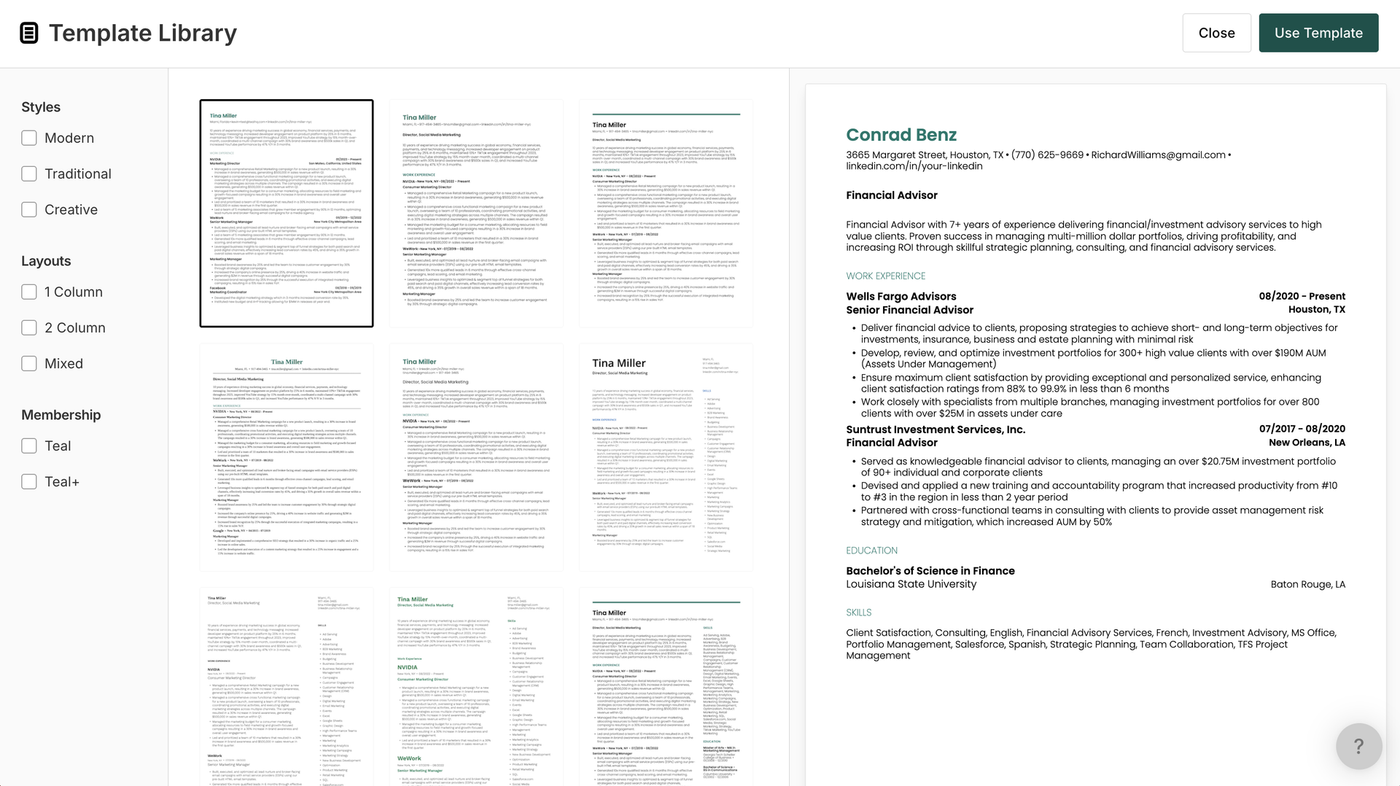
Teal combines a resume builder with a job tracker, allowing you to upload a job description and receive tailored suggestions for adjusting your resume to better match that specific role.
The Teal resume builder is intuitive and user-friendly. However, it’s not as flexible as some other resume builders because it doesn’t let you add custom sections. If you need that level of customization, I recommend choosing a different resume builder from this list.
One feature that helps Teal stand out is its workflow: once your resume is finished, you can generate a matching AI cover letter tailored to a job ad by selecting that job from your job tracker.
Pros
- Well-designed builder
- Job matching feature
Cons
- Limited free AI suggestions
- Basic-looking templates
Teal pricing
$13/week, $29/month, or $79/quarter.
Best for
Job tracking: Teal’s job tracker and AI cover letter feature make it a convenient choice if you want to streamline your job search.
User reviews
Teal is rated 4.1/5 on Trustpilot with 79 reviews. Users frequently comment on the usefulness of the job tracking feature and find it helpful to have everything on one platform.
7. Kickresume
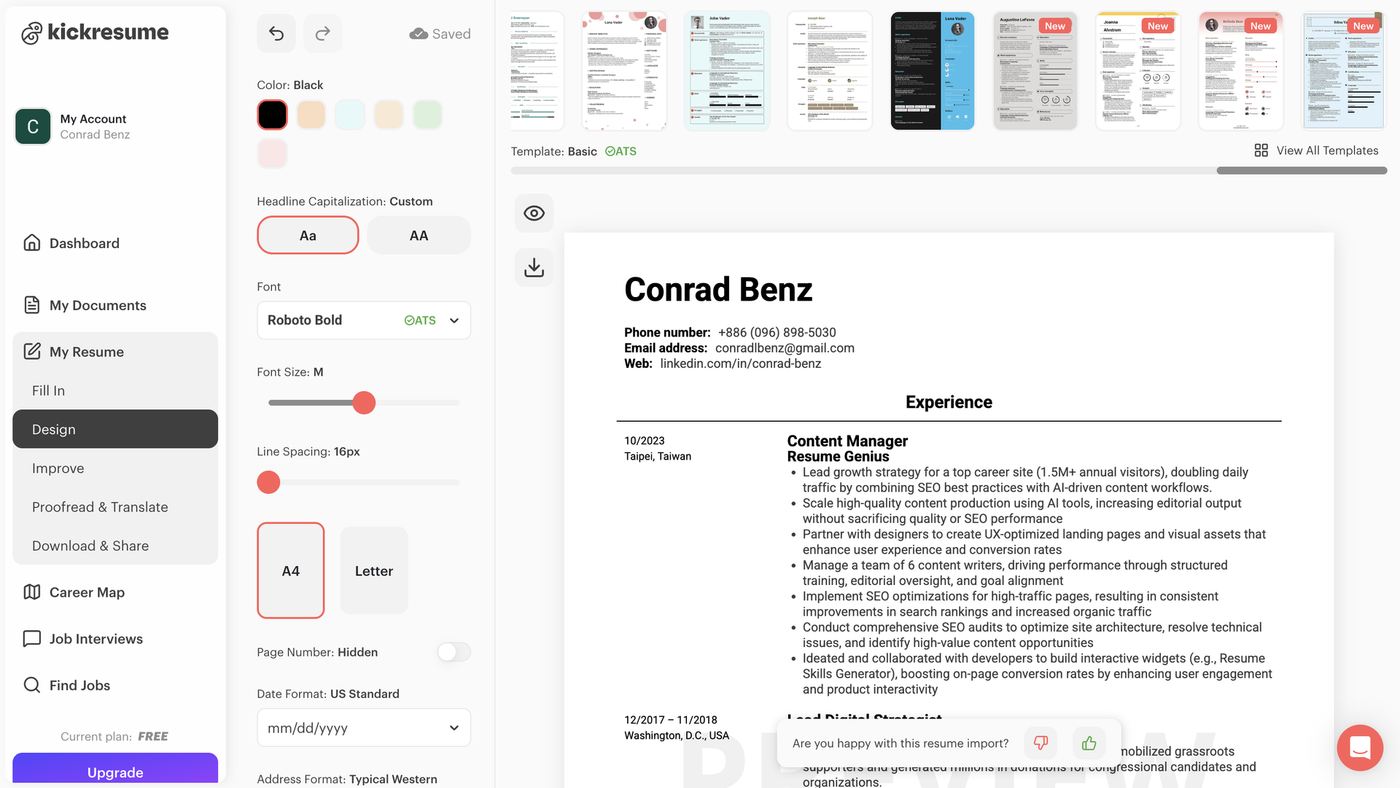
Kickresume offers an AI-powered resume builder that helps job seekers create professional, visually appealing application documents quickly.
My first impression was that Kickresume’s builder makes it easy to customize your resume, thanks to its wide range of settings.
I also liked the variety of its premium templates. While many resume builders stick to traditional designs, Kickresume offers a range of more creative options. However, only 4 of the 44 templates available are free.
Pros
- Lots of customization options
- Easy to preview your resume while editing
Cons
- Only 4 free templates
Kickresume pricing
Basic features are free, but unlocking premium features requires a subscription: $24/month, $54/quarter, or $96/year.
Best for
Heavy customization: Kickresume’s builder has a strong suite of customization and template options. You can build and download a basic resume for free, but if you want a more striking design, you’ll need a paid plan.
User reviews
Kickresume is rated 4.6/5 on Trustpilot with 3,000 reviews. Users liked the builder’s user-friendliness and praised the suggestions provided by the AI assistance.
8. Novoresume
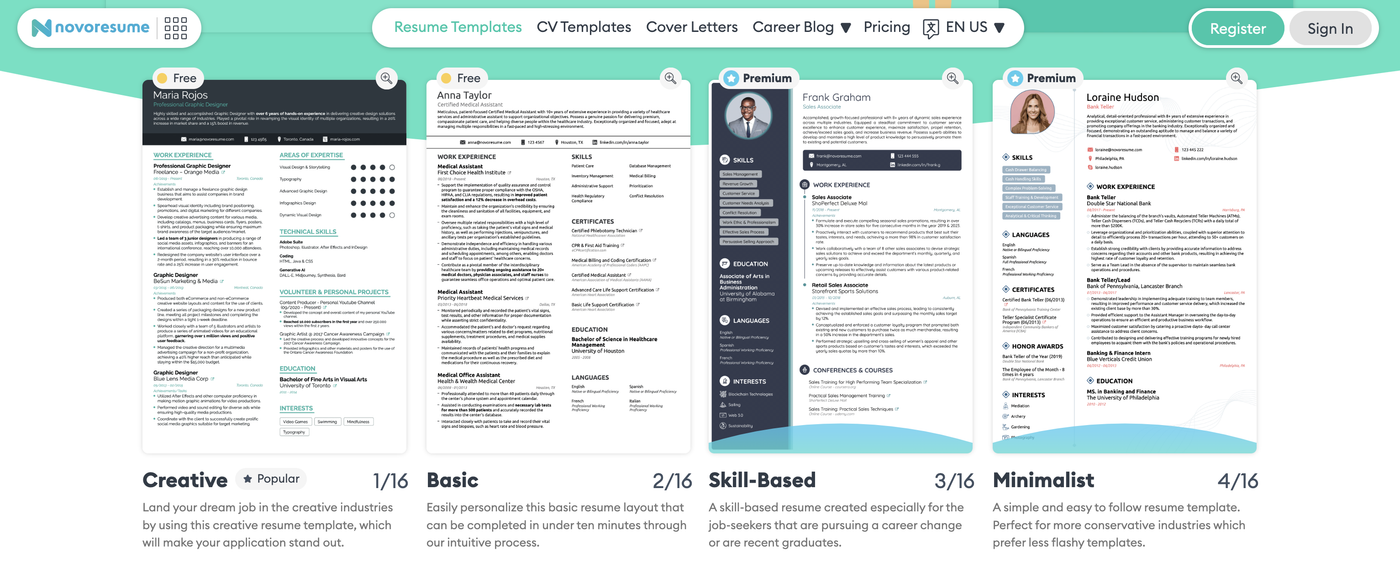
Based in Denmark, Novoresume provides a modern resume builder that works well for job seekers on both sides of the Atlantic.
I like how much control Novoresume’s builder gives you. You can adjust fonts, margins, and layouts, which is perfect if you like to fine-tune every detail. The AI assistant is also genuinely helpful, especially if you’re a less experienced job seeker who needs guidance.
However, many of Novoresume’s templates look quite similar, and some of its recommendations (like prompting users to add a profile picture to their resume) aren’t recommended for US job seekers. Overall, the platform feels more geared toward European CV norms, which may confuse US users.
Still, if you want a highly customizable builder and don’t mind a learning curve, Novoresume is a good option.
Pros
- Helpful writing tips inside the builder
- Free to try
Cons
- Might be confusing for UK or US users
- Template offerings are very similar looking
- Premium access is expensive
Novoresume pricing
Premium features start at $21.99/month, $39.99/quarter, or $139.99/year.
Best for
European job seekers: Novoresume is a solid free resume builder with powerful software and some standout, unique features. However, its template designs are all quite similar, and the builder leans more European than US-focused.
User reviews
Novoresume has a Trustpilot rating of 4.5/5 with 1,000 reviews. Users especially liked the builder’s ease-of-use and the modern-looking templates.
9. EnhanCV
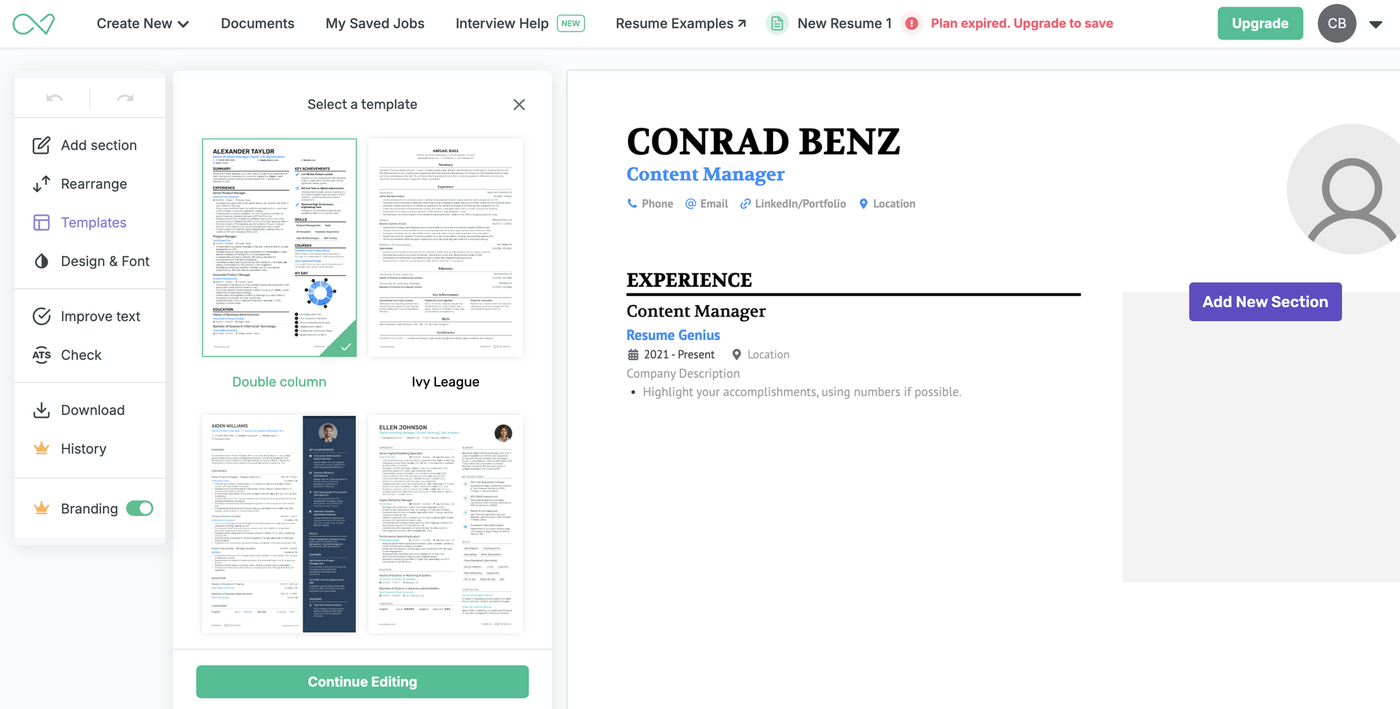
When you begin the EnhanCV resume builder process, you’re greeted by Julia, a virtual assistant and “resume expert.” It’s a bit gimmicky, but the overall look is modern and cutting-edge.
However, EnhanCV doesn’t offer the kind of guided experience or pre-written content that other resume builders use to speed up the writing process. Without those features, EnhanCV’s service can feel intimidating if you don’t have experience writing a resume. That said, its upload feature works well if you already have a resume you want to improve, and the editor is intuitive to use.
Pros
- Modern resume template designs
- Polished experience
Cons
- Not beginner-friendly
- Full access is pricey
EnhanCV pricing
$29/month for full access to EnhanCV’s template, design, font, and color options.
Best for
Easy editing: EnhanCV’s resume builder is sleek and super easy to use – just click to edit. However, its premium plan comes with a higher price tag than competing resume builders.
User reviews
EnhanCV is rated 4.7/5 on Trustpilot with 829 reviews. People appreciated EnhanCV’s template options and how quickly they were able to make a resume with the builder.
10. Rezi
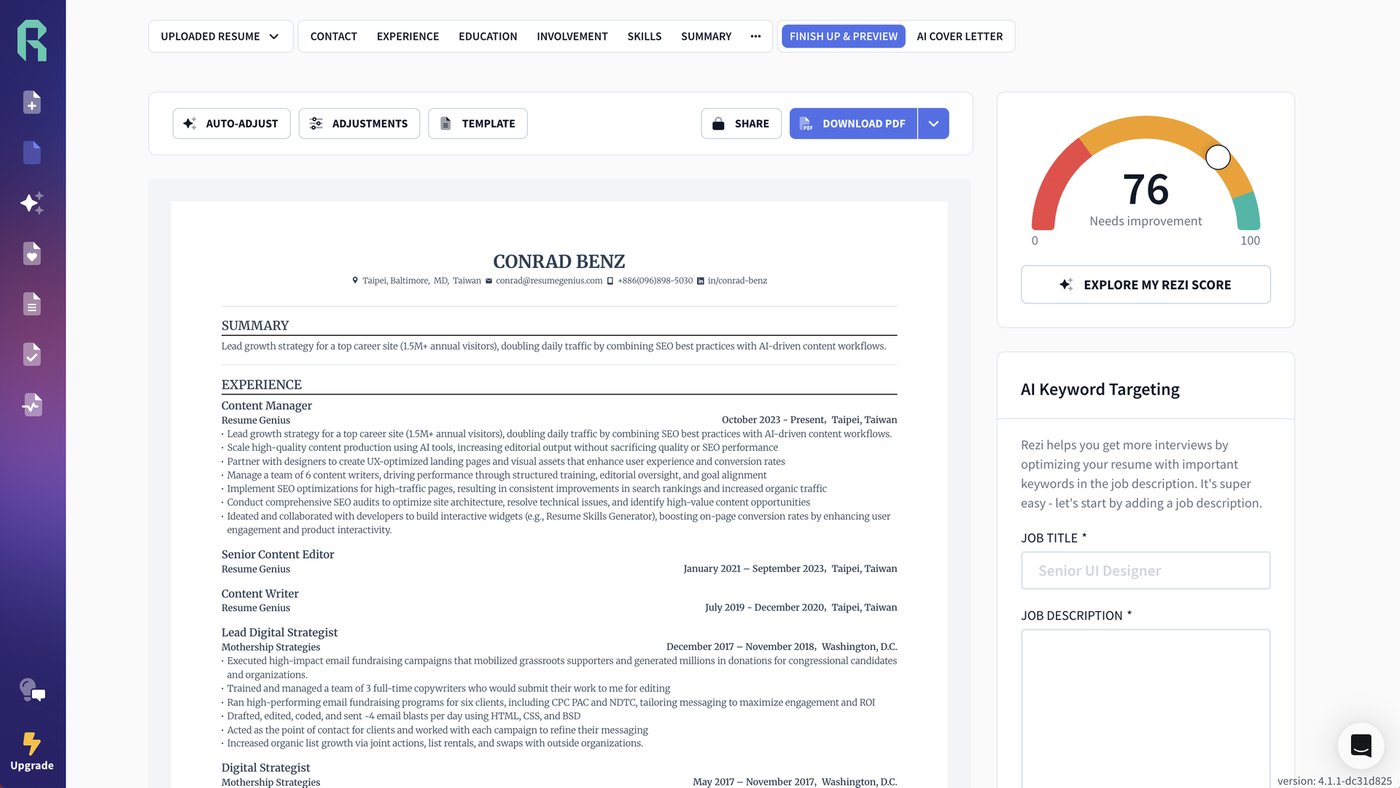
Like JobScan, Rezi bills itself as an ATS optimization solution. Every section of your resume is analyzed in real time, and you’re given suggestions to improve ATS compatibility. However, I didn’t find all its suggestions helpful, and many features are locked behind a subscription.
The editor itself is intuitive, with formatting controls that feel similar to Microsoft Word or Google Docs. There’s also an impressive selection of pre-written bullet points tailored to different roles, which can significantly speed up the writing process.
That said, the free plan is pretty restrictive. The template shown above is the only free option, and advanced features (like cover letter generation and unlimited downloads) are locked behind a paywall.
Even if you do pay, the template variety options are still more limited than those of many competitors.
Pros
- Easy-to-use interface
- One-time payment option
Cons
- Small range of template designs
- Limited customization
Rezi pricing
- Pro plan: $29/month
- Lifetime plan: $149 one-time fee
Best for
AI-driven optimization: Rezi is a fine choice if your priority is creating an ATS‑friendly resume with real-time guidance. It’s ideal for job seekers who want keyword optimization help and don’t mind working within a limited set of templates.
User reviews
Rezi has a 4.5/5 Trustpilot rating with 206 reviews. Users praised the keyword suggestions and real-time ATS optimization.
Frequently asked questions about resume builder websites
Here’s a list of answers to questions we frequently receive about resume builder websites:
What do employers think of resume builder platforms?
Employers care about the content of your resume, not how you made it.
Whether you wrote your resume from scratch, used a template, or created it with a resume builder, employers focus on your resume’s content.
Which format do most employers prefer for resumes?
Most employers prefer a PDF because it keeps your layout, fonts, and spacing consistent, no matter what device or software is used to open it.
That said, if a job posting asks for a Word document (.doc or .docx), follow those instructions. Always check the application instructions, but when in doubt, PDF is the safest choice.
Can I build a resume using ChatGPT?
Yes. You can use ChatGPT to draft resume content, tailor it to specific jobs, improve wording, and check clarity and impact. Just make sure you review and customize the final version to ensure accuracy and fit.
Are resume builder websites free to use?
Many resume builder websites offer free basic versions that let you create (and sometimes download) a simple resume without paying. These free plans often include a limited selection of templates and fewer customization options.
In most cases, advanced features like premium templates, unlimited downloads, and ATS optimization tools are locked behind a paid subscription.
For some freebies, check out our downloadable ATS-friendly resume templates and ATS resume parser tool.
Do these resume builders use AI?
Yes, many online resume builders use AI to generate bullet points, suggest improvements, and analyze job descriptions to help you tailor your resume.
Can I customize the templates?
Most resume builders allow some customization (such as font choice and size, colors, sections, and layout tweaks), but the level of control varies from builder to builder.
Are resumes made with builders ATS-friendly?
Most resumes made with reputable builders are ATS-friendly because they typically use clean formatting, standard fonts, and well-structured sections.
However, not every template is equal. Steer clear of overly designed templates with complex graphics or multiple columns because these elements can confuse ATS software.
If you’re interested in using online software to create a cover letter as well, check out the best cover letter generators on the market.
About the Author

Conrad Benz is a Content Manager and Hiring Manager at Resume Genius. With nearly a decade of experience as a career services professional, Conrad is passionate about helping people navigate the job search process and find fulfilling work.
You can find Conrad’s career insights in publications like Typsy, Resume Library, and more.
Conrad graduated with a B.A. in International Relations from Goucher College in Maryland and currently lives in Taipei, Taiwan, where he helps ensure every article on Resume Genius provides job seekers with the information they need to succeed.
If you want to reach Conrad for a quote or media-related inquiry, you can contact him at [conrad] @ [resumegenius.com].