• Skip to Content
  • Skip to Footer

Resume Genius

Resume Genius

The World's Smartest Resume Builder

  • Resume Templates

    Professional Designs
    Basic
    Creative
    Modern
    Minimalist
    File Types To Download
    Word
    Google Docs
    PDF
    Pages
    Formats
    Chronological
    Functional
    Combination
    Infographic
    Situational Templates
    ATS
    Entry Level
    Picture
    Blank
    View All Free Resume Templates Use a Premium Template

    Monday – Friday: 8:00 AM – 7:00 PM (EDT), Saturday – Sunday: Closed(866) 215-9048

  • Resume Examples

    For Students
    High School
    Internship
    College
    Student CV
    By Experience
    No Experience
    Mid-Career
    Manager
    Executive
    Top Industries
    Teaching
    Nursing
    Administrative Assistant
    Customer Service
    Cashier
    Engineering
    Graphic Design
    Server
    View All Resume Examples Build My Resume Now

    Monday – Friday: 8:00 AM – 7:00 PM (EDT), Saturday – Sunday: Closed(866) 215-9048

  • Free Resources

    Tools
    • AI Resume Generator
    • ATS Resume Checker
    • Resume Summary Generator
    • Bullet Point Generator
    Resumes
    • How to Make a Resume for Any Job in 2026
    • The Best Resume Format for 2026
    • How to Put Skills on Your Resume
    • 40+ Professional Resume Summary Examples
    Cover Letters
    • Cover Letter Templates to Download
    • Cover Letter Examples for All Job Applications
    • How to Write a Cover Letter for a Job in 2026
    • Cover Letter Format: Template & Examples
    CVs
    • Professional CV Templates
    • 400+ CV Examples for Everyone
    • How to Write an Academic CV
    • CV Examples for Students
    Visit the Genius Blog Build My Resume Now

    Monday – Friday: 8:00 AM – 7:00 PM (EDT), Saturday – Sunday: Closed(866) 215-9048

  • Builders

    The Genius Resume Builder

    Make a professional resume in just a few minutes.

    AI Cover Letter Generator

    Write custom cover letters for every application.

    Professional CV Maker

    Create a detailed academic or professional CV.
    Resume Genius Customer Reviews 10 Best Resume Builders of 2026
    Build My ResumeLogin

    Monday – Friday: 8:00 AM – 7:00 PM (EDT), Saturday – Sunday: Closed(866) 215-9048

  • Pricing

Monday – Friday: 8:00 AM – 7:00 PM (EDT), Saturday – Sunday: Closed(866) 215-9048

Build My Resume Login

Monday – Friday: 8:00 AM – 7:00 PM (EDT), Saturday – Sunday: Closed(866) 215-9048

Resume Templates Modern Resume Templates

Modern Resume Templates to Download & Edit

Download a free modern resume template with a contemporary layout, clean typography, and bold design elements that highlight your qualifications. Format your resume to 2026 hiring standards.
Build My Resume NowUpload Existing Resume
  • All Templates
  • ATS
  • Google Docs
  • Modern
  • Simple
  • Student
  • Creative
  • Word
  • Photo
The Nova resume template in purple.
Download for WordBuild My Resume
Pin It
1,030
Nova
Word
Easy Edit
Tech Template Green
Build My Resume
Pin It
Tech
PDF Word Text
The Startup student resume template in orange.
Download for WordBuild My Resume
Pin It
44
Startup
Word
Green Single Column Resume Template
Free Download Download for Word Open in G DocsBuild My Resume
Pin It
1,320
Single Column
Word Google Docs
Easy Edit
Advanced Resume Blue
Edit This Template
Pin It
Advanced
PDF Word Text
The Mono chronological resume template in orange.
Download for WordBuild My Resume
Pin It
849
Mono
Word
The Strong functional resume template in green.
Download for WordBuild My Resume
Pin It
382
Strong
Word
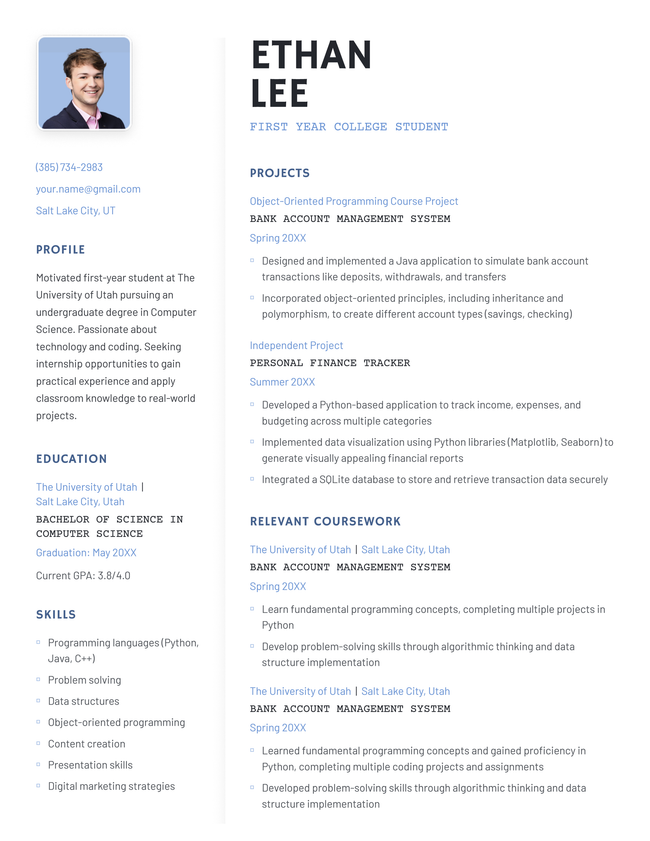
The 'Slate' resume template in pink with two columns, a photo, and subtle shading in the lower left-hand corner.
Download for WordBuild My Resume
Pin It
9,136
Slate
Word
Easy Edit
Magnate resume template in dark blue
Edit This Template
Pin It
Magnate
PDF Word Text
The Progress chronological resume template in pink.
Download for WordBuild My Resume
Pin It
350
Progress
Word
The 'graphite' resume template in black, featuring two columns and decorative squares in the upper right corner
Download for WordBuild My Resume
Pin It
4,274
Graphite
Word
The 'Bold' resume template in violet, featuring a striking black header and two-column layout
Download for WordBuild My Resume
Pin It
3,489
Bold
Word

Additional free resume templates

  • All
  • ATS
  • Blank
  • Canva
  • Creative
  • CV
  • Google Docs
  • InDesign
  • LaTeX
  • LibreOffice
  • Pages
  • PDF
  • Photo / Headshot
  • Minimalist
  • Modern
  • Simple / Basic
  • Student
  • Two-Column
  • Word

Resume templates by layout & career level

  • Chronological
  • Combination
  • Functional
  • Infographic
  • Entry-Level
  • Mid-Career
  • Manager
  • Executive
Table of Contents
  • Modern Resume Templates to Download & Edit
    • Why use one of our modern resume templates?
    • What do recruiters want from your resume in 2026?
      • Clean design
      • A clear logical format
      • ATS-friendly formatting
      • Conciseness and focus on the job
    • Example of a finished modern resume
    • Frequently asked questions (FAQs)
      • What is the best resume format?
      • What sections should I put on my resume?
      • Should I add a photo on my resume?
    • Tools to help you fill in your modern resume template
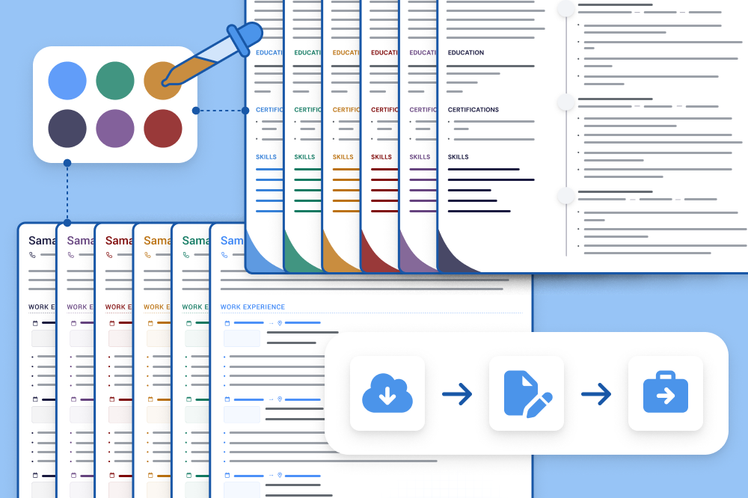
3 resume templates available in the Resume Genius builder with a banner explaining how quickly you can make a resume

Struggling to get interviews?

Make a professional resume

Share:

  • Copied

Why use one of our modern resume templates?

Using one of our modern resume templates is the easiest way to make your resume polished and compatible with modern recruitment software. Each template uses a clean layout that is easy to customize and read. All you need to do is personalize the resume sections with your own skills and experience.

Each resume template uses tech-focused design touches that balance contemporary character and professionalism. Suitable for any application but designed to appeal most to young and forward-thinking companies, the resumes are sleek, space efficient, and highly skimmable.

Bold headers and clear visual hierarchies help key qualifications and contact details stand out at a glance, while the layouts and typography are optimized for AI-readability. Your resume will be clear and persuasive regardless of whether the employer is using an ATS or reading your resume manually.

What do recruiters want from your resume in 2026?

Recruiters want resumes to be clean, clear, and ATS-friendly so they can quickly review application loads and select the best candidates.

According to our own job market research, most hiring managers only spend 1 to 3 minutes reviewing each resume that lands on their desk. Your document needs to make sense to a reader in a rush. You need to be clear and direct.

Key elements of a modern resume:

  • Clean design
  • Clear, logical format
  • ATS-friendly formatting
  • Conciseness and focus on the job

Clean design

Modern resume design uses subtle design elements that are professional and not distracting:

  • Bold section headers
  • Clean dividers
  • Intentional white space

Overuse of color or graphic elements can actually hurt your chances of getting an interview — 62% of employers perceive design-heavy resumes poorly.

To make the right first impression, use subtle colors and clean sans-serif fonts. Our modern templates use both of these elements to give your resume character without distracting from your core qualifications.

A clear logical format

When manually reviewing resumes, hiring managers move fast. They want to quickly confirm that you have enough hands-on experience to manage the responsibilities of the role. To do so, they skim your resume’s left margin for relevant job titles, and then skim your bullet points for relevant achievments.

Using the right resume format makes it easy for employers to review your resume in this way. You should write a chronological resume if you have any experience relevant to the job.

The chronological resume format lists your most recent job first and goes backward, making your career history easy to follow.

Pros

  1. Go in reverse: List your most recent job at the top, then work backward through your past roles
  2. Add clear details: For each job, list your title, the company name, and the dates you worked there
  3. Lead with action: Start every bullet point with a strong action verb to describe your duties
  4. Prove your impact: Use clear numbers to highlight your achievements and career growth in each role

ATS-friendly formatting

Most US employers use ATS software to process resumes, helping standardize applications and screen out unqualified applications.

How employers use applicant tracking systems

Survey of 1,000 hiring managers on their initial application review process. Data reflects the 852 respondents who actively use an ATS (excludes 148 who do not use or were unsure of their system). Source: 2025 Unfiltered Hiring Insights Report.

Use%Count
Grading and ranking resumes34.3%292
Filtering out resumes based on preset criteria43.1%367
Organizing resumes to assist with manual review22.7%193

Good formatting helps ensure your resume is processed accurately, improving your chances of success.

Use clear headers and simple text-based layouts and avoid complex visual elements like graphics and text boxes. This software-focused approach helps the ATS accurately interpret your qualifications.

Conciseness and focus on the job

Current hiring trends favor a balanced, highly focused approach to resume length. Recent research shows that 20% of hiring managers reject resumes that are too long or dense while 33% of hiring managers reject resumes that have unclear work histories.

This preference underscores the need for concise, results-oriented writing. Candidates should use the available space to prioritize relevant milestones that directly align with the target role’s specific requirements.

Every bullet point must deliver clear, quantifiable value. Eliminating outdated or redundant information ensures your most impactful achievements stand out during a manager’s brief initial scan.

Example of a finished modern resume

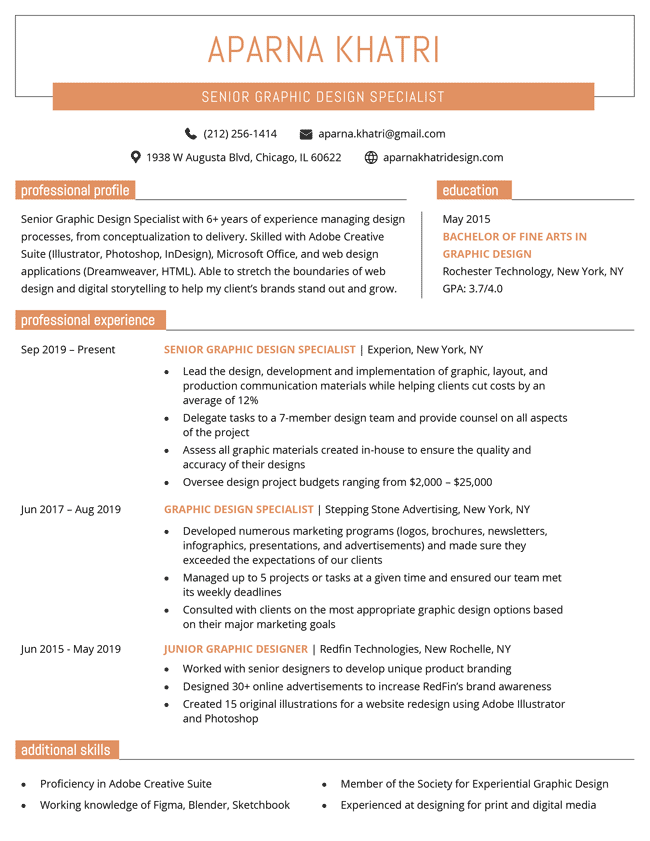
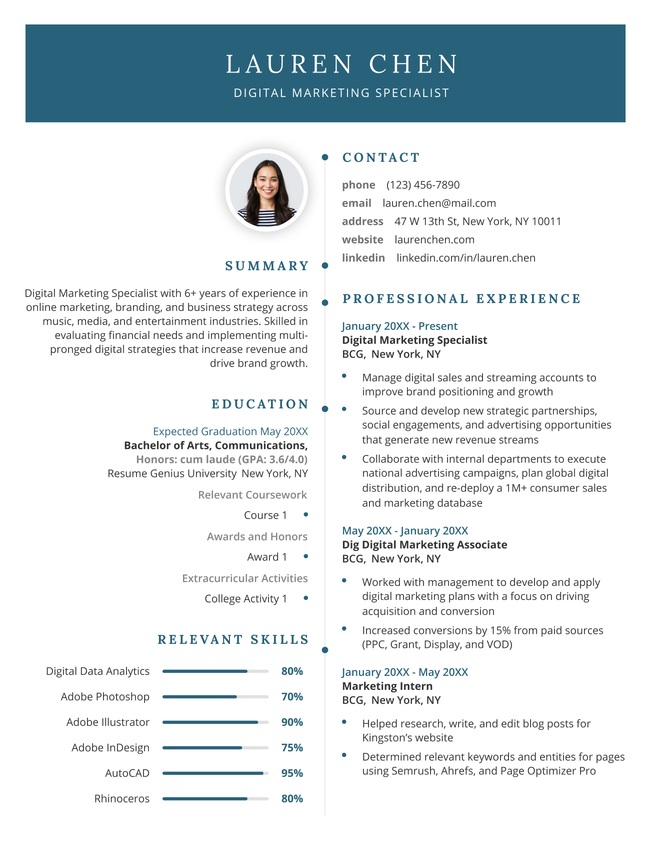
This resume works because its clean, chronological structure is easy for a busy hiring manager to skim through. The standarized headings are ideal for an ATS scan and the muted color palette adds character without dazzling the reader.

2026 resume template in dark blue.

Frequently asked questions (FAQs)

Here are answers to some of the most frequently asked questions about modern resume templates:

What is the best resume format?

The best resume format for most job applicants is the chronological resume format because it focuses on your job history. However, certain applicants benefit from using an alternative resume format.

Here’s how the different resume formats compare.

Common Resume Formats Compared

FormatDescriptionBest For
ChronologicalLists work history starting with your most recent role to show clear career progressionMost applicants
FunctionalHighlights core skills over job titles and timelinesApplicants with professional skillsets but no relevant experience, career changers
CombinationLeads with a detailed skills section, followed by a traditional work historyEngineering, IT, healthcare, and skilled trades where skills and experience are equally vital
StudentEmphasizes education, coursework, and internships over professional historyRecent graduates with limited work experience

What sections should I put on my resume?

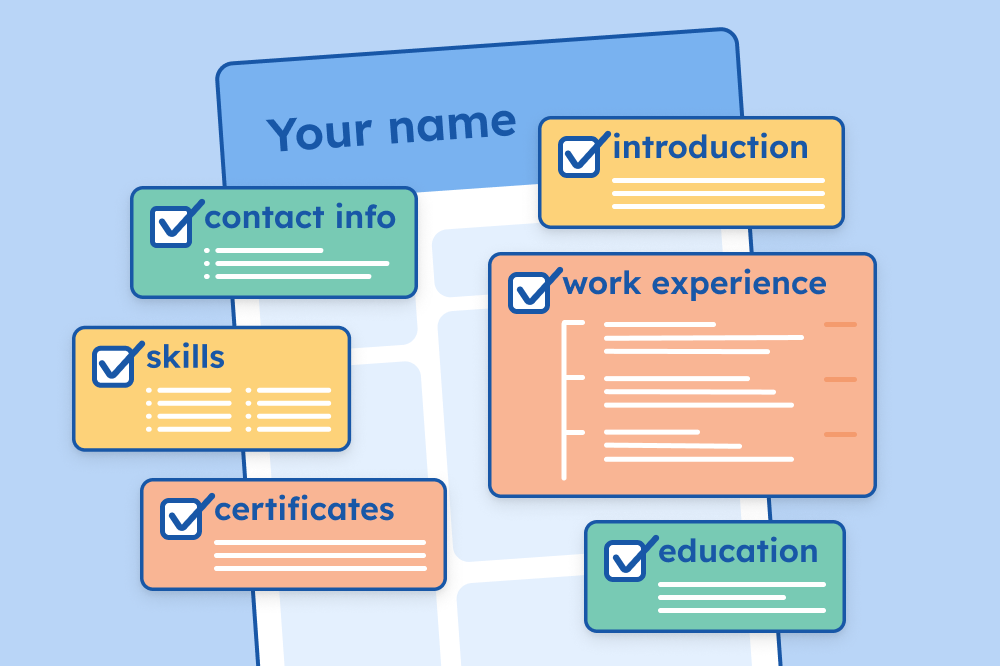
You should put the following sections on your resume:

  • A header containing your name and contact information
  • A resume introduction that highlights your key qualifications as a candidate
  • A work experience section that showcases your most relevant professional experience
  • An education section listing your highest level of education
  • A list of your job-specific skills
  • Any other relevant resume sections that can strengthen your resume

Should I add a photo on my resume?

You shouldn’t put a photo on your resume to apply for most jobs in Canada, the US, or the UK. Most employers would rather not know what you look like during the initial application stage to prevent unconcious hiring bias.

Adding a photo to your resume won’t disqualify your application but it will make you look out of touch with current hiring practices.

Acting and modelling roles are an exception. Employers often request headshots or a photo resume to check that your appearance fits their casting requirements. If you’re pursuing an acting or modelling role, make sure that you know how to take a professional resume photo that meets current hiring standards.

Tools to help you fill in your modern resume template

Create an application-ready resume faster with these writing tools:

  • Resume summary generator: Creates an effective professional summary that highlights your key skills and qualifications
  • Bullet point generator: Converts job duties into results-focused accomplishments
  • Skills generator: Recommends important industry keywords based on your role
  • AI resume generator: Automatically drafts a complete resume from a short prompt about your work history
  • ATS resume checker: Checks your resume for ATS-friendly formatting and parsability

Want a modern resume fast?

Use our AI-powered resume builder to create a fully formatted resume in 10 minutes. Select a template, and our software will walk you through each step.
Build my resume
Table of Contents
Resume Genius
LinkedIn Instagram Youtube Facebook Twitter Tiktok Pinterest Giphy
Resumes
  • Resume Builder
  • Resume Templates
  • ATS Resume Checker
  • AI Resume Generator
  • Resume Summary Generator
  • Resume Bullet Point Generator
  • Resume Skills Generator
  • Resume Parser
  • Resume Examples
  • How to Make a Resume
  • Resume Format
Cover Letters
  • Cover Letter Generator
  • Cover Letter Templates
  • Cover Letter Examples
  • How to Write a Cover Letter
  • Cover Letter Format
CVs
  • CV Maker
  • CV Templates
  • How to Write a CV
  • CV Examples
  • CV vs Resume
Policies
  • Terms & Conditions
  • Privacy Policy
  • CCPA/GDPR
  • Accessibility
  • Editorial Guidelines
Additional Resources
  • About Us
  • Affiliate Opportunities
  • Career Experts Program
  • Join Our Team
  • Press & Media Mentions
  • Pricing
  • Product Reviews
  • The Genius Blog
Support
  • Help & Support
  • Contact Us
  • Forgot Password
  • Frequently Asked Questions
  • Add Resume Genius as a preferred source on Google
Member of
Certified professional resume writer official seal

© 2026, Sonaga Tech Limited. All rights reserved

ResumeGenius.com is owned and operated by Sonaga Tech Limited, Hamilton, Zweigniederlassung Luzern with offices in Luzern Switzerland.

Your review would mean a lot to us.

We hope our free downloadable resources will help you on your path to career success. If you have time, a quick review would really make our day (it'll only take 15 seconds). Best of luck on the job hunt!

Leave A Review