Technical Support Resume Samples & Writing Guide
 Written By Lauren MastroniCareer Expert & Senior Digital Content Writer
 Reviewed By Samuel JohnsSenior Content Editor & Certified Professional Resume Writer
Lauren Mastroni is a Senior Digital Content Writer at Resume Genius, where she creates data-driven career content and actionable job search advice. With a background in academic research, she brings...
Want to make your application even stronger? Pair your resume with a focused technical support cover letter to show employers you’re ready to help users and keep systems running smoothly.
Tech support resume examples by experience level
For more options, check out our wide selection of resume templates.
Related Resume Samples
View All Resume Samples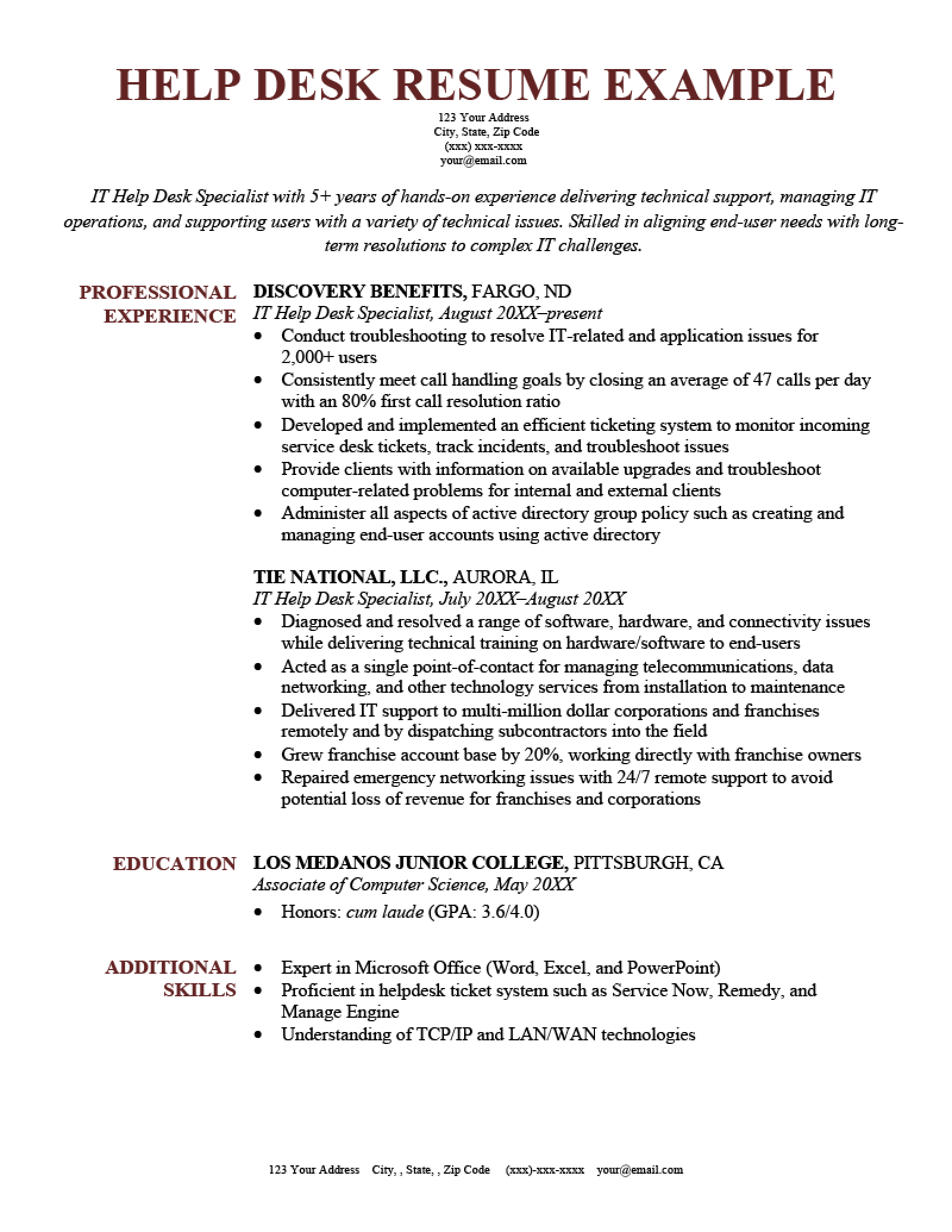
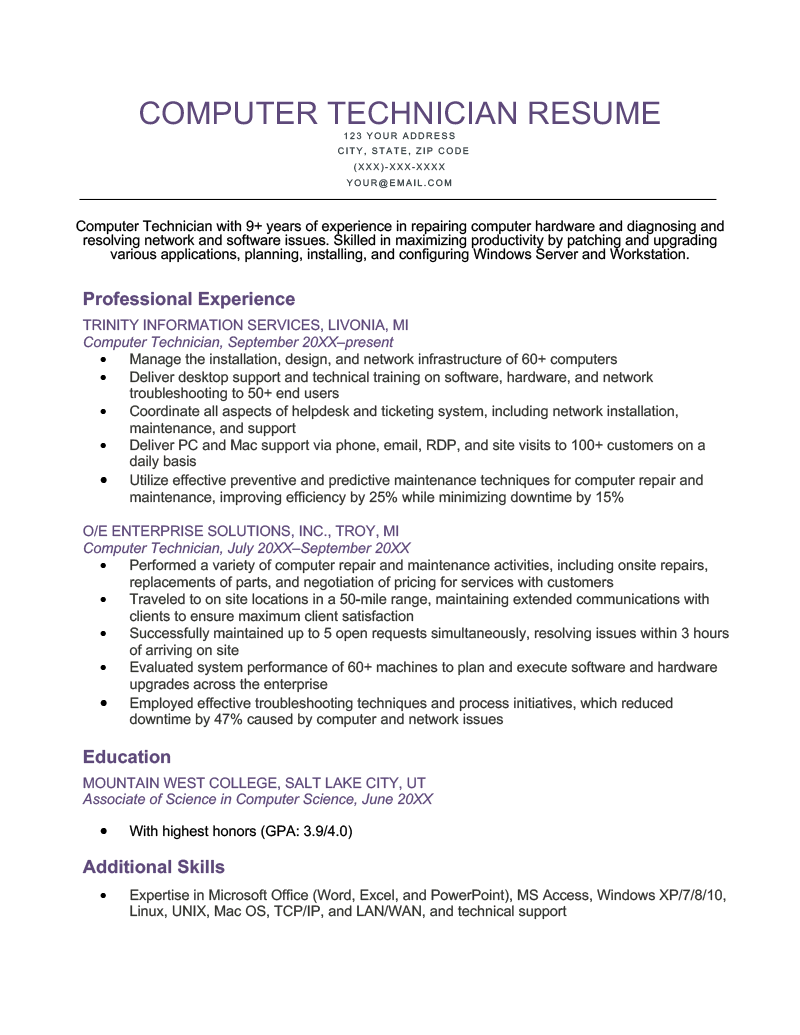
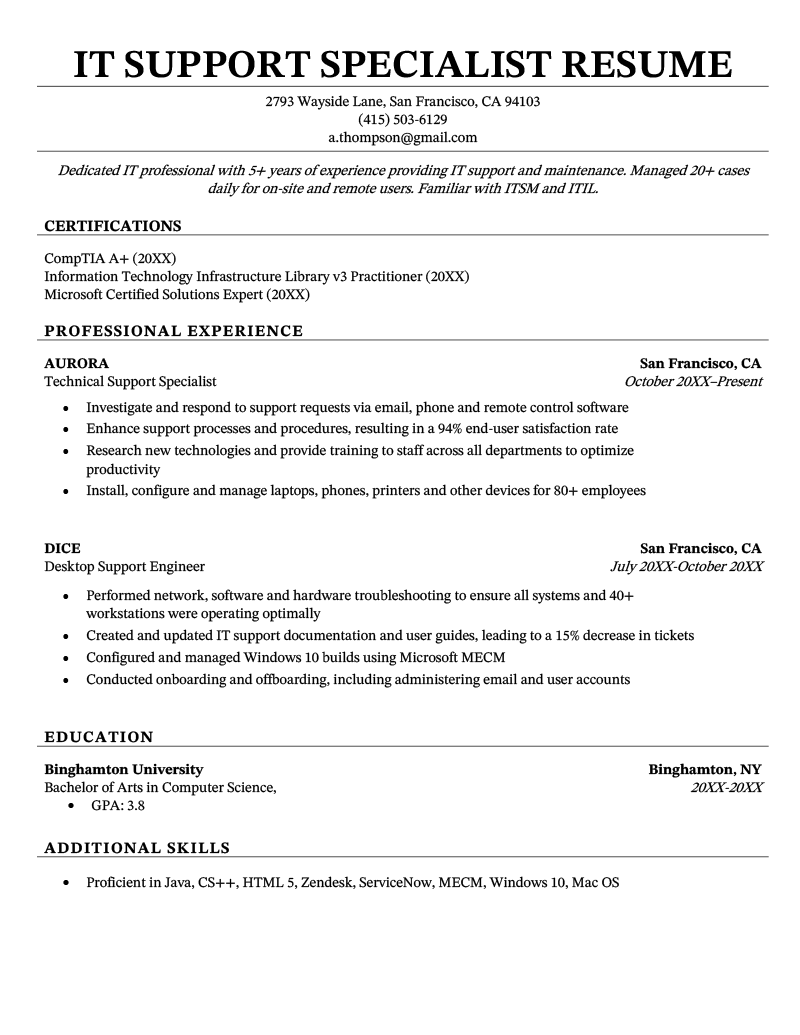
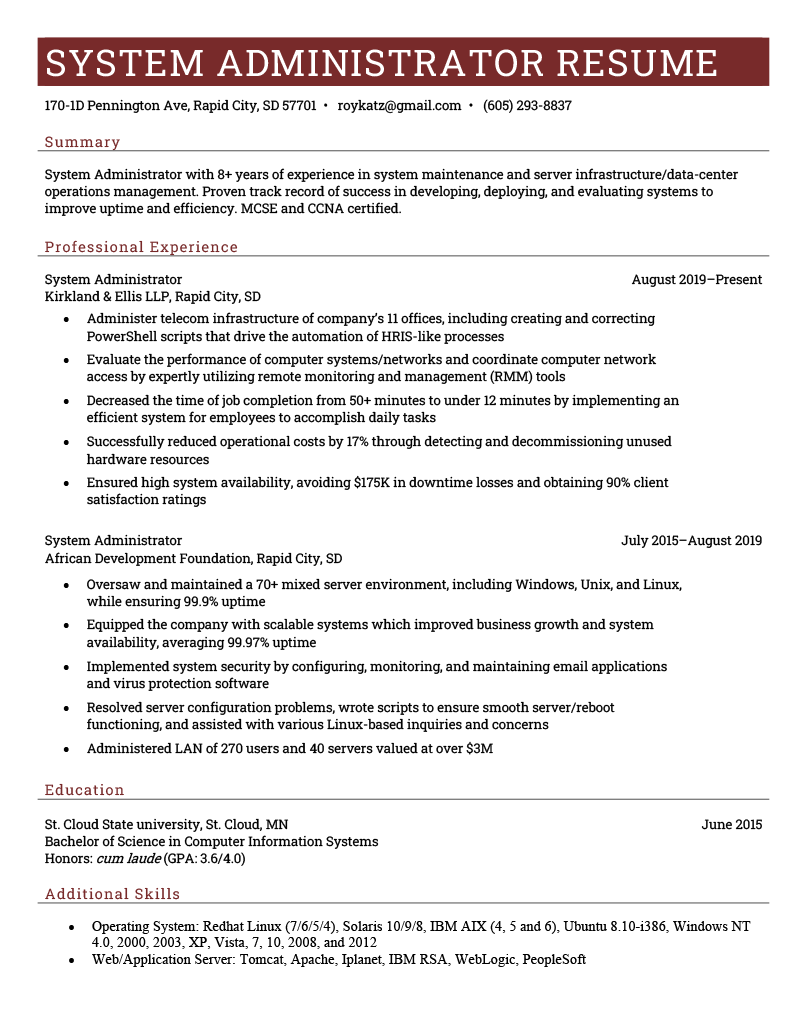
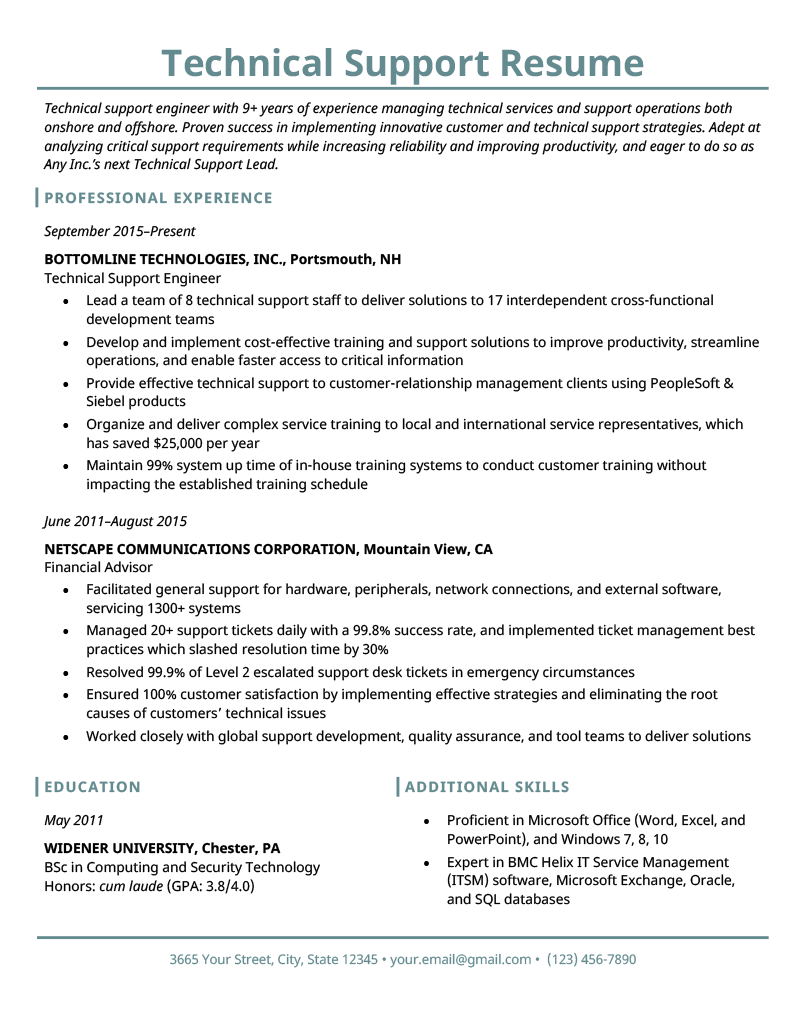
Technical support resume template
- Proficient in Microsoft Office (Word, Excel, and PowerPoint), and Windows 7, 8, 10
- Expert in BMC Helix IT Service Management (ITSM) software, Microsoft Exchange, Oracle, and SQL databases
- Lead a team of 8 technical support staff to deliver solutions to 17 interdependent cross-functional development teams
- Develop and implement cost-effective training and support solutions to improve productivity, streamline operations, and enable faster access to critical information
- Provide effective technical support to customer-relationship management clients using PeopleSoft & Siebel products
- Organize and deliver complex service training to local and international service representatives, which has saved $25,000 per year
- Maintain 99% system up time of in-house training systems to conduct customer training without impacting the established training schedule
- Facilitated general support for hardware, peripherals, network connections, and external software, servicing 1300+ systems
- Managed 20+ support tickets daily with a 99.8% success rate, and implemented ticket management best practices which slashed resolution time by 30%
- Resolved 99.9% of Level 2 escalated support desk tickets in emergency circumstances
- Ensured 100% customer satisfaction by implementing effective strategies and eliminating the root causes of customers’ technical issues
- Worked closely with global support development, quality assurance, and tool teams to deliver resolutions
How to write a technical support resume
Technical support roles require a unique mix of customer service skills and tech expertise. Balancing these opposing skills can be difficult when you write your resume.
Whether you manage a team of support specialists or go out to fix customer computer glitches, you need communication skills and hard knowledge about troubleshooting common errors to succeed.
Follow these three tips to write a technical support resume that strikes the perfect balance of the hard and soft skills employers want and land your next interview.
1. Highlight your technical support skills
The first things an employer looks for in a resume are skills that fit the job description. In your case, they’ll search for skills like ticketing, training staff members, and hardware and software support specialties.
List your most relevant and impressive technical support skills in your resume’s skills section.
Here are some relevant technical support skills to put in your skills section:
- Software troubleshooting and problem solving
- Database management system software
- Phone and email technical support
- BMC Helix IT Service Management (ITSM) software
- Project lifecycle management
- Security planning
- Quality assurance
- Agile framework
- Budget administration
- Infrastructure development
- Risk mitigation planning
- Documentation management
2. Write a strong education section
Ensure your resume’s education section is up to date and includes all relevant information, including your:
- school’s name and location
- type of degree/field of study
- graduation year
- GPA (if above 3.5)
If you don’t have a formal education in computers or technology, that’s alright. Emphasize your relevant experience and skills.
But if you have computer science education, highlight your educational achievements — especially if you’re lacking professional experience. Here’s an example of how to format your resume’s education section:
EDUCATION
Wiedner University
BS in Computing and Security Technology
May 20XX
3. Include tech support-related keywords in your resume
Resume keywords are relevant industry terms that are commonly used on resumes. While sometimes skills, keywords can also be technical support equipment names or job duties.
Adding relevant technical support keywords from the job description or company website to your resume is important because they show you’re paying attention to exactly what the company wants.
Additionally, technical support firms use applicant tracking systems (ATS) in their hiring process. This automated software scans resumes and cover letters for certain keywords, and hiring managers use that information to decide which candidates to interview.
So look at the company website and social profiles, the job description, and this list of common technical support terms, and spread keywords naturally throughout your resume:
- Ticketing
- Troubleshooting
- Firmware updates
- Computer science
- Windows Server
- VMWare
- SQL server
- Hardware
- Software
- Active Directory
- Switches
- Linux
- Help desk support
- Virtualization
Build your resume in minutes

Average technical support salaries in the US
After you’ve written your resume, make sure you use it to apply for jobs within a fair salary range.
The following table includes information from the US Bureau of Labor Statistics’ latest Occupational Employment and Wage Statistics report for 2026. Here are the ten states with the highest salaries for technical support engineers, as well as the national average for your reference when applying for work.
Top 10 states by average computer support specialist salary
| State | Salary / Year |
|---|---|
| District of Columbia | $85,690 |
| California | $85,030 |
| Washington | $80,340 |
| Colorado | $77,230 |
| Massachusetts | $76,460 |
| New York | $75,290 |
| Connecticut | $72,960 |
| Maryland | $71,450 |
| New Jersey | $70,970 |
| Virginia | $70,650 |
| National Average | $67,330 |
About the Author

Lauren Mastroni is a Senior Digital Content Writer at Resume Genius, where she creates data-driven career content and actionable job search advice. With a background in academic research, she brings a research-focused approach to topics like resume writing, interviewing, and career development. Lauren is dedicated to helping job seekers at all stages navigate the hiring process and present themselves more effectively to employers.


Click to rate this article
4.8 Average rating