

Struggling to get interviews?
Most candidates don’t need to show how proficient they are in a skill on their resume, but when you do, there are several professional ways to do it.
Should you add skill levels to your resume?
In most cases, you don’t need to add skill levels to your resume. Employers are usually more interested in how you’ve applied your skills in your work experience section than in self-assessed proficiency ratings.
That said, skill levels are most useful for languages, software, technical tools, and other hard skills where your degree of proficiency isn’t obvious.
Adding skill levels help employers quickly understand what you can do, but they can also raise expectations. If you wouldn’t feel confident using a skill under pressure or on day one, it’s better to leave it off of your resume. However, there are a couple of exceptions:
- Language skills can be included even if you’re not fluent, as long as you clearly state your level (e.g., Conversational Spanish)
- Entry-level resumes can include developing skills if you’re transparent about your proficiency level
A good rule of thumb: if you wouldn’t feel comfortable being tested on the skill in an interview, don’t include it on your resume.
Dos and don’ts
Here are a few guidelines to follow when adding skill levels to your resume:
Do
- List your strongest skills first
- Tailor your skills list to the job you’re applying for
- Be specific (e.g., “Vue.js” rather than “front-end development”)
- Use consistent proficiency categories
Don't
- Rate yourself (e.g., 4/5 stars or 85%)
- Add proficiency levels for soft skills
- Use large or distracting graphics
- Include skills you have little or no experience with
Standard skill level definitions
Employers typically look for specific levels of proficiency to gauge your readiness for a role. Using these terms correctly prevents you from overstating your abilities or underselling your experience.
- Beginner: You have a foundational understanding and can execute simple tasks, but you likely require guidance or supervision for complex projects.
- Intermediate: You can perform most day-to-day duties independently. This is generally the minimum level you should include on a resume for a core job requirement to show you are functional in the role.
- Proficient: You have strong working knowledge of the skill and can handle most tasks without assistance. You can solve common problems independently and contribute effectively in a professional setting.
- Advanced: You can work with the skill at a high level, including tackling complex projects, troubleshooting difficult issues, and optimizing processes. You may also serve as a resource for less experienced colleagues.
- Expert: You have comprehensive knowledge and can mentor others. You understand the skill’s nuances inside and out and can solve high-level problems without external guidance.
3 ways to list proficiency levels on your resume
Here are three simple ways show skill levels on your resume:
Method 1: Add skill levels in parentheses
Place your proficiency level in parentheses directly after the each skill listed in your skills section. This approach is clear and doesn’t require adding graphics or extra formatting. Use consistent terms like Beginner, Proficient, Advanced, or more specific labels when needed, such as Fluent or Conversational for languages.
For example:
- French (Conversational)
- Python (Advanced)
- Excel (Proficient)
- Tableau (Beginner – currently learning)
Ideal for:
- Languages, where fluency levels need clarification
- Software proficiency (office tools, design platforms, or CRM systems)
- Emerging technical skills where you’re still building expertise
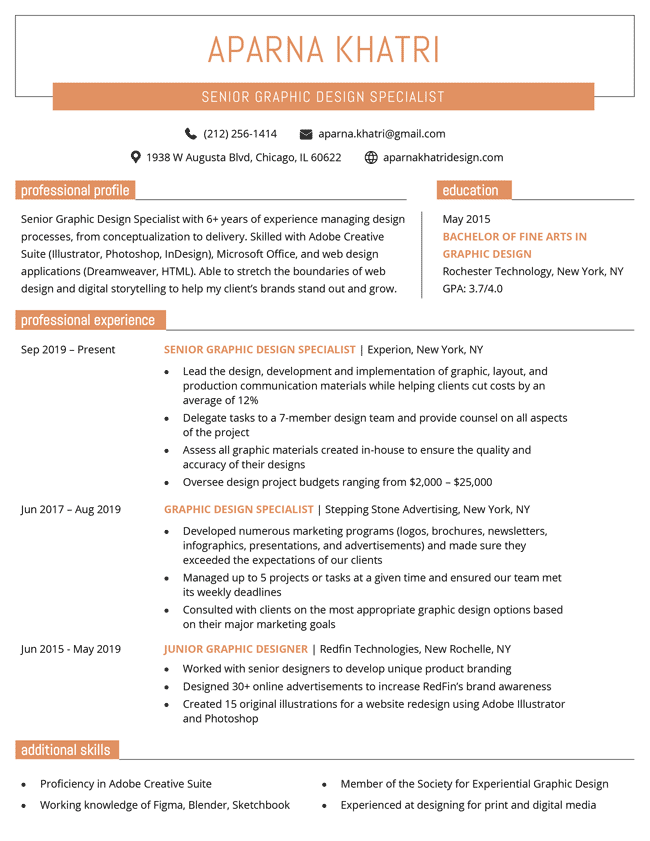
Method 2: Add skill level graphics
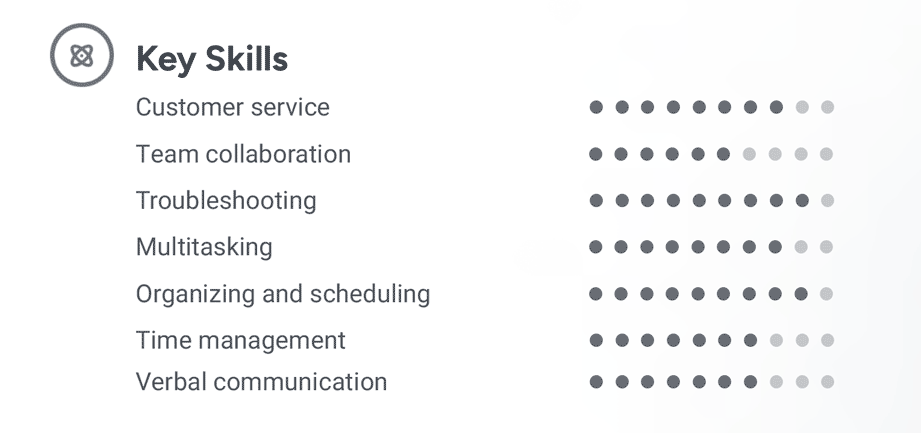
Use visual elements like dots or bars to represent proficiency. This format adds visual interest to your resume and can quickly communicate your strengths.
For example:
Ideal for:
- Creative fields (graphic design, marketing, or UI/UX) where your visual design skills will boost your application
- Tech roles where you want to show gradations in tool or language expertise at a glance
- Resumes where space is tight, as visuals can convey more with less space
Method 3: Specify your years of experience
Another clear way to show your proficiency is by listing how many years you’ve used a particular skill. This method is especially helpful when job descriptions ask for a minimum number of years in specific tools or technologies.
Examples:
- JavaScript (4+ years)
- Project management (7 years)
- Adobe Photoshop (2 years)
- SQL (3 years, daily use)
Ideal for:
- Tech roles that ask for X years of experience in programming languages or frameworks
- Mid- to senior-level professionals, where depth of experience matters more than breadth
- Hybrid roles (e.g., marketing and analytics) where showing sustained experience strengthens your candidacy
About the Author

Lauren Mastroni is a Digital Content Writer at Resume Genius, where she creates data-driven career content and actionable job search advice. With a background in academic research, she brings a research-focused approach to topics like resume writing, interviewing, and career development. Lauren is dedicated to helping job seekers at all stages navigate the hiring process and present themselves more effectively to employers.