
- What is an ATS (Applicant Tracking System)?
- Myth #1: ATS software automatically rejects your resume if you don’t format it perfectly
- Myth #2: You’ll be rejected if your resume doesn’t contain enough keywords
- Myth #3: ATS eliminate resumes before hiring managers see them
- Myth #4: AI in ATS is rejecting my resume
If you’re job hunting, you’ve probably read something like this before: “75% of resumes get auto-rejected by ATS software – before a hiring manager even sees them.”
While ATS can be a challenge during any job search, the reality of how it works is actually more complicated. So we did the research to uncover the truth about applicant tracking systems, busting common myths about how they work, and discovered the best ways to optimize your resume for HR platforms.
What is an ATS (Applicant Tracking System)?
Applicant tracking systems are software platforms that large companies use to manage job applications and streamline the hiring process.
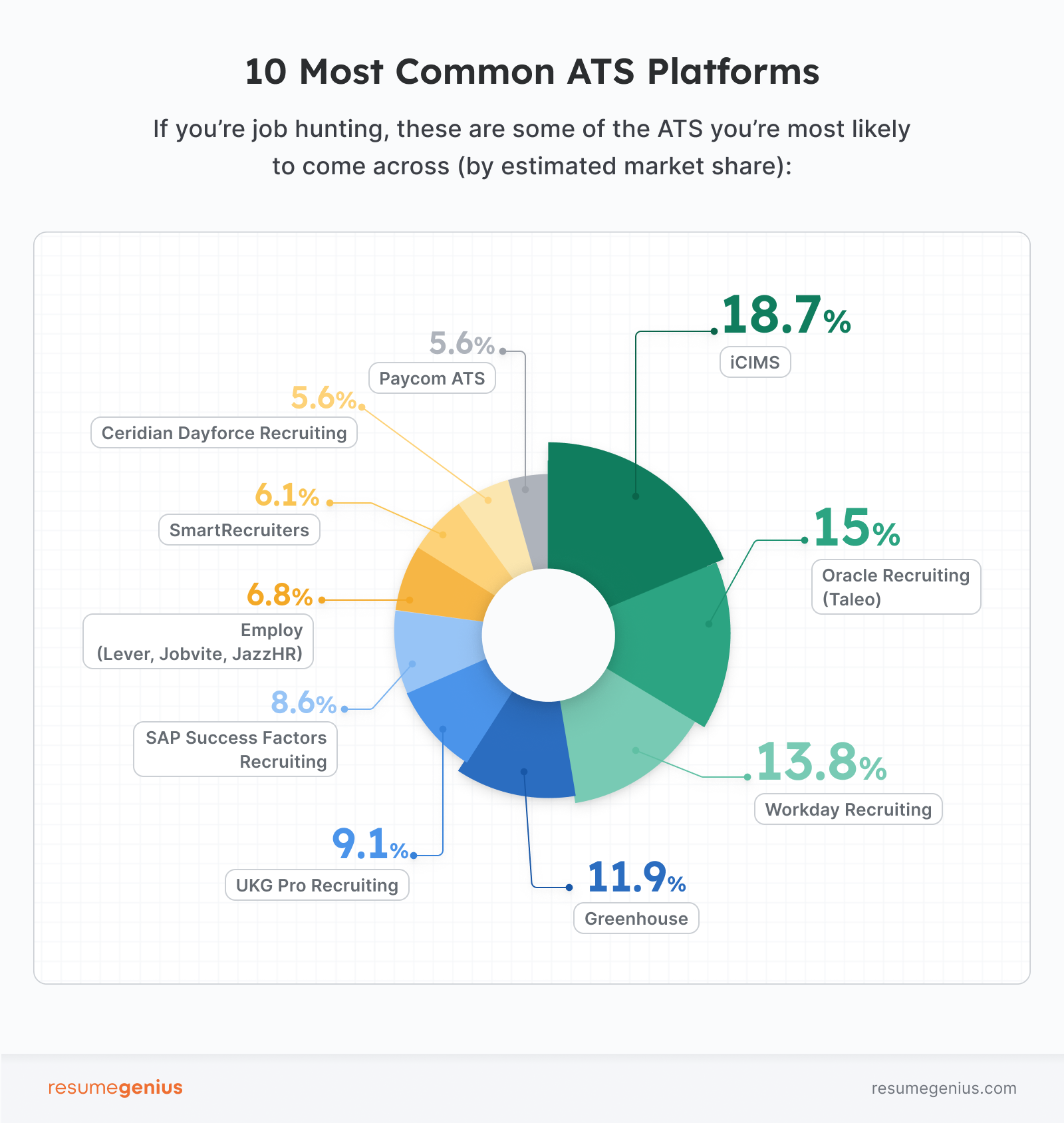
If you’ve ever applied for a job and had to upload your resume and then enter your information into an online portal, then you’ve interacted with an ATS. Greenhouse, Workday, and Jobvite are some of the most common ATS platforms, and are used by companies all over the world.
ATS‑proof your application

Myth #1: ATS software automatically rejects your resume if you don’t format it perfectly
One of the most common myths about ATS is that your resume will get auto-rejected unless you format everything in a specific way. Career sites like Jobscan insist you need to reach a “100% score” on their checker or use a special file format to avoid being rejected.
While it’s true that there are some best practices that make it easier for ATS to parse your resume, their ability to parse text is better than a lot of people suggest.
The truth: ATS parsing technology has (mostly) gotten good
Applicant Tracking Systems (ATS) aren’t “robots” designed to trick you. In reality, modern ATS technology has become a lot more sophisticated in the past decade.
You don’t need a specific file type to get noticed. Most systems prefer standard PDF or doc files because these formats are easy to read. In fact, research shows that plain text PDF or doc resumes can now reach a 96.7% parsability rate. Our own survey of 1000 US hiring managers also reveal a 96% preference for text-based PDFs and docs.
The goal of an ATS isn’t to reject you – it’s to help hiring managers find the best candidates as quickly as possible.
Safeguarding against parsing issues is actually why larger companies will require you to fill out their custom application form.
However, just because parsing technology has improved doesn’t mean you can’t maximize your resume’s parsability. Modern ATS platforms are often built on top of different systems, which makes them better or worse at different things.
This is recruitment.com’s breakdown of top ATS’ weaknesses when it comes to parsing:
| Vendor | Has trouble with |
|---|---|
| iCIMS | Images, graphics, symbols, atypical fonts |
| Oracle | Double & triple columns |
| Workday | Multiple columns, graphics, non-standard heading text |
| Greenhouse | Headers, tables, graphics, incomplete job titles, or large files |
| UKG | Graphics & heavy designs |
| SAP | Scanned PDFs |
| Lever | Acronyms, tables, and graphics |
If you can figure out which ATS your resume is being put through, you could adjust your formatting to improve parsability. 52% of hiring managers suggest that resume formatting can cause parsing issues in ATS, so it could be worth adjusting your resume depending on the system being used.
How to format your resume for ATS
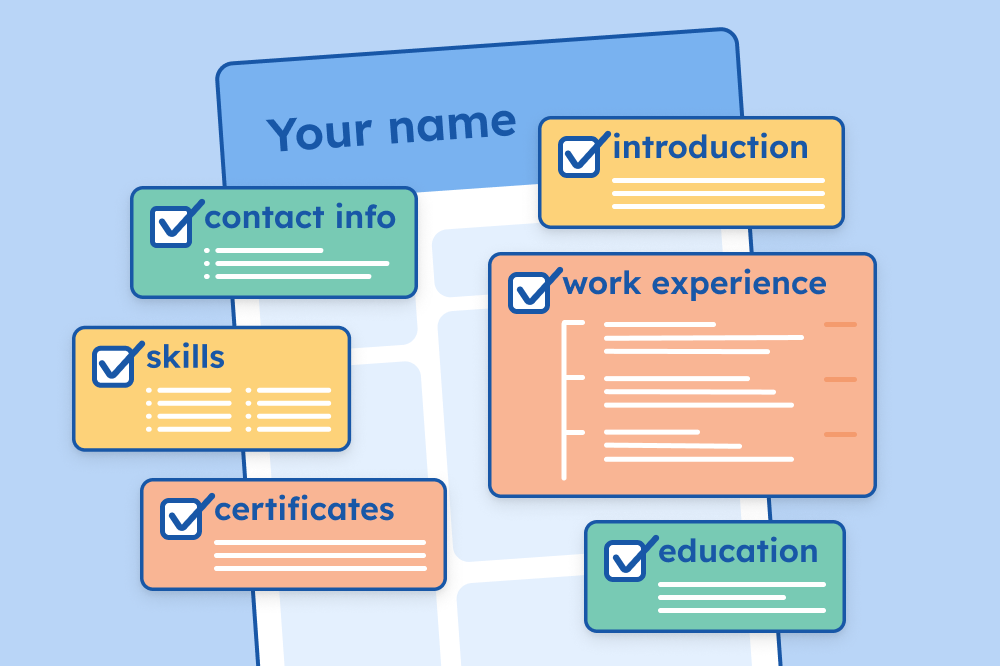
A good ATS resume template clearly signals its layout with minimal text in header and footer sections. Headings should be clear, and each section should be one continuous textbox.
Avoid split columns
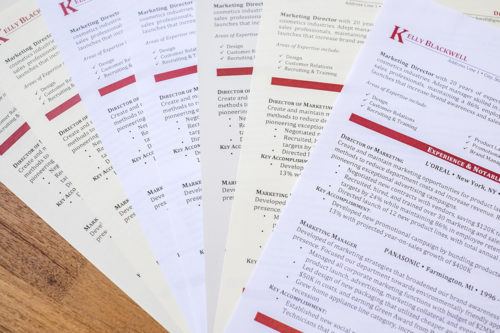
A common layout that is not ATS-friendly is split columns that contain different sections of your resume, like this:
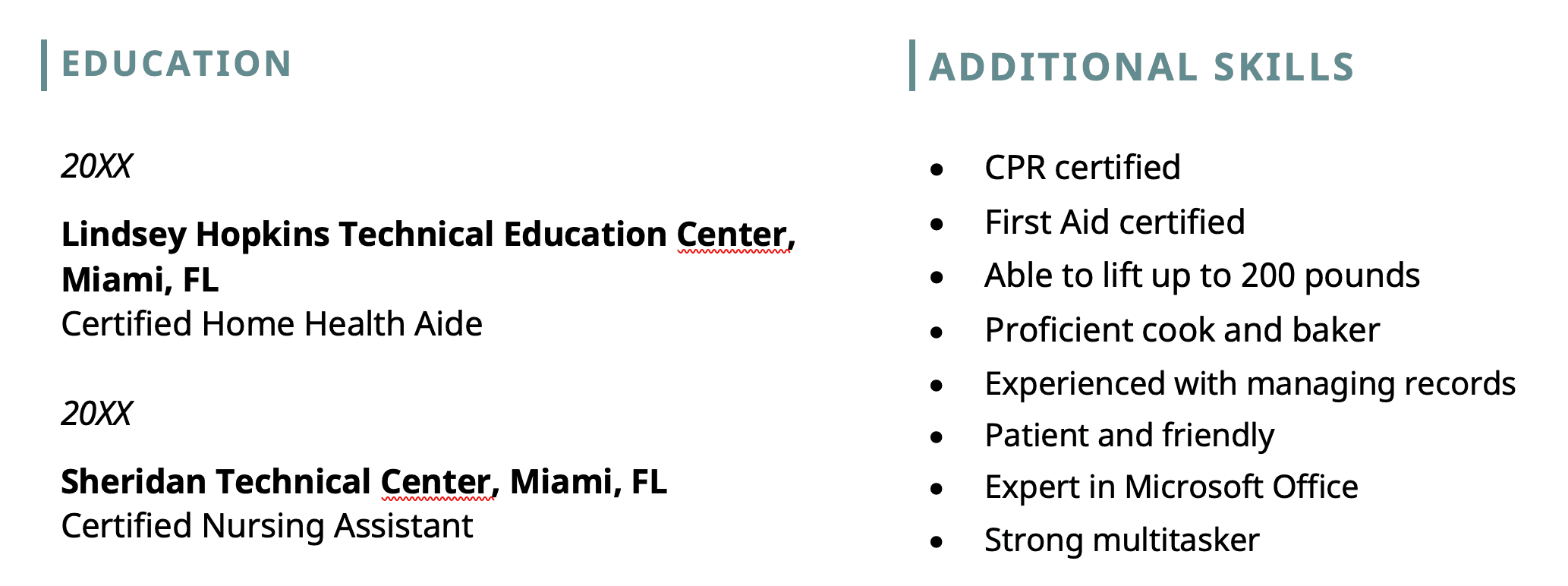
This formatting isn’t ideal for ATS because some software may incorrectly read the text left to right instead of up and down.
Don’t use tables
Tables are one of the most common layout problems in .doc and .docx files. While recent studies show that new tech is getting better at parsing tables, there’s no guarantee the company you’re applying to is using the latest version.
If the ATS can’t read inside a table, it simply skips that content. Play it safe by using a clean, well-designed template that uses standard text alignment instead of invisible boxes.
How to check if your resume is parsable by ATS
The first and quickest way to confirm that companies won’t have any trouble scanning your resume is to run your resume through a free ATS parser.
The second, more time-consuming option is to select-all and copy the text of your resume, then paste it onto a plain txt file, and check the text. Did any section shift out of order? Did half of your work experience section end up under Education? If so, consider another layout.
Myth #2: You’ll be rejected if your resume doesn’t contain enough keywords
This outdated myth about ATS is where that “hack” of putting keywords in white text on your resume comes from.
If you haven’t heard about this before, the idea is that you can hide keywords in your resume’s white space so the ATS sees them but the recruiter doesn’t. Spoiler: It doesn’t work.
The reality is that keyword density isn’t that important – it’s more about explicitly having the particular skills employers are looking for.
The truth: Quality is more important than quantity
Recruiters don’t have a list of keywords that a resume must have, and ATS won’t reject you for not writing “team player” somewhere on your resume.
Instead, the system calculates a match score based on how well your skills align with the job description. Here’s how to handle keywords the right way:
- Prioritize hard skills listed as “required” in the job description
- Don’t regurgitate every bullet point in the job description
- Use your experience section to highlight your most relevant qualifications
Top reasons resumes get rejected during ATS screening include “missing required skills” (42%) and “generic or AI-heavy content” (28%). These are easy points of failure if you don’t follow the steps above.
Some ATS still rely on keyword matching
ATS parsing isn’t just digitizing text. It also includes natural language processing (NLP) and named entity recognition (NER). This means that if you write “maintained a customer satisfaction rating of 100% for two years” in your work experience section, the ATS can identify that you have good customer service or people skills without you writing it word-for-word.
However, while NLP and NER technologies have significantly improved, older legacy ATS may still rely on keyword matching to surface qualified candidates.
Once again, this means you need to identify the most relevant requirements from the job description and make sure to include them in your resume.
If you’re applying to a large, well-established company that’s likely to use an older ATS, use exact phrases from the job description, particularly for hard skills, just to be safe.
Myth #3: ATS eliminate resumes before hiring managers see them
The idea that a robot is tossing your resume into the trash bin because of some arbitrary set of rules is one of the most pervasive myths in the job-hunting world. It makes the process feel rigged – but that’s not actually how it works.
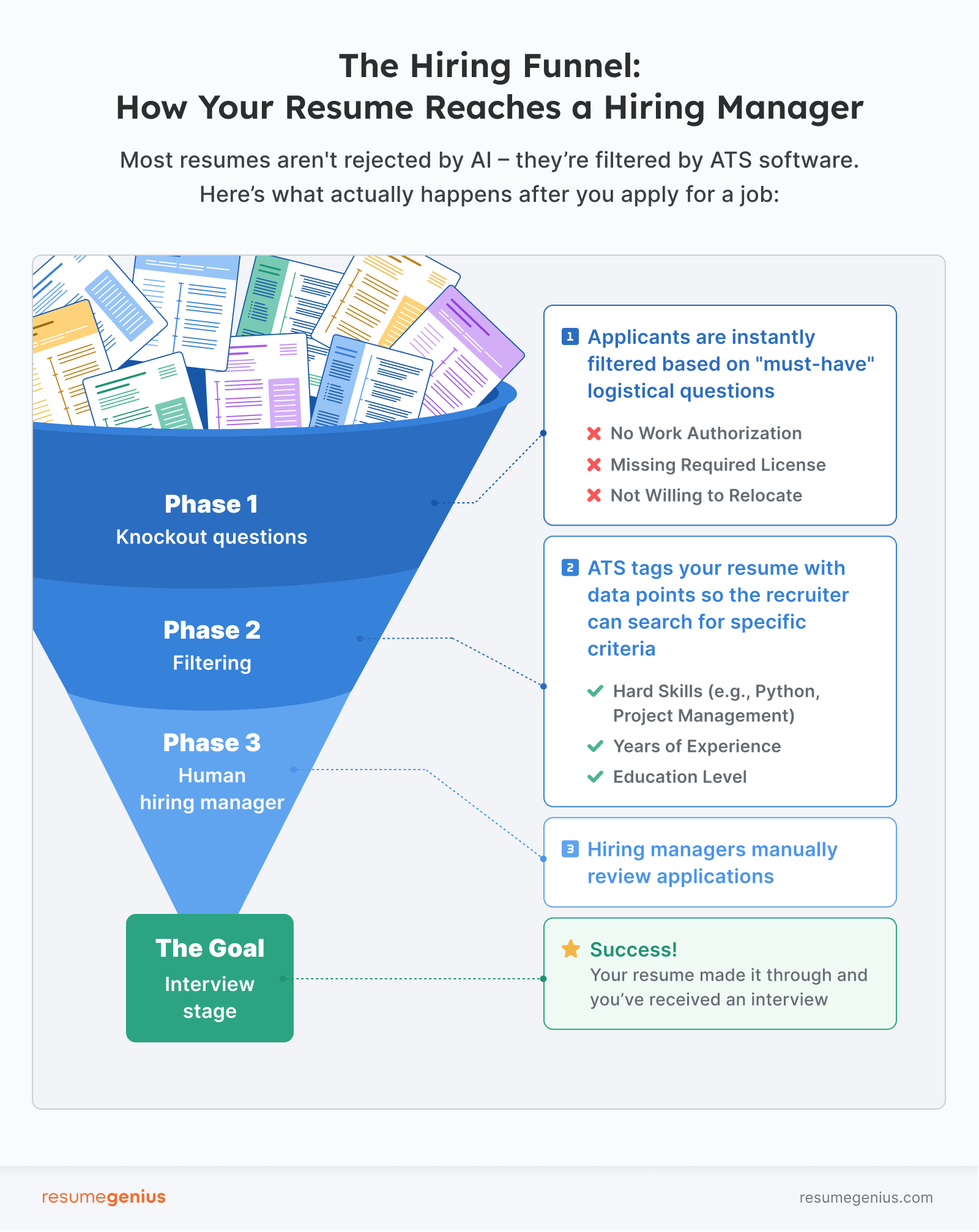
Truth: Rejection is likely due to knockout questions, not keywords or parsing
While it’s true that many resumes don’t make it to a recruiter’s desk, it’s rarely because of a formatting error or a missing keyword. Instead, it’s usually the result of knockout questions.
Think of a knockout question as a filter. When a recruiter has 500 applications for one role, they use these questions to narrow the field to candidates who meet their non-negotiable criteria.
However, knockout questions are more general than you might think, and typically only include details around work logistics, such as:
- Work Authorization: “Are you legally authorized to work in the U.S.?”
- Logistics: “Are you available to work night shifts and weekends?”
- Certifications: “Do you hold a valid CPA license?”
- Relocation: “Are you willing to relocate to Chicago for this position?”
There’s no getting around knockout questions. If your life circumstances don’t allow you to meet an employer’s basic criteria (while other candidates can), it’s extremely difficult to pass the knockout rounds no matter how well-written your resume is.
The upside is, that’s out of your control. Some opportunities just aren’t for you. All we can do is optimize the things that are in your control, like your resume.
Myth #4: AI in ATS is rejecting my resume
Since the popularization of LLMs like ChatGPT, a new fear has risen among job seekers: that employers are using AI to read your resume and reject you before any humans get involved.
It also doesn’t help that companies have started using AI parsing, and jobseekers are asked to hit a checkbox and consent to letting AI read your resume.
The truth: ATS AI is a librarian, not a judge
The AI used in an Applicant Tracking System is fundamentally different from generative models like ChatGPT. While ChatGPT is designed to mimic human conversation, the AI in an ATS has a much narrower, more practical job: data extraction.
AI generally isn’t being used to answer the question “Is this candidate a good fit for our culture?” Instead, it’s using Natural Language Processing (NLP) to translate your bullet points into data the recruiter can actually search.
For example, if you wrote, “Exceeded sales targets by 20%,” the AI tags you with “Sales Strategy” so you show up in the recruiter’s search results.
Simply put, ATS AI has a far more specific task, geared towards getting resumes in front of hiring managers. Don’t think of it as an HR manager feeding a resume into ChatGPT and asking “is this candidate a good fit?” In fact, only 6% of hiring managers say AI can reject candidates without human review.
About the Author

Conrad Benz is a Content Manager and Hiring Manager at Resume Genius. With nearly a decade of experience as a career services professional, Conrad is passionate about helping people navigate the job search process and find fulfilling work.
You can find Conrad’s career insights in publications like Typsy, Resume Library, and more.
Conrad graduated with a B.A. in International Relations from Goucher College in Maryland and currently lives in Taipei, Taiwan, where he helps ensure every article on Resume Genius provides job seekers with the information they need to succeed.
If you want to reach Conrad for a quote or media-related inquiry, you can contact him at [conrad] @ [resumegenius.com].