
Resume Templates ATS Resume Templates
ATS Resume Templates
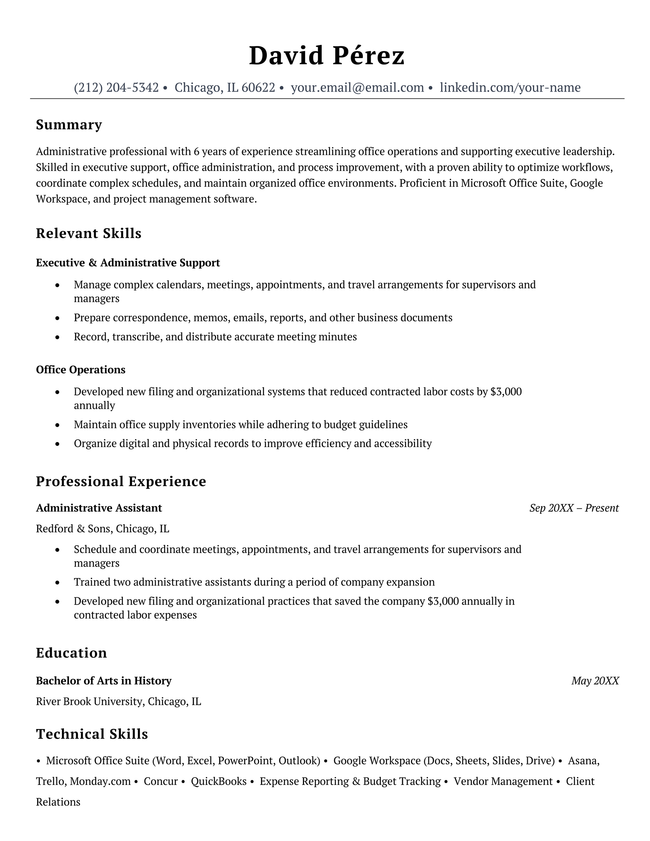
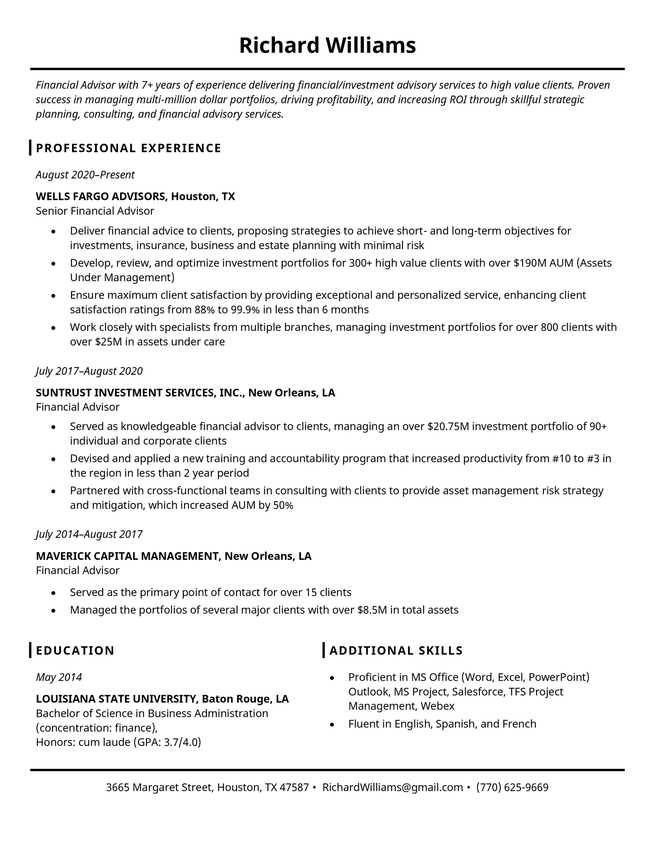
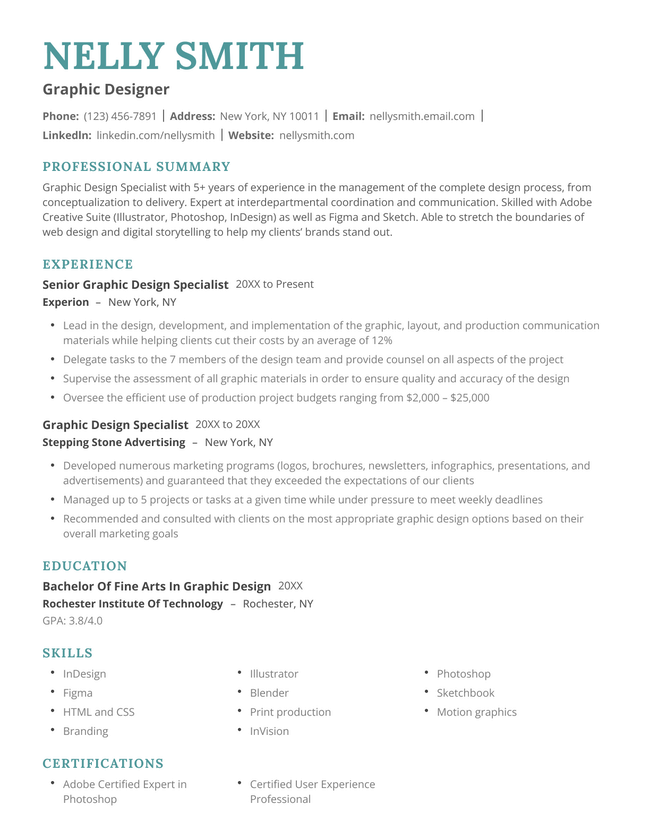
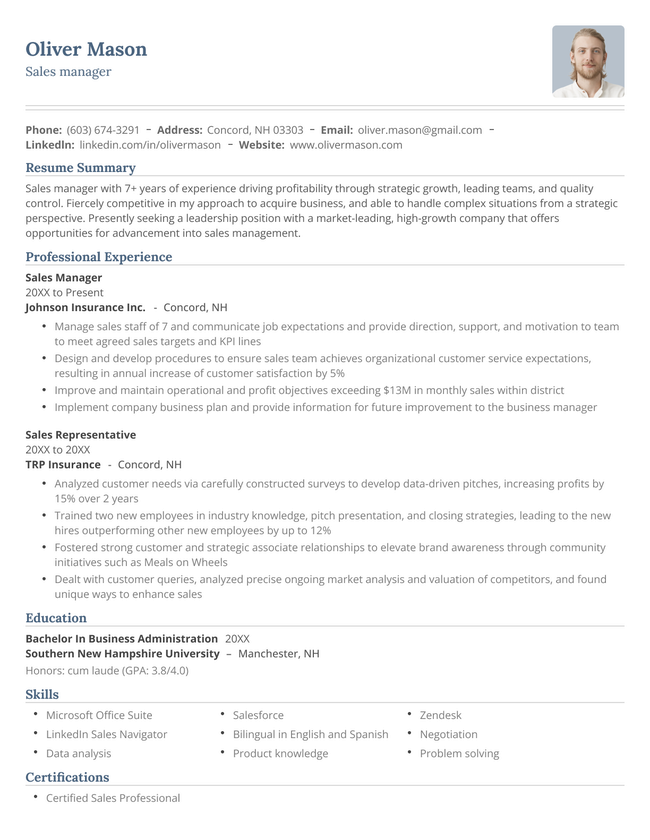
Our ATS resume templates use compatible fonts and formatting to pass scans and display accurately. Select the template for you and apply with the confidence that applicant tracking systems will never stand in your way.
Free ATS templates to download and edit
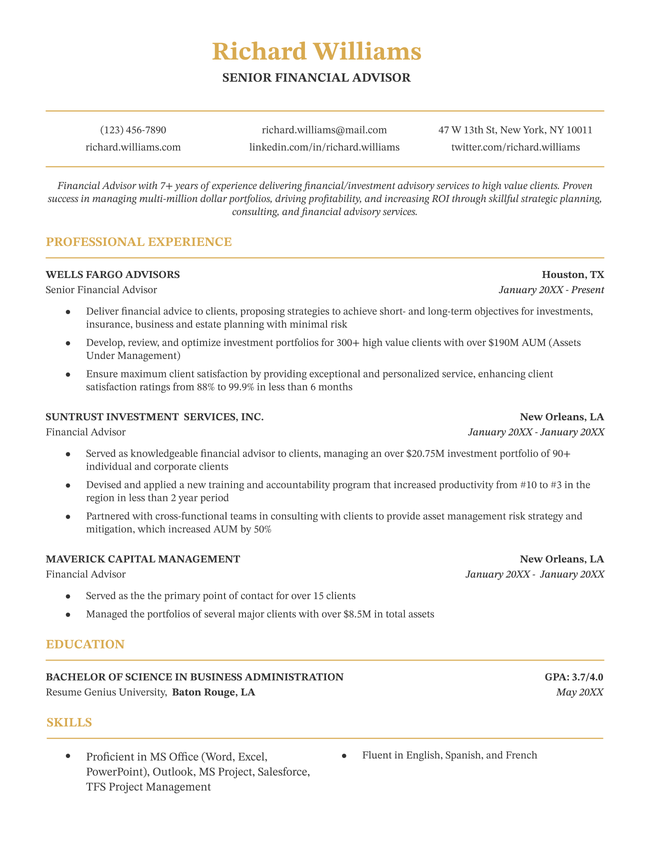
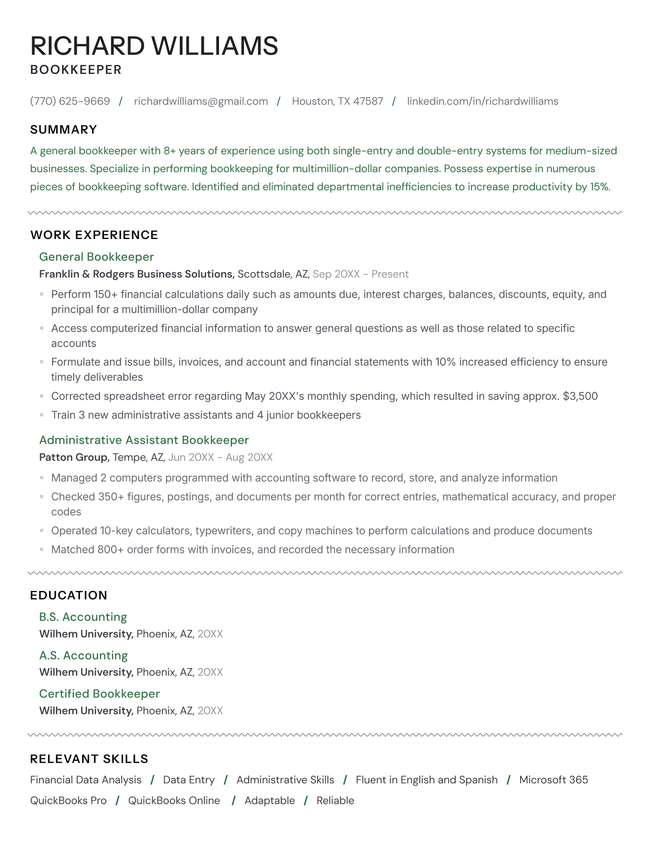
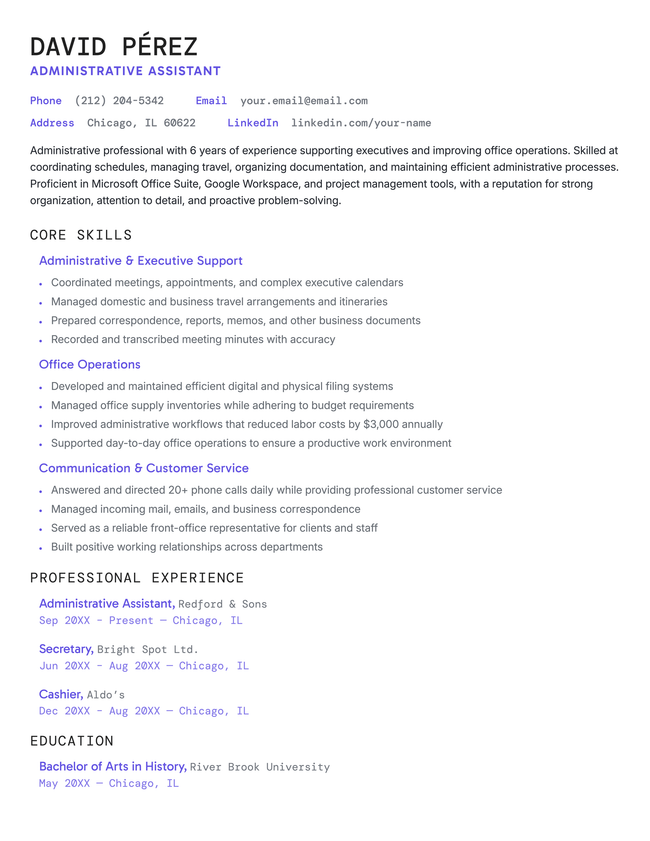
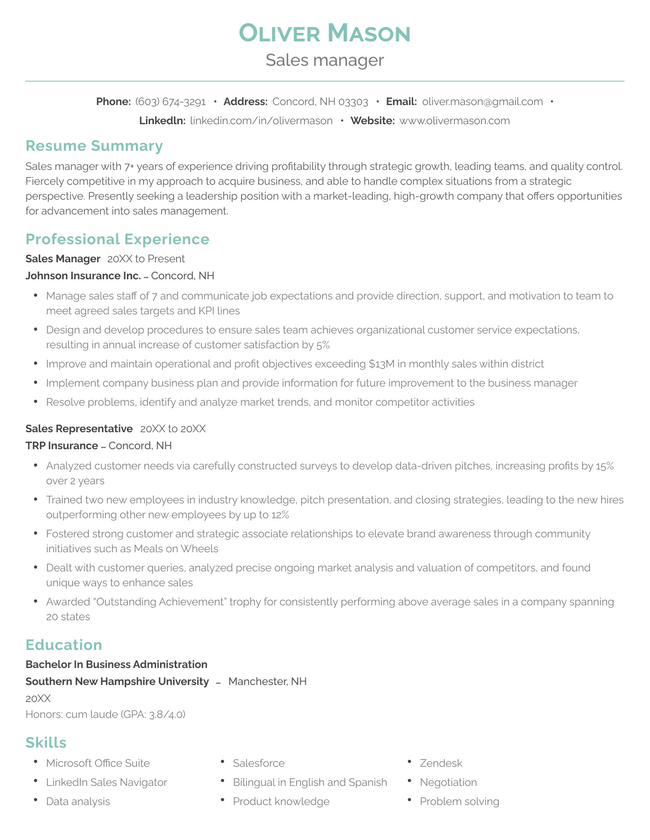
Additional free resume templates
RESUME TEMPLATES BY LAYOUT & CAREER LEVEL

Make your resume in minutes.
How our resume templates are optimized for ATS scans
Unlike other resume templates that focus on visual flare, our ATS resume templates put compatibility first. Each template is designed to read cleanly on applicant tracking systems while still looking sleek and professional to a human reviewer. Here’s why they work:
✅ Clean, scannable layouts
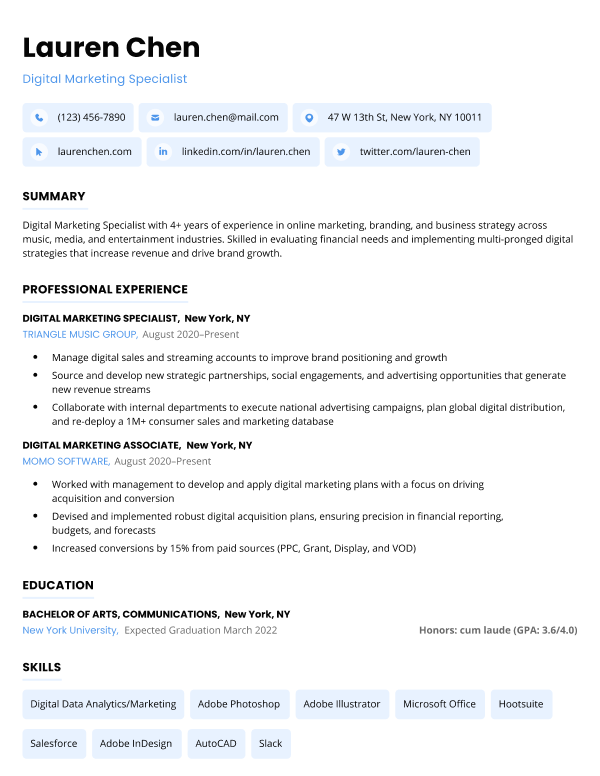
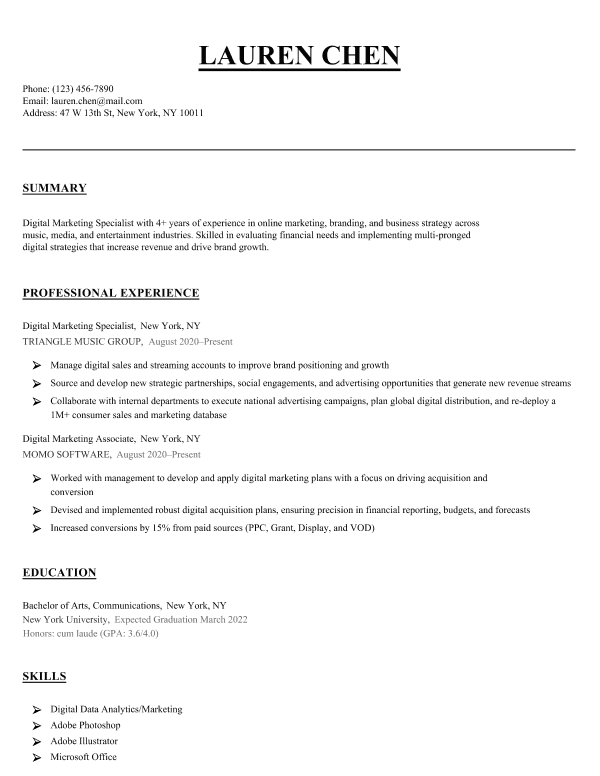
Each template uses a single-column layout with no text boxes, illustrations, or fancy graphics. This choice ensures that the document’s structure is logical and easy for even dated ATS models to understand.
✅ ATS-friendly font choices
Our templates exclusively use widely accessible, open-source fonts. Choosing fonts that ATS software can easily recognize is the safest way to make sure that your qualifications display correctly. No important information gets lost in the scan.
✅ No images or headshots
Most ATS software skips over images to prevent hiring bias. Putting your photo on your resume won’t null your application but it will waste valuable space. Our templates are designed to look professional without an applicant photo, so you can keep the focus on your skills and experience.
When to use an ATS resume template
You should use an ATS resume template if you’re applying for entry-level jobs, for corporate positions, or through external recruitment agencies. This is because ATS software is most commonly used to manage high-volume recruitment — situations where employers need to quickly review tens or hundreds of applications in a short time frame.
ATS optimization is less important if you’re applying for a job at a small business, inquiring about future job opportunities, or sending your resume directly to the hiring manager by email. In these situations, it’s easier for the employer to read your resume manually.
How ATS software actually works
There’s a myth about ATS software that claims it uses AI to screen out less qualified applicants automatically — before a human review ever reads them. That’s not actually true.
In reality, ATS software helps employers review and compare resumes quickly by standardizing formatting and ranking applicants by relevance to the job.
The reason some people believe that ATS software screens out unqualified applicants is because many tools grade how closely your resume’s keywords match the job description.
You won’t be filtered out of an application process because your ATS score is low. However, a low ATS score will impact the first impression you give to an employer or recruiter. Most ATS software review high scoring resumes first and only check less relevant resumes if they don’t find what they’re looking for initially. A high score puts you at an immediate disadvantage.
What does ATS software scan for?
An ATS scans your resume for keywords and qualifications that match the job description. These keywords may be:
- Job titles
- Hard skills
- Certifications
- Education
- Years of experience
- Relevant tools or software
Why keywords matter for a high ATS score
Keywords are the main measure of your resume’s relevance and overall ATS score.
Most ATS software works the same way. They read your resume and compare it to the job description, looking for keywords that match the job requirements. Most keywords are skills, responsibilities, or performance metrics. The more matching keywords you have, the higher your ATS score.
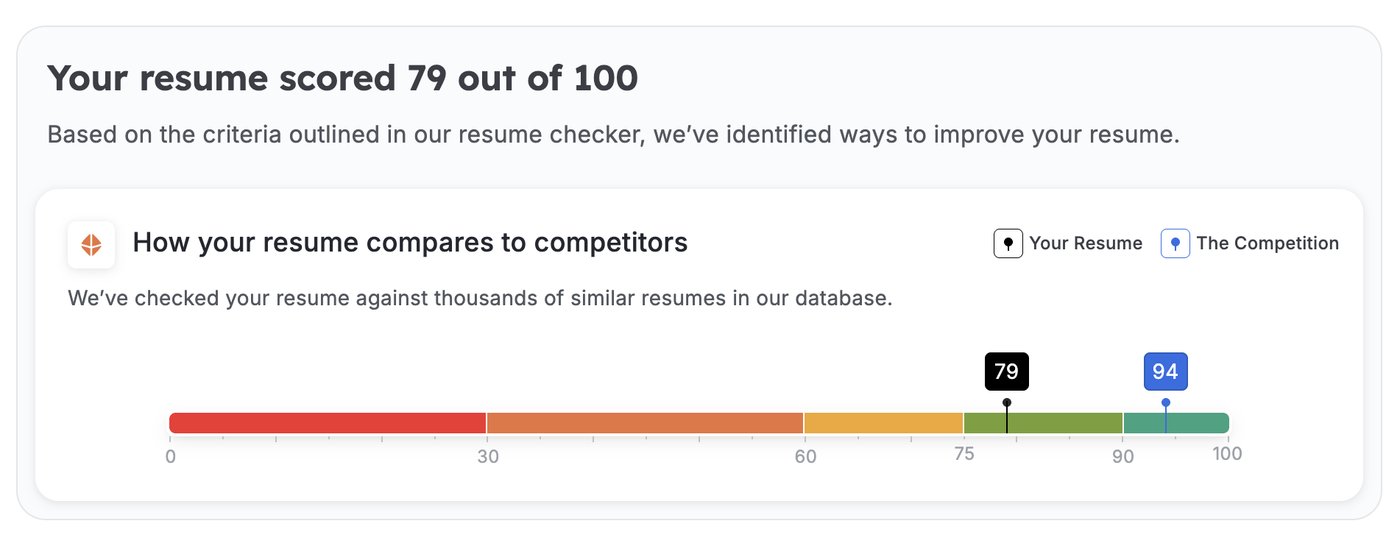
What your ATS score looks like to an employer depends on the tool that they’re using.
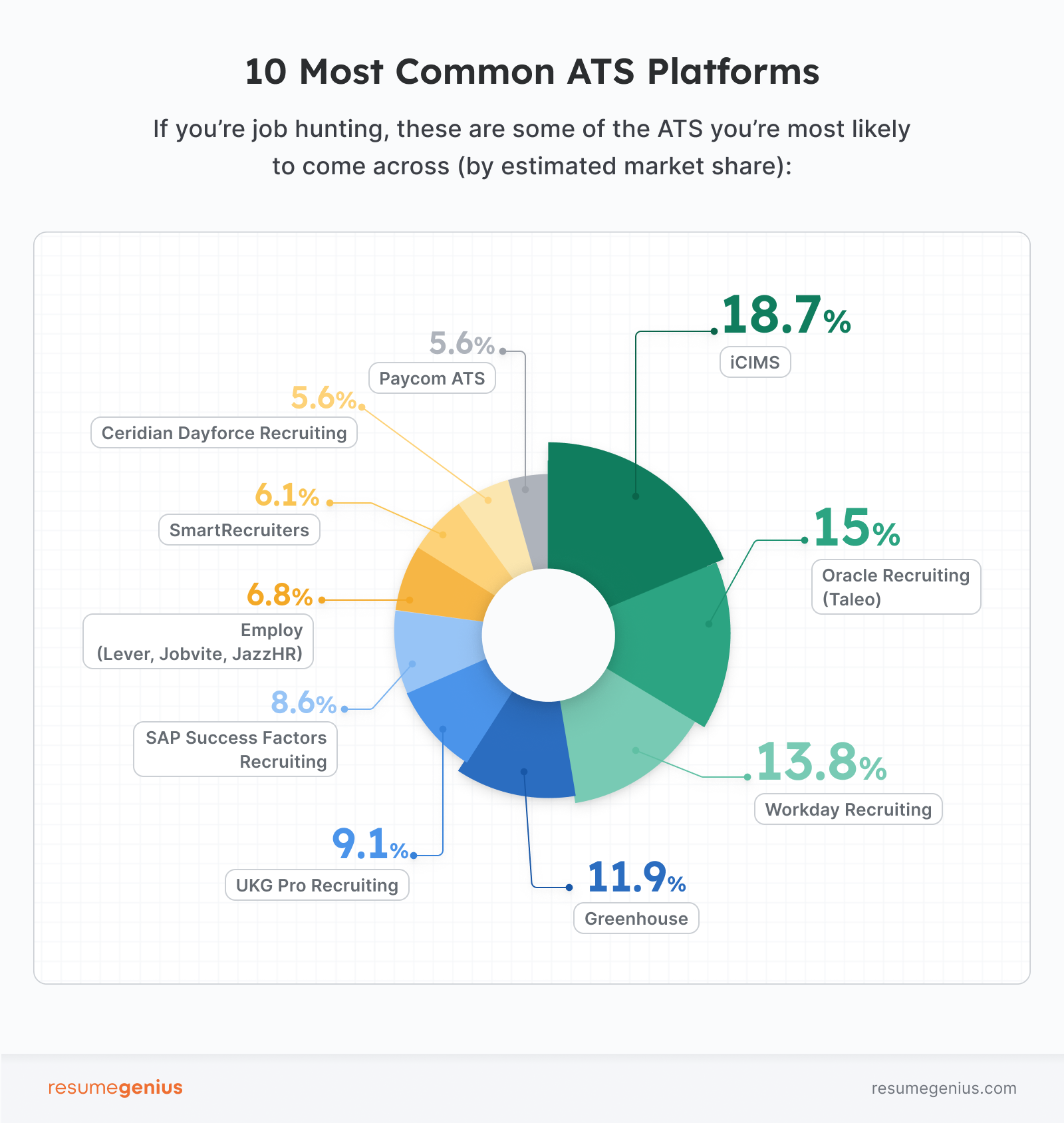
For example, WorkDay uses a letter based grading system (A, B, C, D) to give employers a quick visual reference. iCIMS buckets candidates into tiers based on overall relevance, providing additional scores for skill-based and experience keywords.
As an applicant, you should choose your resume keywords with these scoring practices in mind. Select highly relevant keywords that match both the skill and experience requirements of the role, and work the terms naturally into the work experience, education, and skills sections of your resume.
Optimize your keywords and stand out to hiring managers
Using an ATS resume template is the safest way to make sure your qualifications display correctly, but no template can guarantee a high ATS score.
The best way to grade highly in an ATS is to include as many relevant keywords as possible. Keyword optimization makes your resume appear more relevant and valuable to an ATS, increasing its visibility to employers and improving your odds of getting picked up for a job interview.
Upload your resume to our free resume checker tool to predict your ATS core and identify any keyword opportunities that could push you to the top of the employer’s review list.
More resume tools you can use for free
Save time writing your resume with these free tools:
- Resume summary generator: Generates a concise opening paragraph highlighting your key strengths
- Bullet point generator: Helps you rewrite experience into impactful accomplishments
- Skills generator: Identifies industry-relevant skills based on your role
- AI resume generator: Creates a structured first draft of your resume automatically
- Resume scanner: Identifies any keyword or formatting improvements that will help your resume outperform your competitors
Frequently asked questions
Here are some questions users often have about optimizing your resume for an ATS scan.
How do I find the right keywords for my resume?
Always start with the job description. Check the key responsibilities and skill requirement sections of the listing and make a note of the specific tools, tasks, and success metrics that the employer has included.
Use these screening questions to identify crucial keywords for your job application:
- Which hard skills does the job require? (E.g., tools, platforms, software, or methodologies).
- What certifications or credentials are explicitly called out?
- Which qualifications are “required” and which are “preferred”?
- Are there any degree or years-of-experience thresholds?
What do people mean by mirroring the language of the job description?
Mirroring language means using the exact same keywords and phrases that the employer put in the job description. It does not mean not copy-and-pasting full sentences straight from the JD.
Despite advances in the reading capabilities of AI, some ATS software will only register keywords that are an exact match. If the job requires Python skills and you list “proficient in all programming languages,” the system won’t recognize your skill set.
Consider using bridge phrases if your experience is a close fit but not exact:
- “Background in X, applied in contexts similar to Y”
- “Experience with [your term], including [specific thing that overlaps with their term]”
This approach allows you to mirror the employer’s language in an honest and accurate manner.
Will fancy formatting really ruin my ATS score?
Fancy formatting can mess up your ATS score, but you should be more concerned about how it impacts your resume’s appearance and the first impression you give the employer. The reason why fancy formatting is a bad idea is that it doesn’t parse clearly into an ATS.
One of the first things an ATS does when you upload your resume into the system is read your resume and parse its contents into a standardized form. Standardizing your resume makes it easy for employers to quickly compare different applicants without being distracted by design or formatting.
Use a template with simple, logical formatting to make your resume easy to read on an ATS.
A limitation with ATS scans is most software reads your resume line by line. If your resume contains images, text boxes, or complicated formatting, the ATS may muddle your resume’s contents and copy the content in the wrong order. Job entries may be grouped together, employment dates may be skipped, or some content may be omitted entirely. The result is your resume looks unstructured and sloppy.
Pass every ATS scan
About the Author

Seb is a Certified Professional Resume Writer with 10 years of combined experience in career counseling and editorial work. With a MA in International Communications from National Chengchi University (Taiwan), he helps job seekers translate their experience into employer-ready applications for global job markets.


Related Articles

Resume Help
Resume Examples for Jobs in 2026
Geoffrey Scott
Resume Help
Resume Templates
Conrad Benz


Lauren Mastroni

Conrad Benz

Corissa Peterson
Lauren Mastroni
Resume Help
Creative Resume TemplatesSebastian Morgan