• Skip to Content
  • Skip to Sidebar
  • Skip to Footer
Resume Genius home
  • Professional Designs
    • Basic
    • Creative
    • Modern
    • Minimalist
    File Types To Download
    • Word
    • Google Docs
    • PDF
    • Pages
    Formats
    • Chronological
    • Functional
    • Combination
    • Infographic
    Situational Templates
    • ATS
    • Entry Level
    • Picture
    • Blank
    View All Free Resume Templates Use a Premium Template
  • For Students
    • High School
    • Internship
    • College
    • Student CV
    By Experience
    • No Experience
    • Mid-Career
    • Manager
    • Executive
    Top Industries
    • Teaching
    • Nursing
    • Administrative Assistant
    • Customer Service
    • Cashier
    • Engineering
    • Graphic Design
    • Server
    View All Resume Examples Build My Resume Now
  • Tools
    • AI Resume Generator
    • ATS Resume Checker
    • Resume Summary Generator
    • Bullet Point Generator
    Resumes
    • How to Make a Resume for Any Job in 2026
    • How to Write a Resume With No Experience
    • How to Put Skills on Your Resume
    • 40+ Professional Resume Summary Examples
    Cover Letters
    • Cover Letter Templates to Download
    • Cover Letter Examples for All Job Applications
    • How to Write a Cover Letter for a Job in 2026
    • Cover Letter Format: Template & Examples
    CVs
    • Professional CV Templates
    • 400+ CV Examples for Everyone
    • How to Write an Academic CV
    • CV Examples for Students
    Visit the Genius Blog Build My Resume Now
    • The Genius Resume Builder Make a professional resume in just a few minutes.
    • AI Cover Letter Generator Write custom cover letters for every application.
    • Professional CV Maker Create a detailed academic or professional CV.
    Resume Genius Customer Reviews 10 Best Resume Builders of 2026
    Build My ResumeLogin
  • Pricing
Build My Resume Login

Monday – Friday: 8:00 AM – 7:00 PM (EDT), Saturday – Sunday: Closed(866) 215-9048

Resume Templates InDesign Resume Templates

Free InDesign Resume Templates

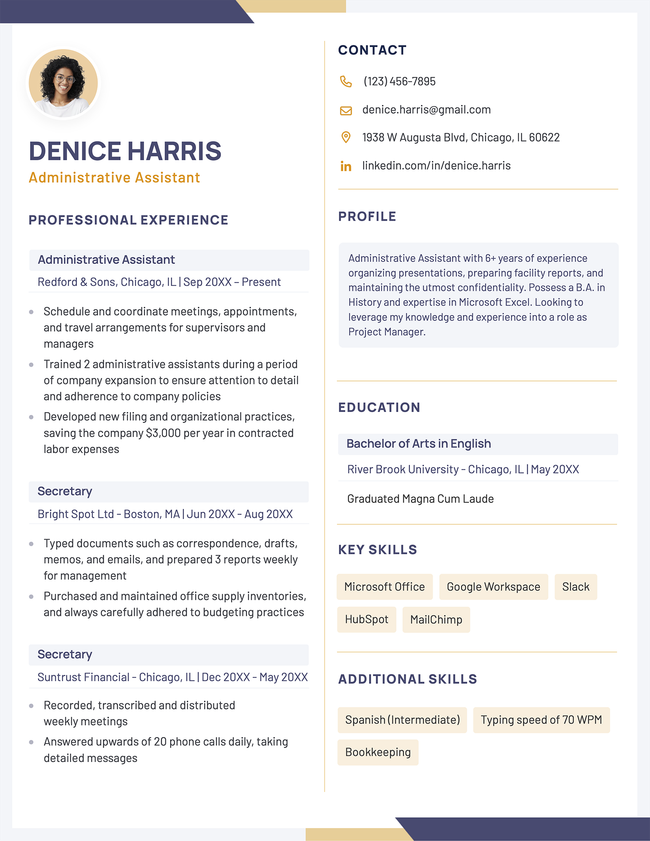
Save time on design and focus on your content with ready-to-use InDesign resume templates created by professionals. Simply add your information, customize as needed, and apply with confidence.
Build My ResumeUpload Existing Resume
  • All Templates
  • ATS
  • Creative
  • Google Docs
  • Modern
  • Photo
  • Simple
  • Student
  • Word
Loading…
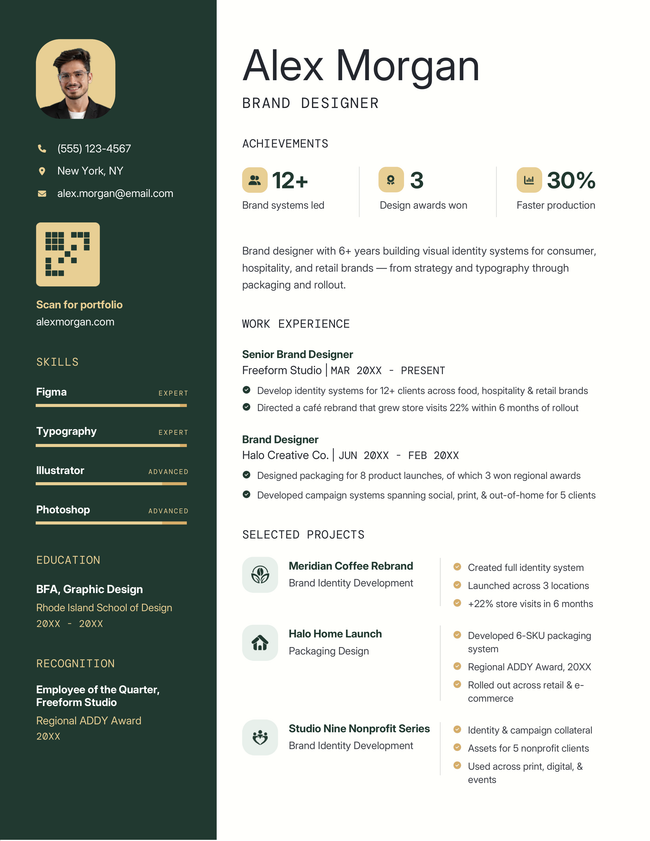
An example of a modern, two-column resume template
Free Download Download for Word Download for PDF Download for InDesignBuild My Resume
11,503
Collonade
Word PDF InDesign
Node infographic resume template in green
Free Download Download for Word Download for PDF Download for InDesignBuild My Resume
139
Node
Word PDF InDesign
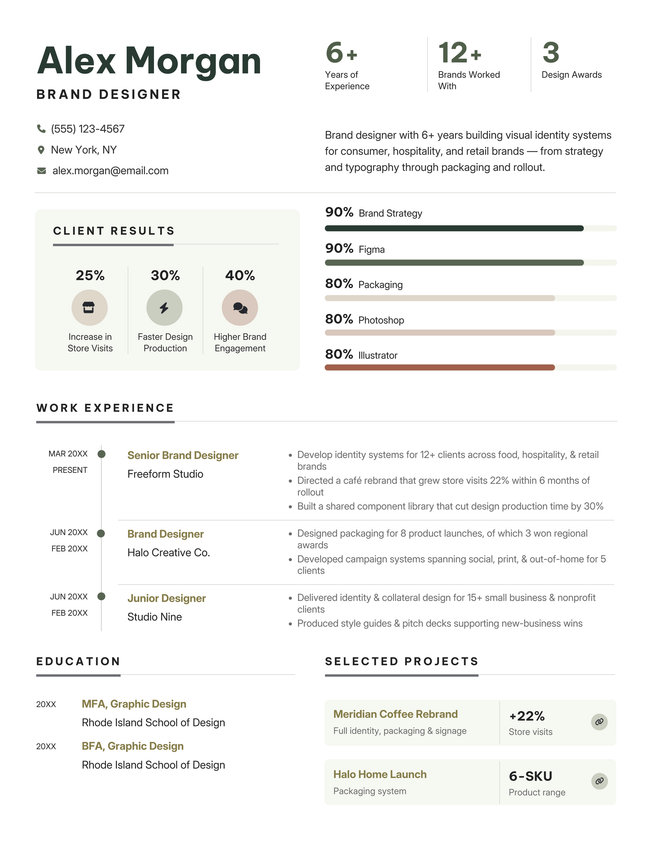
Metric infographic resume template in green
Free Download Download for Word Download for PDF Download for InDesignBuild My Resume
79
Metric
Word PDF InDesign
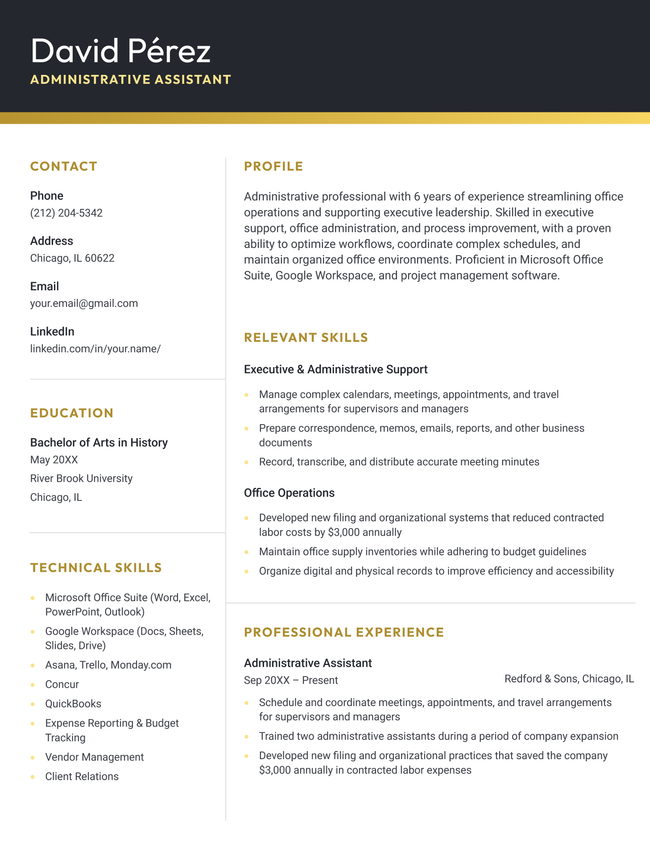
Bold resume template in yellow
Free Download Download for Word Download for InDesignBuild My Resume
127
Bold
Word InDesign

Additional free resume templates

  • All
  • ATS
  • Blank
  • Canva
  • Creative
  • CV
  • Google Docs
  • InDesign
  • LaTeX
  • Libre Office
  • Minimalist
  • Modern
  • Pages
  • PDF
  • Photo / Headshot
  • Simple / Basic
  • Student
  • Two-Column
  • Word

RESUME TEMPLATES BY LAYOUT & CAREER LEVEL

  • Chronological
  • Combination
  • Functional
  • Infographic
  • Entry-Level
  • Mid-Career
  • Manager
  • Executive
Table of Contents
  • Free InDesign Resume Templates
    • How to customize our templates in InDesign
    • Pros and cons of making a resume with InDesign
    • Alternatives to InDesign
      • Microsoft Word
      • Google Docs
      • Resume builder
    • Frequently asked questions (FAQs)
      • Is InDesign a good program to create a resume with?
      • Does Adobe InDesign have built-in resume templates?
      • Can I edit my resume template in InDesign?
    • Tools to help you fill in your InDesign resume template
Make your resume in minutes.

Make your resume in minutes.

Build My Resume Now

Share:

  • Copied

How to customize our templates in InDesign

  1. Create a new document. Open InDesign and select File → New → Document. Choose your preferred page size, such as US Letter or A4, and set your margins.
  2. Set up your layout. Use Layout → Create Guides to add columns and guides that help you keep your resume sections aligned.
  3. Add text frames. Select the Type Tool (T) and drag text frames onto the page for your resume sections. Add your contact information, resume summary, work experience, education, and skills.
  4. Format your text. Set the fonts, sizes, spacing, and alignment for your headings and body text. Use Paragraph Styles to apply the same formatting across multiple sections.
  5. Check your layout. Look for uneven spacing, misaligned elements, and text that extends beyond its text frame. If you see a red plus sign in a text frame, you have overset text that isn’t fully visible.
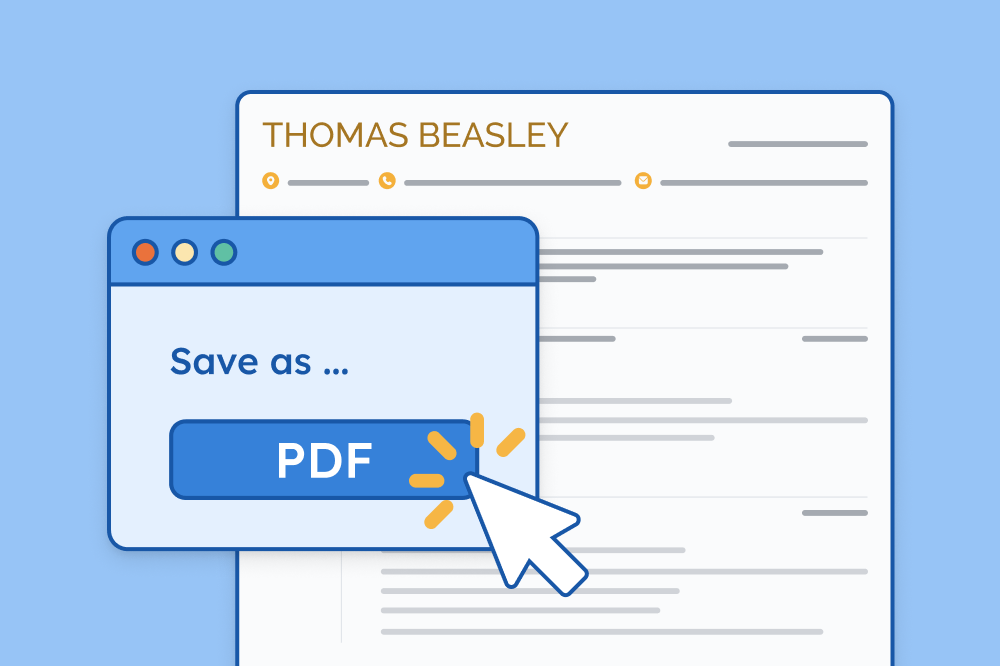
  6. Export your resume. When you’re finished, select File → Export, choose Adobe PDF (Print), and review the exported PDF to make sure the formatting looks correct before submitting it.

Pros and cons of making a resume with InDesign

InDesign gives you total control over layout and style, making it a favorite among creatives — but is it the best choice for your job search? Let’s take a look at the pros and cons:

Pros
  • Precision design: InDesign offers full control over layout, typography, spacing, and alignment, making it easier to create resumes that look polished and modern.
  • Creative flexibility: Unlike Word or Google Docs, InDesign supports advanced design elements (columns, grids, custom color palettes, icons, and shapes) to help your resume stand out.
  • Consistency in branding: Features like master pages, style sheets, and grids let you maintain a consistent look across your resume, cover letter, portfolio, and personal branding materials.
cons
  • Not ATS-friendly by default: Most companies use applicant tracking systems (ATS). If your InDesign resume relies heavily on visuals, custom fonts, or text embedded in images, the ATS may struggle to read it correctly.
  • Time-consuming: Designing from scratch (or even customizing a template) often takes significantly longer than editing a resume in Word or Google Docs.
  • Steep learning curve: InDesign isn’t beginner-friendly. It requires knowledge of grids, typography, and export settings, which can be overwhelming compared to Word or online resume builders.

Alternatives to InDesign

While InDesign gives you extensive control over your resume’s design, it can be more complicated than necessary for a job application. If you want a resume that’s easier to create, edit, and customize, consider using one of these alternatives.

Microsoft Word

Microsoft Word is a straightforward alternative to InDesign for creating a professional resume. Its familiar formatting tools make it easy to customize fonts, spacing, headings, and layouts without needing advanced design skills. Word resumes are also easy to edit quickly when you need to tailor your resume for different jobs.

Google Docs

Google Docs offers a convenient way to create and update your resume from any device. It includes a range of resume templates and basic formatting tools, making it a good option if you want a simple, professional resume without learning design software. Your resume is also automatically saved to Google Drive, so you can access and edit it whenever you need.

Resume builder

While InDesign can be a powerful option for graphic designers and other visual creatives, it’s more complex than most job seekers need, and it often requires more time and effort than it’s worth. If you’d prefer a faster, easier way to build a professional resume, our resume builder has you covered.

Build a professionally-designed resume in minutes

Our resume builder offers sleek, professional templates that are easy to customize. No complicated design software (or stress) required.
Build My Resume Now

Frequently asked questions (FAQs)

Not sure if InDesign is the right tool for your resume? We’ve answered the most frequently asked questions to help you decide.

Is InDesign a good program to create a resume with?

InDesign is a great choice for designers and visually creative professionals who want total control over layout and typography. However, for most job seekers, it can be overly complex and time-consuming. Simpler tools like resume builders or Word templates offer more convenience and better ATS compatibility.

Does Adobe InDesign have built-in resume templates?

No, Adobe InDesign doesn’t have built-in resume templates. Most users prefer downloading third-party InDesign resume templates for more variety and better customization.

Can I edit my resume template in InDesign?

Yes, InDesign allows you to fully customize any resume template, including colors, fonts, layouts, and spacing. Just keep in mind that InDesign has a steep learning curve. If you’re new to InDesign, editing may take time and require some familiarity with design tools and layer management.

Tools to help you fill in your InDesign resume template

Create an application-ready resume faster with these free tools:

  • Resume summary generator: Generates a clear, effective professional summary
  • Bullet point generator: Helps rewrite your work experience into achievement-focused bullet points
  • Skills generator: Finds important keywords aligned with your field
  • AI resume generator: Creates a complete resume draft from a brief description of your experience
  • Resume parser: Reviews your resume’s formatting and keyword usage for ATS optimization

About the Author

Nathan Soto
PR Specialist & Certified Professional Resume Writer
14 Years of Experience
207 Articles Written
2 Articles Reviewed

Nathan Soto is dedicated to providing practical guidance to job seekers, especially people with nonlinear career paths.

Nathan graduated from the University of Nevada with a double B.A. in French and Music. His articles and career advice have been featured on multiple platforms, offering insights into resume writing, interview preparation, and personal branding.

Certifications
Certified Professional Resume Writer (CPRW)
Published In
Forbes MSN NBC New York Memphis Business Journal Newsweek Fast Company
Expertise
Writing and Editing Research Career Counseling Crafting Engaging Content Testing New AI Tools
LinkedIn LinkedIn
View Profile
Table of Contents

Related Articles

Resume Help

Resume Examples for Jobs in 2026

Headshot of Geoffrey Scott, Senior Manager and Certified Professional Resume Writer at Resume Genius (the smartest online resume builder)

Geoffrey Scott

March 23, 2026

Resume Help

Creative Resume Templates
Headshot of Sebastian Morgan

Sebastian Morgan

September 15, 2026
The Best Free Canva Resume Templates (& How to Use Them)
Lauren Mastroni, a staff writer at Resume Genius

Lauren Mastroni

April 27, 2026
PDF Resume Templates
Lauren Mastroni, a staff writer at Resume Genius

Lauren Mastroni

September 15, 2026
Free Blank Resume Templates
Headshot of Sebastian Morgan

Sebastian Morgan

August 19, 2026
Combination Resume Templates
Lauren Mastroni, a staff writer at Resume Genius

Lauren Mastroni

September 15, 2026

Resume Help

How to Make or Improve Your Resume Using ChatGPT
Lauren Mastroni, a staff writer at Resume Genius

Lauren Mastroni

April 16, 2026
Resume.io Reviews: Resume Builder and Templates
Headshot of Corissa Peterson

Corissa Peterson

October 8, 2026
Resume Genius
LinkedIn Instagram Youtube Facebook Twitter Tiktok Pinterest Giphy
Resumes
  • Resume Builder
  • Resume Templates
  • ATS Resume Checker
  • AI Resume Generator
  • Resume Summary Generator
  • Resume Bullet Point Generator
  • Resume Skills Generator
  • Resume Parser
  • Resume Examples
  • How to Make a Resume
Cover Letters
  • Cover Letter Generator
  • Cover Letter Templates
  • Cover Letter Examples
  • How to Write a Cover Letter
  • Cover Letter Format
CVs
  • CV Maker
  • CV Templates
  • How to Write a CV
  • CV Examples
  • CV vs Resume
Policies
  • Terms & Conditions
  • Privacy Policy
  • CCPA/GDPR
  • Accessibility
  • Editorial Guidelines
Additional Resources
  • About Us
  • Career Experts Program
  • Join Our Team
  • Press & Media Mentions
  • Pricing
  • Product Reviews
  • The Genius Blog
Support
  • Help & Support
  • Contact Us
  • Forgot Password
  • Frequently Asked Questions
  • Add Resume Genius as a preferred source on Google
Member of
Certified professional resume writer official seal

© 2026, Sonaga Tech Limited. All rights reserved

ResumeGenius.com is owned and operated by Sonaga Tech Limited, Hamilton, Zweigniederlassung Luzern, with offices in Luzern, Switzerland.

Your review would mean a lot to us.

We hope our free downloadable resources will help you on your path to career success. If you have time, a quick review would really make our day (it'll only take 15 seconds). Best of luck on the job hunt!

Leave A Review