
Resume Templates Functional Resume Templates
Functional Resume Templates
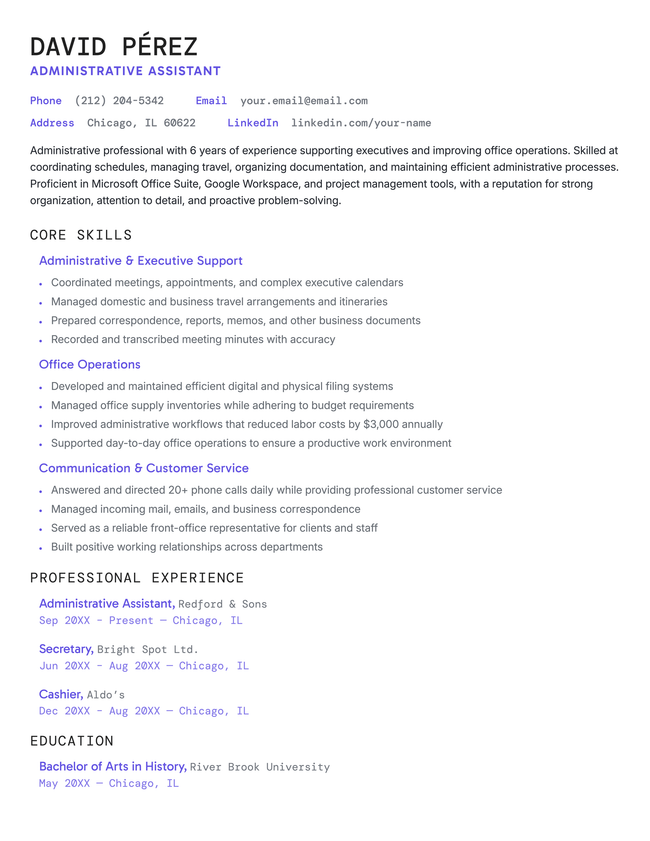
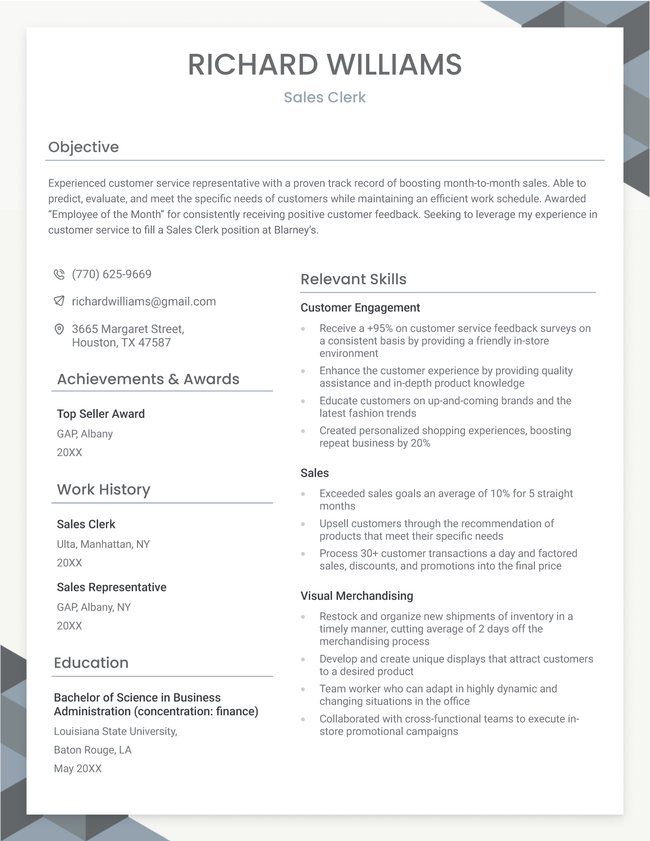
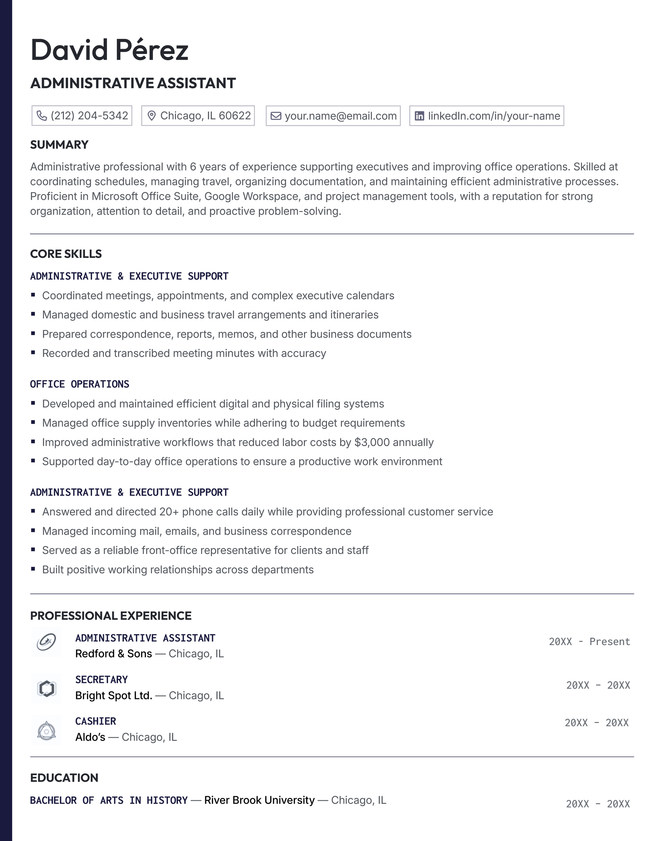
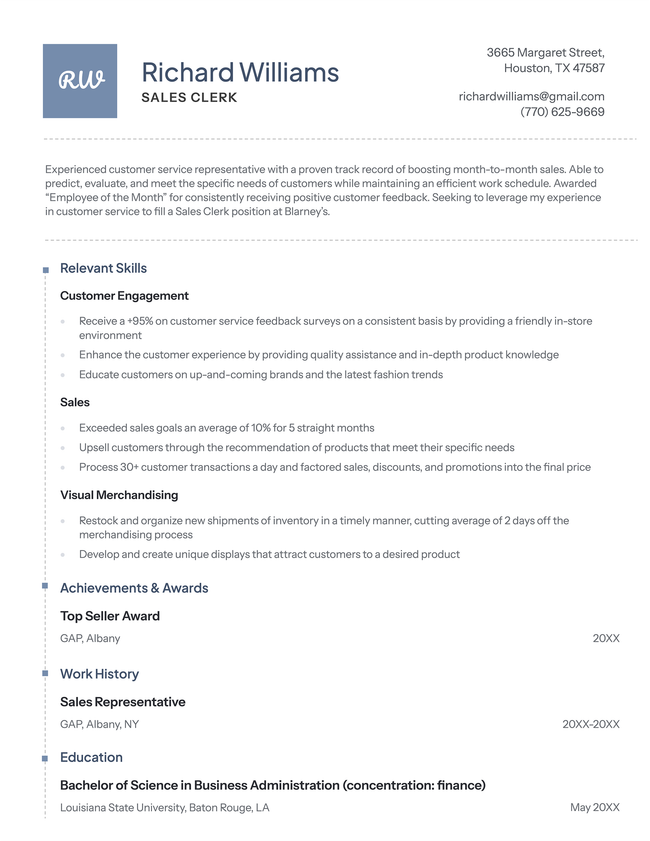
A functional resume emphasizes your skills and strengths over your work history, making it a great choice for career changers, recent graduates, or those with employment gaps. Save time creating yours with one of our customizable functional resume templates.
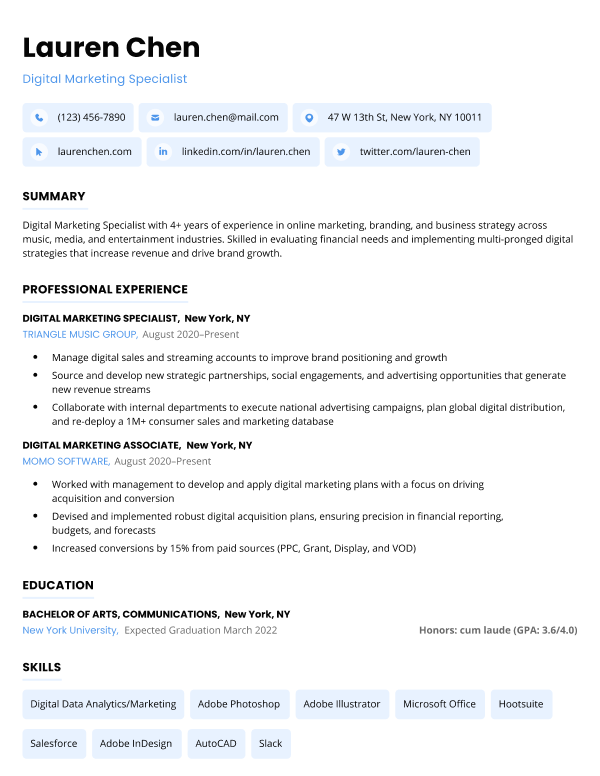
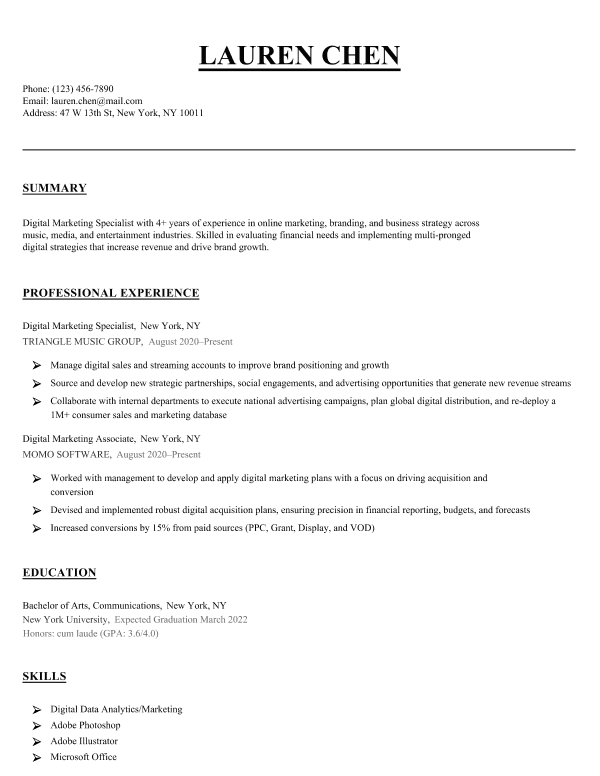
Free functional resume templates to download & edit
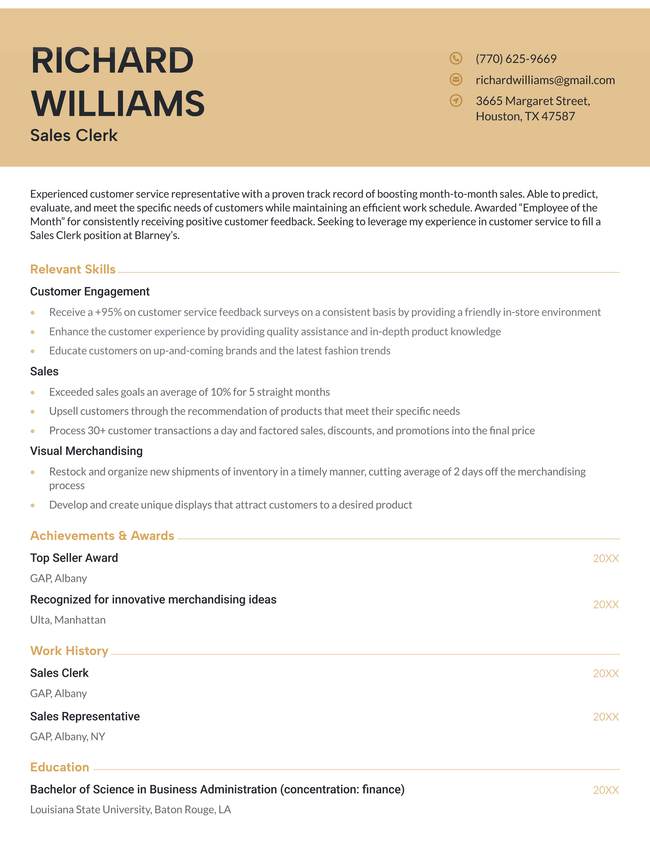
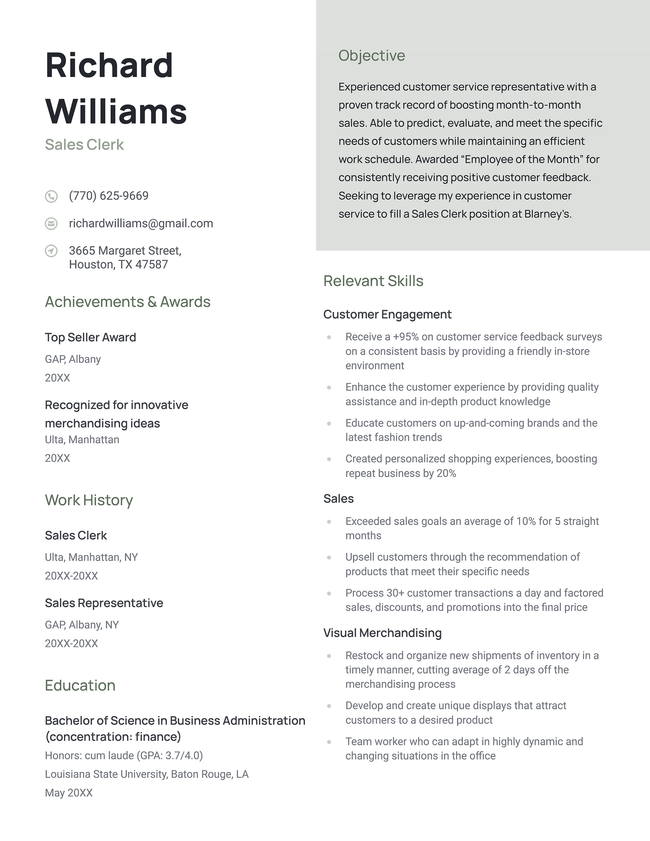
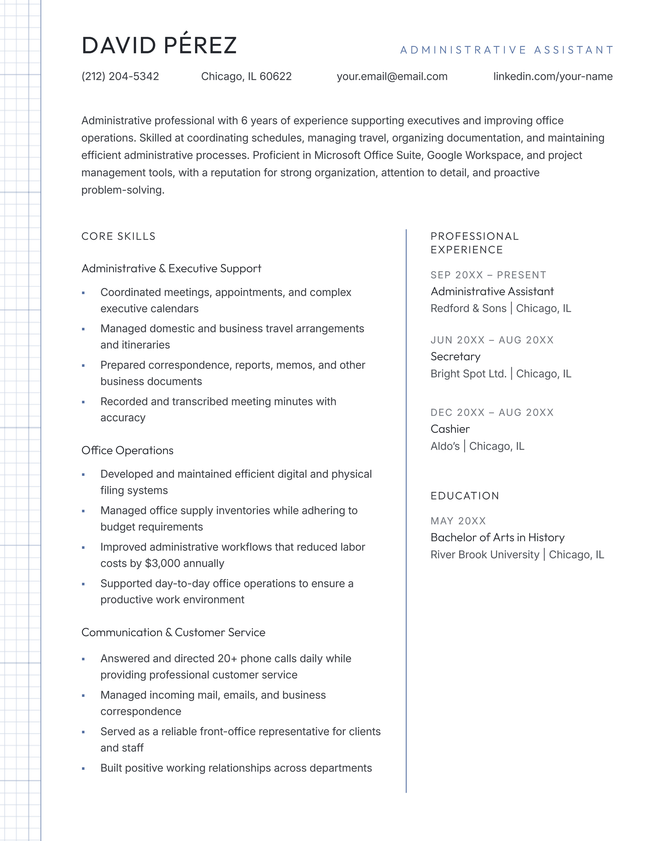
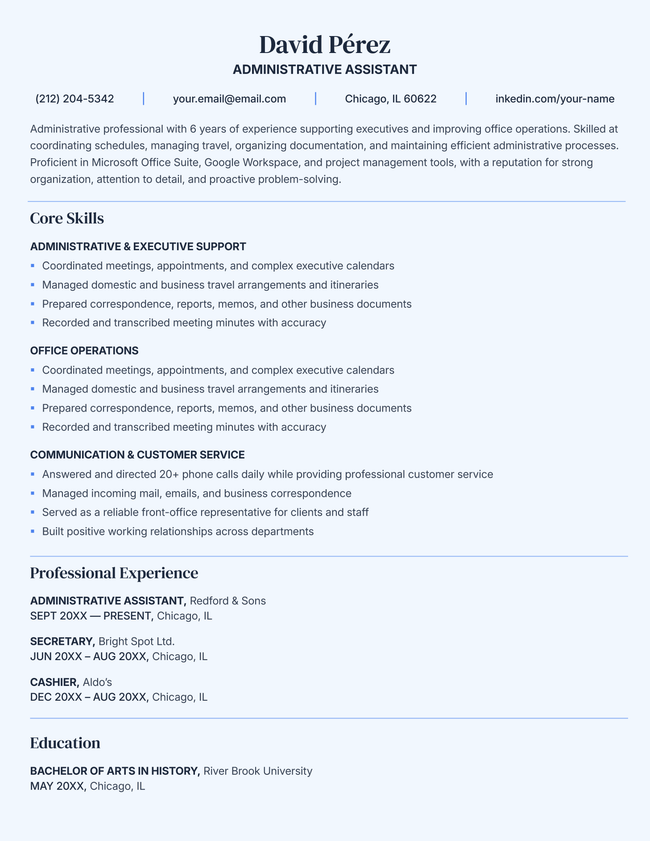
Additional free resume templates
RESUME TEMPLATES BY LAYOUT & CAREER LEVEL
- What is a functional resume?
- When to use a functional resume
- When to avoid using a functional resume
- Resume formats compared: which one is right for you?
- How to download and edit our free functional resume templates
- How to write a functional resume
- Fill-in-the-blank functional resume template
- Functional resume examples
- Frequently asked questions (FAQs)

Make your resume in minutes.
What is a functional resume?
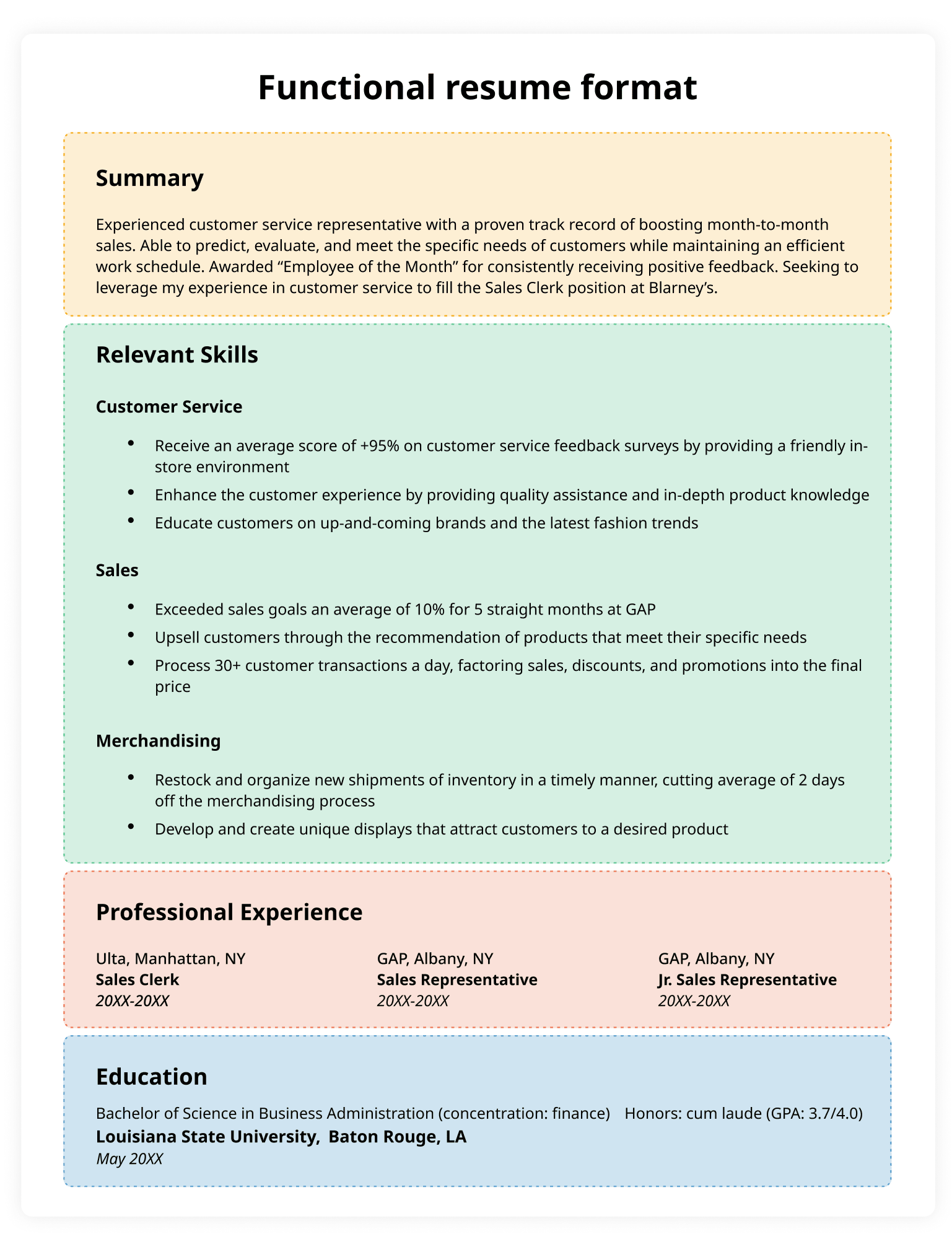
A functional resume is a format that focuses on your relevant skills rather than your work history.
Also known as a skills-based resume, this format groups your skills into categories that are directly relevant to the job. Each category is followed by bullet points that provide examples of what you’ve accomplished using that skill.

Like a chronological resume, a functional resume still includes a list of your previous jobs. However, this section is much shorter and less detailed than it would be on a chronological resume, listing only your job title, employers, and dates of employment.
When to use a functional resume
You should use a functional resume if:
- You need to address long periods of unemployment
- You’re switching to a new career and don’t have much directly relevant experience
- You want to highlight specific professional skills rather than your work history
By focusing on your transferable skills, a functional resume emphasizes the value you offer employers and shifts attention away from your work history.
When to avoid using a functional resume
While a functional resume is highly effective for masking employment gaps, it is not the ideal choice for everyone.
If you have a straightforward career path with a clear, linear progression of roles, you should stick to a traditional chronological resume format. Employers in these cases prefer to see your professional growth and tenure at a glance, which a skills-based layout can accidentally hide.
Resume formats compared: which one is right for you?
There are three common resume formats, and the right choice depends on your experience and career goals.
A chronological resume highlights your work history by listing your previous jobs in reverse chronological order, starting with your most recent position. It’s the preferred format for most employers and is ideal if you have a consistent employment history with clear career progression.
A functional resume emphasizes your skills and qualifications rather than your work timeline. Instead of organizing information by job, it groups your experience into skill categories, making it a good option for career changers, recent graduates, or job seekers with employment gaps.
A combination resume incorporates elements of both formats. It begins with a skills section to highlight your most relevant skills, then follows with a reverse-chronological work history.
| Format type | Pros | Cons | Best for |
|---|---|---|---|
| Chronological | Most common format Clearly shows career growth and stability | Draws attention to employment gaps or frequent job changes Less effective if your past titles don’t match your target role | Candidates with a consistent work history in the same field or industry |
| Functional (skills-based) | Highlights transferable skills Minimizes the visibility of gaps or unrelated experience | Can raise questions about your timeline Some employers view functional resumes with skepticism | Career changers, those with significant gaps, or candidates with limited formal work experience |
| Combination (hybrid) | Highlights both skills and experience Flexible and customizable | Can run longer than other formats Requires more effort to organize effectively | Career changers, freelancers, and professionals who want to go into detail about specific skills |
How to download and edit our free functional resume templates
- Browse our free templates and click the download button on the one you want to use.
- Locate the ZIP file in your Downloads folder, open it, and install any included fonts.
- Open your preferred template in Microsoft Word and replace the placeholder text with your own information.
- When your resume is complete, save it as a PDF to preserve the formatting and make sure it displays correctly on any device.
How to write a functional resume
Writing a functional resume differs slightly from writing a standard resume. Here’s everything you need to know:
Write a detailed introduction
A convincing resume summary immediately draws the employer’s attention to your most relevant skills, making your job history less of a focal point.
Start your summary by briefly stating who you are and your area of expertise. Then, give 2–3 examples of relevant achievements that demonstrate your qualifications. Finally, explain why you’re applying for the job.
Here’s an example:
Conscientious administrative assistant with 4+ years of experience providing executive-level support. Introduced inventory supply software and saved 5% in costs. Highly proficient with QuickBooks.
Quickly write a great introduction for your functional resume by letting a resume summary generator do the hard work for you.
Group your skills by type
Next, categorize your skills by type:
- Read the job description and identify the skills the employer is looking for, grouping them into 3–5 categories
- Organize your skills into categories
- After each skill group, add 3–4 bullet points highlighting what you’ve achieved with those skills
For example:
CUSTOMER SERVICE
- Receive a +95% on customer service feedback surveys on a consistent basis by providing a friendly in-store environment
- Enhance the customer experience by providing quality assistance and in-depth product knowledge
- Educate customers on up-and-coming brands and the latest fashion trends
SALES
- Exceeded sales goals an average of 10% for 5 straight months
- Upsell customers through the recommendation of products that meet their specific needs
- Process 30+ customer transactions a day and factored sales, discounts, and promotions into the final price
MERCHANDISING
- Restock and organize new shipments of inventory in a timely manner, cutting average of 2 days off the merchandising process
- Develop and create unique displays that attract customers to a desired product
- Team worker who is able to adapt in highly dynamic and changing situations in the office
Add your work history
Write a brief history of your work experience.
On a functional resume, you only need to include these basic details for each job:
- Job title
- Company name
- Employment dates (optional)
If you include employment dates, list your jobs in reverse chronological order. If not, list them in order of relevance to the job you’re applying for.
Here’s an example of what a work history section looks like on a functional resume:
Ulta, Manhattan, NY
20XX–20XX
Sales ClerkGAP, Albany, NY
20XX–20XX
Sales RepresentativeThe North Face, Albany, NY
20XX–20XX
Retail Clerk
Add your educational background
Unless your education section directly relates to the job you’re applying for, only include the name of your school or university, the city and state, and the degree you earned.
Here’s an example:
Bachelor of Arts in Primary Education
San Jose State University, May 20XX
National Board of Professional Teaching Standards
Multiple Subject Teaching Credential, March 20XX
Fill-in-the-blank functional resume template
The simplest way to start building your functional resume is with this text-based template you can copy and customize.
FIRST AND LAST NAME
Email: youremail@gmail.com | Phone: (123) 456 7891
Address: 123 Washington Drive City, State 12345
Linkedin: linkedin.com/in/yourprofile
Resume Summary
[Industry] professional with [# of years] years of experience. Looking to use my expertise in [relevant skills] to fill the [Position Title] position at [Company Name]. Possess a [degree] in [area of study] and skills in [relevant skill]. A dedicated worker aiming to help achieve [Company’s Name]’s goals and take on more responsibility as soon as possible.
Relevant Skills
[Skills Category 1]
- Group 2–3 related skills under each category heading
- Provide concrete examples of results you’ve achieved using these skills
[Skills Category 2]
- Choose skills that directly match the job requirements
- Include measurable results like percentages, dollar amounts, or time saved
[Skills Category 3]
- Use action verbs and specific numbers to demonstrate your impact
- Be specific about tools, methods, or certifications that prove your expertise
Work Experience
Current Job Title
Employer Name / Location
Start Date – End Date
Earlier Job Title
Employer Name / Location
Start Date – End Date
Education
Degree Name / Major
University, Location | Start Date – End Date
Functional resume examples
Below are some pre-written examples of functional resumes for different life situations that you can download and edit to match your skills and experience.
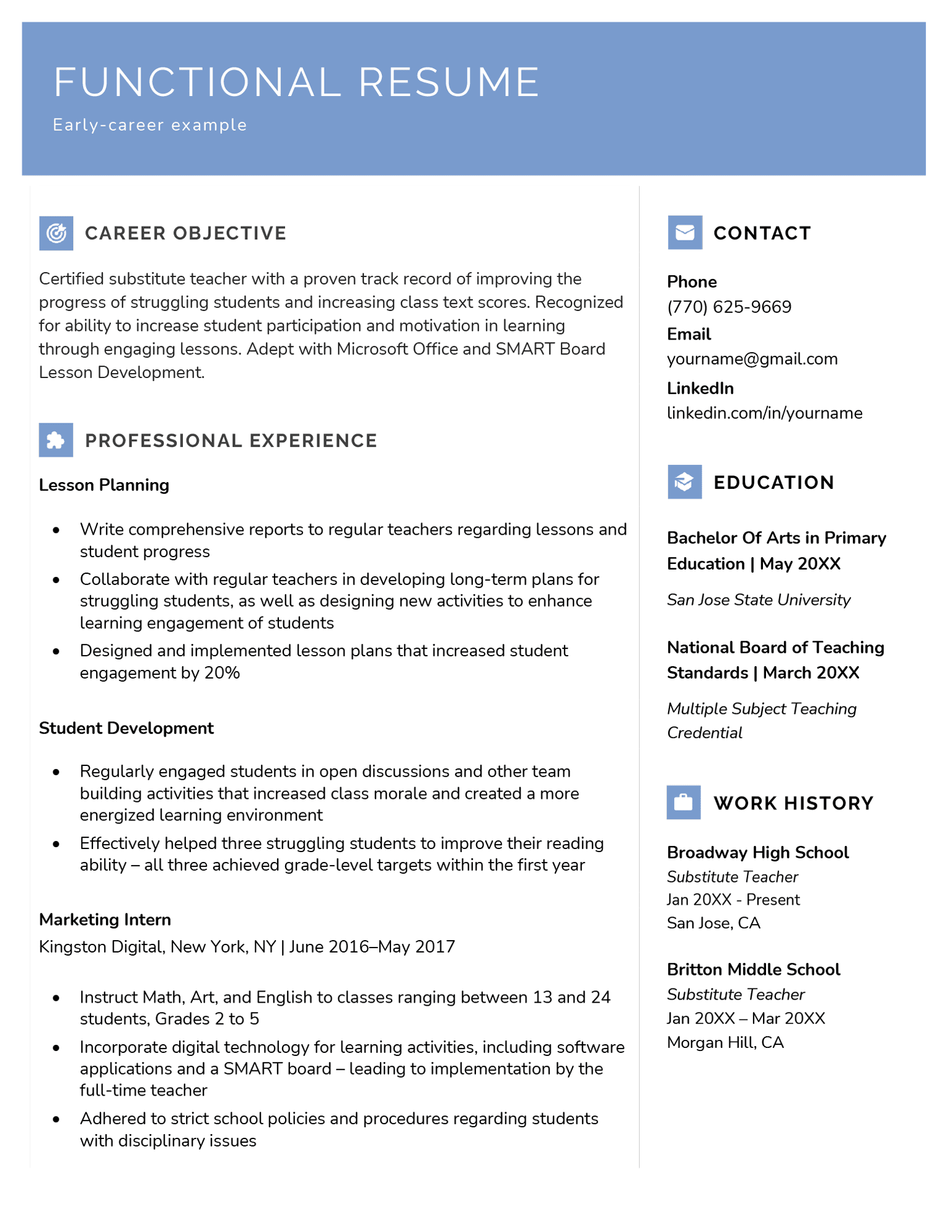
Early career
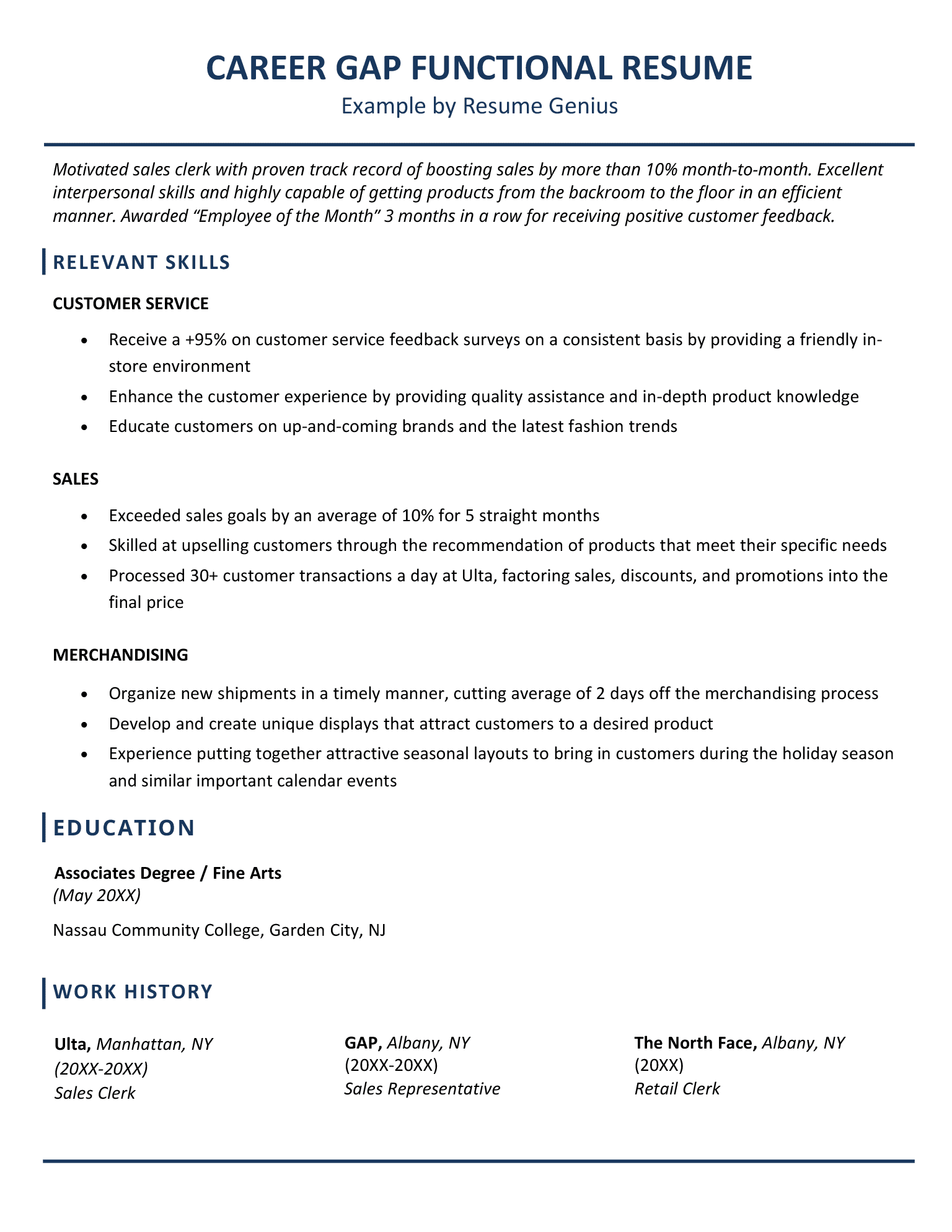
Career gap
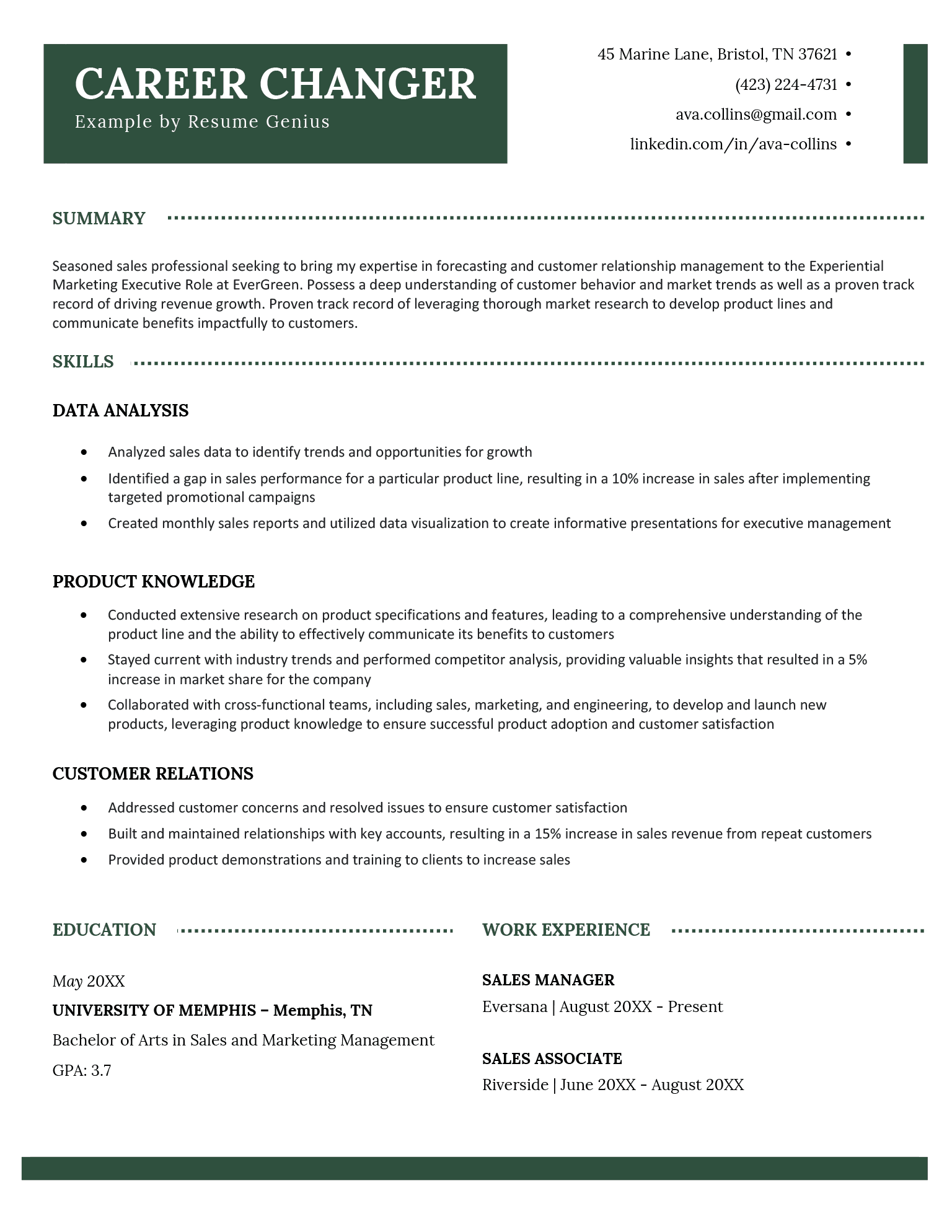
Career changer
Frequently asked questions (FAQs)
Here are answers to some of the most commonly asked questions about functional resumes:
Are functional resumes ATS-friendly?
Yes, functional resumes can be ATS-friendly. Most applicant tracking systems (ATS) can scan functional resumes as long as they use a simple layout, standard section headings, and relevant keywords from the job description.
However, some employers prefer chronological or combination resumes because they make it easier to evaluate your work history and career progression.
Do employers like functional resumes?
Some employers find functional resumes harder to assess because the work history is less detailed. However, when done well they can still be very effective, especially with clear skills categories and quantifiable results.
Can I use a functional resume to hide an employment gap?
A functional resume can draw less attention to employment gaps, but it won’t hide them completely. Most employers expect to see a work history, and recruiters can usually identify gaps once they review your employment dates.
Instead of trying to conceal a gap, use your resume to emphasize your relevant skills, accomplishments, volunteer work, freelance projects, or professional development during that time. Being honest while focusing on your qualifications is generally the most effective approach.
Can I use a functional resume if I have an extensive work history?
You can, but a combination resume might be a better choice, because it blends skills-based highlights with a chronological work section to give employers a more complete picture of your background.
How do I choose which skills to feature?
Focus on skills that align with the job description. Use the job ad to identify what the employer values most, and demonstrate those strengths with examples and achievements.
About the Author

Lauren Mastroni is a Senior Digital Content Writer at Resume Genius, where she creates data-driven career content and actionable job search advice. With a background in academic research, she brings a research-focused approach to topics like resume writing, interviewing, and career development. Lauren is dedicated to helping job seekers at all stages navigate the hiring process and present themselves more effectively to employers.


Related Articles
Resume Help
Resume Examples for Jobs in 2026
Geoffrey Scott
Resume Help
Resume Templates
Conrad Benz
Lauren Mastroni

Sebastian Morgan

Lauren Mastroni
Resume Help
Creative Resume TemplatesSebastian Morgan

Corissa Peterson

Conrad Benz