
Resume HelpHow to Write a ResumeListing Freelance Work
How to Put Freelance Work on Your Resume (With Examples)
 Written By Ida PetterssonCareer Coach and Resume Expert
 Reviewed By Conrad BenzContent Manager & Hiring Manager
Committed to empowering job seekers of all experience levels to take the next step in their careers, Ida helps professionals navigate the job hunt from start to finish. After graduating...


Struggling to get interviews?
Adding freelance work to your resume is a great way to show you have the right experience and communicate to employers that you know how to manage your workload effectively.
Whether you have extensive experience freelancing or you’ve been working on a couple of projects on the side, read on to learn how to write a resume that highlights your freelance work.
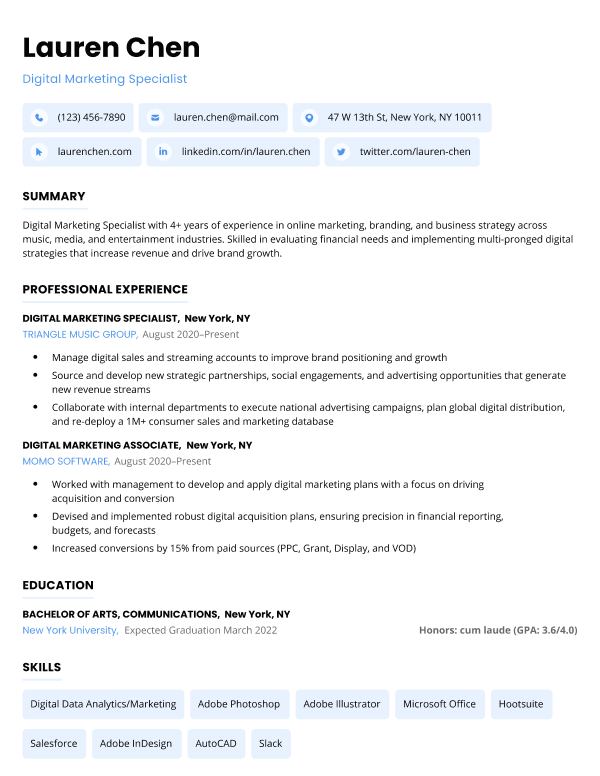
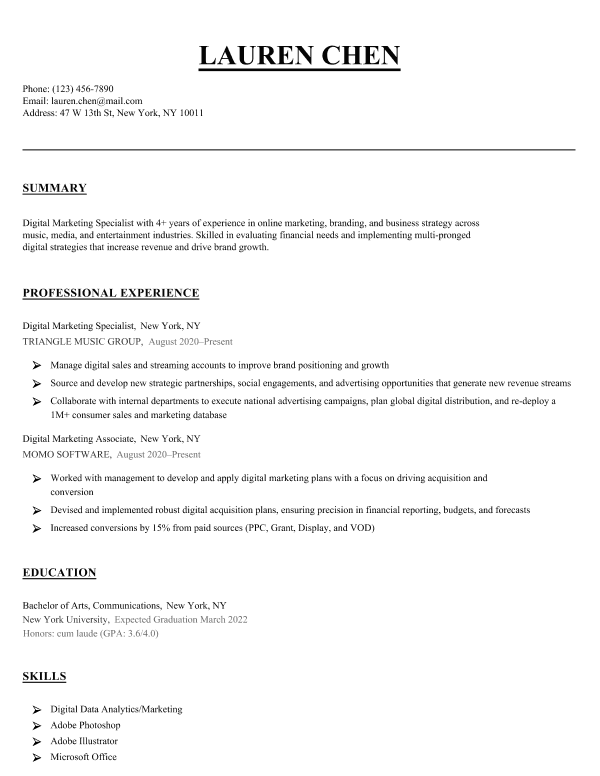
How to add freelance work to a resume
Watch our video below where our career expert Eva shows you how to add freelance work to your resume:

Adding freelance or contract work to your resume is not that different from listing any other work experience. Here’s what to include when listing freelance work on your resume:
- Name of client
- Time period you worked with them
- Job title (“freelance”, followed by your position)
- 4-5 bullet points that highlight your skills and accomplishments
Example of freelance work on a resume
If you’re unsure what listing freelance work should look like, here’s an example of how to list freelance work on a resume:
The Repository
Freelance Reporter, 2019 – Present
- Cultivated sources and pursued leads to uncover underreported stories in local communities
- Researched and wrote 8 hard news pieces per month
- Produced and uploaded video content to social media platforms including Facebook, Instagram and Twitter twice a week
- Conducted interviews with local government officials and covered election campaigns
The best resume templates for 2026
Tips for listing freelance work on a resume
If you want to list freelance work on your resume, it’s important to make sure it looks professional. Take a look at these tips to learn out how to catch a hiring manager’s attention with your freelance work experience:
Choose the right resume format
Depending on your goals and the nature of the freelance work you’ve been doing, choose a chronological or a functional resume format.
A chronological resume lists your most recent work experience first. You should choose a chronological resume format if:
- You have a full-time job that’s relevant to the position you’re applying for and you’ve done some freelance work on the side
- You’ve worked on large freelance projects for a small number of clients on a long-term basis
On the other hand, if you’re writing a resume for a career change or have employment gaps in your work history, a functional resume might be a better option. Rather than focusing on your employment history, it puts greater emphasis on your skills.
Choose a functional resume format if:
- Your full-time job is not relevant to the position you’re applying for, but your freelance projects are.
- You’ve worked on many small projects for a large number of clients
- You’ve worked part-time as a freelancer while in-between jobs

Explain what you’ve achieved
When you put together your list of freelance work, keep in mind that employers want to see what you’ve achieved while working on these projects.
Instead of covering every detail of every project, your resume should focus on your greatest accomplishments. A good way to showcase your achievements is by including hard numbers on your resume, for example:
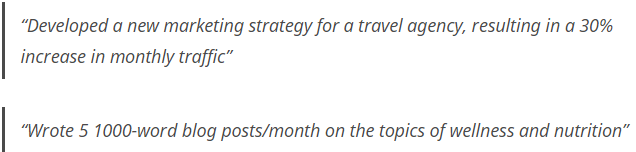
Reading a long list of duties that you were in charge of in your previous freelance job doesn’t help employers gain insight into what makes you a great employee. However, by quantifying your achievements you give them a better idea of how you can help them reach their goals.
Add a key projects section
Generally, you should treat your freelance work as you would any other work experience and list it in the work experience section of your resume.
However, if you’ve completed a significant amount of relevant, project-based work, you can also list this information in a separate projects section to give the employer a clear, side-by-side view of your practical experience and employment history.
Below is an example of how you can list freelance experience in the projects section of your resume.
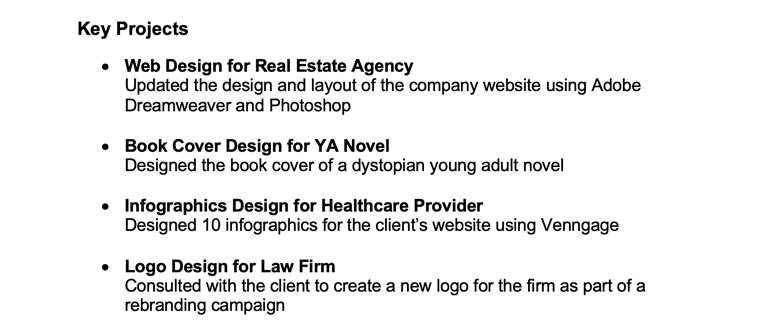
Remember to focus on projects that have earned you skills relevant to the job you’re hoping to land. If you’re applying for a position as a restaurant manager, telling recruiters about your experience as a freelance writer probably won’t help you get the job.
Group smaller projects together
Listing every single client you’ve worked with can take up a lot of space. If you’ve worked on a lot of smaller freelance projects for numerous different clients, consider grouping them together rather than listing all of them individually.
Here’s an example of how you can group several smaller projects together in one bullet point on your resume:

However, you should always name-drop any notable clients you’ve worked for. Big name clients can help catch recruiters’ attention and add to your credibility.
Here’s an example of how to include mentions of notable clients:

Link to your portfolio
If you have an online portfolio or a personal website, provide a link to it in the header of your resume. This is a good way to showcase projects and skills that you might not have the space to include in your work experience section.
In addition to giving hiring managers a quick and easy overview of the work you’ve done in the past, it’ll also help them get an idea of what you can do for them in the future.

When you’re ready to start applying to jobs, use our list of the best job boards for freelancers to start landing clients.
About the Author

Committed to empowering job seekers of all experience levels to take the next step in their careers, Ida helps professionals navigate the job hunt from start to finish.
After graduating from New College of Florida with a B.A. in Philosophy and Chinese Language and Culture, Ida moved to Hong Kong to begin her own career journey and finally settled in Taiwan. Her insights on resume writing, interview strategies, and career development have been featured on websites such as LawCareers.net, Digital Marketer, and SheCanCode.


Related Articles
Resume Help
Resume Examples for Jobs in 2026
Geoffrey Scott


Lauren Mastroni
Resume Help
6 Best Resume Paper Types (& How to Choose)Ida Pettersson
Resume Help
How to Make a Resume for Any Job in 2026
Sebastian Morgan
Resume Help
Creative Resume TemplatesSebastian Morgan

Samuel Johns


Conrad Benz

Corissa Peterson