
Blog Cover Letter Help Salary Requirements in Cover Letter
How to Include Salary Requirements in Your Cover Letter
 Written By Sebastian MorganSenior Content Writer & Certified Professional Resume Writer
 Reviewed By Conrad BenzContent Manager & Hiring Manager
Sebastian Morgan
Senior Content Writer & Certified Professional Resume Writer
Seb is a Certified Professional Resume Writer with 10 years of combined experience in career counseling and editorial work. With a MA in International Communications from National Chengchi University (Taiwan),...
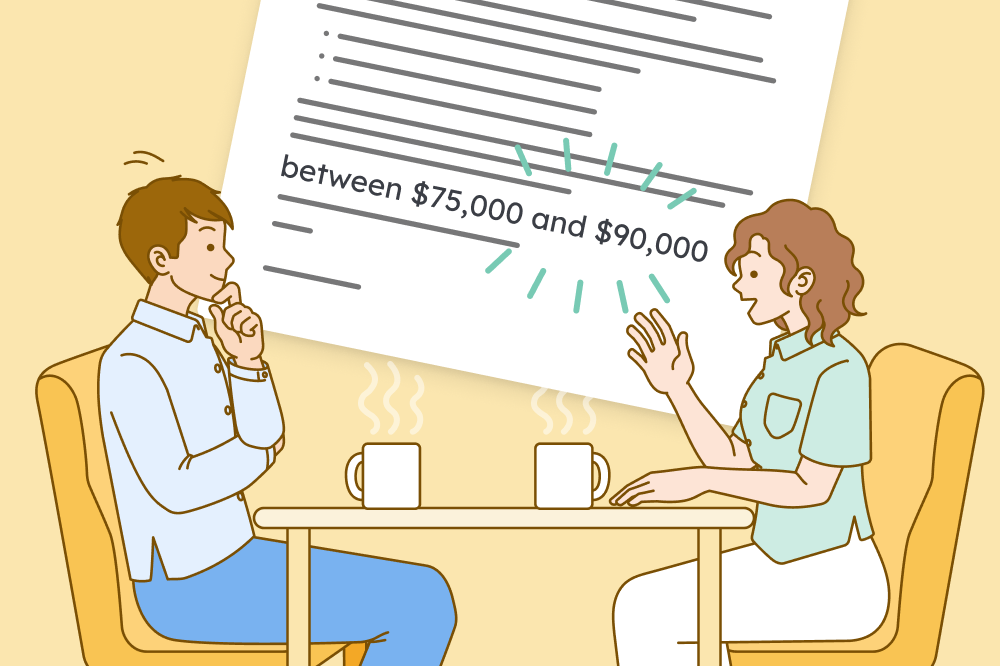
You should not include salary requirements in your cover letter unless the job posting clearly asks you to include them. Usually, salary negotiations occur after the hiring manager has offered you the job.
However, job postings sometimes do request your salary requirements in your cover letter. Here, we explain how to include this information professionally.
Example cover letter with salary requirements
This cover letter example includes politely worded salary requirements.
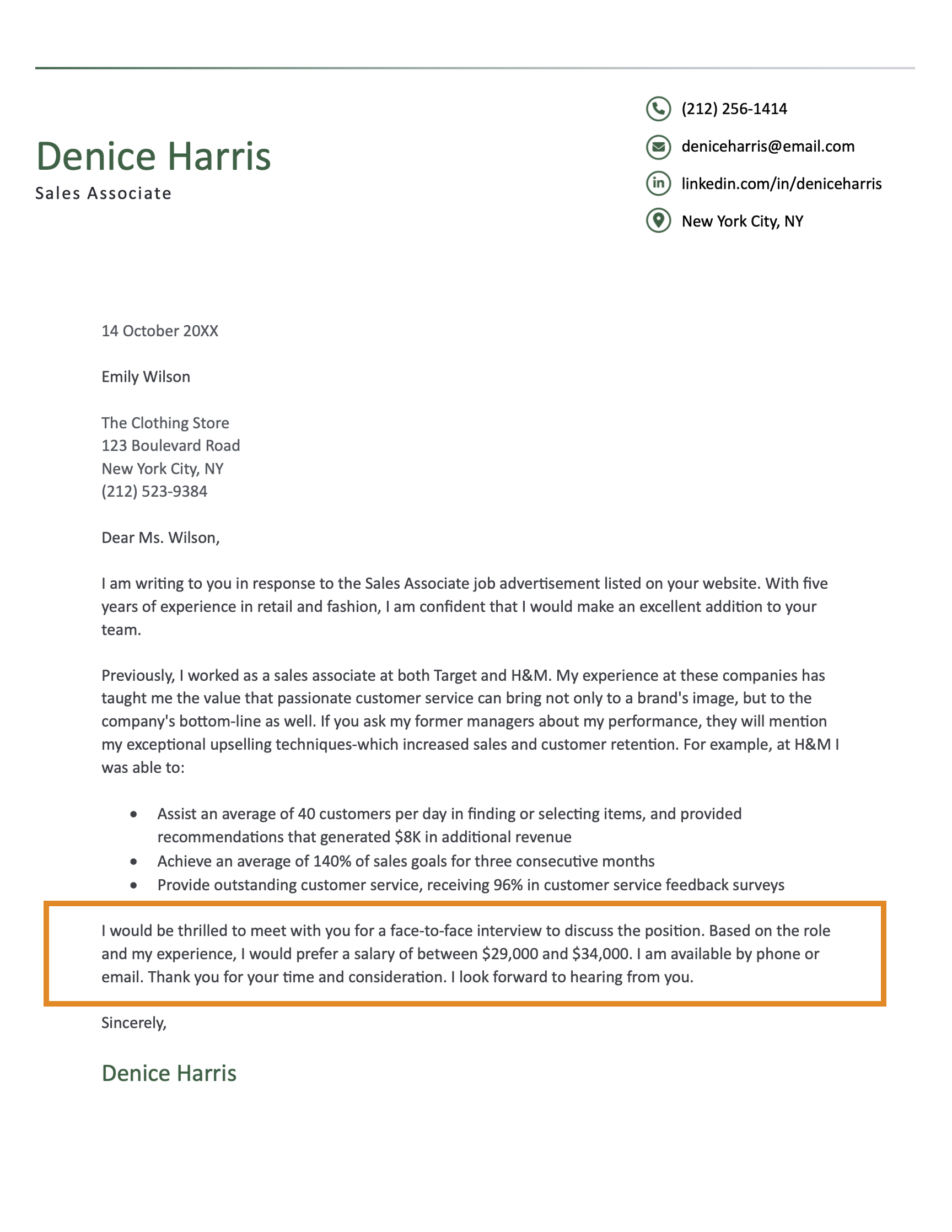
The final paragraph of this cover letter is a great example of how to include salary requirements because it:
- Mentions the salary requirement briefly at the end of the letter after having outlining why the applicant is a strong fit
- Shows the applicant has done their research by mentioning the position, their experience, and the location
- Provides a salary range rather than a single figure
How to set salary requirements in your cover letter
Here are four steps to writing a cover letter that addresses your salary politely and professionally:
1. Confirm whether setting salary requirements is appropriate
You should only include your salary requirements if the employer requested them.
Asking for salary requirements is relatively rare, but some employers ask for the following reasons:
- To see how you value your experience and skills
- To ensure your salary expectations are in line with the company’s budget
- To find out what kind of salary candidates are expecting for the position
Never include salary requirements if the salary was listed in the job description. If the employer has already clearly stated what they can pay for the role, there’s no value in negotiating. They may even assume that you didn’t read the job description properly.
2. Research the standard rate for someone in your situation
Here are three main factors that influence standard salary rates:
- Skills: Jobs with more technical skill requirements pay more than jobs with more transferable skill requirements
- Industry: Employers can offer vastly different salaries for the same job title (e.g., fintech employers offer higher salaries than employers in the education sector)
- Location: Local cost of living influences salary rates (e.g., marketing specialist roles pay around $99,650 in New York, compared to $89,940 in Minnesota)
If you’re expecting to move to a new location for your next job, research the cost of living there first. This research will help you determine if your expected salary is enough to cover your expenses.
3. Set a range that gives you room to negotiate
Set an expected salary range rather than an exact figure.
The lower end of this range should be slightly higher than the minimum salary you’re willing to accept (e.g., 10% above your minimum salary).
Many employers will start with the lower number in your salary range and negotiate down from there. The top end of your salary range is often treated as aspirational rather than real.
Set the upper end of your range at 15%–20% above the minimum salary you would accept. Check this number against your research. You don’t want to come across as greedy.
The minimum salary you are willing to accept is $60,000.
$60,000 * 1.1 = $66,000 (10% higher than $60,000)
$60,000 * 1.2 = $72,000 (20% higher than $60,000)
Your salary range would be $66,000–$72,000.
4. Add your salary requirements to your closing paragraph
State your salary requirements in 1–2 sentences. Be precise and polite.
Here are three examples of how to word salary expectations in a cover letter:
Based on the local industry average for a professional of my experience level, I’m seeking a salary in the $65,000–$70,000 range.
After assessing the duties outlined in the job description, I would prefer a starting salary ranging between $47,000 and $50,000, not including benefits.
Based on my experience, certifications, and skill set, I’m hoping for a salary offer of $70,000–$75,000.
About the Author

Seb is a Certified Professional Resume Writer with 10 years of combined experience in career counseling and editorial work. With a MA in International Communications from National Chengchi University (Taiwan), he helps job seekers translate their experience into employer-ready applications for global job markets.


Related Articles

Cover Letter Help
Cover Letter Examples for All Job Applications and Situations
Lauren Mastroni
Cover Letter Help
How to Write a Cover Letter for a Job in 2026
Conrad Benz

Cover Letter Help
50+ Cover Letter Statistics Hiring Managers Want You to Know
Eva Chan
Cover Letter Help
Cover Letter TemplatesSebastian Morgan

Cover Letter Help
Best Cover Letters of 2026 (10 Good Examples)Sebastian Morgan

Cover Letter Help
5 Short Cover Letter Examples (And How to Write Your Own)Sebastian Morgan
Cover Letter Help
Are Cover Letters Necessary in 2026?Lauren Mastroni
Cover Letter Help
Should a Cover Letter Be Double Spaced? (Spacing Guide & Examples)
Cort Dalton