

Struggling to get interviews?
Learn how to generate an effective resume in just a few minutes using a free download of your LinkedIn profile.
Your LinkedIn profile can help you make a resume quickly. Instead of staring at a blinking cursor on a blank page, simply use the work history you’ve already arranged on LinkedIn and you’re a big step toward applying for jobs.
1. Export your data from LinkedIn
LinkedIn makes it easy to export all your information as a PDF, making it easy for you to keep a copy as a personal record.
The first step is downloading the information for your resume from LinkedIn so you can work with it.
- Open your LinkedIn profile.
- Click the “More” button near the top of your profile card.
- Select “Save to PDF.”
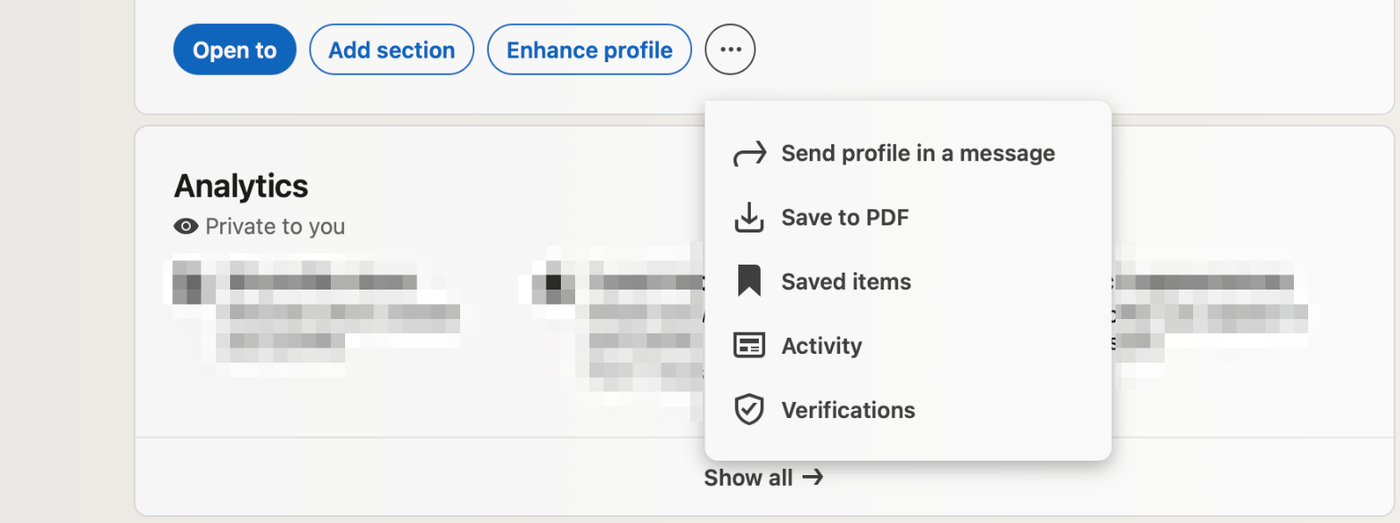
Your browser will download a PDF containing your entire profile history. This file will serve as your source. Open your PDF and keep it handy so you can copy and paste text from it.
If you plan on using AI to help you write your resume, this exported text will serve as the context you feed the bot. If you’re writing manually, it helps you capture accurate dates and titles.
For a deeper dive on using AI, learn how to write a resume with ChatGPT.
Why not just use the LinkedIn PDF as a resume?
You should avoid using the LinkedIn PDF as a resume that you submit with your application because it’s not formatted well enough to send to employers: it’s text-heavy and includes sections like “Recommendations” and “Activity” that don’t belong on a standard resume.
Instead, use the LinkedIn PDF export as a source document to build a polished, application-ready resume for job hunting.
2. Make the content resume friendly
Now you need to turn the text into something worth putting on your actual resume. LinkedIn profiles tend to be descriptive and conversational (e.g., “I love working with teams”), while resumes should be results-oriented and concise (e.g., “Led a team of 10”).
You can do this manually, or speed things up with AI:
Option A: the manual approach
- Work experience: Review your LinkedIn bullet points and remove filler phrases like “Responsible for” or “Tasked with.” Replace them with strong action verbs like “Orchestrated,” “Developed,” or “Increased.” Ensure every bullet point focuses on the results of your work, not just duties.
- Summary: Your LinkedIn “About” section is likely long and written in the first person (“I”). Condense this content into a 3–4 sentence professional summary that highlights your years of experience and top achievements.
- Skills: Don’t list every skill you’ve ever been endorsed for. Put together 10–12 “Core Competencies” relevant to the job you want.
Option B: the AI approach
Copy sections from your LinkedIn PDF into a tool like ChatGPT and use prompts like these:
- Work experience: “I’m pasting my experience for the role of [Job Title] at [Company]. Rewrite these bullet points using the STAR method (Situation, Task, Action, Result). Prioritize quantifiable outcomes (numbers, percentages, $ saved) over duties, and keep each bullet under two lines.”
- Summary: “Based on my work history, write a 3-sentence resume summary in a professional third-person voice. Avoid buzzwords like ‘synergy’ and focus on my strengths and achievements.”
For example, when I used my LinkedIn profile, here’s the resulting professional summary ChatGPT generated:
Content Manager at Resume Genius with 6+ years of experience creating engaging web content and writing accessible career advice. Shape editorial strategy by writing and editing content and partner across teams to keep pages reader-friendly and optimized for search. Known for strong web content writing, on-page optimization, and team management, consistently delivering clear, well-structured content that performs.
3. Tailor your content for jobs
A generic resume is rarely as effective as a resume targeted for a specific job. To pass applicant tracking systems (ATS), you need to align your LinkedIn content with the specific job description.
Option A: the manual approach
- Analyze the job description: Read the job posting, and highlight the top five hard skills (e.g., “Python,” “Project Management,” “SEO”).
- Reorder your bullets: Move the bullet points that best demonstrate those skills to the top of each work experience entry.
- Mirror the language: If the job posting says “client relations,” but your LinkedIn uses “customer service,” update your resume wording to match the posting.
Option B: the AI approach
- Paste the job description: Copy everything from the description.
- Use a “matchmaker” prompt: “I’m applying for this job (paste job description below). Review my LinkedIn experience again and rewrite the bullet points for my most recent role to emphasize the skills and keywords in this job description. Prioritize my most relevant experience and move it to the top of the list.”
I put ChatGPT to the test by asking it to rewrite my professional summary using this job ad:
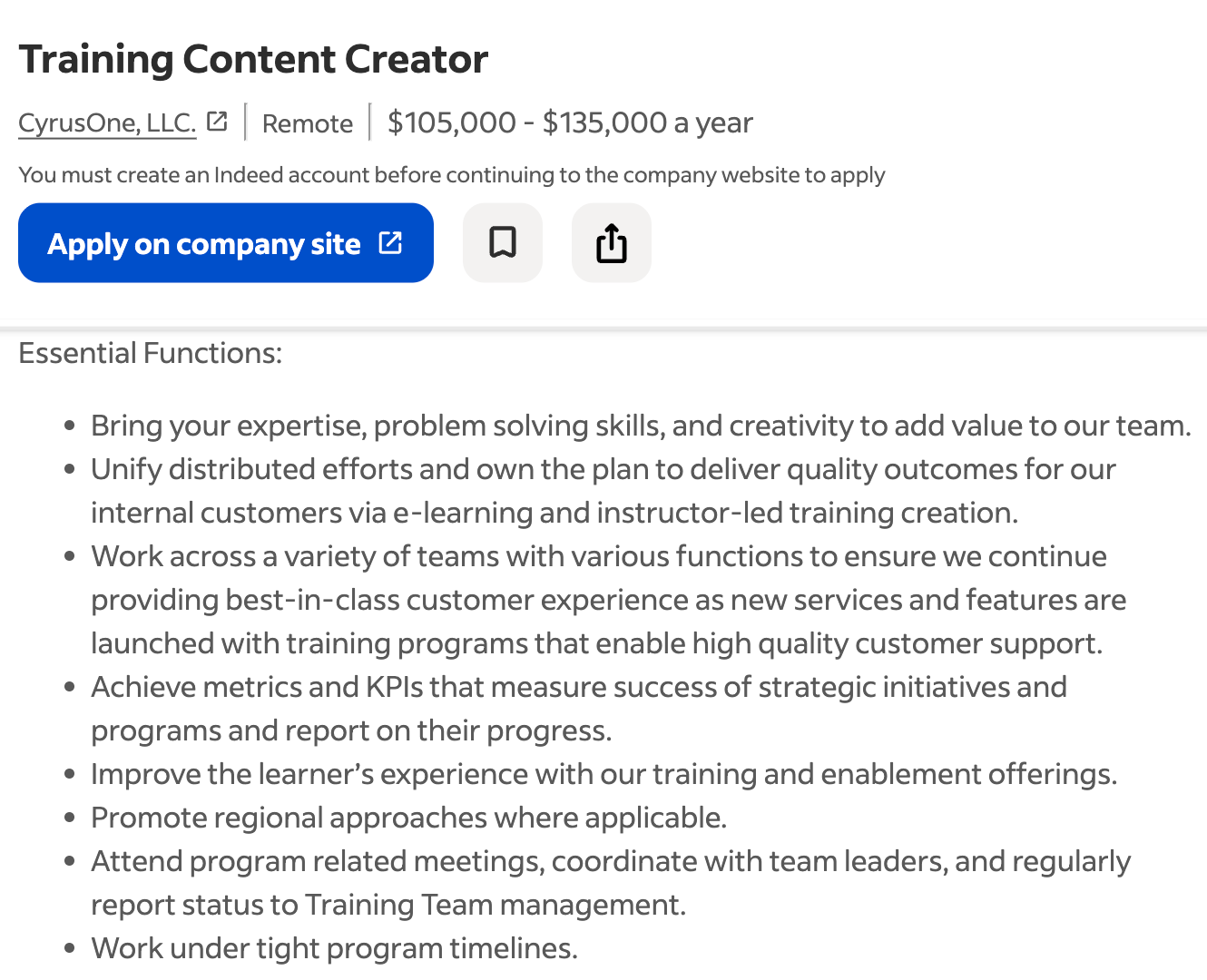
And here is the tailored summary it provided:
Content Manager with 6+ years creating clear, learner-friendly web content and career guidance, with strengths in structuring information so it’s easy to adopt and apply. Shape editorial strategy by writing and editing content and collaborating across teams to ensure resources are engaging, consistent, and optimized for performance. Known for team management and for improving how information is presented, with a practical, iterative approach that supports fast pivots when priorities change.
4. Put the content in a resume template
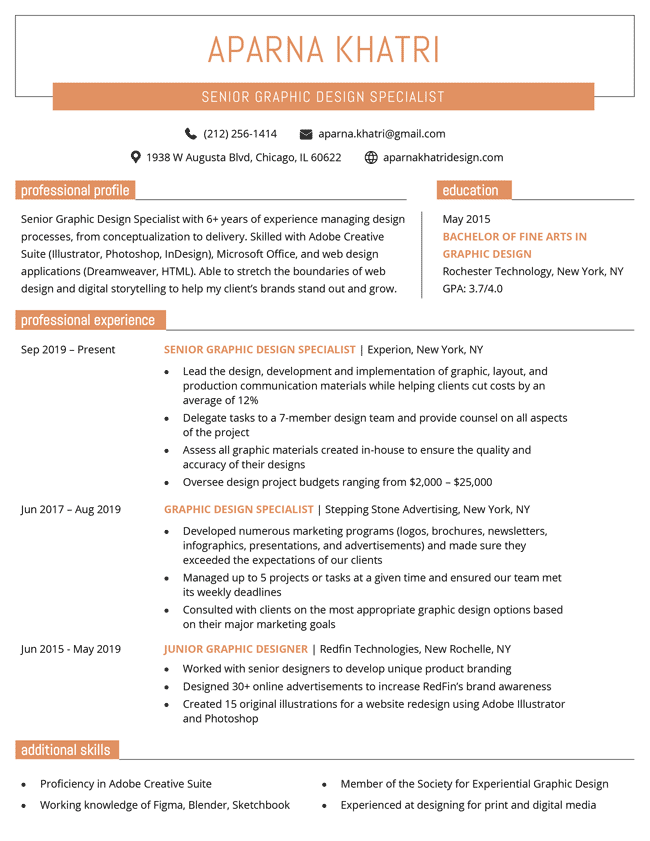
Whether you wrote the content yourself or used AI, you now have the content, but you still need to format everything into a usable resume. Do not submit a raw text file or the exported LinkedIn PDF.
- Clean up your text: If you used AI, ask it to “Output the final result in clean, plain text that’s easy to copy-paste.”
- Select a template: Download a professional design that suits your industry and experience level.
- Paste your information: Transfer your polished text into the template fields.
You can find a wide variety of free resume templates online.
5. Cut outdated and/or irrelevant roles
LinkedIn is a career archive — it may include 10–15+ years of history, including internships and entry-level jobs. A resume is different: it’s a document marketing you as the best candidate for the job. It’s not a biography.
Your resume should generally focus on your experience over the last 10 to 15 years.
- Delete outdated roles: If a job from 2008 isn’t relevant to a role you’re pursuing now, cut it.
- Remove irrelevant details: For early-career roles, you often don’t need bullet points. Listing the title, company, and dates shows career progression without wasting space.
6. Review and refine your resume draft
The final step is quality control.
- If you wrote your entire resume manually: Proofread the document carefully for typos and grammatical errors. Read your summary aloud to ensure it flows naturally.
- If you used AI: Check for “hallucinations.” Ensure the AI didn’t invent a metric (e.g., “improved efficiency by 20%”) or shift your employment dates. AI is only a writing assistant, and you should still use a resume parser to make sure your resume is accurate and can be read easily by ATS.
Faster option: use a resume builder
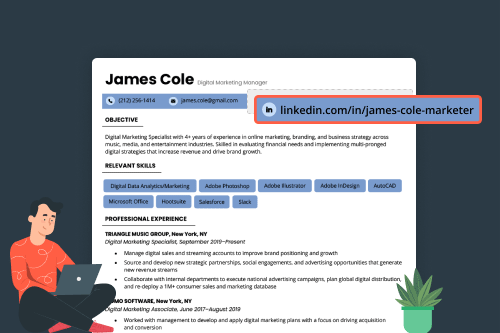
If the process of copying, pasting, prompting, and formatting feels too manual, consider using an online resume builder. Builders let you import your LinkedIn profile and automatically convert its content into a properly formatted resume template, eliminating the need for manual copy-pasting.
Use an all-in-one resume solution

About the Author

Conrad Benz is a Content Manager and Hiring Manager at Resume Genius. With nearly a decade of experience as a career services professional, Conrad is passionate about helping people navigate the job search process and find fulfilling work.
You can find Conrad’s career insights in publications like Typsy, Resume Library, and more.
Conrad graduated with a B.A. in International Relations from Goucher College in Maryland and currently lives in Taipei, Taiwan, where he helps ensure every article on Resume Genius provides job seekers with the information they need to succeed.
If you want to reach Conrad for a quote or media-related inquiry, you can contact him at [conrad] @ [resumegenius.com].