• Skip to Content
  • Skip to Sidebar
  • Skip to Footer
Resume Genius home
  • Professional Designs
    • Basic
    • Creative
    • Modern
    • Minimalist
    File Types To Download
    • Word
    • Google Docs
    • PDF
    • Pages
    Formats
    • Chronological
    • Functional
    • Combination
    • Infographic
    Situational Templates
    • ATS
    • Entry Level
    • Picture
    • Blank
    View All Free Resume Templates Use a Premium Template
  • For Students
    • High School
    • Internship
    • College
    • Student CV
    By Experience
    • No Experience
    • Mid-Career
    • Manager
    • Executive
    Top Industries
    • Teaching
    • Nursing
    • Administrative Assistant
    • Customer Service
    • Cashier
    • Engineering
    • Graphic Design
    • Server
    View All Resume Examples Build My Resume Now
  • Tools
    • AI Resume Generator
    • ATS Resume Checker
    • Resume Summary Generator
    • Bullet Point Generator
    Resumes
    • How to Make a Resume for Any Job in 2026
    • How to Write a Resume With No Experience
    • How to Put Skills on Your Resume
    • 40+ Professional Resume Summary Examples
    Cover Letters
    • Cover Letter Templates to Download
    • Cover Letter Examples for All Job Applications
    • How to Write a Cover Letter for a Job in 2026
    • Cover Letter Format: Template & Examples
    CVs
    • Professional CV Templates
    • 400+ CV Examples for Everyone
    • How to Write an Academic CV
    • CV Examples for Students
    Visit the Genius Blog Build My Resume Now
    • The Genius Resume Builder Make a professional resume in just a few minutes.
    • AI Cover Letter Generator Write custom cover letters for every application.
    • Professional CV Maker Create a detailed academic or professional CV.
    Resume Genius Customer Reviews 10 Best Resume Builders of 2026
    Build My Cover LetterLogin
  • Pricing
Build My Cover Letter Login

Monday – Friday: 8:00 AM – 7:00 PM (EDT), Saturday – Sunday: Closed(866) 215-9048

Blog Cover Letter Help How to Sign a Cover Letter

How to Sign a Cover Letter

Headshot of Sebastian MorganWritten By Sebastian MorganSenior Content Writer & Certified Professional Resume Writer

Headshot of Conrad BenzReviewed By Conrad BenzContent Manager & Hiring Manager
Headshot of Sebastian Morgan

Sebastian Morgan

Senior Content Writer & Certified Professional Resume Writer

10 years of experienceCPRW

Seb is a Certified Professional Resume Writer with 10 years of combined experience in career counseling and editorial work. With a MA in International Communications from National Chengchi University (Taiwan),...

View Profile
Published April 15, 2026
Make My Cover Letter Now
A hand signing a cover letter.
Table of Contents
  • How to Sign a Cover Letter
    • How to add an electronic signature to your cover letter
    • How to sign a cover letter in Word
    • How to sign a cover letter in Google Docs
    • Signing a cover letter sent by email
    • How to sign a paper cover letter

Share:

  • Copied

We explain how to add your signature to a cover letter in Microsoft Word, Google Docs, and email.

Signing your cover letter shows professionalism and attention to detail. Even though employers don’t require your signature, this extra step will help you make a positive first impression on employers.

Here’s how to add your signature to a cover letter in Microsoft Word, Google Docs, and email.
Build My Cover Letter
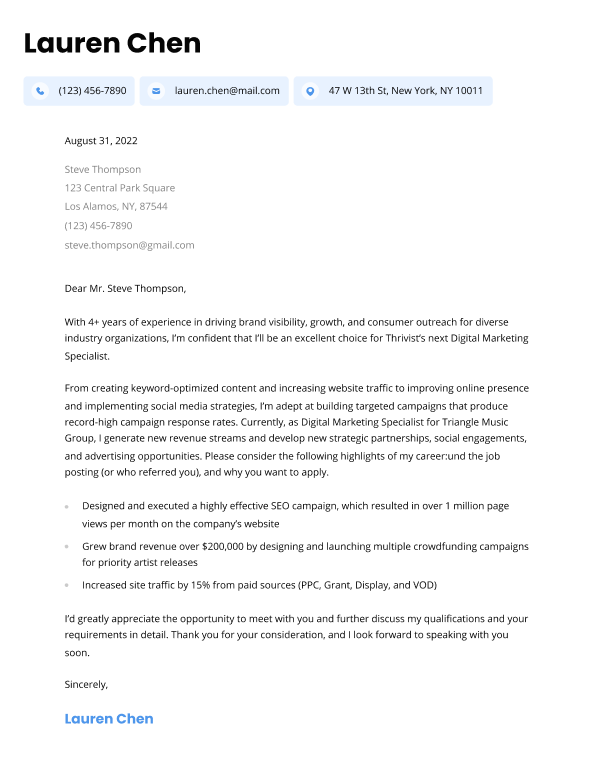
Our cover letter builder can make you a cover letter in as little as 5 minutes. Just pick the template you want, and our software will format everything for you.

How to add an electronic signature to your cover letter

You can use the following methods to sign a cover letter you’re attaching to an email or uploading to a job portal:

  1. Type your name
  2. Attach a scan of your signed cover letter
  3. Electronically sign your cover letter using software like Adobe Sign, DocuSign, or OneSpan Sign

How to sign a cover letter in Word

If you’re attaching your cover letter as a Word document and want to add a personal touch to your cover letter, you can easily add a handwritten signature digitally:

First, you’ll need to create the image of your signature you want to insert at the end of your cover letter.

To do this, sign a blank piece of paper and scan the page onto your computer. Save it under a common file format like .JPG or .PNG.

Next, on the Insert tab in your Word document, click Pictures > Picture from File.

A screenshot showing how to insert a picture into a Word document.

Select the picture of the signature you want to insert and click Insert.

A screenshot showing how to find and insert an image file into a Word document.

Then, you can adjust the image to your desired size in the document:

A screenshot of a cover letter signature showing how to adjust the image size in the Word document.

How to sign a cover letter in Google Docs

You can sign your cover letter in Google Docs by adding a drawing.

Select Insert, then click Drawing > New.

A screenshot showing how to add a drawing from the Insert menu in Google Docs

Choose Scribble from the dropdown menu and draw your signature.

A screenshot showing how to add a scribble in the Google Docs drawing window

Click Save and close to insert your image. Then resize the signature to fit your document.

An example signature above the job applicant

Signing a cover letter sent by email

When signing an email cover letter, you don’t need to provide a handwritten signature. Simply write your full name at the end of the email, using the same font you use for the rest of your cover letter.

The proper format of an email cover letter signature looks like this:

Regards,
[First Name] [Last Name]
[Email Address]
[Phone Number]

Although you should have already included your contact details in your resume and cover letter header, you can add them to your email signature to make them easy to find.

Here are some examples of how to sign off on an email cover letter:

Best regards,
Hector Lopez
hectorlopez@email.com
(812) 876-6721

Sincerely,
Maria Smith
763 Main Street,
North Oxford, MA 01540
mariasmith@email.com
(812) 745-6721

Regards,
Samuel Liao
samuelliao@email.com
(147) 369-1701
www.linkedin.com/sliao
www.samuelliao.com

How to sign a paper cover letter

Though less common, sometimes you need to mail your cover letter. You should always sign a cover letter sent by mail because it’s more professional and requires little effort.

Here’s how to sign a printed-out cover letter:

  1. Leave two to three lines of blank space between your cover letter sign-off and your full name
  2. Print your cover letter, and sign your name using black ink in that blank space

You don’t need to include your contact information underneath your signature on a printed-out cover letter because most cover letter templates already have space at the top for this information.

Here’s how handwritten signatures should look at the end of a cover letter:

Sincerely,

Handwritten signature of Gloria Morales

Gloria Morales

Sincerely,

Ahote Nighthorse

Ahote Nighthorse

About the Author

Headshot of Sebastian Morgan
Sebastian Morgan
Senior Content Writer & Certified Professional Resume Writer
10 Years of Experience
144 Articles Written
8 Articles Reviewed

Seb is a Certified Professional Resume Writer with 10 years of combined experience in career counseling and editorial work. With a MA in International Communications from National Chengchi University (Taiwan), he helps job seekers translate their experience into employer-ready applications for global job markets.

Certifications
Certified Professional Resume Writer (CPRW)
Published In
Employee Benefit News 360 Learning The Vector Impact
Expertise
Resume Writing Job Market Research Fact Checking & Editing Job Application Preparation Interview Coaching
LinkedIn LinkedIn Muck Rack Muck Rack
View Profile
Table of Contents
Rate our article

Click to rate this article

4.8 Average rating

20 people rated this article

Related Articles

Cover Letter Help

Cover Letter Examples for All Job Applications and Situations
Lauren Mastroni, a staff writer at Resume Genius

Lauren Mastroni

February 23, 2026

Cover Letter Help

How to Write a Cover Letter for a Job in 2026

Headshot of Conrad Benz

Conrad Benz

April 14, 2026

Cover Letter Help

50+ Cover Letter Statistics Hiring Managers Want You to Know

Headshot of Eva Chan, CPRW

Eva Chan

January 20, 2026

Cover Letter Help

Cover Letter Templates
Headshot of Sebastian Morgan

Sebastian Morgan

September 16, 2026

Cover Letter Help

Best Cover Letters of 2026 (10 Good Examples)
Headshot of Sebastian Morgan

Sebastian Morgan

June 5, 2026

Cover Letter Help

5 Short Cover Letter Examples (And How to Write Your Own)
Headshot of Sebastian Morgan

Sebastian Morgan

June 5, 2026

Cover Letter Help

Are Cover Letters Necessary in 2026?
Lauren Mastroni, a staff writer at Resume Genius

Lauren Mastroni

June 16, 2026

Cover Letter Help

CV Cover Letter Templates
Headshot of Conrad Benz

Conrad Benz

July 8, 2025

Resume Genius
LinkedIn Instagram Youtube Facebook Twitter Tiktok Pinterest Giphy
Resumes
  • Resume Builder
  • Resume Templates
  • ATS Resume Checker
  • AI Resume Generator
  • Resume Summary Generator
  • Resume Bullet Point Generator
  • Resume Skills Generator
  • Resume Parser
  • Resume Examples
  • How to Make a Resume
Cover Letters
  • Cover Letter Generator
  • Cover Letter Templates
  • Cover Letter Examples
  • How to Write a Cover Letter
  • Cover Letter Format
CVs
  • CV Maker
  • CV Templates
  • How to Write a CV
  • CV Examples
  • CV vs Resume
Policies
  • Terms & Conditions
  • Privacy Policy
  • CCPA/GDPR
  • Accessibility
  • Editorial Guidelines
Additional Resources
  • About Us
  • Career Experts Program
  • Join Our Team
  • Press & Media Mentions
  • Pricing
  • Product Reviews
  • The Genius Blog
Support
  • Help & Support
  • Contact Us
  • Forgot Password
  • Frequently Asked Questions
  • Add Resume Genius as a preferred source on Google
Member of
Certified professional resume writer official seal

© 2026, Sonaga Tech Limited. All rights reserved

ResumeGenius.com is owned and operated by Sonaga Tech Limited, Hamilton, Zweigniederlassung Luzern, with offices in Luzern, Switzerland.