
Blog Resume Help Resume Header
Resume Header Examples & Writing Guide
 Written By Lauren MastroniCareer Expert & Senior Digital Content Writer
 Reviewed By Conrad BenzContent Manager & Hiring Manager
Lauren Mastroni is a Senior Digital Content Writer at Resume Genius, where she creates data-driven career content and actionable job search advice. With a background in academic research, she brings...


Struggling to get interviews?
Getting your resume header right helps your application stand out and catch the attention of employers.
Your header is the very first thing an employer sees, so it’s important to format it correctly.
What is a resume header?
A resume header is the section at the top of your resume that includes your name and contact information.
Jordan M. Carter
Marketing Manager
Chicago, IL | (312) 555-7482 | jordan.carter@email.com | linkedin.com/in/jordancarter | jordancarterportfolio.com
This is not to be confused with a resume heading, which usually refers to the section titles within your resume (like “Work Experience” or “Education”) or a resume headline, which is an optional short phrase placed below your header that highlights your professional identity or key qualification, such as “Certified Project Manager with 8+ Years of Experience.”
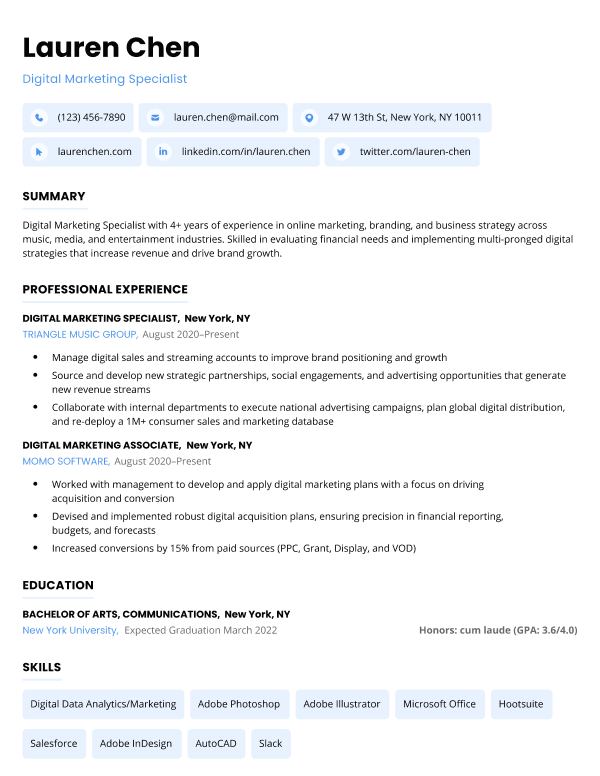
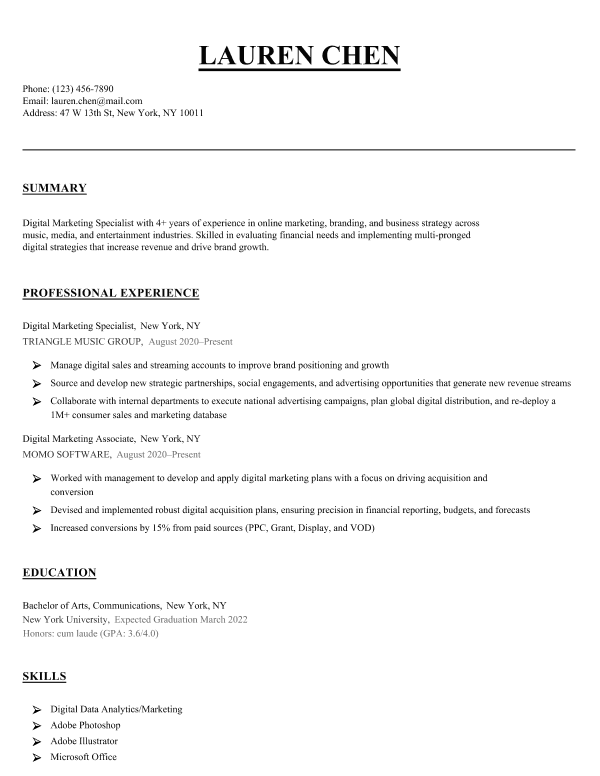
What to include in your resume header
Your header needs to be concise enough that it doesn't take up unnecessary space, but must still contain all of the information hiring managers need to know about you.
Your resume header should generally include the following:
- First and last name
- Current job title
- Phone number
First and last name
Your name should be the most prominent text on your resume because it’s the first thing employers will look for when pulling up your job application.
Using larger, bold text for your name draws the reader's eye and makes it easily scannable.
Here's an example:

Job title
In a smaller font, add your current job title under your name so that hiring managers can quickly see that you’re a match for the role.
If your current title is interchangeable with the title of the role you’re applying for (ex. Creative Director and Art Director), use the title mentioned in the job description.
If you’re switching careers, it might be better to leave your title off your resume to avoid drawing attention to your lack of experience.
City and state (optional)
Next, add your current city and state.
If you live far away from the job you’re applying for, you can add “open to relocation” to let the employer know that you're willing to move if needed, or just leave your location off of your resume.
Email address
Next, list your email address. If you’re applying online, make it clickable so hiring personnel can easily contact you.
Phone number
Finally, list your cell phone number. Employers usually prefer to contact candidates by phone to set up interviews, so include your most commonly used phone number.
Pronouns (optional)
You can list your personal pronouns under your name or with your contact information. For example:
KENDALL LOPEZ
Pronouns: they/their/theirs
Phone: (515) 047-1701
Email: firstname.lastname@email.com
Pronouns: she/her/hers
If your resume header is too cramped, add your pronouns to your cover letter instead.
In that case, put your pronouns after your name in your cover letter sign-off:
Sincerely,
Samuel Liao
Pronouns: he/him/his
LinkedIn profile (optional)
Many hiring managers use LinkedIn to hire or vet new personnel, so if your profile is up to date, adding your LinkedIn URL to your resume can make your resume stand out.
When you first join LinkedIn, your URL will contain a string of random numbers and letters, so you’ll want to remove these before adding it to your resume. To personalize your profile URL, click “Public profile & URL” in the upper right-hand corner of your profile page.
Personal website (optional)
If you're in a creative field like web design, photography, interior design, or writing, a professional online portfolio is a valuable way to highlight your work.
If you want to include a link to your personal website, your resume header is the best place to put it.
Social media handle (if relevant)
Only include your social media handle if you use it for career-related purposes.
For journalists, writers, designers, and other creative job seekers, including your X, Threads, or Bluesky account can show potential managers how much you care about the industry you work in.
Resume header examples
Before designing your resume, think about the level of formality required for the job you want.
Is the job you're applying for professional or casual? Does your resume design need to be creative or traditional?
After you've decided what level of formality is appropriate, you have three basic types of headers to choose from:
Professional header
The most formal type of resume header (and also the most common) is the standard horizontal header.
Here's an example of a professional resume header:

A horizontal header is a safe choice that suits any level of formality. It's basic, readable, and highlights your name.
Creative header
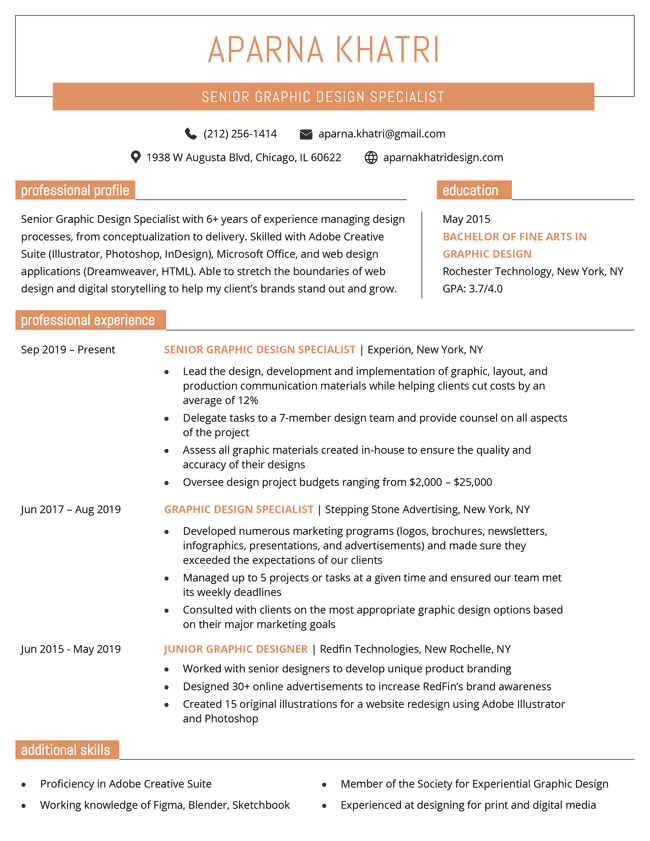
Creative resume headers often feature eye-catching design elements such as icons, brighter colors, and distinctive fonts or typography.
While less formal, these headers grab attention and reflect the skills required in more creative fields. However, the level of creativity should match the norms of your specific industry.
Here’s an example of a creative resume header with bright colors, icons, and an accent font:

Vertical header
Most resume templates have a horizontal header. Some layouts, however, place the header in a vertical bar on the left side of the resume.
Here's an example:

However, keep in mind that a vertical resume header is less traditional. If you're applying for work in a formal industry (law, medicine, etc.), use a horizontal header instead.
About the Author

Lauren Mastroni is a Senior Digital Content Writer at Resume Genius, where she creates data-driven career content and actionable job search advice. With a background in academic research, she brings a research-focused approach to topics like resume writing, interviewing, and career development. Lauren is dedicated to helping job seekers at all stages navigate the hiring process and present themselves more effectively to employers.


Related Articles
Resume Help
Resume Examples for Jobs in 2026
Geoffrey Scott

Lauren Mastroni
Resume Help
6 Best Resume Paper Types (& How to Choose)
Ida Pettersson
Resume Help
Creative Resume Templates
Sebastian Morgan


Conrad Benz

Samuel Johns
Resume Help
How to Make a Resume for Any Job in 2026Sebastian Morgan
Lauren Mastroni