• Skip to Content
  • Skip to Footer

Resume Genius

Resume Genius

The World's Smartest Resume Builder

  • Resume Templates

    Professional Designs
    Basic
    Creative
    Modern
    Minimalist
    File Types To Download
    Word
    Google Docs
    PDF
    Pages
    Formats
    Chronological
    Functional
    Combination
    Infographic
    Situational Templates
    ATS
    Entry Level
    Picture
    Blank
    View All Free Resume Templates Use a Premium Template

    Monday to Friday, 8AM – 12AM (Midnight) and Saturdays and Sundays, 10AM – 6PM EDT (866) 215-9048

  • Resume Examples

    For Students
    High School
    Internship
    College
    Student CV
    By Experience
    No Experience
    Mid-Career
    Manager
    Executive
    Top Industries
    Teaching
    Nursing
    Administrative Assistant
    Customer Service
    Cashier
    Engineering
    Graphic Design
    Server
    View All Resume Examples Build My Resume Now

    Monday to Friday, 8AM – 12AM (Midnight) and Saturdays and Sundays, 10AM – 6PM EDT (866) 215-9048

  • Free Resources

    Tools
    • AI Resume Generator
    • ATS Resume Checker
    • Resume Summary Generator
    • Bullet Point Generator
    Resumes
    • How to Make a Resume for Any Job in 2026
    • The Best Resume Format for 2026
    • How to Put Skills on Your Resume
    • 40+ Professional Resume Summary Examples
    Cover Letters
    • Cover Letter Templates to Download
    • Cover Letter Examples for All Job Applications
    • How to Write a Cover Letter for a Job in 2026
    • Cover Letter Format: Template & Examples
    CVs
    • Professional CV Templates
    • 400+ CV Examples for Everyone
    • How to Write an Academic CV
    • CV Format: Examples & Guide
    Visit the Genius Blog Build My Resume Now

    Monday to Friday, 8AM – 12AM (Midnight) and Saturdays and Sundays, 10AM – 6PM EDT (866) 215-9048

  • Builders

    The Genius Resume Builder

    Make a professional resume in just a few minutes.

    AI Cover Letter Generator

    Write custom cover letters for every application.

    Professional CV Maker

    Create a detailed academic or professional CV.
    Resume Genius Customer Reviews 10 Best Resume Builders of 2026
    Build My ResumeLogin

    Monday to Friday, 8AM – 12AM (Midnight) and Saturdays and Sundays, 10AM – 6PM EDT (866) 215-9048

  • Pricing

Monday to Friday, 8AM – 12AM (Midnight) and Saturdays and Sundays, 10AM – 6PM EDT (866) 215-9048

Build My Resume Login

Monday to Friday, 8AM – 12AM (Midnight) and Saturdays and Sundays, 10AM – 6PM EDT (866) 215-9048

Resume Templates ATS Resume Templates

ATS Resume Templates to Download & Edit

Our ATS-friendly resume templates were designed with ATS software in mind, so they’re especially easy to parse. Pick your favorite template and color and download it immediately for Microsoft Word.
Build My Resume NowUpload Existing Resume
  • All Templates
  • ATS
  • Google Docs
  • Modern
  • Photo
  • Simple
  • Student
  • Word
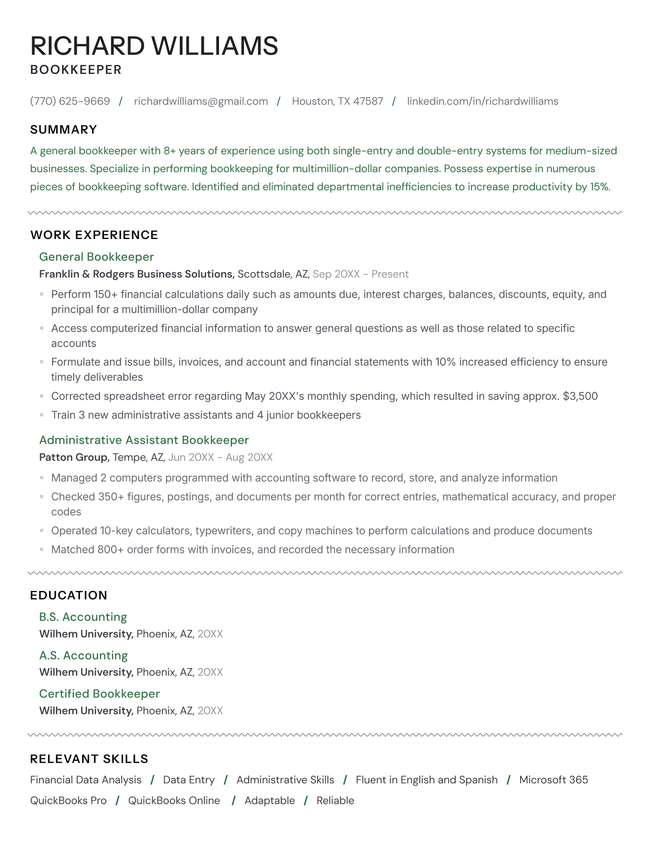
Opulence resume template in green.

Featured ATS-friendly resume template

This template combines a clean, professional layout with easy customization in our resume builder. You can quickly adjust sections, formatting, and content without worrying about layout issues.


Opulence

The simple structure, standard headings, and consistent formatting of the Opulence template help ATS software scan your resume accurately. Its minimal design avoids columns and decorative elements that often cause parsing errors.

Format and styling details:

  • Subtle accent color
  • No icons or graphics that can confuse ATS software
  • Balance of text and white space

Template Formats

PDF Word Text
Build My Resume Now

Free ATS resume templates

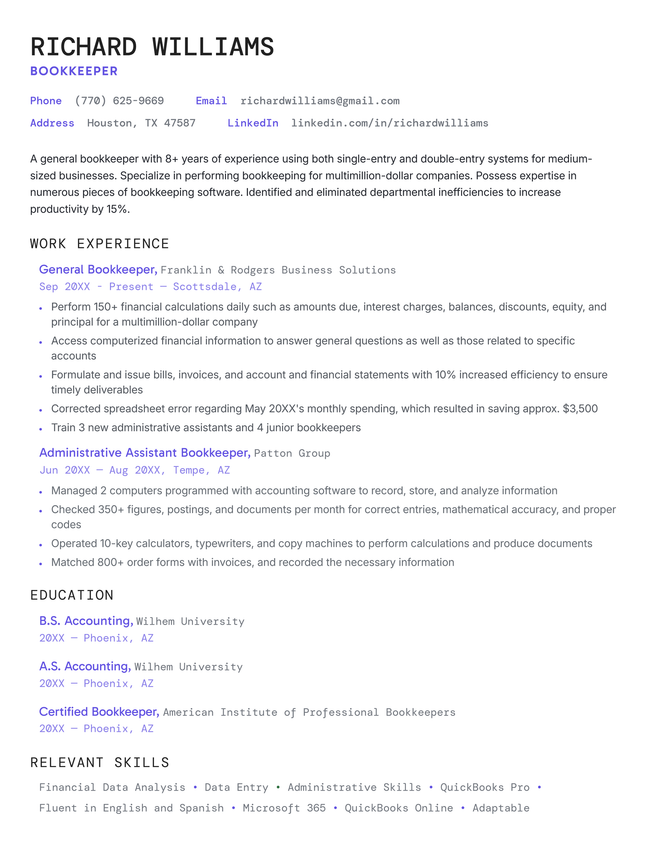
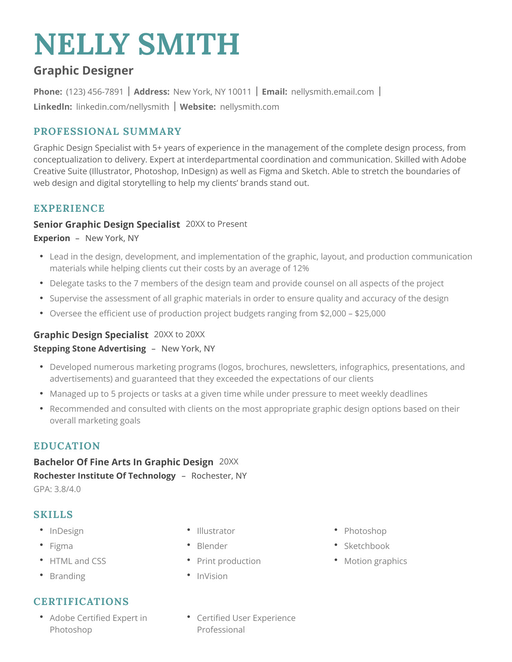
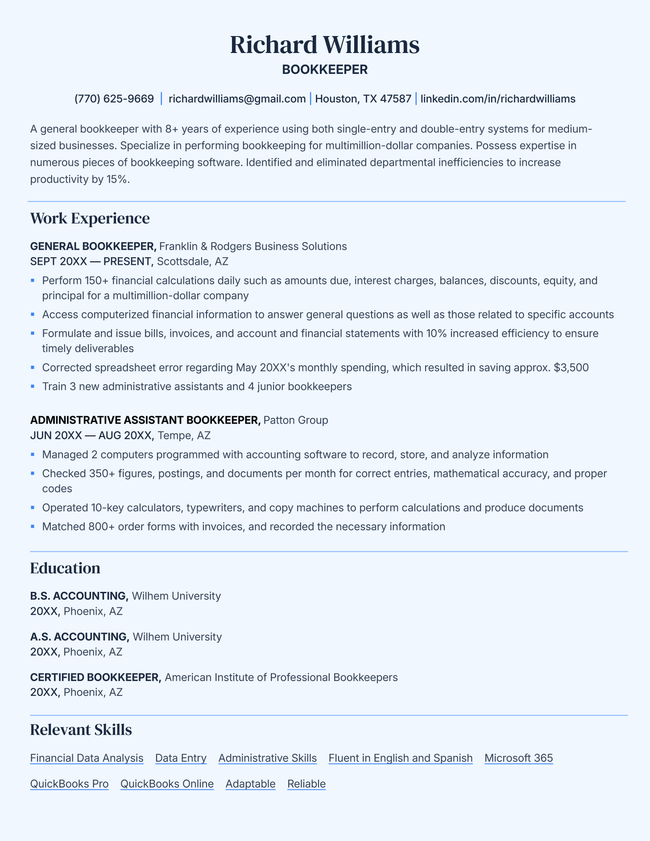
These four resume templates are 100% free to download and use (leave us a TrustPilot review if you like yours!). You can edit them in Microsoft Word, and then save your finished resume as a PDF to easily send to employers.
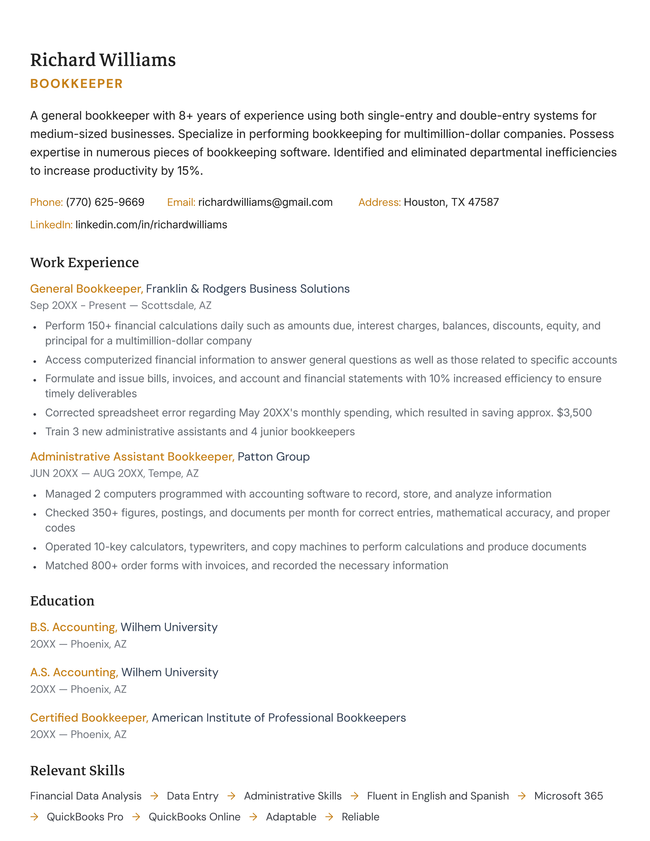
The Base ATS-friendly resume template.
Build My Resume
Pin It
2,139
Base
Word
The Noma ATS-friendly resume template.
Build My Resume
Pin It
697
Noma
Word
The Note ATS-friendly resume template.
Build My Resume
Pin It
817
Note
Word
The Page ATS-friendly resume template.
Build My Resume
Pin It
285
Page
Word

Additional free resume templates

  • All
  • ATS
  • Blank
  • Canva
  • Creative
  • CV
  • Google Docs
  • InDesign
  • LaTeX
  • LibreOffice
  • Pages
  • PDF
  • Photo / Headshot
  • Minimalist
  • Modern
  • Simple / Basic
  • Student
  • Word

Resume templates by layout & career level

  • Chronological
  • Combination
  • Functional
  • Infographic
  • Entry-Level
  • Mid-Career
  • Manager
  • Executive
Table of Contents
Table of Contents
  • ATS Resume Templates to Download & Edit
    • 7 ways to make your resume ATS-friendly
      • 1. Choose a simple layout
      • 2. Use standard section headings
      • 3. Tailor your resume to the job description
      • 4. Use concise, results-focused language
      • 5. Choose a common, readable font
      • 6. Save your resume as a PDF
      • 7. Run your resume through an ATS checker
    • Frequently asked questions
      • Do resumes get auto-rejected by ATS?
      • Which resume format is best for ATS?
      • What does an ATS scan for?
      • Do all companies use ATS software?
3 resume templates available in the Resume Genius builder with a banner explaining how quickly you can make a resume

Struggling to get interviews?

Make a professional resume

Share:

  • Copied

7 ways to make your resume ATS-friendly

Follow these steps to format and optimize your resume for both ATS scans and human readers.

1. Choose a simple layout

Simple formatting is the safest choice. Avoid tables, text boxes, and multiple columns, since these can confuse applicant tracking systems and cause important details to be skipped or displayed incorrectly.

Although visual elements can make a resume look more modern, they can also prevent ATS software from properly reading your content. Logos, icons, headshots, graphics, and decorative design features may not be parsed at all, which means key information can be missed entirely.

2. Use standard section headings

Stick to clear, conventional section headings like Work Experience, Education, Skills, and Certifications so ATS software can accurately identify and categorize your information. Creative titles such as “Where I’ve Been” or “What I Bring to the Table” look unique, but ATS software may not recognize them.

3. Tailor your resume to the job description

Customize your resume for each job by aligning your experience and skills with the requirements listed in the job description. Carefully review the job posting and incorporate relevant keywords, such as skills, certifications, tools, and job titles, throughout your summary, skills section, and work experience.

Using the employer’s terminology helps your resume match ATS searches and makes it easier for employers to see you’re a strong fit for the role.

4. Use concise, results-focused language

Keep your summary and bullet points brief and focused on results. Applicant tracking systems scan for relevant keywords, so avoid long, wordy sentences. Use strong action verbs and highlight measurable achievements whenever possible.

Bad example

  • Responsible for handling customer service tasks and helping customers with various questions and concerns while working in a fast-paced environment.

Good example

  • Resolved 40+ customer inquiries daily in a high-volume call center while maintaining a 95% satisfaction rating.

5. Choose a common, readable font

Use a standard, easy-to-read font like Arial, Calibri, Helvetica, or Times New Roman. Decorative or unusual fonts can cause formatting issues and may not be parsed properly.

Keep body text between 10–12 points, and use consistent styling throughout to maintain an organized, professional appearance.

6. Save your resume as a PDF

Saving your resume as a PDF helps preserve your formatting so it looks consistent on any device. Most modern ATS platforms can read PDFs correctly, making PDF a safe, professional option in many cases. However, if an employer specifically requests a Word document or another format, always follow their instructions.

7. Run your resume through an ATS checker

Before you apply, upload your resume to a free ATS resume checker to get an ATS score. The tool scans your resume the way applicant tracking systems do: by checking for keywords, formatting issues, and overall optimization, then providing personalized suggestions to improve your score and increase your chances of getting noticed.

Frequently asked questions

If you still have questions about ATS and ATS-friendly resumes, here are answers to some of the most commonly asked questions below.

Do resumes get auto-rejected by ATS?

Not usually. Most applicant tracking systems don’t automatically reject resumes. Instead, they rank and organize applicants based on how closely their resumes match the job requirements. A hiring manager still reviews candidates and decides who moves forward.

Which resume format is best for ATS?

The chronological resume format is best for ATS. It’s the most common format and the one ATS platforms are built to read.

If you use a non-traditional format like a functional resume, some ATS software might struggle to interpret your sections and correctly identify your work history and skills.

What does an ATS scan for?

An ATS scans your resume for keywords and qualifications that match the job description. This typically includes:

  • job titles
  • hard skills
  • certifications
  • education
  • years of experience
  • relevant tools or software

ATS software also parses your contact information and work history and puts it in standardized fields, making it easier for employers to review.

Do all companies use ATS software?

No, but most mid-sized and large companies do use ATS software, especially organizations that receive a high volume of applications. Smaller businesses may review resumes manually, but it’s safest to assume your resume will be scanned by an ATS when applying online.

Share

Facebook

Twitter

Linkedin

Pinterest

Reddit

Copy link

https://resumegenius.com/resume-templates/ats-resume-templates
Resume Genius
LinkedIn Instagram Youtube Facebook Twitter Tiktok Pinterest Giphy
Resumes
  • Resume Builder
  • Resume Templates
  • ATS Resume Checker
  • AI Resume Generator
  • Resume Summary Generator
  • Resume Bullet Point Generator
  • Resume Skills Generator
  • Resume Parser
  • Resume Examples
  • How to Make a Resume
  • Resume Format
Cover Letters
  • Cover Letter Generator
  • Cover Letter Templates
  • Cover Letter Examples
  • How to Write a Cover Letter
  • Cover Letter Format
CVs
  • CV Maker
  • CV Templates
  • How to Write a CV
  • CV Examples
  • CV vs Resume
Policies
  • Terms & Conditions
  • Privacy Policy
  • CCPA/GDPR
  • Accessibility
  • Editorial Guidelines
Additional Resources
  • About Us
  • Affiliate Opportunities
  • Career Experts Program
  • Join Our Team
  • Press & Media Mentions
  • Pricing
  • Product Reviews
  • The Genius Blog
Support
  • Help & Support
  • Contact Us
  • Forgot Password
  • Frequently Asked Questions
Member of
Certified professional resume writer official seal

© 2026, Sonaga Tech Limited. All rights reserved

ResumeGenius.com is owned and operated by Sonaga Tech Limited, Hamilton, Zweigniederlassung Luzern with offices in Luzern Switzerland.

Your review would mean a lot to us.

We hope our free downloadable resources will help you on your path to career success. If you have time, a quick review would really make our day (it'll only take 15 seconds). Best of luck on the job hunt!

Leave A Review