• Skip to Content
  • Skip to Sidebar
  • Skip to Footer
Resume Genius home
  • View All Free Resume Templates
    Professional Designs
    • Basic
    • Creative
    • Modern
    • Minimalist
    File Types To Download
    • Word
    • Google Docs
    • PDF
    • Pages
    Formats
    • Chronological
    • Functional
    • Combination
    • Infographic
    Situational Templates
    • ATS
    • Entry Level
    • Picture
    • Blank

    Build your resume with a professional template

    Choose one of our ATS-friendly templates, pick your favorite layout and color, and apply for jobs within the app. Test it out today.

  • View All Resume Examples
    For Students
    • High School
    • Internship
    • College
    • Student CV
    By Experience
    • No Experience
    • Mid-Career
    • Manager
    • Executive
    Top Industries
    • Teaching
    • Nursing
    • Administrative Assistant
    • Customer Service
    • Cashier
    • Engineering
    • Graphic Design
    • Server

    Struggling to fill in your resume?

    Our builder's database of expert-written experience bullets plus AI-powered content suggestions transforms a blank page into a perfectly tailored resume. Try it now.

  • Visit the Genius Blog
    Tools
    • AI Resume Generator
    • ATS Resume Checker
    • Resume Summary Generator
    • Bullet Point Generator
    Resumes
    • How to Make a Resume for Any Job in 2026
    • The Best Resume Format for 2026
    • How to Put Skills on Your Resume
    • 40+ Professional Resume Summary Examples
    Cover Letters
    • Cover Letter Templates to Download
    • Cover Letter Examples for All Job Applications
    • How to Write a Cover Letter for a Job in 2026
    • Cover Letter Format: Template & Examples
    CVs
    • Professional CV Templates
    • 400+ CV Examples for Everyone
    • How to Write an Academic CV
    • CV Examples for Students

    Make a resume that stands out

    Our resume builder is powered by decades of industry expertise and the latest job-search tech. Get started now and give your application an edge.

    • The resume genius builder Make a professional resume in just a few minutes.
    • AI Cover Letter Generator Write custom cover letters for every application.
    • Professional CV Maker Create a detailed academic or professional CV.
    Read what our customers are saying about us 10 Best Resume Builders of 2026
  • Pricing
Login Build My Resume

Blog Resume Help Self Employed Resume

How to Put Self-Employed on a Resume

Lauren Mastroni, a staff writer at Resume GeniusWritten By Lauren MastroniCareer Expert & Senior Digital Content Writer

Headshot of Corissa PetersonReviewed By Corissa PetersonCertified Professional Resume Writer (CPRW) & Content Editor
Lauren Mastroni, a staff writer at Resume Genius

Lauren Mastroni

Career Expert & Senior Digital Content Writer

5 years of experience

Lauren Mastroni is a Senior Digital Content Writer at Resume Genius, where she creates data-driven career content and actionable job search advice. With a background in academic research, she brings...

View Profile
Published March 26, 2026
Build My Resume NowUpload Existing Resume
Table of Contents
  • How to Put Self-Employed on a Resume
    • Add self-employment to your work experience section
    • Emphasize relevant skills and achievements
    • Match your job title to the job description (if possible)
    • Link to your professional website or portfolio
    • Provide professional references to verify your work history
3 resume templates available in the Resume Genius builder with a banner explaining how quickly you can make a resume

Struggling to get interviews?

Make a professional resume

Share:

  • Copied

Find out how to frame your self-employment experience on your resume in a positive way with our guide and examples.

Add self-employment to your work experience section

List self-employment in your work experience section just like any other job. Treat your role as a formal position to show employers that your experience is relevant and professional.

For each self-employed position, include:

  • Job title
  • Business name (or “Self-employed” if you don’t have one)
  • Location
  • Dates of employment
  • 3–5 bullet points that focus on results, projects, and skills that match the job you’re applying for
EXAMPLE FOR A FREELANCE ROLE

Freelance Graphic Designer
Self-employed | Remote
May 20XX – Present

  • Designed branding and marketing materials for 25+ clients across tech and retail industries
  • Increased client conversion rates by 30% through targeted visual campaigns
  • Managed multiple projects at once while meeting tight deadlines
EXAMPLE FOR A SMALL BUSINESS OWNER

Owner & Photographer
Luna Lens Photography | Austin, TX
June 20XX – Present

  • Built a photography business serving 100+ clients, including weddings and corporate events
  • Generated $75,000+ in annual revenue through client referrals and repeat business
  • Handled client communication, scheduling, and contract negotiations

Emphasize relevant skills and achievements

In your bullet points, prioritize skills and accomplishments that are most relevant to the job you’re applying for.

Whenever possible, use quantifiable metrics (such as revenue growth, client retention rates, or specific dollar amounts) to back up your achievements and show the scope of your work:

  • Increased client revenue by 25% by developing targeted marketing strategies for small business clients
  • Secured and retained 15+ long-term clients, maintaining a 90% client retention rate
  • Managed 10+ projects at once while meeting all deadlines and maintaining high client satisfaction

Match your job title to the job description (if possible)

Instead of defaulting to titles like “Self-Employed” or “Freelancer,” align your title with the role you’re targeting, as long as it accurately reflects the work you did.

For example, if you ran a small business managing client campaigns, you could use a title like “Marketing Manager” or “Digital Marketing Specialist” rather than “Business Owner.” This makes it easier for employers (and ATS systems) to immediately see your relevance to the role.

Link to your professional website or portfolio

For freelancers, independent contractors, and business owners, providing a link to a professional website or digital portfolio is a critical step in validating your self-employed experience.

Placing this link in your resume header allows employers to immediately access evidence of your past projects, client testimonials, or a live look at the products you’ve built.

This visual proof offers a level of credibility that traditional bullet points cannot always show making it easier for employers to trust the quality of your independent work.

When adding your portfolio link, make sure the URL is clickable and double-check that your site is mobile-friendly and bug-free.

Provide professional references to verify your work history

Generally, we don’t recommend adding references to your resume. However, references are an asset when you have nontraditional work experience like a period of being self-employed.

One common hesitation employers have when hiring formerly self-employed professionals is the difficulty of verifying their work history. Unlike traditional roles where a recruiter can contact an HR department or a direct supervisor, self-employment often lacks a formal verification trail.

To bridge this trust gap, you should proactively offer a list of professional references who can validate your achievements and work ethic.

Identify former clients, long-term business partners, or vendors who have direct knowledge of your professional output. These professional contacts can serve as a proxy for a traditional manager, providing third-party social proof that your listed accomplishments are accurate.

When possible, choose references from well-known companies or those who can speak specifically to the skills mentioned in the job description.

While you do not necessarily need to list these contact details directly on your resume, including a note stating that “professional client references are available upon request” signals to the employer that your self-employed background is transparent and verifiable, immediately lowering the perceived risk of hiring you.
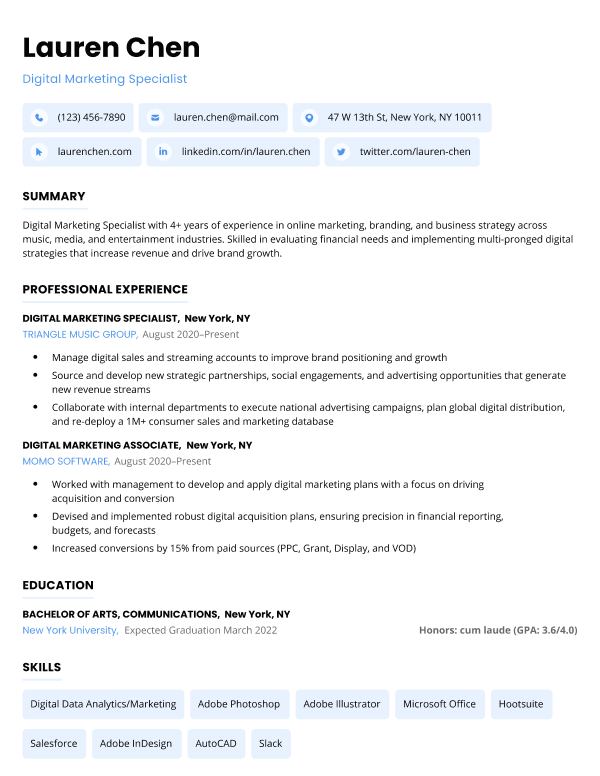
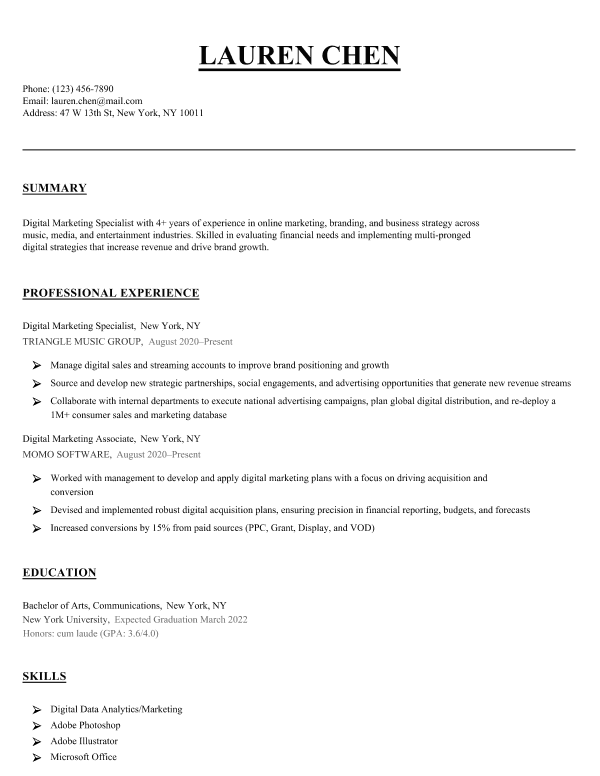
Build My Resume
Our resume builder can make you a resume in as little as 5 minutes. Pick the template you want, and our software will format everything for you.

About the Author

Lauren Mastroni, a staff writer at Resume Genius
Lauren Mastroni
Career Expert & Senior Digital Content Writer
5Years of Experience
241Articles Written
10Articles Reviewed

Lauren Mastroni is a Senior Digital Content Writer at Resume Genius, where she creates data-driven career content and actionable job search advice. With a background in academic research, she brings a research-focused approach to topics like resume writing, interviewing, and career development. Lauren is dedicated to helping job seekers at all stages navigate the hiring process and present themselves more effectively to employers.

Published In
Forbes HuffPost Newsweek
Expertise
CopywritingEditingResearchResume WritingCareer AdviceJob Search Strategy
LinkedInLinkedIn
View Profile
Table of Contents

Related Articles

Resume Help

Resume Examples for Jobs in 2026

Headshot of Geoffrey Scott, Senior Manager and Certified Professional Resume Writer at Resume Genius (the smartest online resume builder)

Geoffrey Scott

March 23, 2026

Resume Help

How to Make or Improve Your Resume Using ChatGPT
Lauren Mastroni, a staff writer at Resume Genius

Lauren Mastroni

April 16, 2026

Resume Help

21 Best Resume Designs for 2026 (Free Templates)
Lauren Mastroni, a staff writer at Resume Genius

Lauren Mastroni

February 23, 2026

Resume Help

6 Best Resume Paper Types (& How to Choose)
Headshot of Ida Petterson

Ida Pettersson

March 30, 2026

Resume Help

Creative Resume Templates
Headshot of Sebastian Morgan

Sebastian Morgan

September 15, 2026

Resume Help

17 Most Common Resume Mistakes You Need to Avoid
Headshot of Sam Johns, CPRW

Samuel Johns

April 13, 2026

Resume Help

10 Best Resume Builder Websites & Apps in 2026
Headshot of Conrad Benz

Conrad Benz

June 21, 2026

Resume Help

How to Make a Resume for Any Job in 2026
Headshot of Sebastian Morgan

Sebastian Morgan

June 15, 2026
Resume Genius
Linkedin Instagram Youtube Facebook Twitter Tiktok Pinterest Reddit Giphy
RESUMES
  • Resume Builder
  • Resume Templates
  • ATS Resume Checker
  • AI Resume Generator
  • Resume Summary Generator
  • Resume Bullet Point Generator
  • Resume Skills Generator
  • Resume Parser
  • Resume Examples
  • How to Make a Resume
COVER LETTERS
  • Cover Letter Generator
  • Cover Letter Templates
  • Cover Letter Examples
  • How to Write a Cover Letter
  • Cover Letter Format
CVS
  • CV Maker
  • CV Templates
  • How to Write a CV
  • CV Examples
  • CV vs Resume
POLICIES
  • Terms & Conditions
  • Privacy Policy
  • CCPA/GDPR
  • Accessibility
  • Editorial Guidelines
ADDITIONAL RESOURCES
  • About Us
  • Career Experts Program
  • Join Our Team
  • Press & Media Mentions
  • Pricing
  • Product Reviews
  • The Genius Blog
SUPPORT
  • Help & Support
  • Contact Us
  • Forgot Password
  • Frequently Asked Questions
Certified professional resume writer official seal
4.6 / 5 4.5 stars Trustpilot
4.4 / 5 SmartCustomer
Add Resume Genius as a preferred source on Google
support@resumegenius.com (866) 215-9048 [Monday – Friday: 8:00 AM – 7:00 PM (EDT)] [Saturday – Sunday: Closed]

© 2026, Sonaga Tech Limited. All rights reserved

ResumeGenius.com is owned and operated by Sonaga Tech Limited, Hamilton, Zweigniederlassung Luzern with offices in Luzern Switzerland.