

Struggling to get interviews?
Employers value candidates with good organizational skills who can apply them to the workplace. Learn how to effectively showcase your organizational skills to employers with our helpful examples and tips.
What are organizational skills?
Organizational skills are abilities that help you structure your tasks and manage your responsibilities effectively, such as time management, attention to detail, planning, prioritization, and goal setting.
These soft skills are key for juggling multiple projects, keeping track of deadlines, and staying organized in a dynamic work environment. And, they show employers that you’re reliable and able to handle responsibility without too much supervision.
How to put organizational skills on your resume
1. Demonstrate them in your work experience section
Because organizational skills are difficult to prove without evidence, they’re best demonstrated in your work experience section.
Instead of writing “Strong organizational skills,” illustrate the impact of the skills and how you used them.
Unclear
- Responsible for organizing schedules and meetings
Clear
- Organized schedules and meetings, streamlining scheduling system for 10+ team members and reducing meeting conflicts
List on accomplishments that demonstrate your ability to stay organized maintain order in complex situations.
Think about situations where your organizational skills directly contributed to:
- Streamlining internal processes or procedures
- Improving team or department efficiency
- Meeting tight deadlines across multiple projects
- Reducing scheduling conflicts or bottlenecks
- Coordinating cross-functional collaboration
- Launching a product, campaign, or initiative on time
- Organizing company events, workshops, or training sessions
- Creating and maintaining tracking systems or databases
- Implementing new tools or systems to improve organization
- Delegating tasks effectively to team members
For all of your work experience bullet points, use action verbs like organized, streamlined, coordinated, prioritized, and implemented, and include measured outcomes whenever possible.
Our resume builder can make you a resume in as little as 5 minutes. Pick the template you want, and our software will format everything for you.
2. Mention them in your resume summary
Your resume summary is a “highlight reel” that showcases your top skills, job title, years of experience, and key achievements, so it’s the right place to put your organizational skills, especially those that are specifically mentioned in the job listing.
Here are a few examples of how to feature your organizational skills in your summary:
Detail-oriented executive assistant with 5+ years of experience supporting C-suite leaders. Known for exceptional time management and organizational skills that keep teams and projects running smoothly.
Highly organized marketing coordinator skilled in managing multiple campaigns, meeting tight deadlines, and overseeing content calendars across various platforms.
Project manager with a talent for planning complex initiatives and aligning cross-functional teams. Adept at using tools like Asana and Trello to streamline workflows and meet delivery targets.
Whenever possible, include an example of how you use your skills, a specific result, or a supporting hard skill (like scheduling software or project management tools).
3. List specific organizational tools in your skills section
In the skills section of your resume, list the specific skills mentioned in the job listing. This shows employers you meet the requirements for the job, and sends a strong signal to ATS software.
The best skills to list here are hard skills, including specific tools, software, and methods that you use to stay organized.
Here are examples of hard skills that signal strong organizational skills:
- Project management tools (e.g., Trello, Asana, Monday.com, Jira)
- Calendar and scheduling tools (e.g., Google Calendar, Outlook, Calendly)
- Document management systems (e.g., SharePoint, Google Drive, Dropbox)
- CRM software (e.g., Salesforce, HubSpot)
- Time-tracking tools (e.g., Toggl, Clockify, Harvest)
- Spreadsheet proficiency (e.g., Microsoft Excel, Google Sheets)
- File organization systems and naming conventions
- Note-taking or knowledge management tools (e.g., Notion, Evernote, OneNote)
- Task management apps (e.g., Todoist, ClickUp, Things)
60+ organizational skills for your resume
Time management
Time management is the ability to prioritize tasks, allocate time effectively, and consistently meet deadlines.
Including time management skills on your resume shows employers that you can maintain productivity when managing multiple responsibilities.
Time management skills for your resume
- Prioritization: Identifying and focusing on the most important tasks first
- Goal setting: Defining clear short-term and long-term objectives to maintain focus
- Planning: Creating detailed action plans, schedules, or timelines to efficiently manage your workload
- Task delegation: Assigning tasks to the right people to optimize time and skills
- Scheduling: Blocking out time for different activities to avoid overbooking and stay organized
- Deadline management: Keeping track of due dates and ensuring tasks are completed on time
- Self-motivation: Maintaining discipline and drive without needing external pressure
- Adaptability: Adjusting priorities or schedules when unexpected changes arise
- Efficiency: Completing tasks in the least amount of time and effort without compromising quality
- Time tracking: Monitoring time spent to improve productivity and identify time-wasting tasks
Multitasking
Multitasking is the ability to manage multiple tasks or responsibilities at the same time without sacrificing quality or efficiency. It involves staying organized while shifting priorities, responding to immediate needs, and keeping projects on track.
Multitasking skills for your resume
- Task switching: Moving efficiently between tasks without losing focus or momentum
- Working under pressure: Staying productive and clear-headed when juggling multiple priorities
- Time blocking: Structuring your day to allocate time for various concurrent tasks
- Digital literacy: Navigating multiple apps, platforms, or tools at once to stay efficient
- Situational awareness: Recognizing shifting priorities and adapting in real time
- Task tracking: Using tools or methods to monitor progress across multiple ongoing activities
- Attention to detail: Maintaining accuracy when managing multiple inputs or responsibilities
- Resource management: Balancing people, tools, or information across competing needs
- Problem solving: Addressing unexpected issues without derailing other tasks
- Stress tolerance: Staying calm and focused in fast-paced, high-demand environments
Project management
Project management includes planning, organizing, and overseeing tasks to make sure projects are completed on time and within scope. Highlighting these skills on your resume demonstrates that you can take ownership of complex assignments.
Project management skills for your resume
- Stakeholder management: Building and maintaining relationships with clients, sponsors, or executives
- Project scoping: Defining the project’s boundaries, deliverables, and key requirements
- Dependency management: Identifying and coordinating tasks that rely on other tasks or teams
- Change management: Managing scope or direction changes while minimizing disruption
- Work breakdown structure (WBS): Breaking projects down into smaller, more manageable tasks
- Resource allocation: Effectively distributing people, tools, and time across tasks
- Sprint planning: Organizing short, focused work cycles in agile environments
- Cost-benefit analysis: Evaluating financial or strategic trade-offs before making decisions
- Documentation: Writing formal documents to outline the project’s purpose and goals
- Quality assurance: Ensuring project outputs meet required standards and specifications
- Contract/vendor management: Coordinating third-party contributions to align with project goals
Digital organization
Digital organization is the ability to use digital tools to manage digital files and tasks in a clear and easy-to-navigate way.
Including digital organizational skills on your resume shows employers that you can thrive in a fast-paced, technology-driven environment.
Digital organization skills for your resume
- Email management: Structuring, filtering, and categorizing emails for quick retrieval
- Cloud storage organization: Maintaining clear folder structures in platforms like Google Drive or Dropbox
- Version control: Tracking and managing different versions of digital files or documents
- File naming conventions: Using consistent, logical naming systems for easy searchability
- Data categorization: Tagging, labeling, or grouping digital content for better organization
- Digital calendar organization: Coordinating events, reminders, and recurring tasks in scheduling apps
- Bookmark management: Saving and categorizing links for efficient research or referencing
- Digital note-taking: Creating structured notes in tools like Evernote, OneNote, or Notion
- Dashboard creation: Building centralized views of data, tasks, or performance indicators
- Digital decluttering: Regularly archiving or deleting unnecessary files and apps
Physical organization
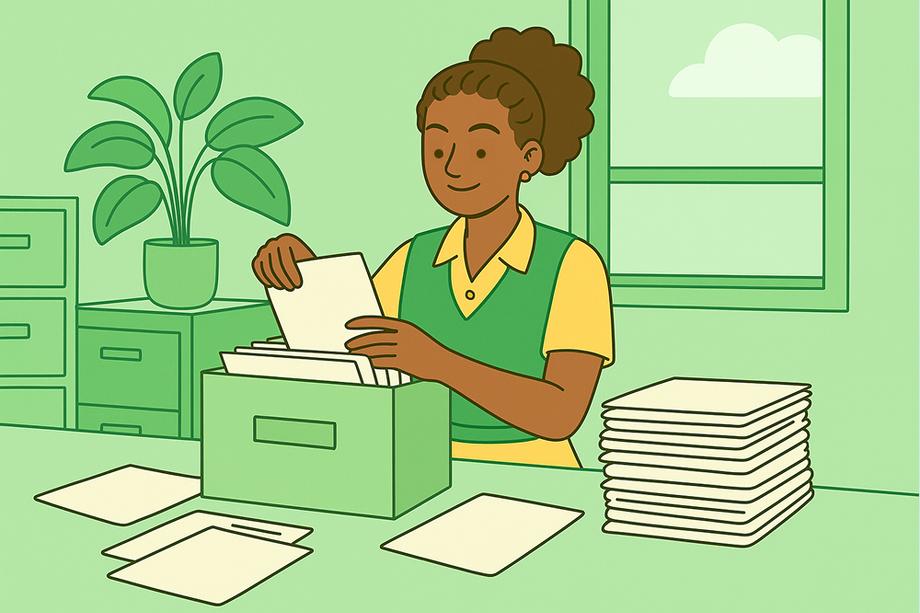
Physical organization skills involve organizing physical files, storage areas, or even an entire office.
Keeping physical items organized supports productivity and demonstrates reliability.
Physical organization skills for your resume
- Inventory management: Tracking and maintaining stock levels accurately
- Filing: Sorting, categorizing, and maintaining physical records
- Storage optimization: Using space-saving solutions like shelving, bins, or cabinets to maximize space
- Labeling: Applying consistent labels to folders, boxes, or equipment for easy identification
- Resource allocation: Distributing physical tools, equipment, or materials where they’re needed most
- Supply replenishment: Monitoring and restocking materials before shortages occur
- Archiving: Storing past records or items systematically for compliance or future reference
- Event setup: Organizing layouts, seating, or materials for meetings or large events
- Equipment maintenance scheduling: Structuring check-ups and repairs to minimize downtime
- Office layout planning: Arranging furniture and spaces to improve workflow and safety
Prioritization
Prioritization is the ability to know what tasks matter most and organize your workload accordingly. Strong prioritization helps you meet deadlines, manage time effectively, and identify bottlenecks before they become problems.
Prioritization skills for your resume
- Urgency assessment: Determining which tasks require immediate attention
- Impact evaluation: Identifying tasks that create the greatest value or results
- Resource balancing: Allocating people, tools, or time to the most critical tasks
- Dependency awareness: Recognizing which tasks must be completed before others can begin
- Short-term vs. long-term planning: Balancing immediate needs with strategic goals
- Critical thinking: Analyzing situations to decide the best sequence of actions
- Capacity assessment: Evaluating workload limits before committing to new tasks
- Sequential planning: Organizing tasks in the most logical and efficient order
- Trade-off analysis: Weighing the benefits of completing one task over another
- Reprioritization: Adjusting priorities dynamically as new information emerges
How to develop strong organizational skills
Worried that your organizational skills could use improvement? They can be strengthened with some practice and the right tools. Here are a few strategies to get started:
Try apps designed to help you stay organized
If staying organized doesn’t come naturally, technology can help by doing the organizational work for you.
Countless apps for iPhone, Android, macOS, and PC can help you schedule events, take notes, stay focused.
- Any.do – for making to-do lists
- Microsoft To Do – for making to-do lists
- Todoist – for making to-do lists
- Trello – for project management
- Evernote – for note-taking
- Google Keep – for note-taking
- Notion – for note-taking, task management, and collaboration
- Obsidian – for note-taking and research
- Just Press Record – for verbal note-taking
- Microsoft Outlook – for email and scheduling
- Toggl – for time tracking
- Pocket – for saving articles to read later
- PomoCal – for timing your work and keeping you on task
- Google Calendar – for organizing your schedule
Here’s what some of our coworkers said about productivity apps:
@resumegenius thank god for these organizational platforms… ? If you’re disorganized like I am, these are some great tools to check out if you’re looking to organize your tasks, create personal checklists, store your notes, etc. ? cheers to finally “getting our sh*t together” ? #organizingtips #workflow #productivityhack #usefulthings #trello #notion ♬ snowfall (Sped Up) – Øneheart & reidenshi
Read up on developing good organizational habits
If you want lasting improvement in your organizational skills, apps alone won’t be enough: you need to build long-term habits.
Fortunately, many excellent books provide proven strategies for staying on task, improving productivity, and keeping work organized.
Here are some great books that we recommend for improving your organizational skills:
- Getting Things Done: The Art of Stress-Free Productivity – A highly influential guide that provides actionable techniques for mastering organizational skills and boosting productivity.
- Eat That Frog!: 21 Great Ways to Stop Procrastinating and Get More Done in Less Time – A practical resource for learning how to prioritize effectively and focus on the important tasks first.
- The Life-Changing Magic of Tidying Up – Marie Kondo’s bestseller, which inspired a Netflix series, helps readers declutter and create an organized home as the foundation for an organized life.
- The 7 Habits of Highly Effective People – A classic that has helped millions of people build productive routines in both their work and personal lives.
- 10 Natural Laws of Successful Time and Life Management – Struggle to find enough time in the day? This book will help you develop strategies for effective time management.
- The War of Art: Break Through the Blocks and Win Your Inner Creative Battles – Steven Pressfield’s book provides excellent methods for overcoming procrastination and achieving a more fulfilling career.
Learn from watching videos on how to develop organizational skills
Here are a few recommended short videos to help you develop your organizational skills:
Tips to Structure Your Day
Personal development author Brian Tracy provides some quick strategies to structure your day more effectively, starting from the moment you wake up.
7 Things Organized People Do That You (Probably) Don’t Do
YouTuber Thomas Frank outlines seven habits that can help you stay organized and streamline your workflow.
His channel features tutorials on how to organize your computer files and your physical documents.
How To Make Time for Everything
YouTuber The Bliss Bean offers practical tips for creating a more effective schedule and getting more out of your day, whether in your personal life or at work.
About the Author

Nathan Soto is dedicated to providing practical guidance to job seekers, especially people with nonlinear career paths.
Nathan graduated from the University of Nevada with a double B.A. in French and Music. His articles and career advice have been featured on multiple platforms, offering insights into resume writing, interview preparation, and personal branding.