


Struggling to get interviews?
With most applicants now comfortable using technology and jobs increasingly requiring computer skills, it’s harder than ever to make your resume stand out. We’ll show you which computer skills to list at any level, how to choose ATS-friendly keywords, and which AI skills actually add value to your application.
Key takeaways
- Computer skills are the tools and tech you use to get work done. In 2026, that means being comfortable with AI tools, online collaboration software, and whatever technology is common in your industry.
- To get your resume past the ATS, put your skills in a plain-text list in a dedicated skills section.
- Avoid vague terms like “computer literate” or “Microsoft Office.” Instead, name the exact tools or tasks you can do (for example: “Excel PivotTables”).
Top 10 must-have computer skills for your resume
Here are the top IT skills job seekers will need in 2026, including essential skills everyone should master and specialized skills required in certain industries:
1. Office suites
An office suite is a collection of programs — like word processing, spreadsheet, and presentation software — that helps you create and manage everyday work documents, so they’re essential in most jobs, especially office-based roles.
Key examples include:
| Software provider | Word processor | Spreadsheet software | Presentation software | Calendar tool |
|---|---|---|---|---|
| Apple | Pages | Numbers | Keynote | Calendar |
| Microsoft | Word | Excel | PowerPoint | Outlook |
| Docs | Sheets | Slides | Calendar | |
| LibreOffice | Writer | Calc | Impress | [None] |
2. Remote collaboration
Remote collaboration tools help you stay connected with coworkers. They’re useful in the office and indispensable for remote work. Here are the key ones you may need:
- Slack
- Microsoft Teams
- Google Chat
3. AI tools
AI skills are becoming increasingly commonly required in job adverts. They boost productivity by automating tasks and enhancing brainstorming processes. Here are the key skills to focus on:
- ChatGPT
- Google’s Gemini
- Claude.ai
- Microsoft’s Copilot
- Perplexity AI
4. Data visualization
These tools help you easily understand data. Key examples are Tableau and Microsoft Power BI.
5. Cloud management
Cloud management tools enable you to organize company files through cloud services. Some of the key players include:
- Google Drive
- Apple iCloud
- Dropbox
- Microsoft OneDrive
6. Customer relationship management software
CRM software helps customer service professionals manage customer relationships and streamline sales processes. You might be familiar with:
- Salesforce
- HubSpot
- Zoho CRM
- Microsoft Dynamics 365
7. Project management
Here are some key project management tools:
- Jira
- Trello
- Asana
- Monday.com
These tools help teams monitor project progress and collaborate throughout every stage until completion.
8. Social media analytics
These tools help you track and analyze your social media performance, providing insights to optimize engagement and strategy. Some tools you can list on your social media resume include:
- Google Analytics
- Hootsuite Analytics
- Sprout Social
- Buffer Analytics
9. Accounting
Accounting software simplifies financial management by automating tasks like bookkeeping, invoicing, and reporting. If you’re writing an accountant resume, you might want to list:
- QuickBooks
- Xero
- FreshBooks
- Wave
10. Basic graphics
These tools allow you to create and edit visuals for various purposes, from social media posts to presentations. Some tools to help you prove your graphic design skills include:
- Canva
- Adobe Spark
- PicMonkey
- Fotor
Find the in-demand computer skills for your own job
As well as reviewing the job posting to identify the specific skills your target employer is looking for, you can use our AI skills generator to discover additional relevant computer skills to include on your resume.
Simply enter your job title:
Make a high-impact skills section for your resume in seconds with our free software. Simply enter your job title and you’ll be matched with the most impactful skills for your industry.
Use these job-specific skills to make a resume that lands you interviews.
How to put computer skills on your resume (and beat the ATS)
Here’s are the four best ways to add computer skills to your resume and beat the ATS:
1. List your computer skills in a dedicated section
Every resume should include a skills section that lists hard skills so employers can immediately see your strengths.
For most roles
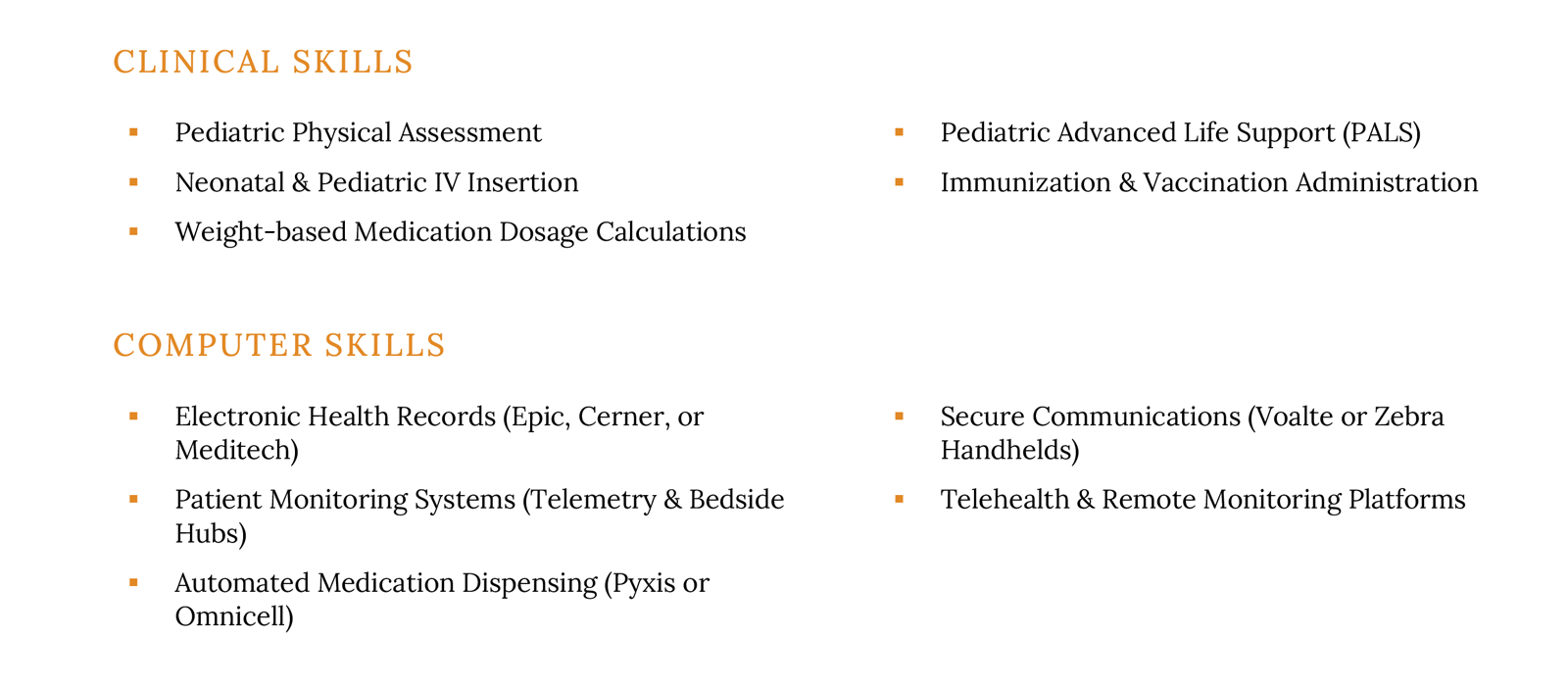
If you’re applying for a role where computers aren’t the main focus (such as nursing) but you still use software every day, include a dedicated computer skills section, like in this example:
For IT roles
When you’re writing an IT resume, it’s fine to list only computer skills in your resume skills section, because those are the hard skills required for the job. Employers appreciate it when you organize your skills into clear categories, like in this example:
Skills
- Operating Systems: Windows (Server & Desktop), macOS, Linux (Ubuntu, CentOS, RHEL), ChromeOS.
- Networking & Security: TCP/IP, DNS/DHCP, VPN configuration, Firewalls (Cisco, Palo Alto), VLANs, Wireshark, SSL/TLS certificates.
- Cloud & Virtualization: Microsoft Azure, AWS (EC2, S3), Google Cloud Platform (GCP), VMware vSphere, Hyper-V, Docker.
- Hardware & Infrastructure: Server maintenance, Rack mounting, VoIP/IP phone systems, RAID configuration, Printer/Peripherals troubleshooting.
2. Prove you have the skills you claim by adding them to bullet points
After listing your computer skills on your resume, show employers that you’re proficient by highlighting concrete successes where you applied those skills on the job.
Do this by using Resume Genius’s STAR Method:
- Describe the situation you were facing
- Clearly explain the task you were called on to do
- Recount the action you took to resolve the situation
- Provide details about the results of your actions (preferably with numbers)
Here’s an example a software developer might come up with:
- Situation: Following a major release, a bug in our e-commerce checkout module caused a 15% drop in transactions during a high-traffic holiday sale.
- Task: As Lead Developer, I needed to identify the root cause and deploy a hotfix immediately without causing further downtime.
- Action: I analyzed Datadog logs to trace the error to a currency conversion API, implemented a temporary circuit breaker, and refactored the logic with a fallback default and new unit tests.
- Result: The fix was deployed within three hours, restoring 100% transaction success and preventing future regressions via the CI/CD pipeline.
Here’s what that might look like as an effective resume bullet point:
- Resolved a critical production checkout bug during a high-traffic sale by refactoring currency API logic and implementing unit tests, restoring 100% transaction success within 3 hours.
Note the numbers in bold. Adding numbers to your resume (called quantifying your resume achievements) is effective because it shows employers the value you bring.
3. Add any essential skills to your resume summary
Pay close attention to any computer skills employers list as essential — these skills are usually nonnegotiable. Work them into your resume summary. Since it’s the first section employers read, mentioning key skills there signals you understand what matters most and immediately shows you’re proficient.
Here’s an effective resume summary example. It immediately proves the applicant is well-versed in HubSpot (a customer service management tool):
Customer-centric professional with 5+ years of experience in high-volume support environments, specializing in HubSpot CRM to streamline ticket resolution and enhance the user experience. Proven track record of maintaining a 95%+ CSAT score by leveraging HubSpot’s automation tools, custom properties, and sequence workflows to reduce response times. Expert in managing complex customer lifecycles and utilizing data-driven insights to improve retention and team efficiency.
4. Provide any certifications linked to computer skills
List any computer-related certifications on your resume — they’ll strengthen your application by showing employers your skills are backed by third-party verification, which is often more convincing than simply listing the skills yourself.
Here’s an example of an effective resume certifications section (in this case, for a realtor):
Certifications
- Meta Blueprint Certified Marketing Associate
- Google Ads Search Certification
- HubSpot Sales Software Certification
Give your resume a final check for ATS compatibility by running it through an online ATS resume parser.
Computer skills by proficiency level
Review the skills below by proficiency level to quickly gauge where your abilities stand and identify the types of roles you can confidently apply for:
Basic computer skills
Employers seeking candidates with basic computer skills typically include those hiring for entry-level roles, as well as positions where computer use is only occasional, such as a carpenter who needs to write and email invoices to clients.
At this level, you’ll probably be able to:
- Write and send emails, along with attachments
- Use word processing software to create documents
- Search and navigate for information by using a web browser
- Join video calls
Intermediate computer skills
Intermediate computer skills are typically used daily by experienced, office-based professionals. If you’re in this category, you’re probably proficient with the software you use regularly, but you may struggle to pick up completely unfamiliar tools.
For example, a marketing manager might be an expert in WordPress but not know how to create graphics in Figma.
At this level, you can usually help onboard new hires by showing them how to use the tools your team relies on.
Some common intermediate computer skills all office-based workers will probably know how to do include:
- Managing Slack calls, including sharing your screen
- Organizing a calendar
- Using project management software to track tasks
- Creating an organized file system using cloud storage
- Creating, editing, and sharing a spreadsheet
Advanced computer skills
You don’t have to worry about needing advanced computer skills unless you’re an IT professional, in which case you’ll have picked them up during college or technical school. These skills include things like:
- Network administration and troubleshooting
- System setup, configuration, and maintenance
- Implementing and monitoring cybersecurity measures
- Managing servers and cloud infrastructure
- Writing and maintaining scripts or automation tools
You’ll normally be expected to learn basic and intermediate computer skills on the job, so don’t worry too much about whether you have “desired” skills when you write a resume with no experience.
Alternatively, look into online courses to improve your skills.
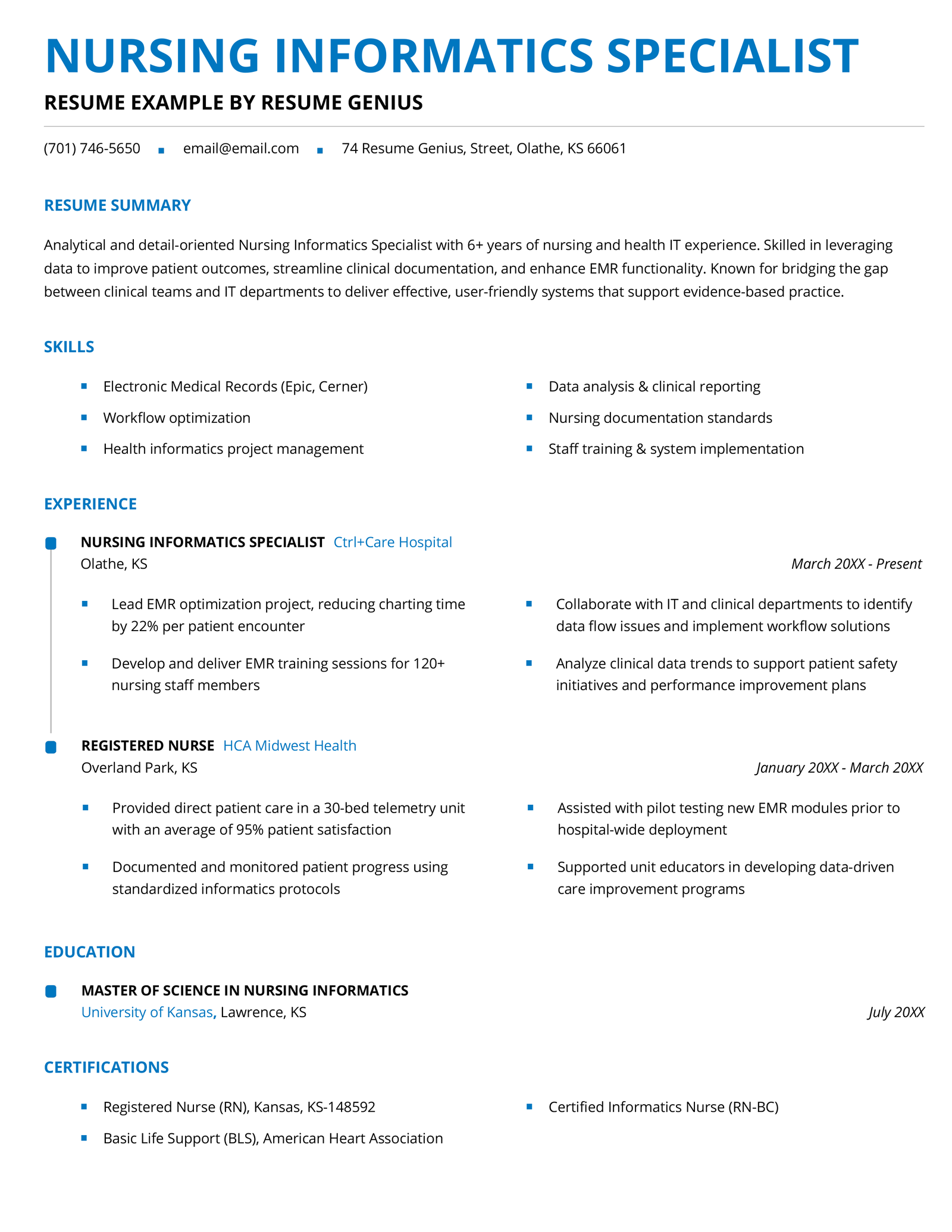
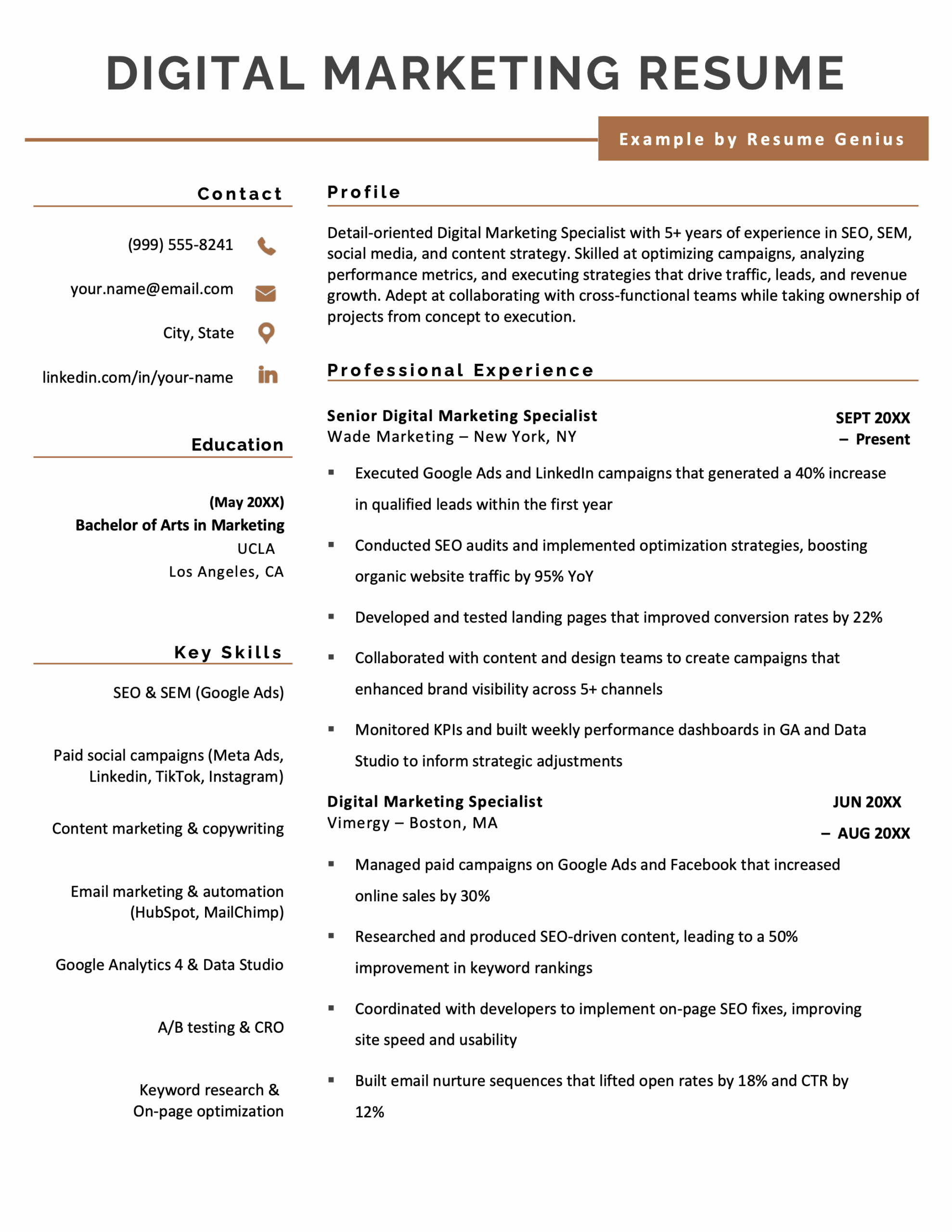
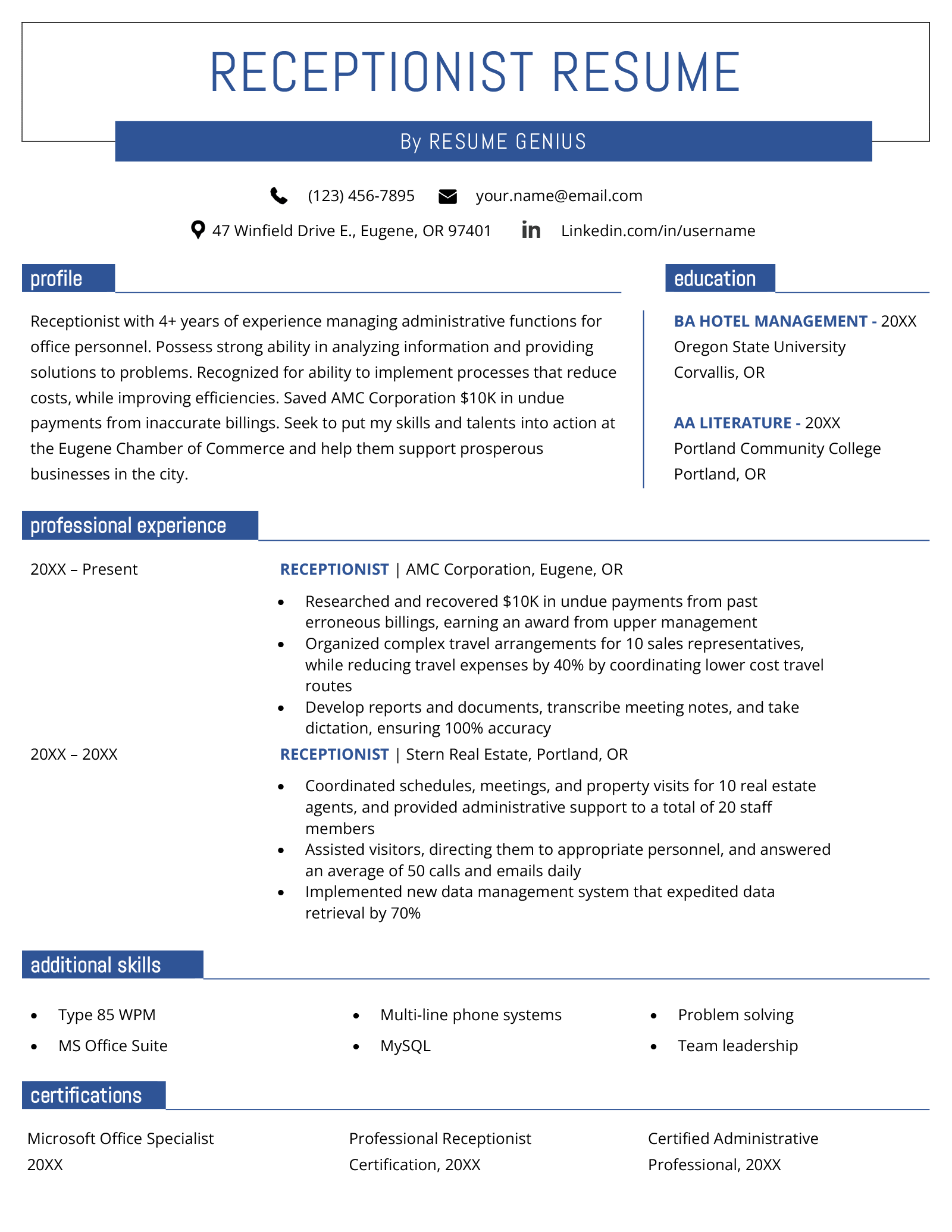
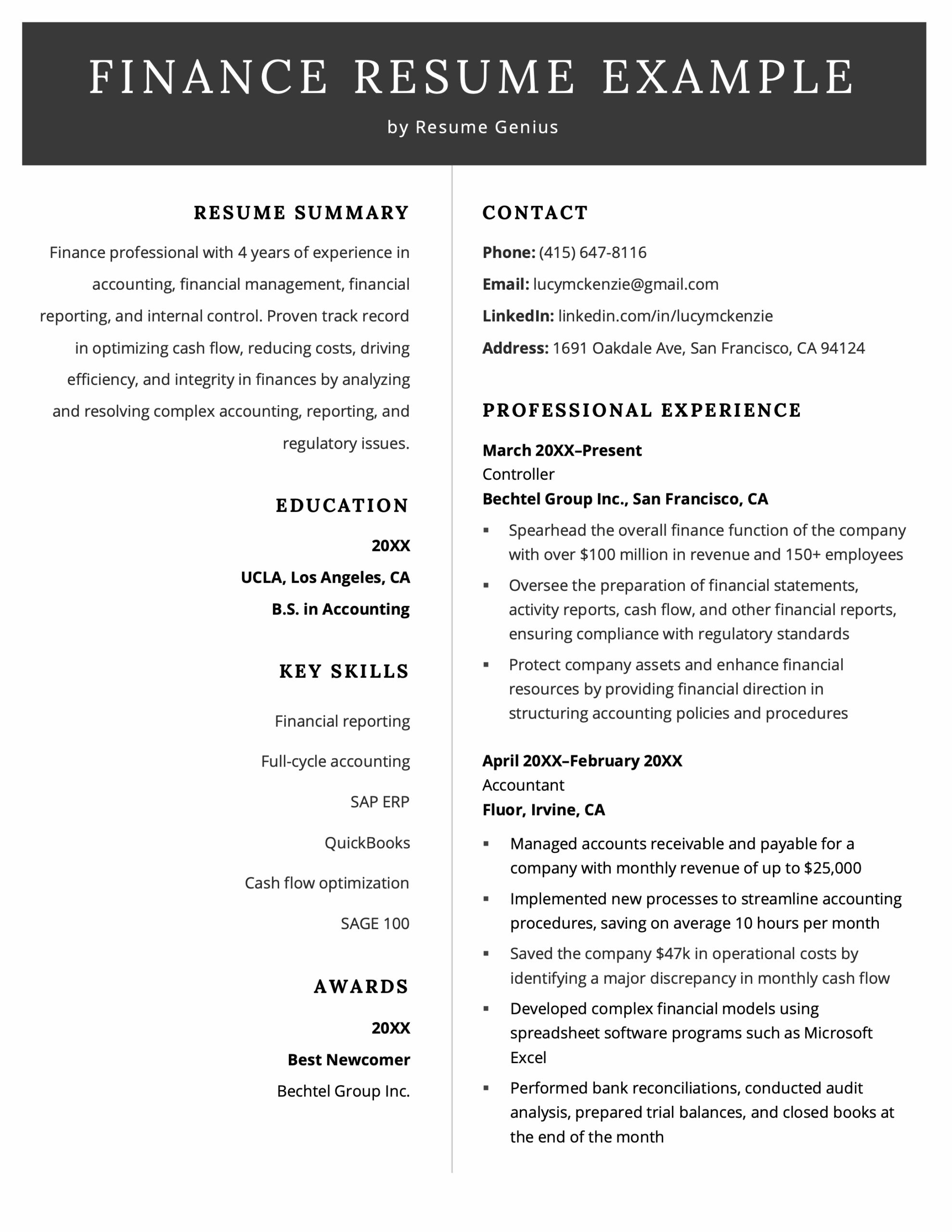
Examples of computer skills on resumes
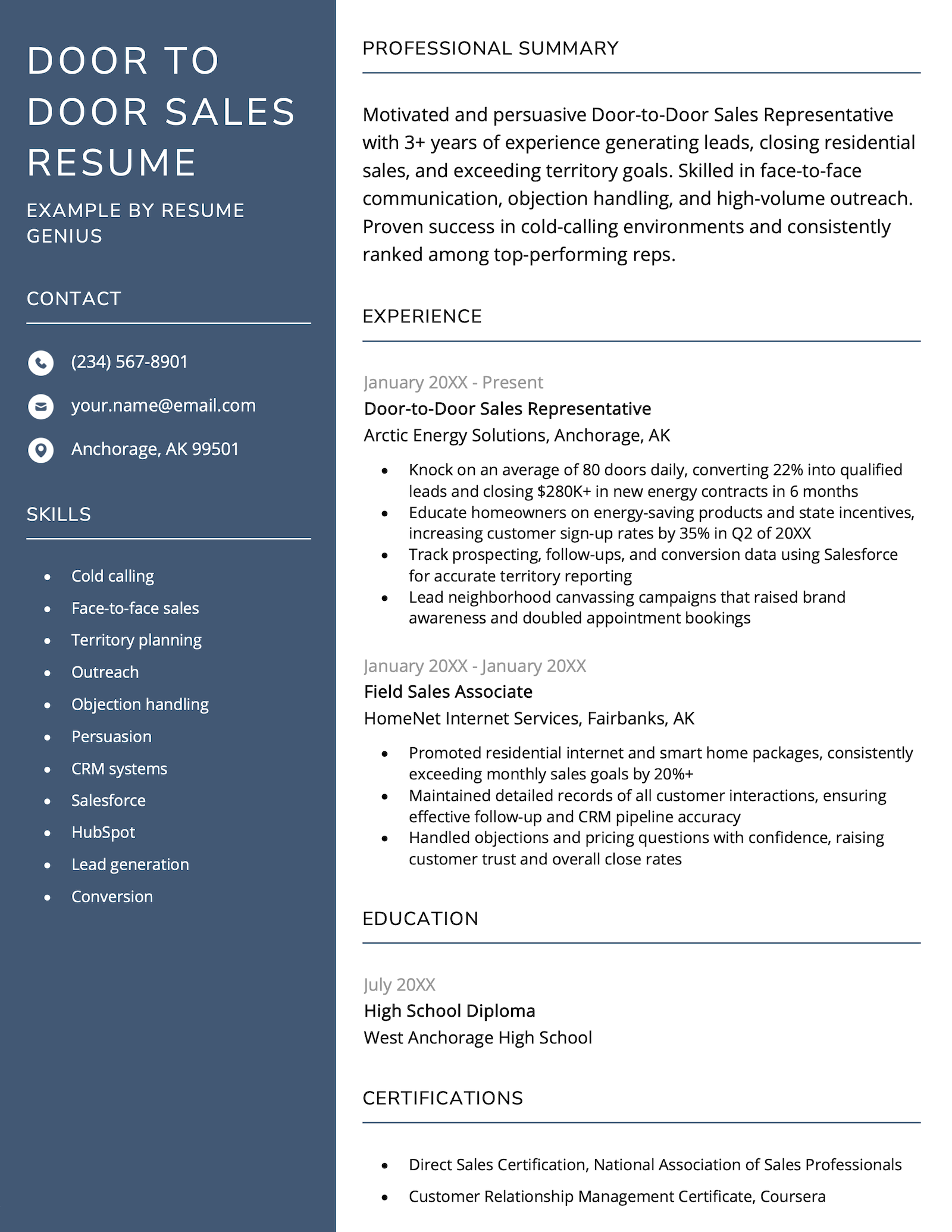
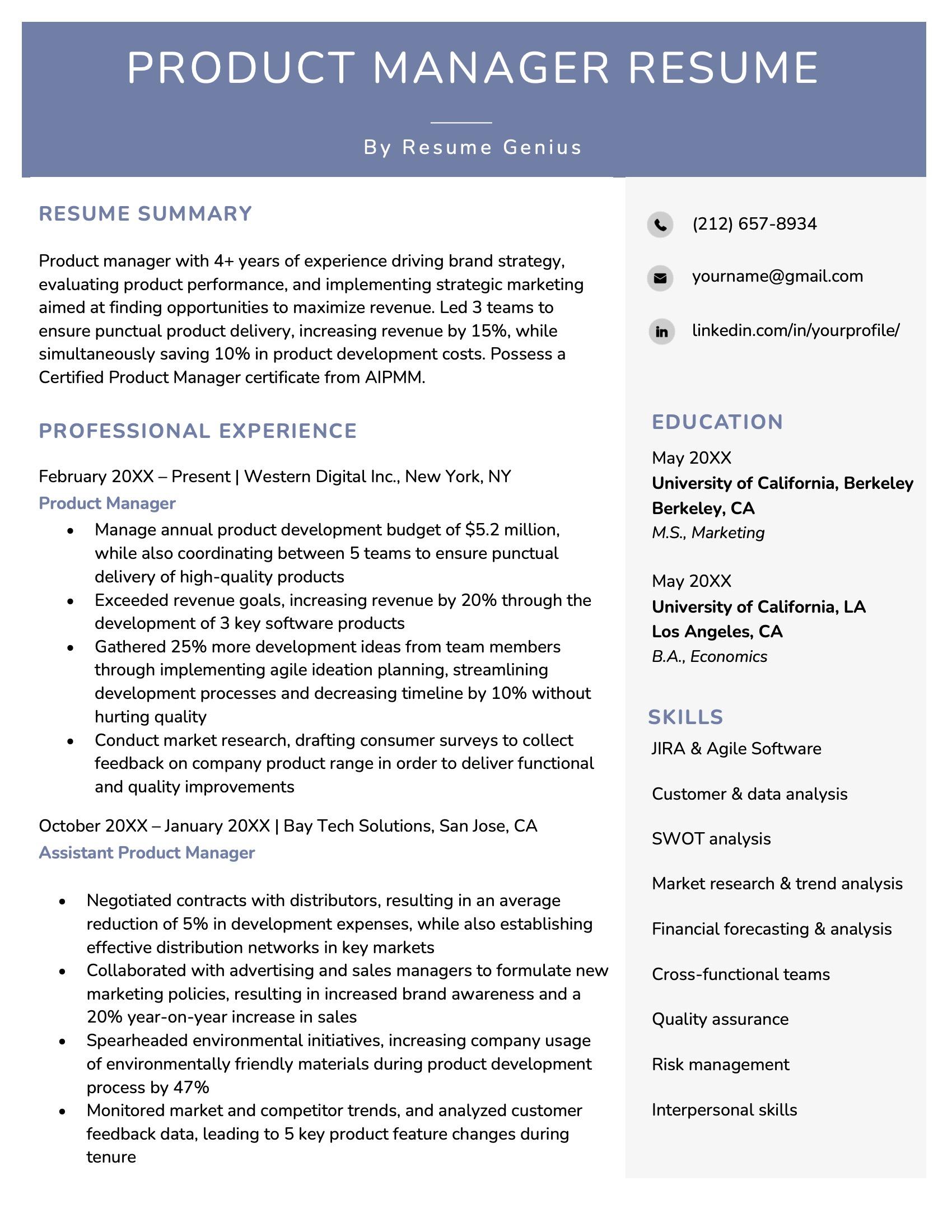
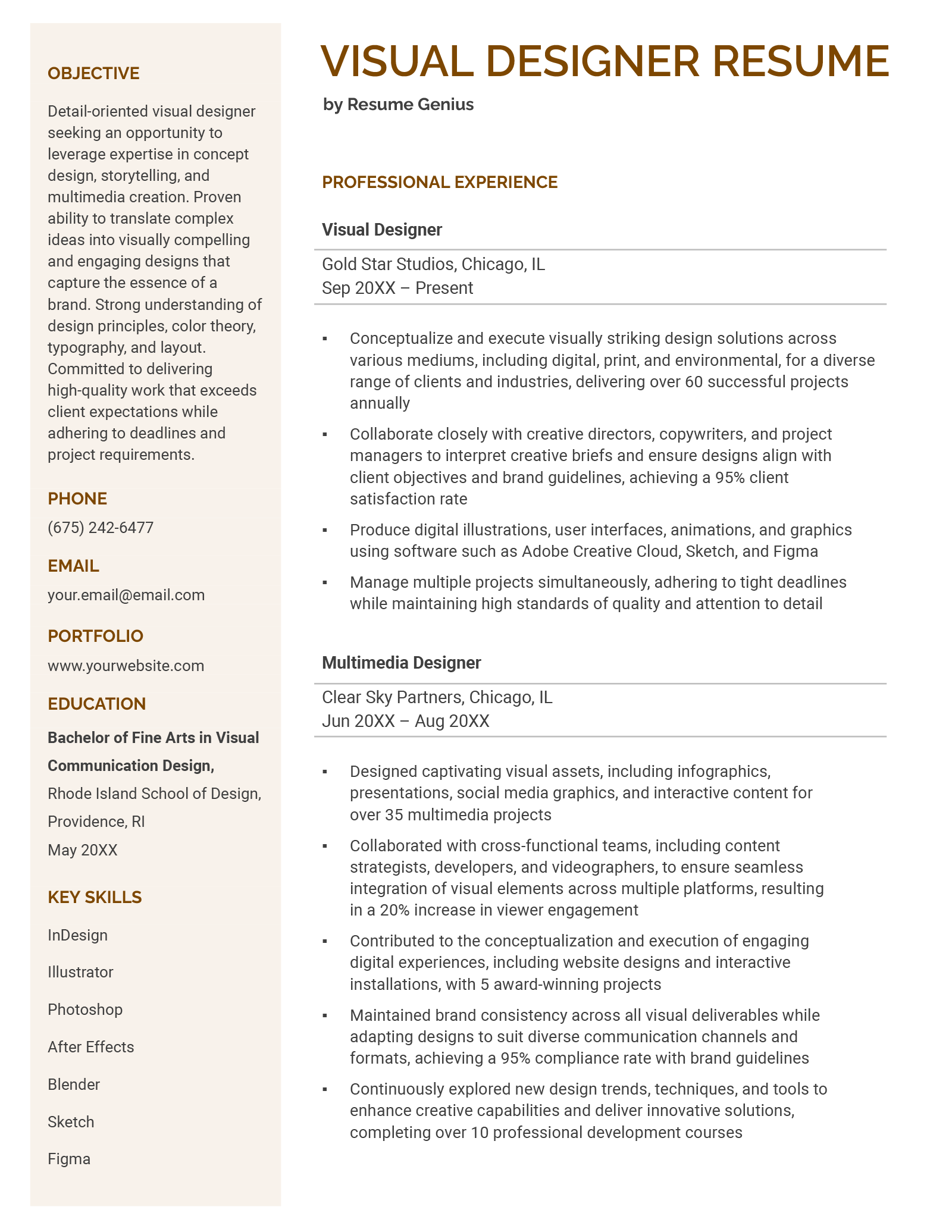
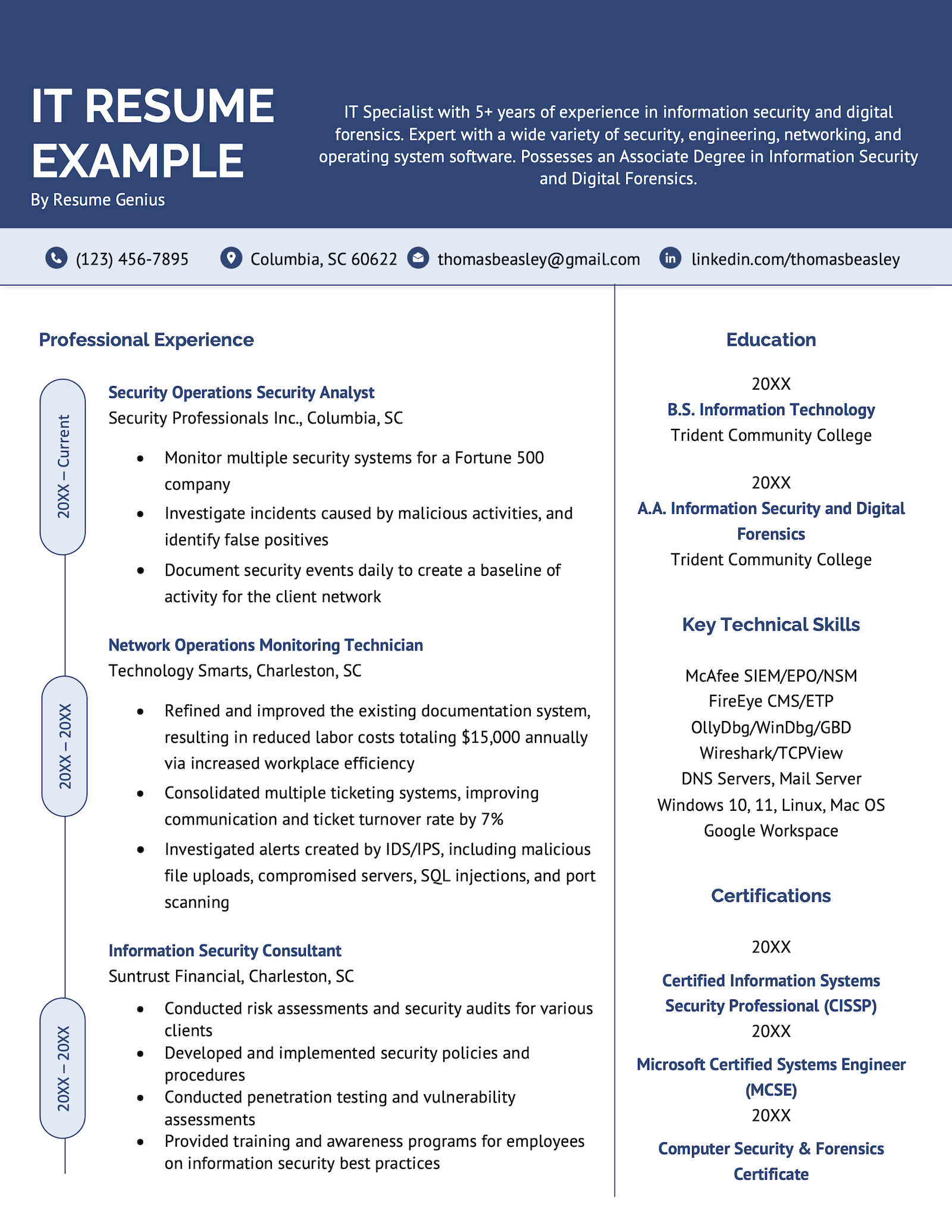
Here are nine resume examples for both IT and non-IT jobs that showcase computer skills. Review them to see how you can highlight your own skills in a visually appealing way:
 View this example
 View this example
 View this example
 View this example
 View this example
 View this example
 View this example
 View this example
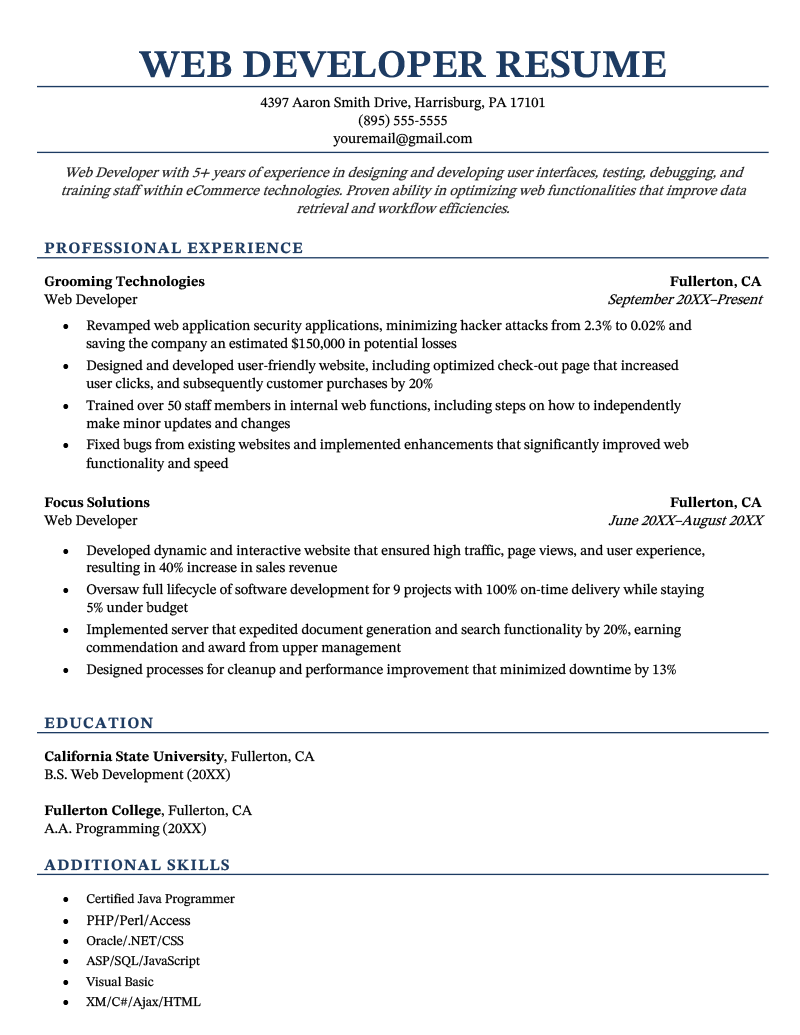 View this example
And here are examples of skills sections for some other common jobs:
Cashier resume
Here’s how computer skills might look on a cashier resume:
Key skills
- Point-of-sale (POS) system operation
- Cash register management software
- Data entry and inventory tracking
- Microsoft Excel for tracking sales and inventory
- Email communication for customer service inquiries
Teacher resume
Here’s an example teacher resume’s skills section:
Core skills
- Learning Management Systems (LMS) such as Google Classroom and Blackboard
- Microsoft Office Suite (Word, Excel, PowerPoint) for lesson planning and presentations
- Classroom technology tools (SMART Boards, document cameras, educational apps)
- Video conferencing tools (Zoom, Google Meet) for remote learning
- Data management and grading software (e.g., Gradebook, Infinite Campus)
Customer service resume
If you’re writing a customer service resume, include key computer skills like this:
Additional skills
- Customer Relationship Management (CRM) software (e.g., Salesforce, HubSpot)
- Call center software (e.g., Avaya, Five9) for managing customer interactions
- Live chat and ticketing systems (e.g., Zendesk, Freshdesk)
- Microsoft Office Suite (Word, Excel, Outlook) for managing correspondence and reporting
- Data entry for customer records and case notes
How to learn new computer skills
If you’re eager to learn new computer skills for career development — whether you’re aiming for a new job or want to improve your promotion prospects — here are some resources to get started:
Need to get up to speed with Google’s remote work and collaboration tools? The Google Workspace Learning Center can help you master tools like Docs, Drive, and Sheets.
Certifications
There are countless computer certifications available, but some of the most popular include:
- CompTIA A+: An entry-level certification for IT professionals, covering both hardware and software topics.
- Cisco CCNA: A certification for networking professionals that covers network fundamentals, routing, switching, and more.
- Certified Ethical Hacker: Focuses on ethical hacking and penetration testing skills.
- AWS Certified Solutions Architect: For designing and deploying scalable systems on AWS.
- Adobe Certification: A great option for graphic designers looking to showcase their skills.
- Intuit QuickBooks Certification: Ideal for accountants and finance professionals.
Digital marketing
If you’re interested in expanding your computer skills for digital marketing, platforms like Google Skillshop and HubSpot Academy offer free courses on SEO, Google Ads, and content marketing. Earning certifications in these areas can be a great asset for career growth.
General office productivity
If your role involves using productivity tools for communication, scheduling, and document management, learning advanced features of tools like Microsoft Office (Excel, Word, PowerPoint) and Google Workspace (Docs, Sheets, Slides) can make a big difference.
You can find tutorials and courses on platforms like LinkedIn Learning and Skillshare.
Frequently asked questions
Here are the answers to some frequently asked questions about putting computer skills on your resume:
1. Should I put AI/ChatGPT on my resume?
Yes, it’s fine to put AI (ChatGPT, Gemini, Claude) on your resume.
However, don’t just write “ChatGPT” and leave it at that. State exactly what skills you’ve developed for applying ChatGPT. For example, “Generative AI for Content Optimization.”
In your work experience section, show that using AI has improved your productivity. For example:
- Reduced response time to customer complaints by 24% by using Gemini to tailor replies.
Using this writing strategy will reassure employers you can use AI to bring value, not to cut corners.
AI is a powerful tool. An AI resume builder can help you craft a resume that effectively showcases your computer skills while providing guidance to make sure it still sounds like it was written by a human.
2. Should I list Microsoft Office on my resume?
Rather than writing “Microsoft Office” on your resume, try specifying the exact tools you can use that are relevant to the job. For example, “Excel (PivotTables & Macros).”
Remember, if you have relevant certifications, they can back up your skills.
3. What are some computer skill red flags on resumes?
Here are some red flags surrounding computer skills:
- Listing outdated tech (example: Adobe Flash): Including software or tools that have been discontinued makes you look like you don’t keep up with the latest technology and have no passion for your specialization.
- Typos in software names (example: Javascript vs. JavaScript): Spelling mistakes show poor attention to detail, and 42% of hiring managers say they’ll immediately reject a resume with typos.
- Using the former names of software or tools (example: Google Webmaster Tools vs. Google Search Console): Not keeping up to date with changes in branding reveals you’re not invested in continuous learning.
- Keyword stuffing (example: Python development, Python scripting, Python programming): Repeating keywords won’t help your resume pass the ATS, and it’ll be obvious to the hiring manager what you’re doing. Mentioning a tool once is enough.
- Adding software from other fields (example: putting political campaign tool NationBuilder on a finance resume): Simply adding every single computer skill you’ve acquired during your life shows you haven’t tailored your resume to the position. Only include industry-relevant skills: Check the job posting to see which skills they want.
About the Author

Samuel Johns is a Senior Content Editor and Certified Professional Resume Writer (CPRW) at Resume Genius. In his 7+ years of experience in the careers space, he has helped hundreds of job seekers craft high-quality resumes and cover letters, ace interviews, and land their dream jobs.
Born and raised in County Durham, England, UK, Samuel graduated with a BA in French from the University of Bristol, England, UK.
Samuel’s job-hunt advice has been published in numerous online outlets, including Dollar Sprout, The Enterprisers Project, and Tech Crunch. Feel free to reach out to Samuel through his LinkedIn if you’d like to collaborate.
Please note, we don’t accept guest posts and won’t reply to such requests.