
The Monster resume builder is an online tool for job seekers putting together their applications. I decided to try it out and see how it performs in practice.
As a resume expert with more than five years of experience testing HR and career-related software, I’ve vetted a lot of the best resume builders online.
The once prominent job board Monster.com recently launched their own Monster resume builder. I’ll walk you through is key features so you can decide if it’s the right tool for you.
How the Monster resume builder works
Monster’s resume builder guides you through the process of creating a professional resume. The process is done in five steps:
- Decide whether to upload an existing resume or start from scratch
- Pick a resume template
- Fill out each resume section guided by expert tips and AI-suggestions
- Adjust formatting and design
- Download your resume as a PDF, Word document, or plain text file
Pricing
Monster has a free version that lets you make your resume using the builder and download it as a plain text file. You will only get the resume text, but not the special template formatting.
A paid subscription allows you to download your resume as a PDF or Word file, with formatting. A monthly subscription costs $2.95 for the first 14 days, and $23.95 thereafter (billed every 4 weeks). You can also pay $95.40 for an annual plan, which works out at $7.95 per month.
Builder features
Monster’s resume builder comes with a range of built-in features designed to speed up your resume writing:
Pre-written content
Monster’s builder provides you with pre-written content, such as work experience bullets, skills, and resume summaries based on your job title. These can be a helpful starting point if you’re not sure how to frame your responsibilities and achievements.
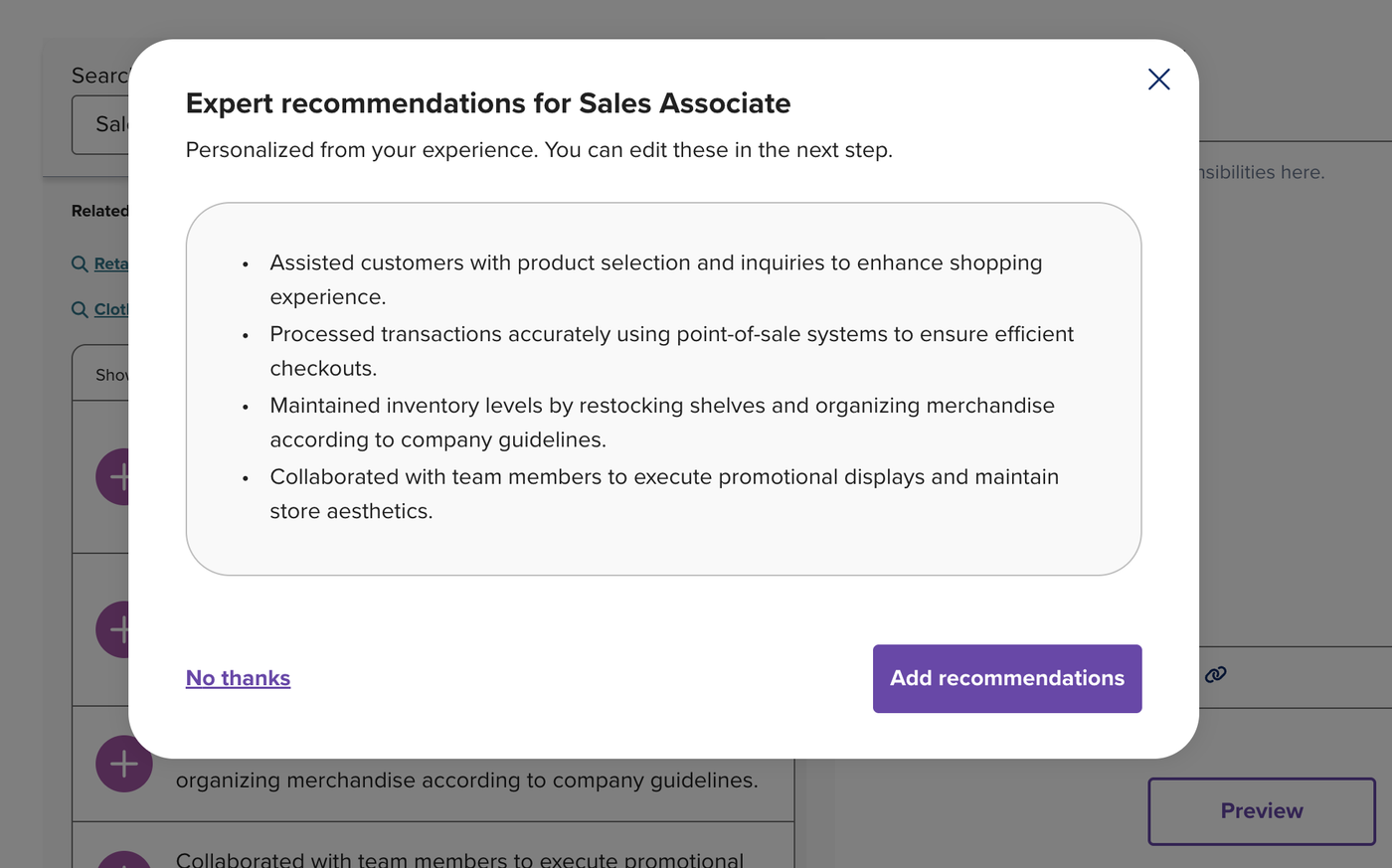
If you’re not happy with the content suggested, there’s a list of other examples to choose from. However, even if you choose to use examples, everything still needs to be edited to reflect your actual experience. The more you personalize your resume with specific details, the stronger it’ll be.
Customization tools
There are several other ways for you to customize your resume in Monster’s builder.
If you’d like to tweak the look of your resume, the design and formatting tool allows you to adjust the color, font, font size, and spacing to your liking.
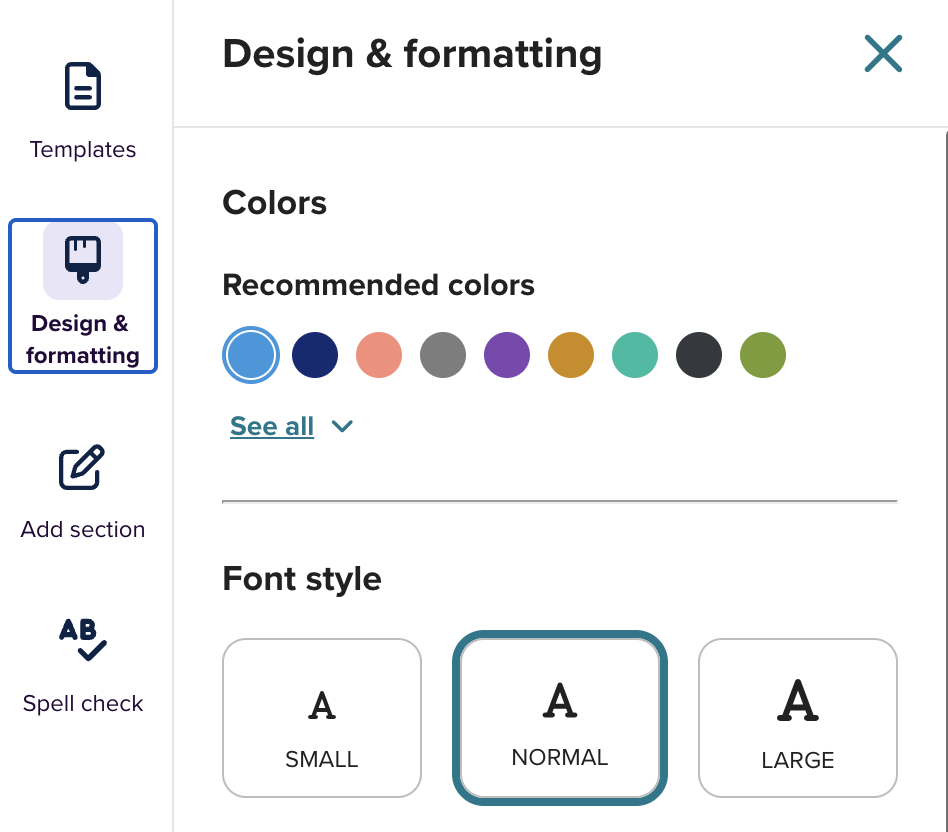
Additionally, in case the standard resume sections don’t cover everything you want employers to know about you, you can add as many additional sections as you want. While some resume builders require a subscription to add custom sections, Monster lets you do this for free without a subscription.
Templates
Monster offers 80+ different resume templates, each available in 36 different colors. The templates come in a range of styles, from traditional layouts to more creative options. If profile pictures are required in your field of work, there are 26 photo templates to choose from.
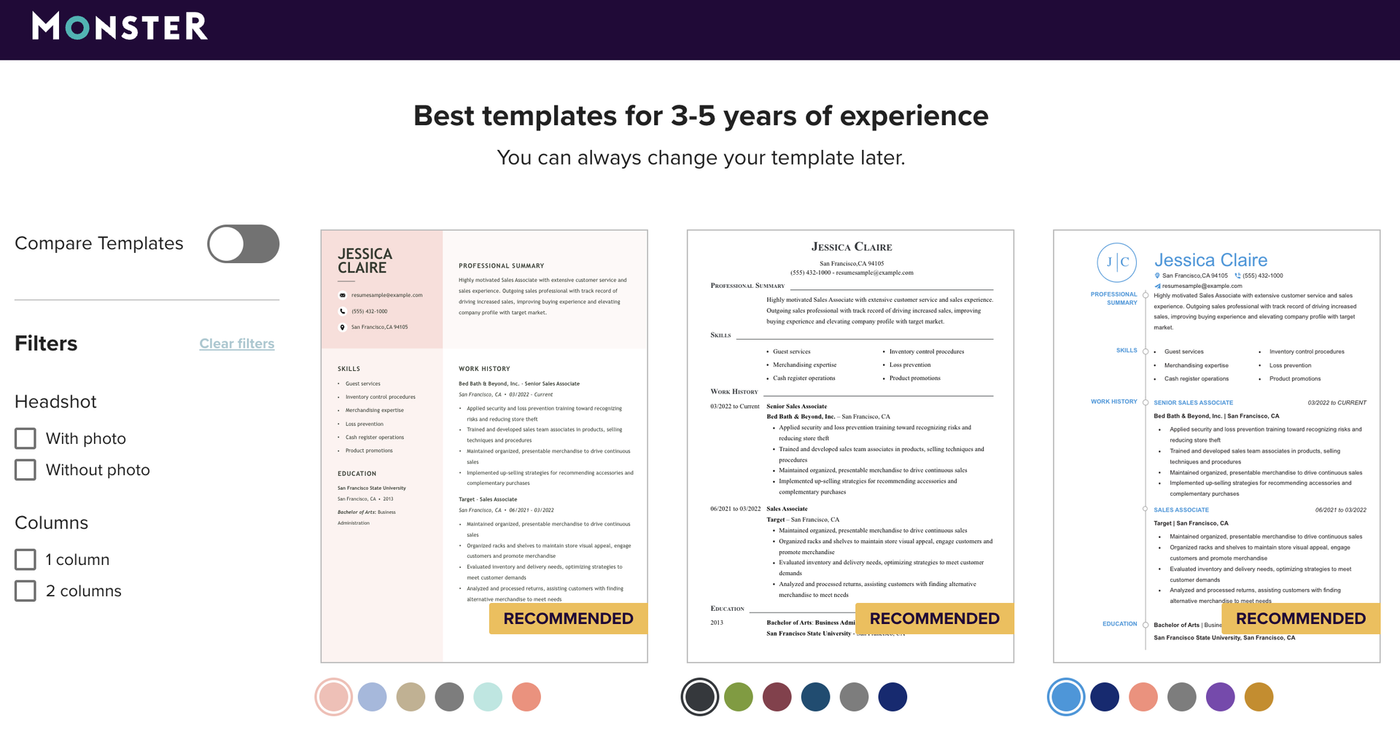
The resume templates are optimized with Monster’s own Smart Apply® technology to make them ATS-friendly and reduce the risk of formatting errors that could cause important information to be missed by applicant tracking systems.
Resume scoring and AI suggestions
In the bottom right corner of the dashboard you’ll see a number in a circle. This is your resume score. If you click on it, you can view a list of suggestions for each section of your resume.
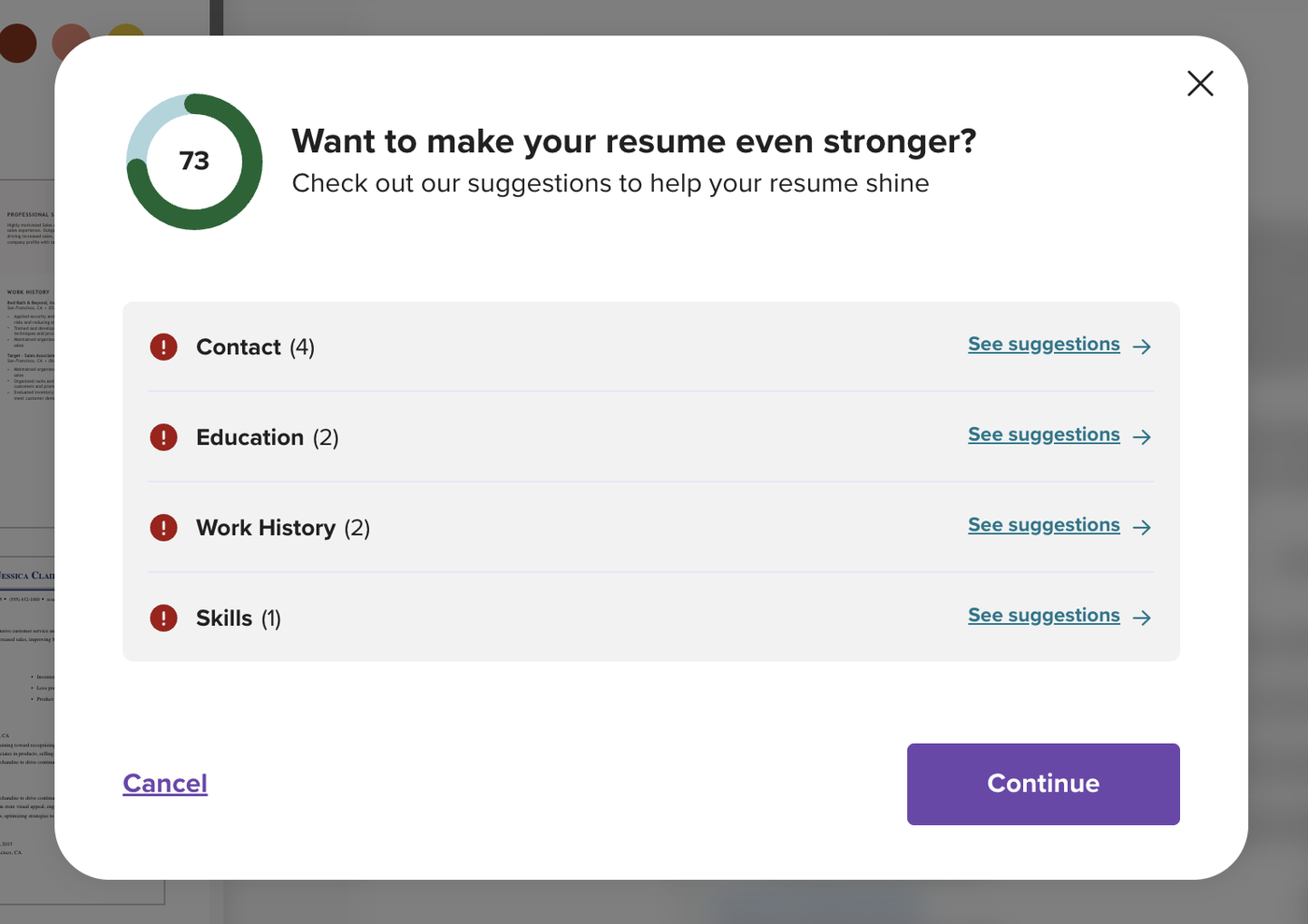
The AI will suggest improvements, like adding numbers to your work experience section or including more skills, and point out if any key information like dates or locations are missing. Additionally, it can rephrase your skills section to make it more impactful.
As you make changes, your score updates in real time. Just keep in mind that the score and suggestions are only meant to provide general guidance, you should still apply your own judgment and review all content manually before submitting your application.
Spell check
Even minor mistakes can impact your chances of getting the job, so having an error-free resume is important. To help you achieve this, the builder has a spell check feature that automatically flags obvious typos and spelling mistakes.
You still need to proofread your resume carefully to ensure there aren’t any issues with readability and that no mistakes managed to slip through the AI-check.
Verdict
Monster’s resume builder is a useful resume builder that can help you create a professional-looking resume quickly. It’s especially helpful for job seekers who want to be guided through the process step by step and don’t want to start from a blank page.
Build your resume in minutes

How do Monster and Resume Genius compare as resume builders?
Both resume builders are simple and easy to use, but they offer different levels of support for job seekers. Here’s an overview of their similarities and differences:
Monster vs. Resume Genius
| Monster | Resume Genius | |
|---|---|---|
| Best for | Quick visual design, experienced resume writers | Writing help, AI support, ATS formatting |
| Free version | Yes | Yes |
| Cheapest full access | $2.95 for first 14 days | $2.95 for first 14 days |
| Money back guarantee | 14-day money back guarantee | 14-day money back guarantee |
| Build unlimited resumes | Yes | Yes (all versions) |
| File formats | PDF, Word, TXT | PDF, Word, TXT |
| Template selection in builder | 80+ templates in builder | 25+ designs |
| Free template downloads from website | None | 120+ blank templates (Word, Google Docs, Indesign, LaTeX, PDF, LibreOffice, InDesign) |
| AI support | Summary section only | Start-to-finish (Sage) |
| Personalized template recommendations | Tailored to experience and education | Tailored to experience and education |
| Free resume review by an expert | No | Yes |
| Cover letter builder | No | Yes |
| US job board access | No | Yes |
| Free ATS resume checker | Yes | Yes |
Additional resume builder reviews
Here are other resume builders we’ve reviewed:
About the Author

Seb is a Certified Professional Resume Writer with 10 years of combined experience in career counseling and editorial work. With a MA in International Communications from National Chengchi University (Taiwan), he helps job seekers translate their experience into employer-ready applications for global job markets.