




Zety is a career resource website with a resume builder, cover letter builder, and various other tools that help job seekers optimize the job application process.
Zety customer reviews
Reading reviews from people who’ve used Zety can help you decide if it’s right for you too.
Zety maintains a rating of 4.2 on Trustpilot.
Among customers who had a positive experience with Zety, many mentioned the following aspects:
- Design: Users described the website and builder interface as professional, modern, and visually organized
- Functionality: Reviewers found the step-by-step “wizard” to be intuitive, and mentioned that the writing suggestions were helpful
- Performance: Real-time previews let users see formatting changes immediately
However, customers who had a negative experience with Zety reported the following:
- Required subscription: The builder is free to use but downloading the final document in standard formats requires a paid subscription
- Difficult cancelation: A significant portion of negative feedback for Zety on Trustpilot mentions difficulty canceling subscriptions
How do Zety’s tools work?
Here’s a detailed breakdown of Zety’s resume builder, cover letter builder, templates, and resume checker:
Resume builder
When you enter the resume builder, it will ask you whether you have work experience or not.
Then, it asks a few questions to choose a resume template for you:
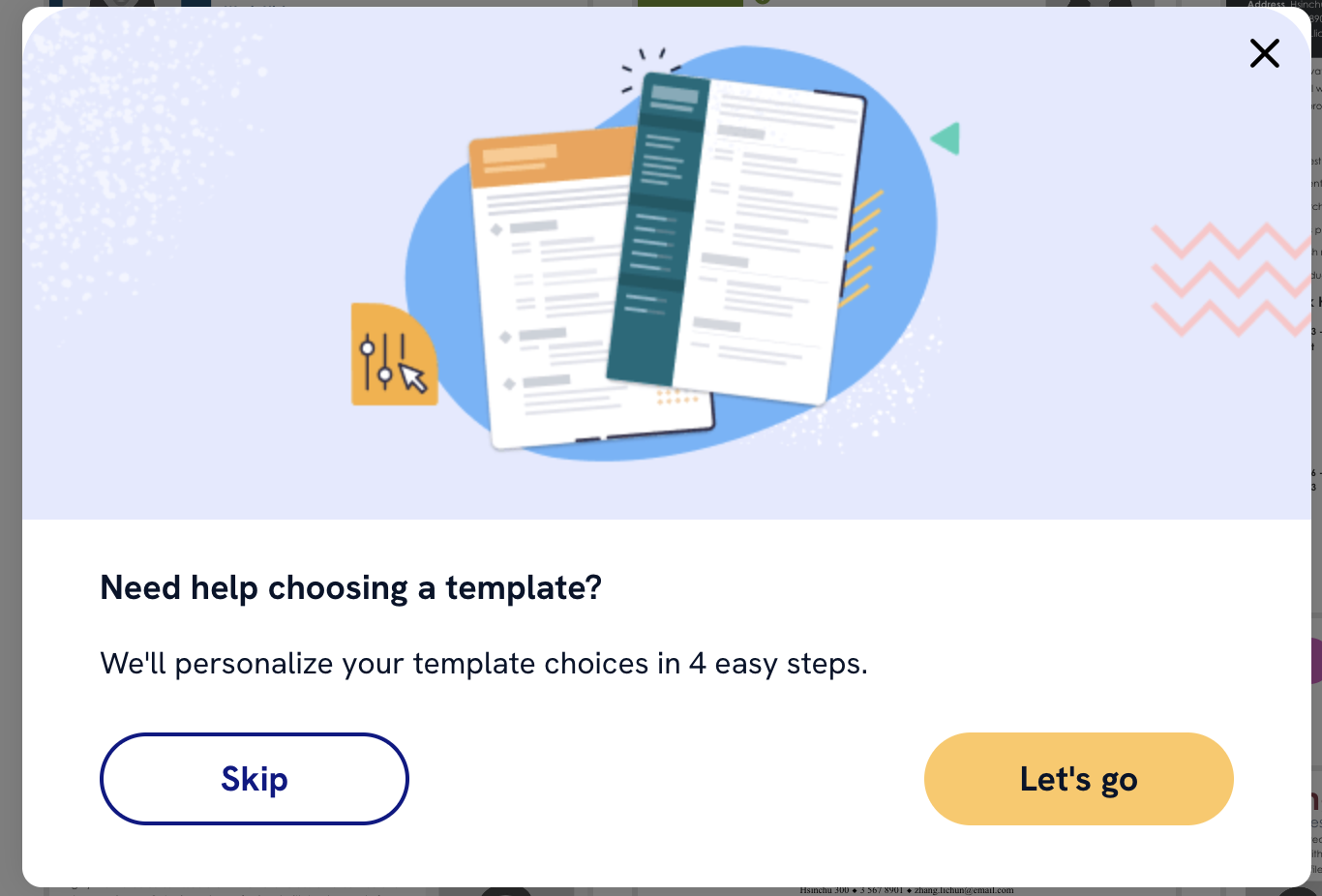
The builder will ask ask if you want to include a photo, prefer one column or two, and what style template design (classic, modern, etc.) you’d like. You can choose to use the recommended template, or skip that step and choose later.
Next, you can choose whether to start a new resume from scratch or upload your existing resume, and the builder will walk you through each section.
Contact information
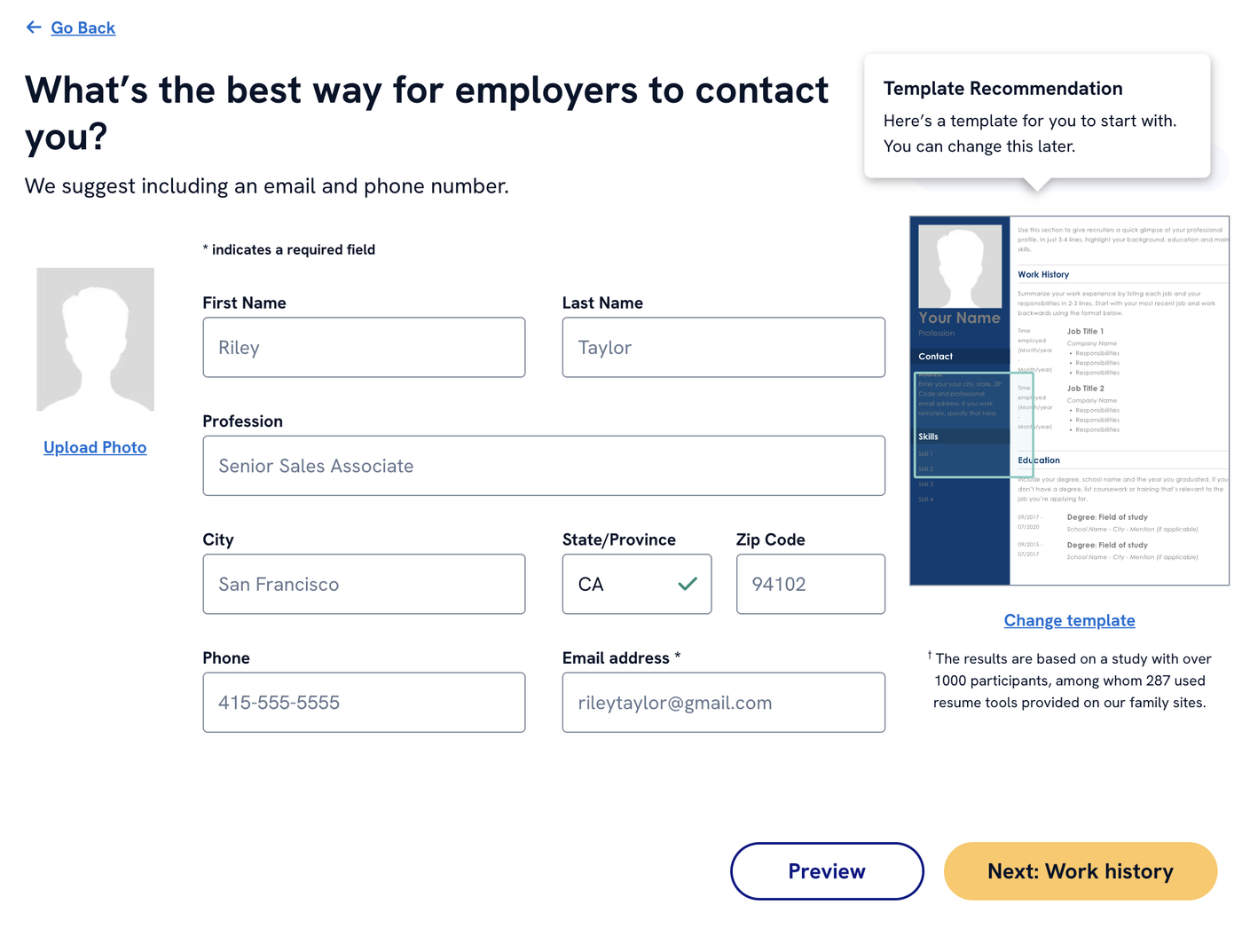
In the next step, the Zety resume builder asks you for your contact information. Fill it in, and the builder will automatically format it on the template you chose:
Work experience
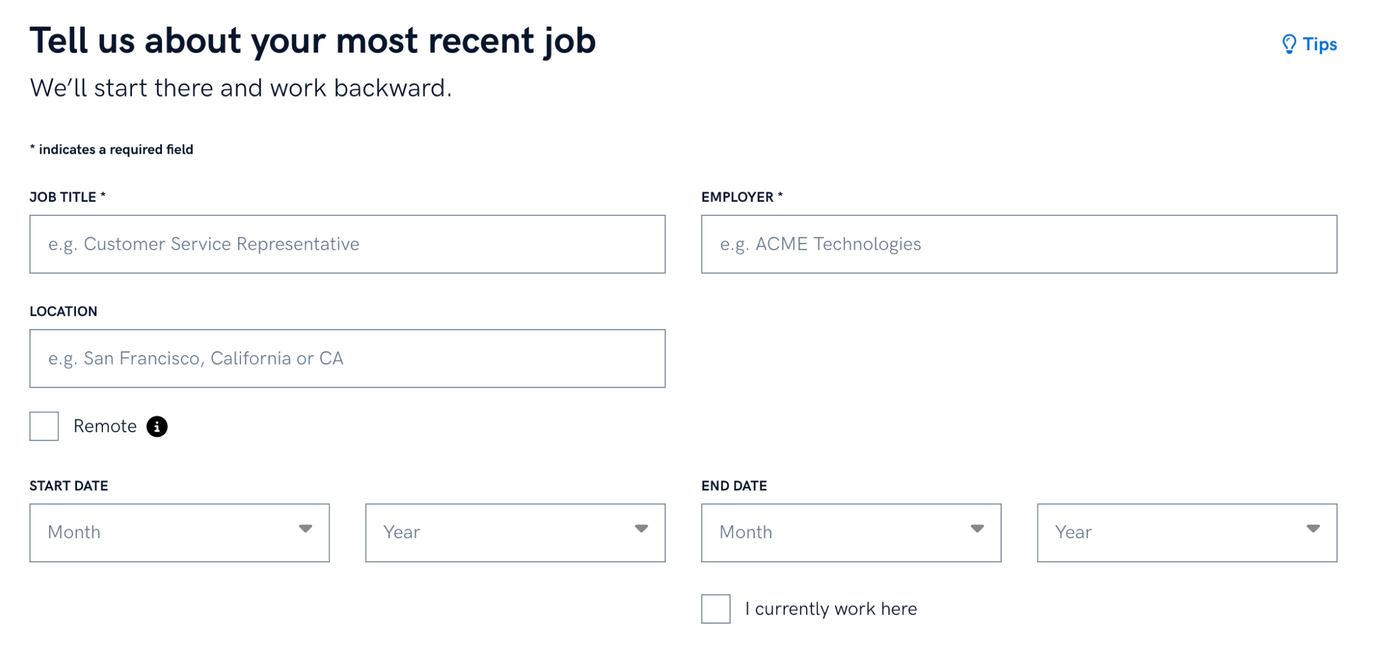
Enter the name of your most recent employer, your job title, and the dates you worked there. Complete this for every work experience entry you want to include on your resume.
Next, you can choose from AI-generated bullet points based on your job title and edit them to fit your experience, or write your bullet points from scratch.
Education
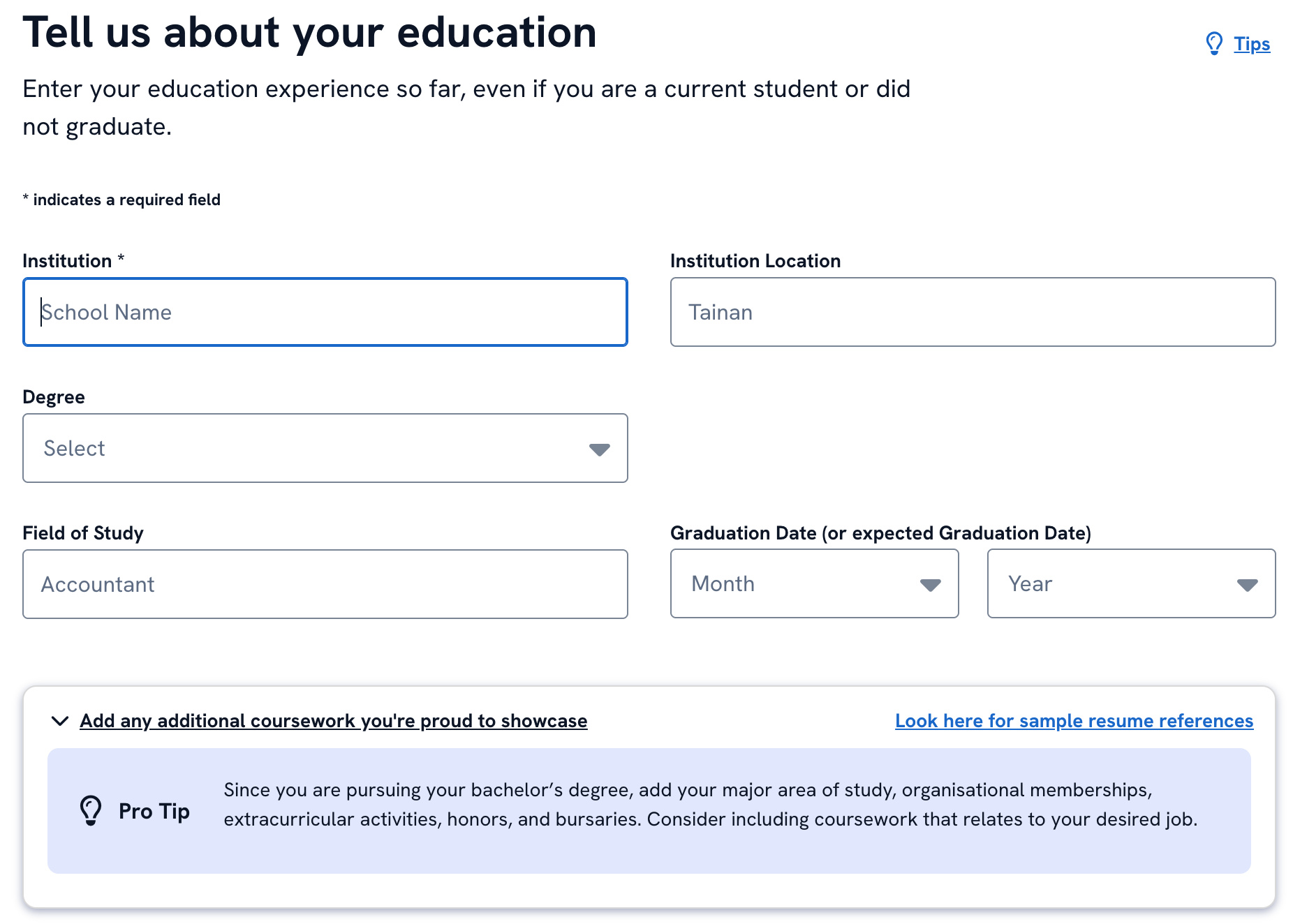
Next, fill out details about your educational background and the builder will format it correctly for you.
Skills
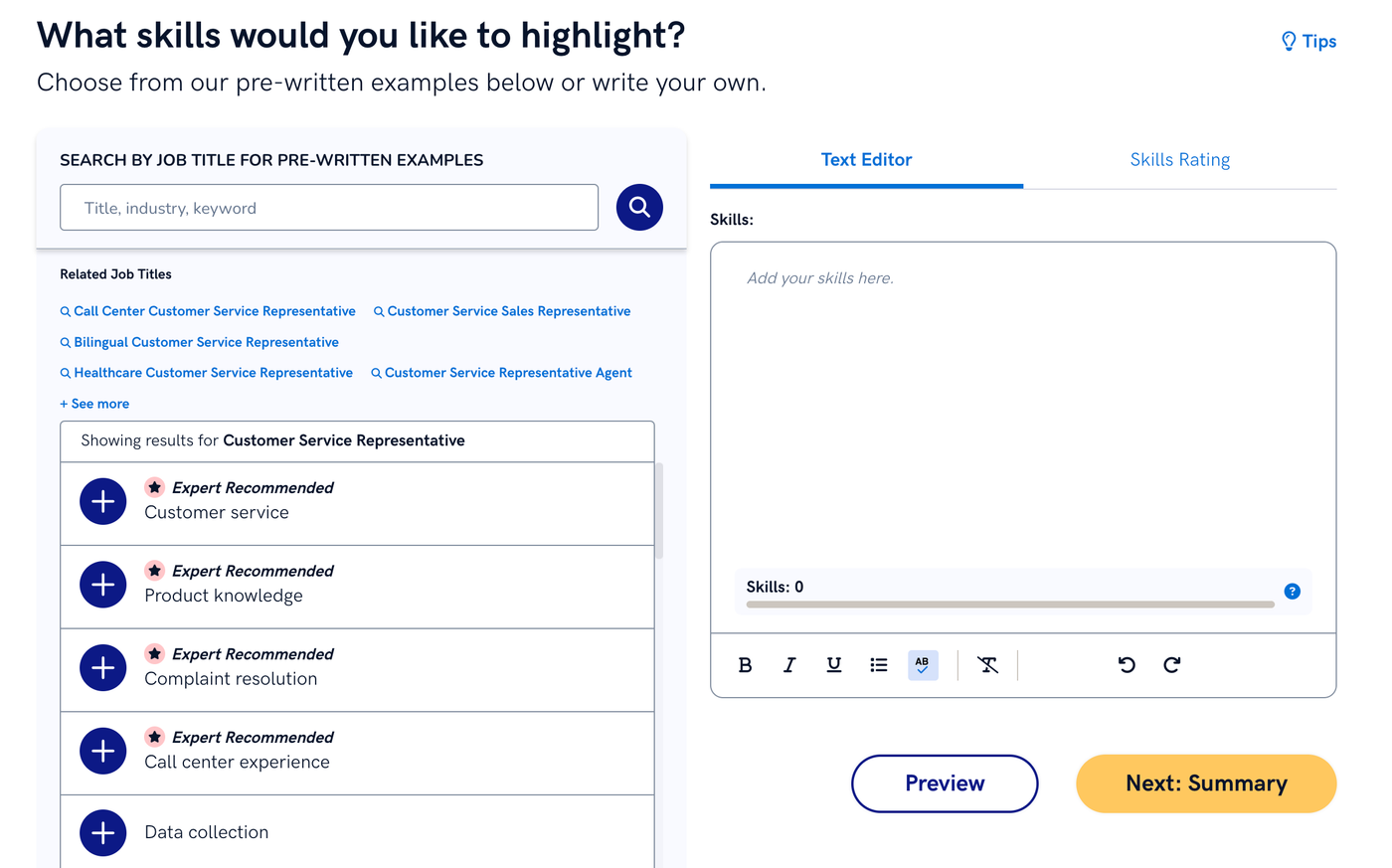
Zety gives you the option to search for skills to add by job title, industry, or keyword. You can also manually add skills.
Summary
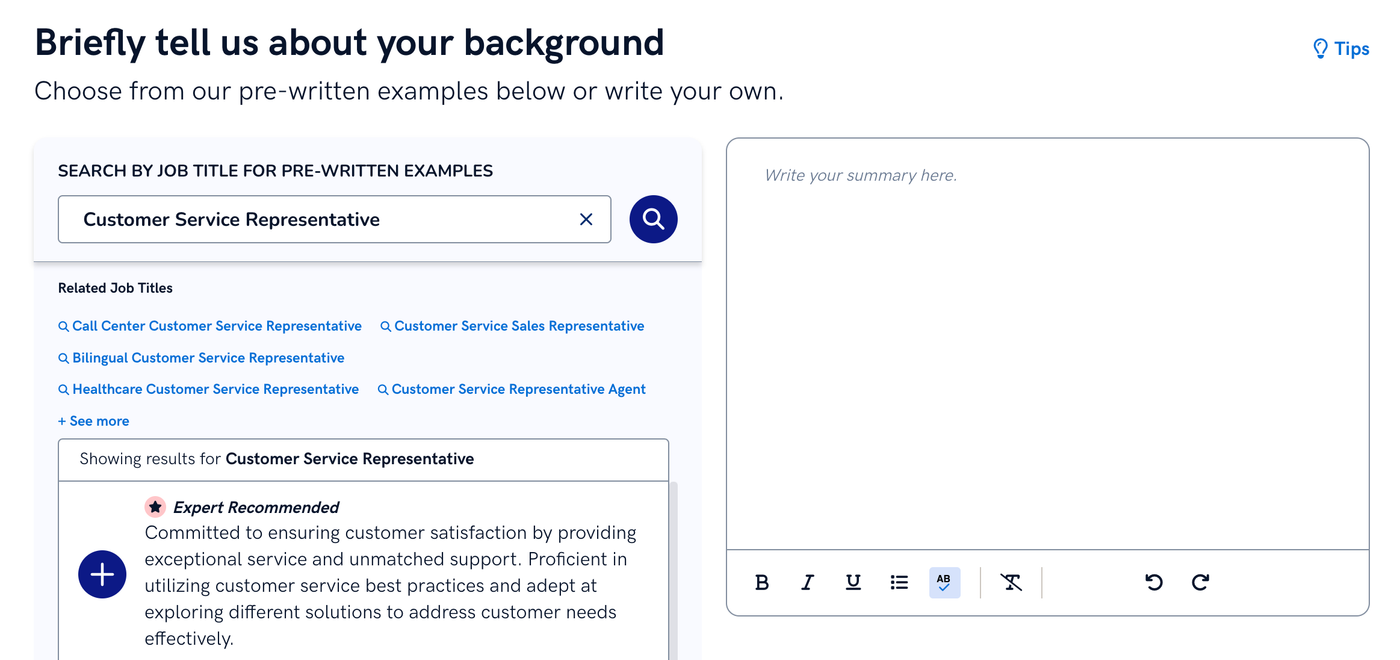
Zety’s resume builder can generate a pre-written resume summary based on your job title.
Extra sections
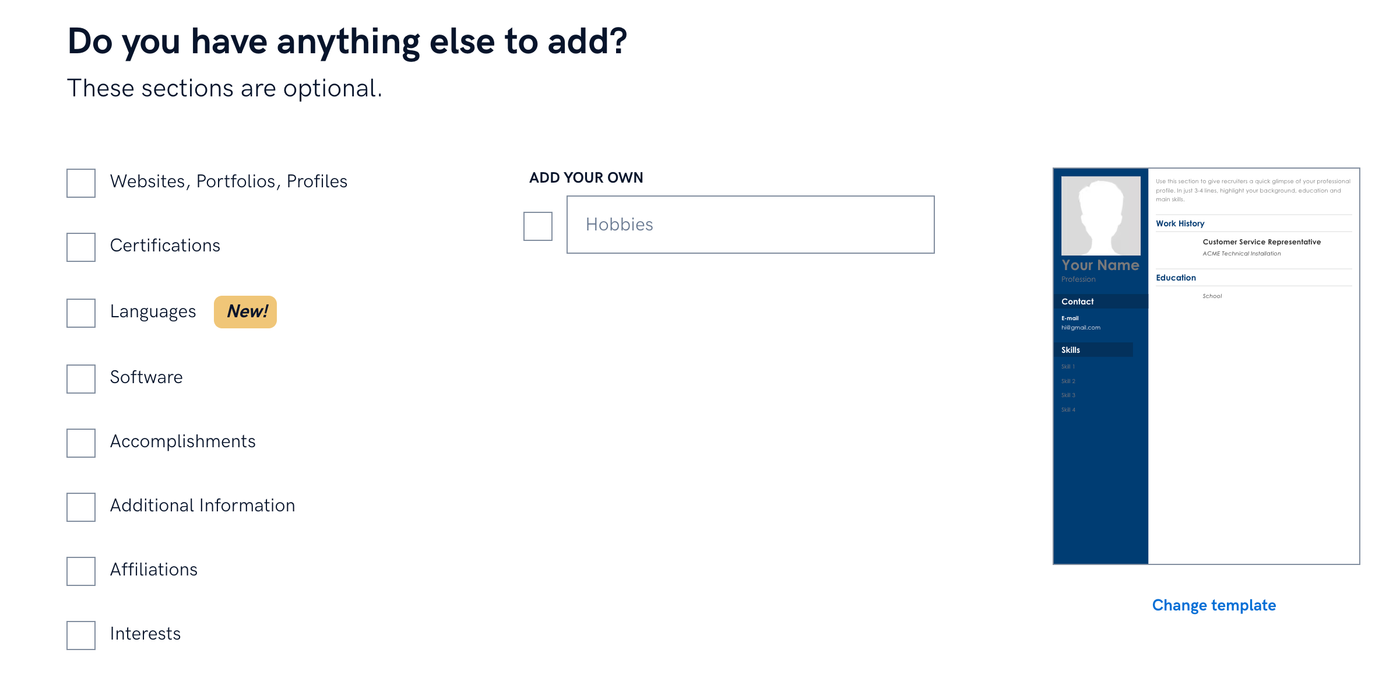
Once you’ve completed the main sections, you can add optional sections like certifications, language skills, and interests.
When you’re done editing the content, you can change the template and color, run a spellcheck, and quickly adjust your resume’s formatting.
At the last step, you can download your resume as a PDF or Word document, but only if you sign up for a paid subscription.
You can download your resume for free as a raw .txt file, which is a raw text format that contains formatting at all. You can copy and paste this text into your own resume template if you want, but because Zety doesn’t offer free downloadable templates, you’ll need to get one from somewhere else.
Cover letter builder
Zety’s cover letter builder asks you a comprehensive series of questions to generate your cover letter:
- How long have you been working?
- Are you a student?
- Did you graduate from college?
- What did you study?
- How do you want to start your cover letter? (Create one from scratch or import your resume)
- What job are you applying for?
- Do you have a job description?
- Choose your top skills for this position
- Choose your strengths
- What’s your most recent job title?
- Do you have a gap in your work history?
- What’s your working style?
Once you answer all of these questions, the builder creates a cover letter for you.
You can customize your cover letter by filling in templated information, clicking on each section to view AI-generated alternatives, or editing the pre-written text.
You can also change your letter type based on your experience, industry, situation, and preferred theme.
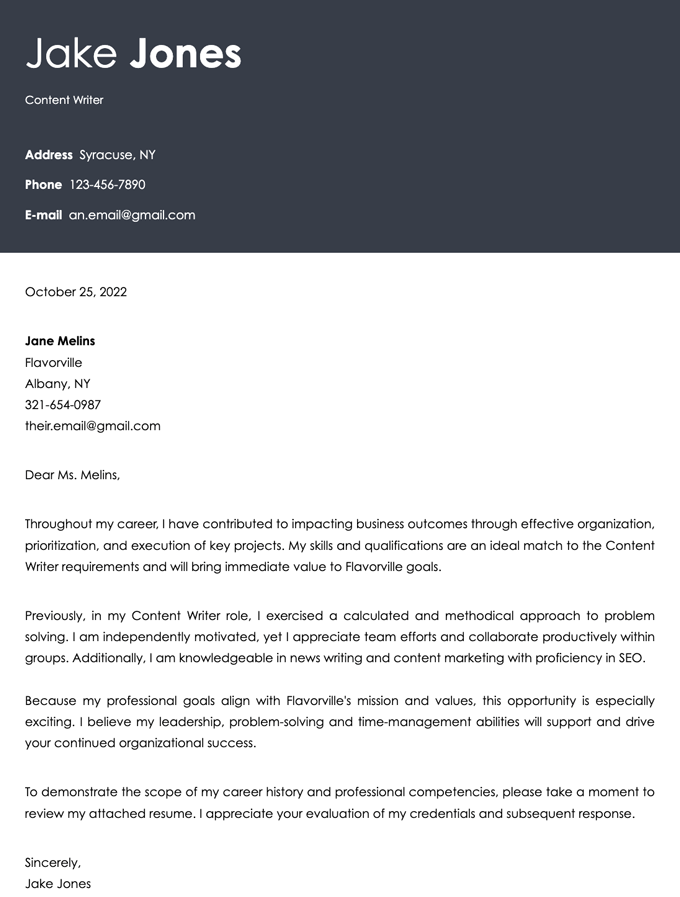
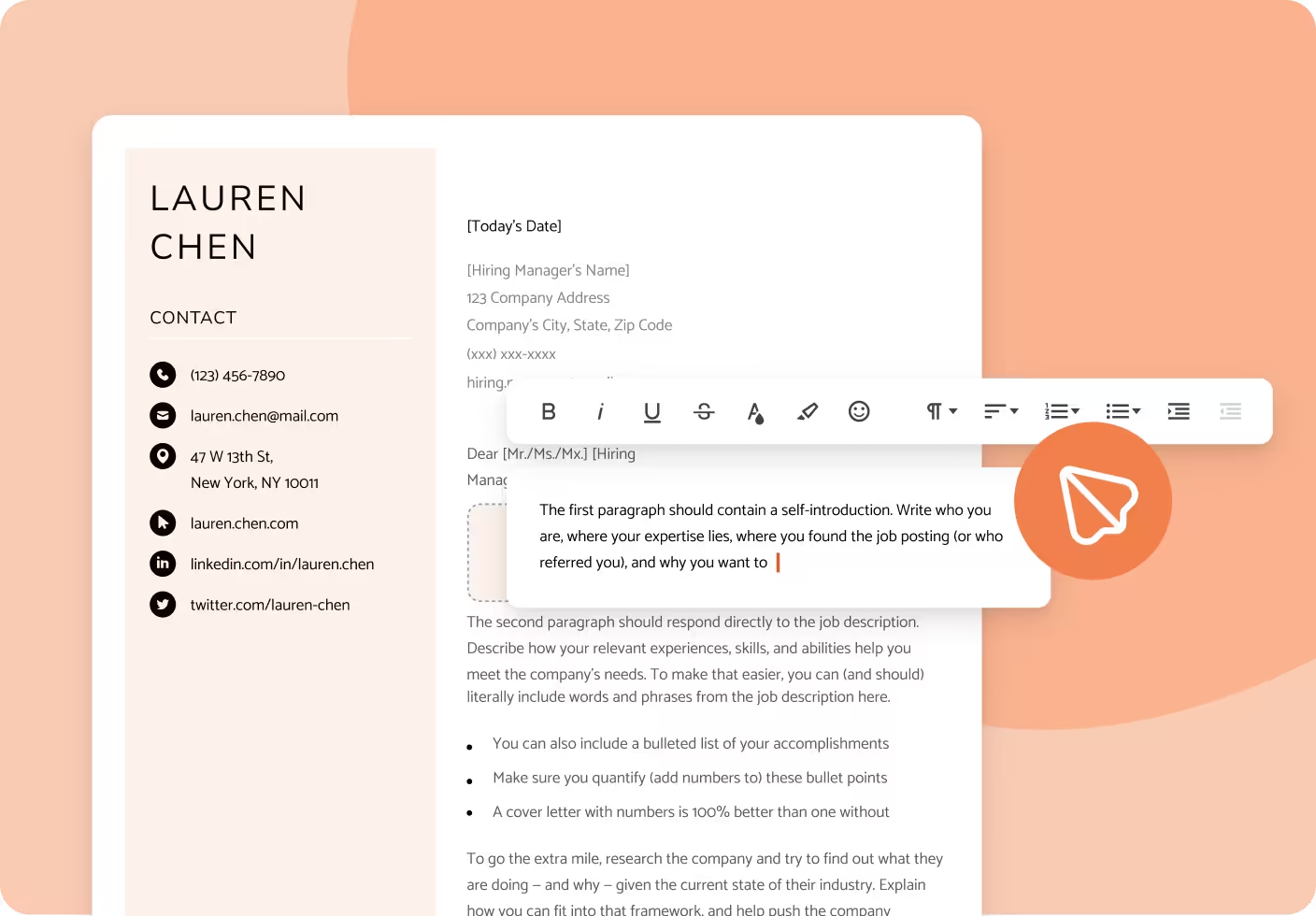
Below is a cover letter we made with Zety’s cover letter builder:
Templates
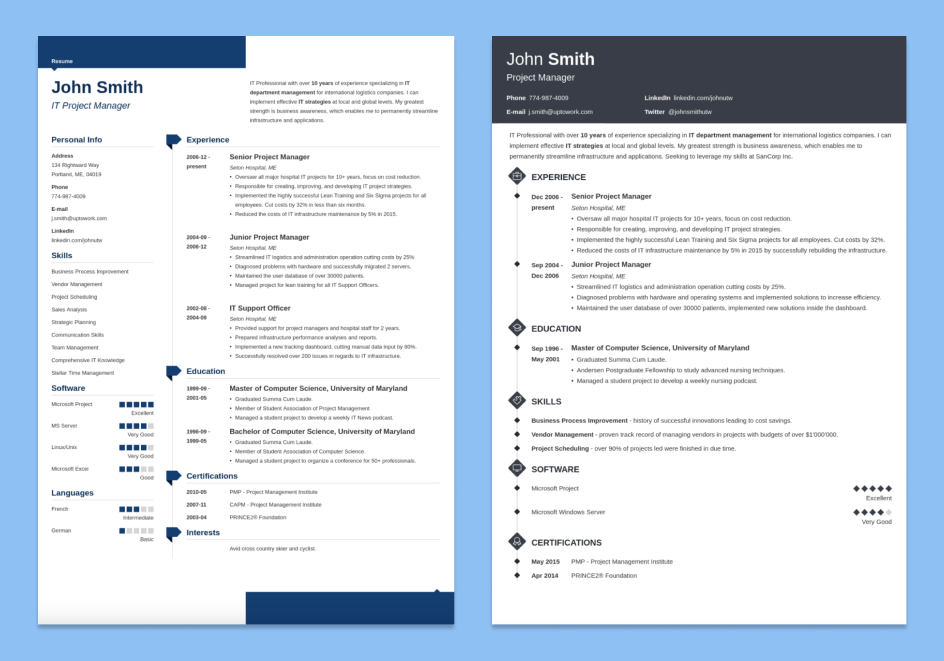
Zety has 64 resume templates to choose from, as well as 18 corresponding cover letter templates.
The templates include design elements like:
- resume icons
- colored headers
- resume skill level indicators (bubbles and bars)
- applicant initial logos
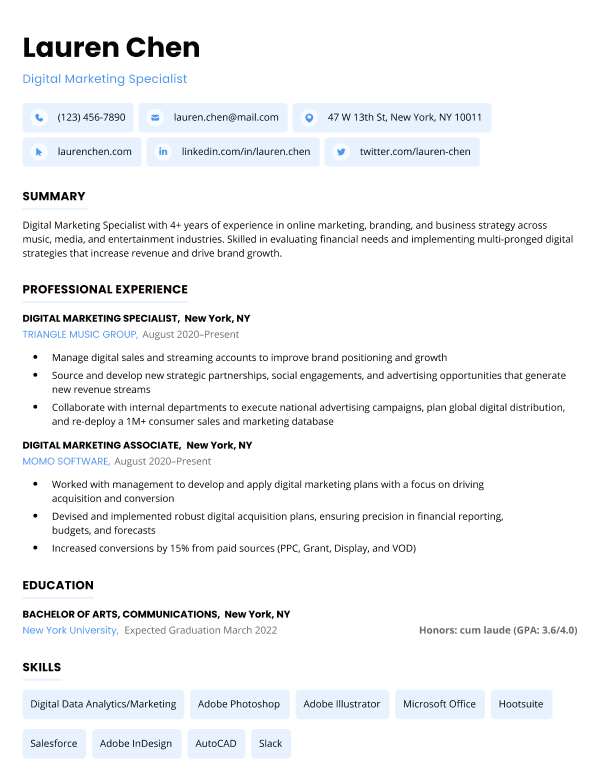
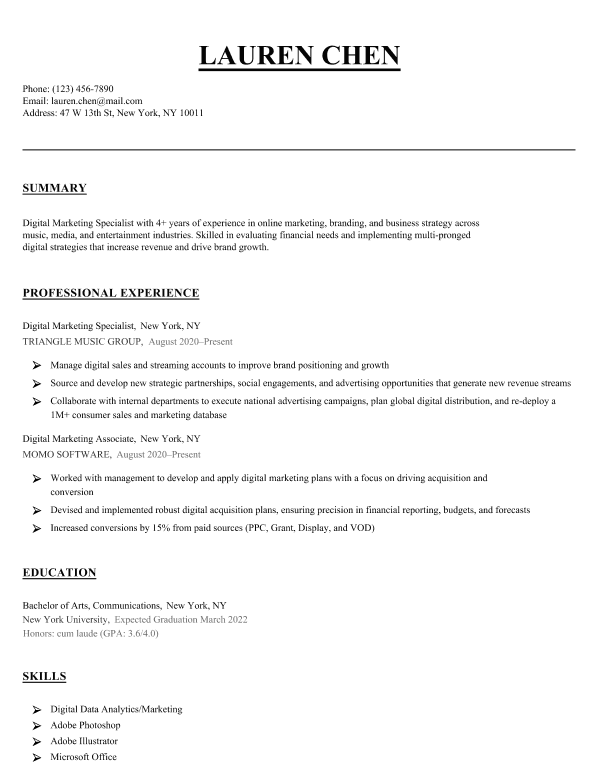
Here are two examples of Zety’s resume templates:
Resume checker
If you sign up for a paid Zety subscription, you’ll get access to their resume checker.
Zety’s resume checker scans your resume and highlights areas that need to be fixed or improved, including:
- typos
- formatting mistakes
- a lack of measurable results
The checker also includes a feature to tailor your resume to a specific job.
All you have to do is upload the requirements from the job ad, and the checker will suggest keywords to put on your resume.
Frequently asked questions about Zety
Here are some commonly asked questions about Zety:
How much does Zety cost?
Zety costs $1.95 for a 14-day trial period, after which they charge $25.95 every 4 weeks.
A yearly subscription costs $71.40, billed once annually and automatically renewing each year.
If you decide not to use one of Zety’s resume templates, you can also download your resume as a text file for free.
| Plan | Cost |
|---|---|
| 14-Day Trial | $1.95 (but after 14 days automatically upgrades to a full subscription that bills at $25.95 every 4 weeks) |
| Monthly Access | $71.40 per year |
How do I cancel my Zety subscription?
You can cancel your Zety subscription by clicking on “My Account” and then navigating to the “My Plan” section of the dashboard. Alternatively, you can call Zety’s support team at 800-985-7561 or fill out a form on their contact page.
Is Zety legit?
Yes, Zety is legit. You can use it to create well-written, professionally designed job application documents
How do you download a Zety resume for free?
You can download a Zety resume for free by clicking the “Download” button at the final step in their resume builder. Then, select “Plain Text (.txt)” from the menu and hit download. This will download your resume for free as a text file.
However, this file won’t include the resume template that you selected in Zety’s resume builder, so if you want your resume to be professionally formatted you’ll need to reformat it yourself.
Is Zety free?
No, Zety isn’t free. You have to pay to download the templated versions of any resumes, CVs, or cover letters you make with their builders. Also, you’ll have to pay to use Zety’s resume checker.
Is Zety safe?
Yes, Zety is safe. Zety is a popular career resource website, with a 4.2 score on Trustpilot.
Additional resume builder reviews
Here are some other popular online resume builders that we’ve reviewed:
Build your resume in minutes

About the Author

14
Years of Experience
193
Articles Written
Nathan Soto is dedicated to providing practical guidance to job seekers, especially people with nonlinear career paths.
Nathan’s articles and career advice have been featured on multiple platforms, including Forbes, MSN, NBC New York, Memphis Business Journal, Newsweek, and Fast Company, offering insights into resume writing, interview preparation, and personal branding.
Nathan graduated from the University of Nevada with a double B.A. in French and Music. In addition to writing, he also works as a Mandarin–English translator.







Facebook
Twitter
Linkedin
Pinterest
Reddit
Copy link