• Skip to Content
  • Skip to Footer

Resume Genius

Resume Genius

The World's Smartest Resume Builder

  • Resume Templates

    Professional Designs
    Basic
    Creative
    Modern
    Minimalist
    File Types To Download
    Word
    Google Docs
    PDF
    Pages
    Formats
    Chronological
    Functional
    Combination
    Infographic
    Situational Templates
    ATS
    Entry Level
    Picture
    Blank
    View All Free Resume Templates Use a Premium Template

    Monday – Friday: 8:00 AM – 7:00 PM (EDT), Saturday – Sunday: Closed(866) 215-9048

  • Resume Examples

    For Students
    High School
    Internship
    College
    Student CV
    By Experience
    No Experience
    Mid-Career
    Manager
    Executive
    Top Industries
    Teaching
    Nursing
    Administrative Assistant
    Customer Service
    Cashier
    Engineering
    Graphic Design
    Server
    View All Resume Examples Build My Resume Now

    Monday – Friday: 8:00 AM – 7:00 PM (EDT), Saturday – Sunday: Closed(866) 215-9048

  • Free Resources

    Tools
    • AI Resume Generator
    • ATS Resume Checker
    • Resume Summary Generator
    • Bullet Point Generator
    Resumes
    • How to Make a Resume for Any Job in 2026
    • The Best Resume Format for 2026
    • How to Put Skills on Your Resume
    • 40+ Professional Resume Summary Examples
    Cover Letters
    • Cover Letter Templates to Download
    • Cover Letter Examples for All Job Applications
    • How to Write a Cover Letter for a Job in 2026
    • Cover Letter Format: Template & Examples
    CVs
    • Professional CV Templates
    • 400+ CV Examples for Everyone
    • How to Write an Academic CV
    • CV Examples for Students
    Visit the Genius Blog Build My Resume Now

    Monday – Friday: 8:00 AM – 7:00 PM (EDT), Saturday – Sunday: Closed(866) 215-9048

  • Builders

    The Genius Resume Builder

    Make a professional resume in just a few minutes.

    AI Cover Letter Generator

    Write custom cover letters for every application.

    Professional CV Maker

    Create a detailed academic or professional CV.
    Resume Genius Customer Reviews 10 Best Resume Builders of 2026
    Build My ResumeLogin

    Monday – Friday: 8:00 AM – 7:00 PM (EDT), Saturday – Sunday: Closed(866) 215-9048

  • Pricing

Monday – Friday: 8:00 AM – 7:00 PM (EDT), Saturday – Sunday: Closed(866) 215-9048

Build My Resume Login

Monday – Friday: 8:00 AM – 7:00 PM (EDT), Saturday – Sunday: Closed(866) 215-9048

Resume Templates Entry Level Resume Templates

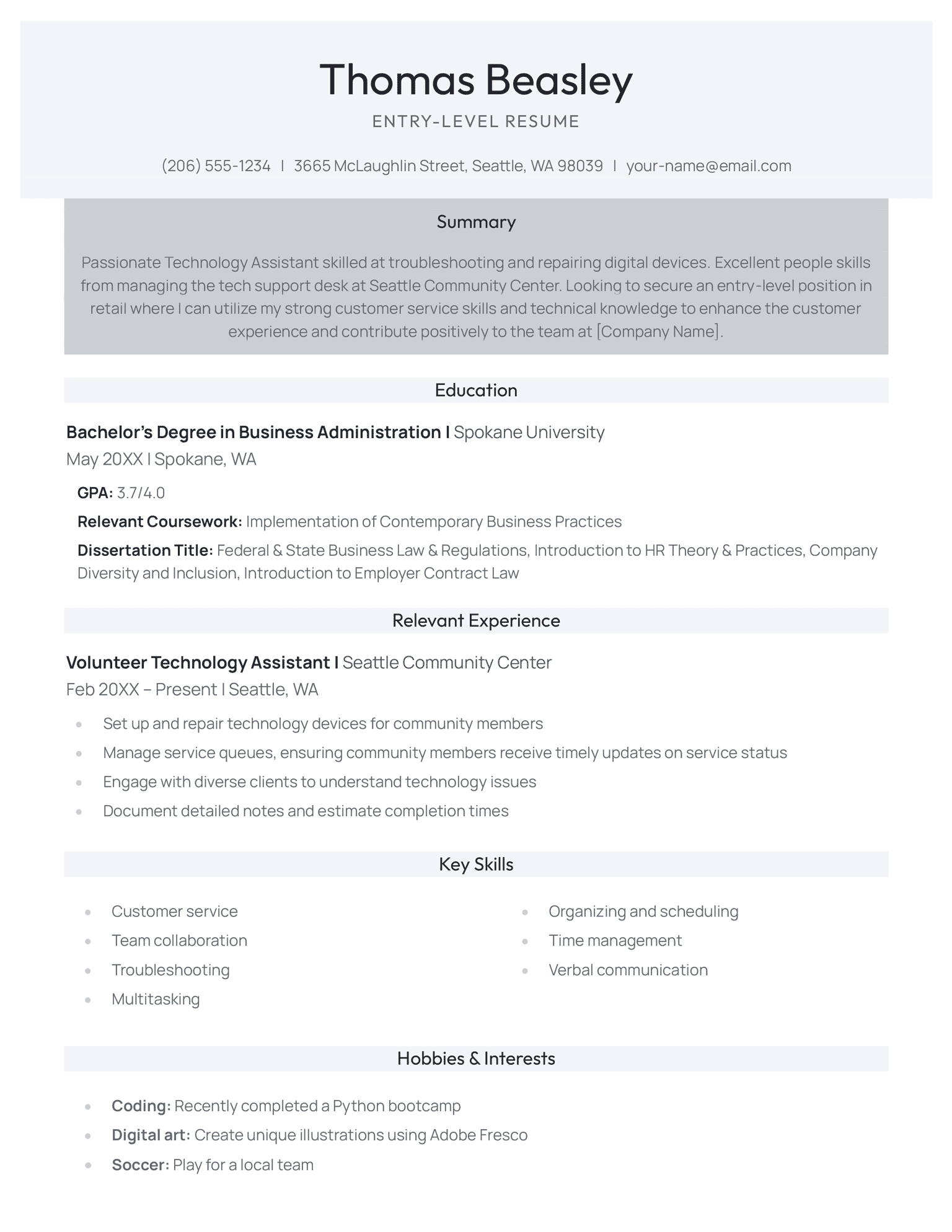
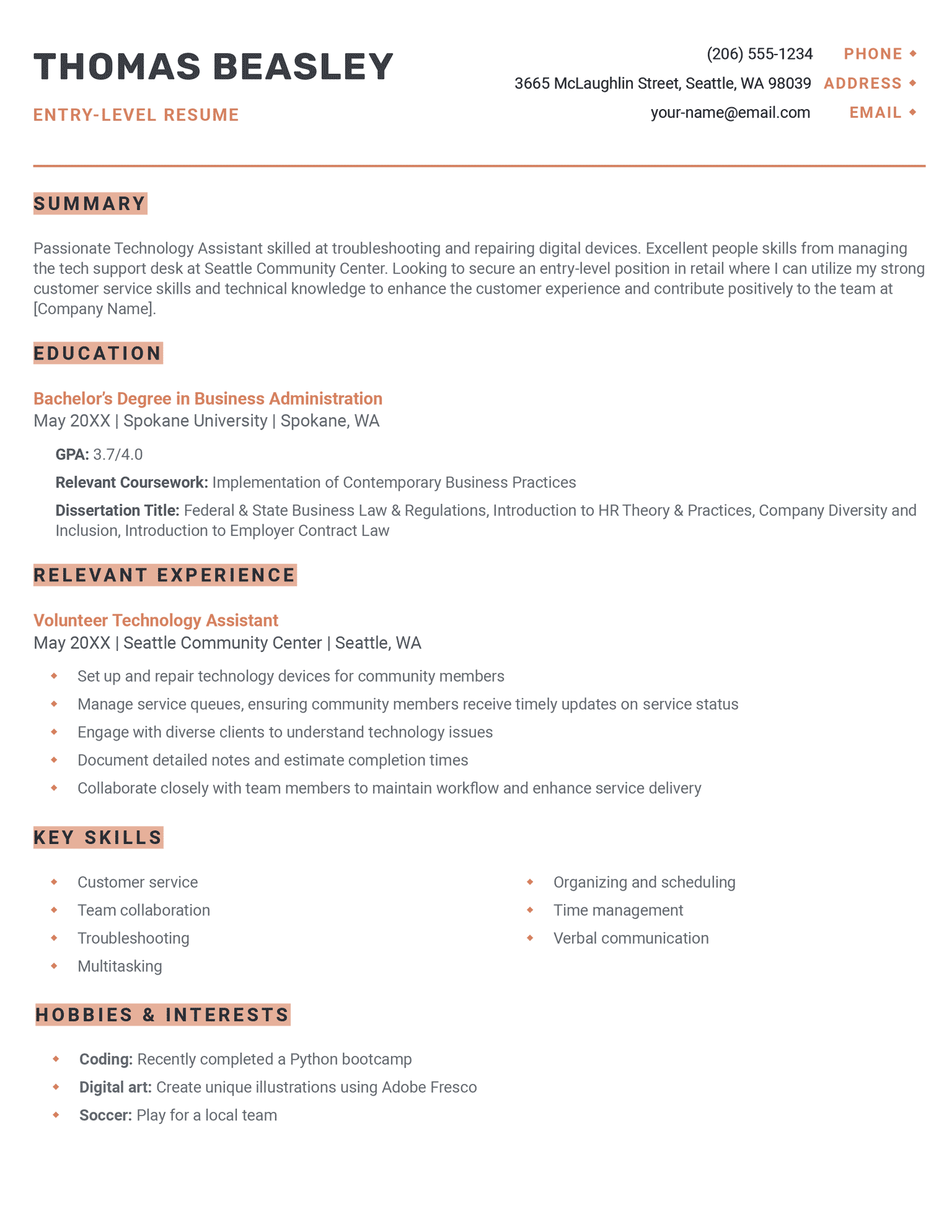
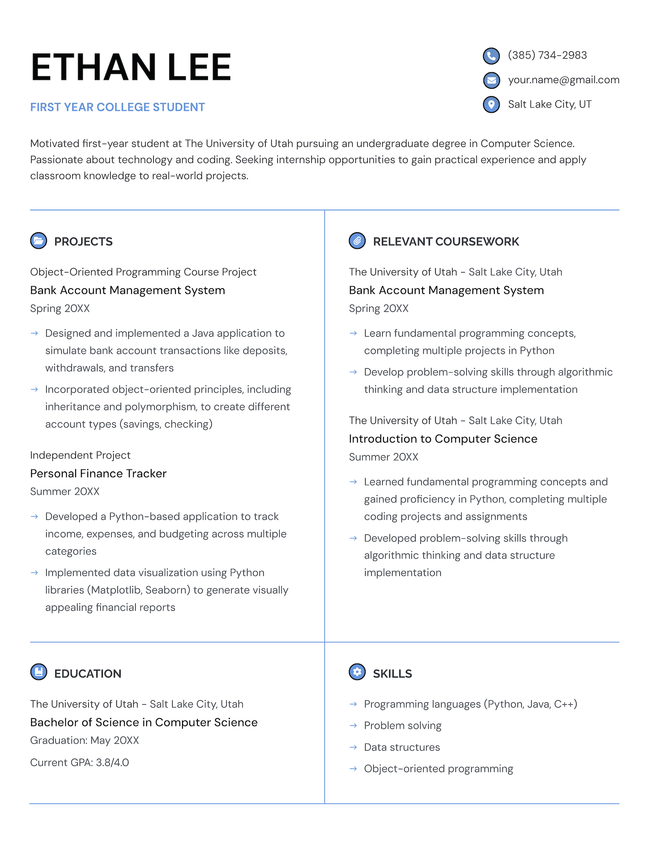
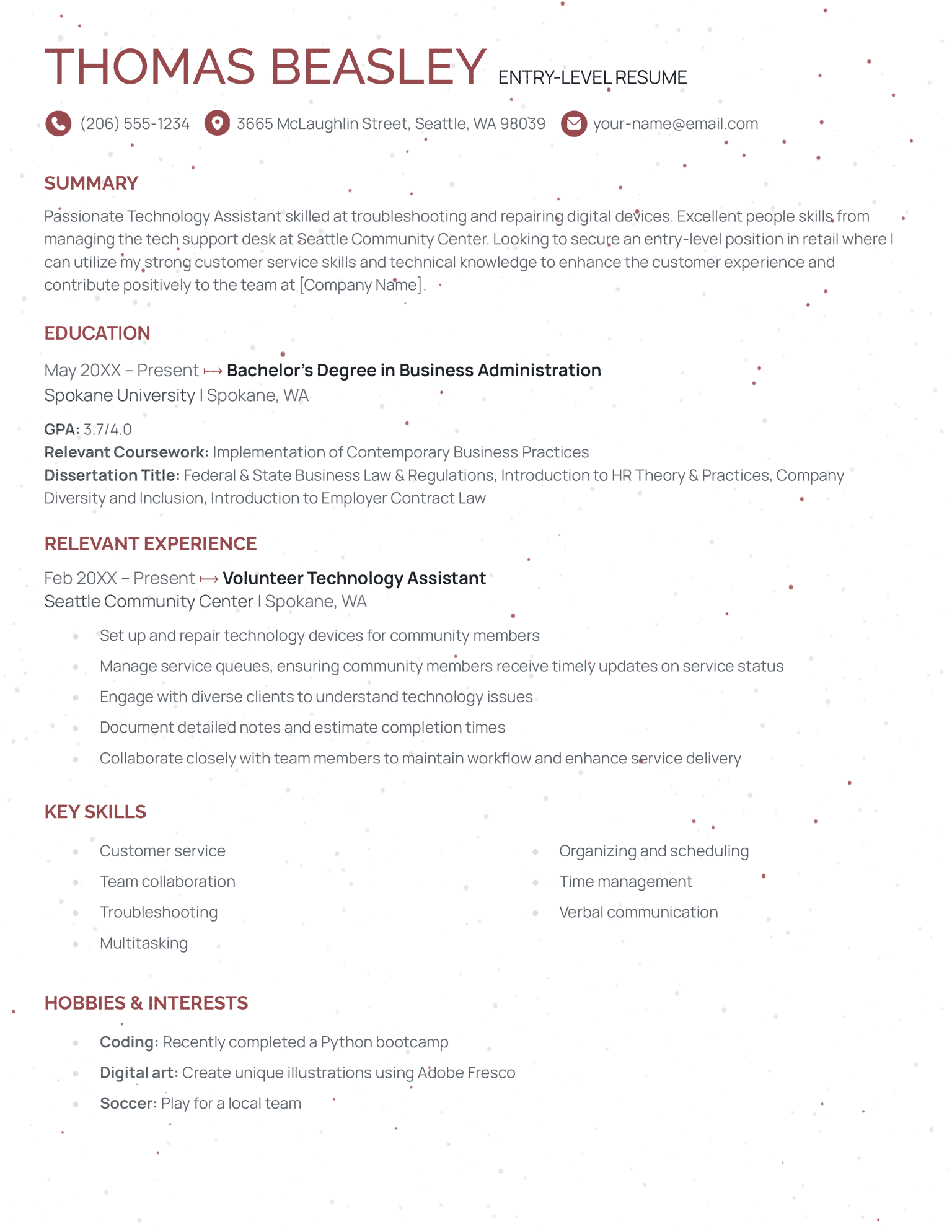
Entry-Level Resume Templates (Free to Download)

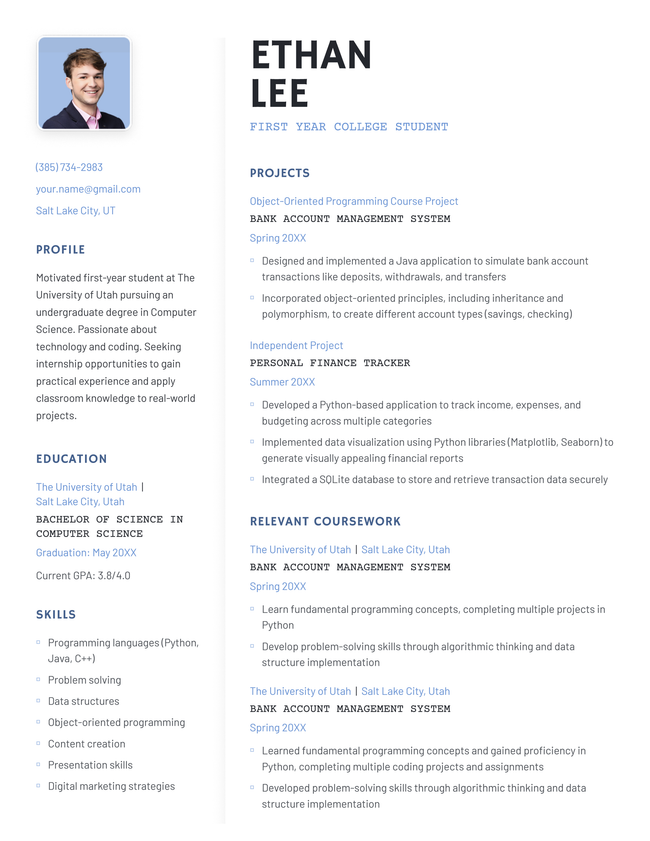
Get a professional resume without the stress. These free resume templates are suitable for any industry and are designed specifically to highlight your training, education, and transferable skills.
Build My ResumeUpload Existing Resume
  • All Templates
  • ATS
  • Creative
  • Google Docs
  • Modern
  • Photo
  • Simple
  • Student
  • Word
Loading...
Download for WordBuild My Resume
Pin It
973
Base
Word
Black Apprentice Resume Template
Free Download Download for Word Open in G DocsBuild My Resume
Pin It
2,932
Apprentice
Word Google Docs
Orange Work Resume Template
Free Download Download for Word Open in G DocsBuild My Resume
Pin It
3,118
Work
Word Google Docs
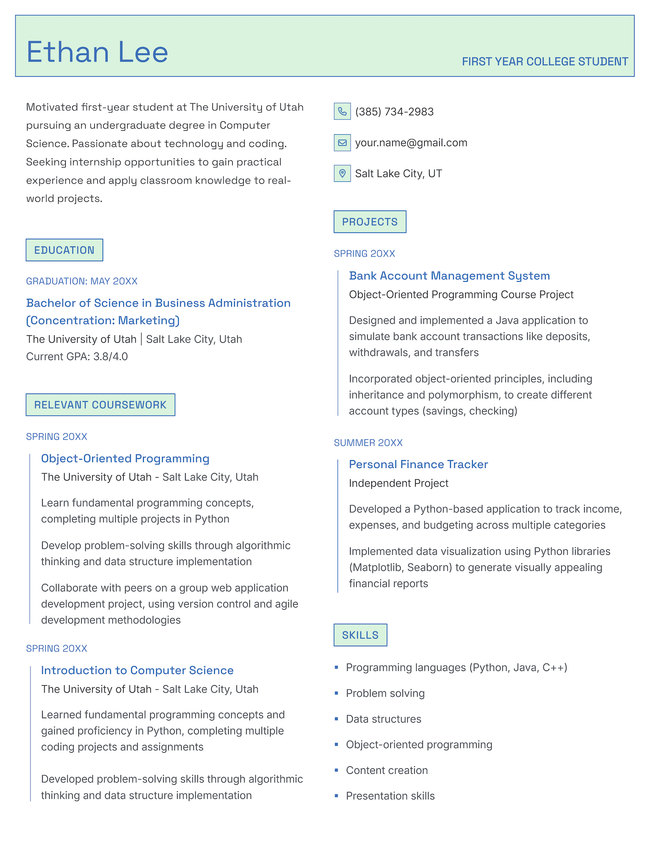
The Startup student resume template in blue.
Download for WordBuild My Resume
Pin It
163
Startup
Word
Brown Single Column Resume Template
Free Download Download for Word Open in G DocsBuild My Resume
Pin It
1,463
Single Column
Word Google Docs
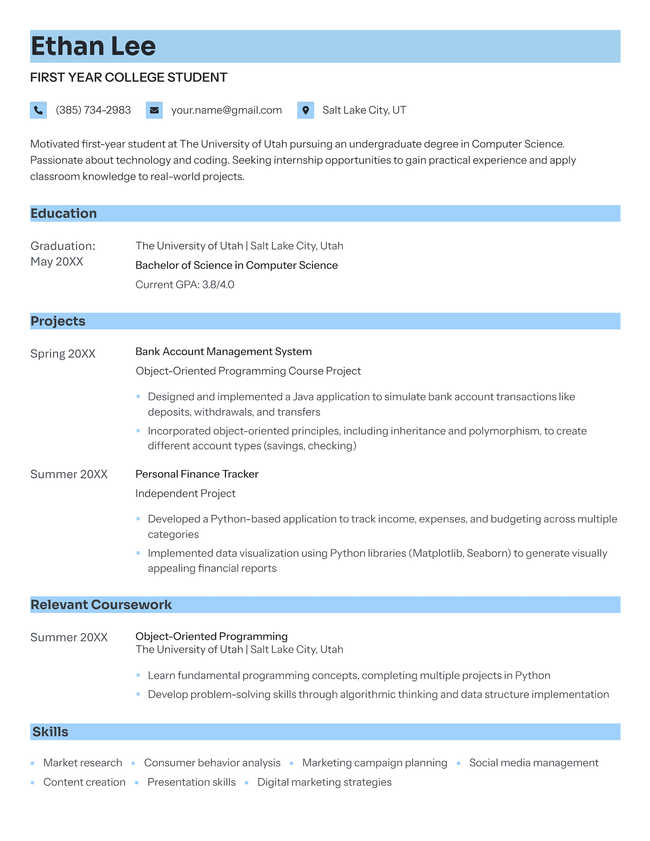
The Primary student resume template in blue.
Download for WordBuild My Resume
Pin It
130
Primary
Word
The Essential student resume template in blue.
Download for WordBuild My Resume
Pin It
206
Essential
Word
The Fundamental student resume template in blue.
Download for WordBuild My Resume
Pin It
127
Fundamental
Word
The Growth student resume template in blue.
Download for WordBuild My Resume
Pin It
238
Growth
Word
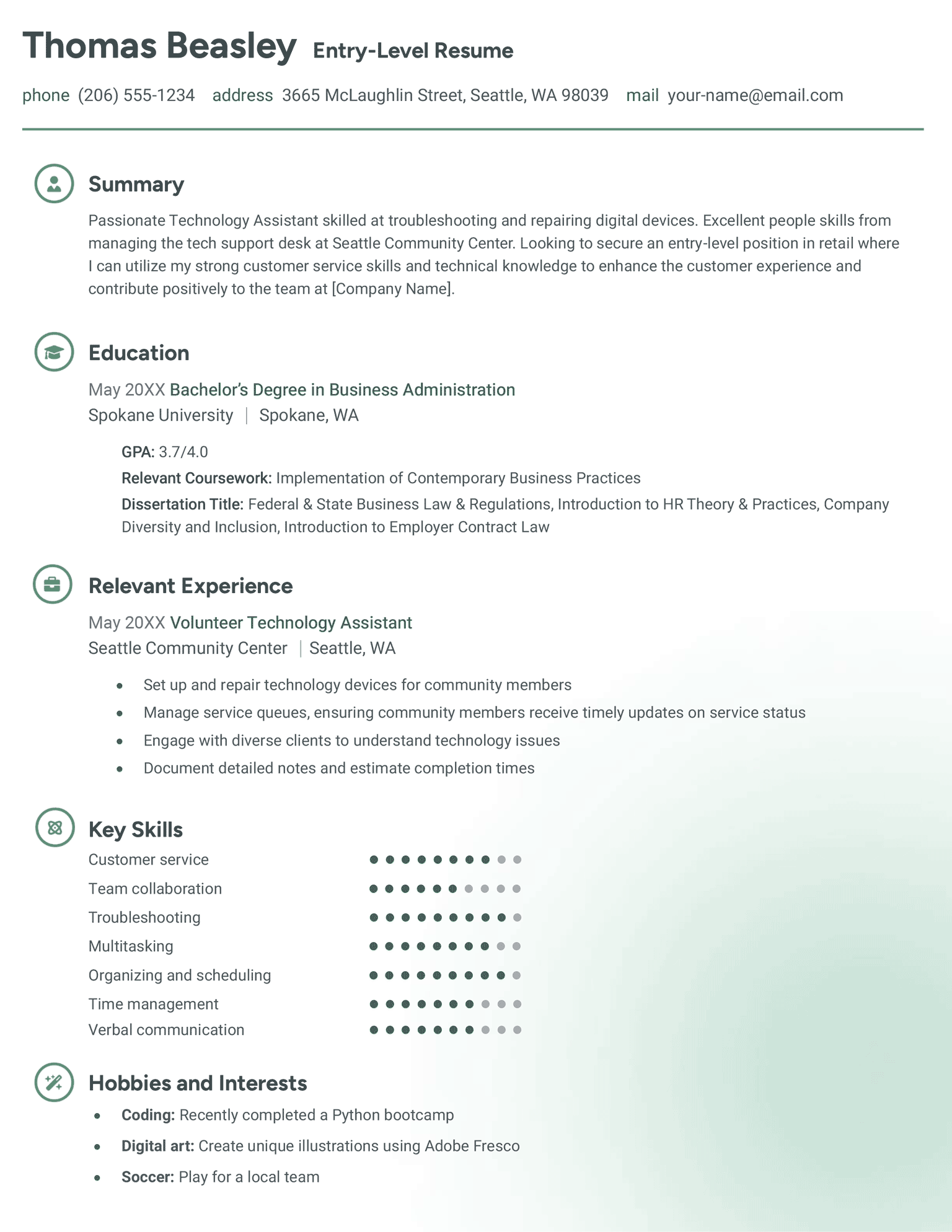
The Elementary student resume template in mint.
Download for WordBuild My Resume
Pin It
75
Elementary
Word
Green Novice Resume Template
Free Download Download for Word Open in G DocsBuild My Resume
Pin It
1,133
Novice
Word Google Docs
The Precise student resume template in blue.
Download for WordBuild My Resume
Pin It
142
Precise
Word

Additional free resume templates

  • All
  • ATS
  • Blank
  • Canva
  • Creative
  • CV
  • Google Docs
  • InDesign
  • LaTeX
  • LibreOffice
  • Minimalist
  • Modern
  • Pages
  • PDF
  • Photo / Headshot
  • Simple / Basic
  • Student
  • Two-Column
  • Word

Resume templates by layout & career level

  • Chronological
  • Combination
  • Functional
  • Infographic
  • Entry-Level
  • Mid-Career
  • Manager
  • Executive
Table of Contents
  • Entry-Level Resume Templates (Free to Download)
    • How to use our entry-level resume templates
    • What to write in each section of your template
      • Header
      • Objective
      • Education
      • Experience
      • Skills
      • Additional sections
    • Tools to help you fill in your entry-level resume template
    • Frequently asked questions (FAQs)
      • What should I put in the work experience section on an entry-level resume?
      • How do I professionally say I have no experience?
      • Do I need a resume objective?
      • How long should an entry-level resume be?
      • Should I put high school experience on my resume?
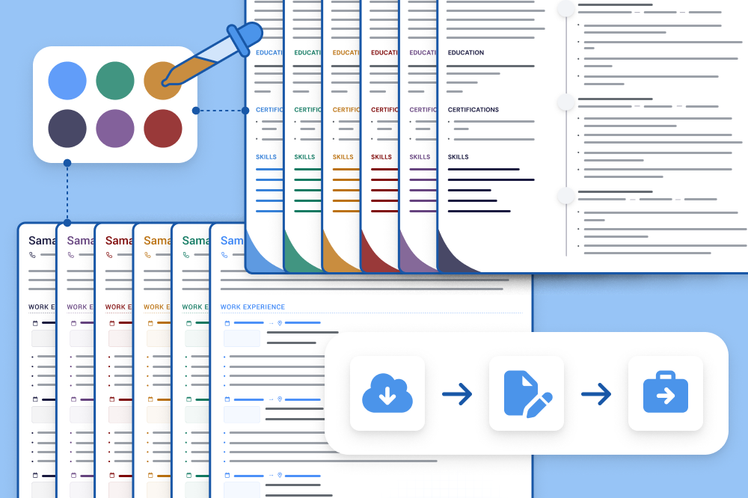
3 resume templates available in the Resume Genius builder with a banner explaining how quickly you can make a resume

Struggling to get interviews?

Make a professional resume

Share:

  • Copied

How to use our entry-level resume templates

To use one of our templates in Microsoft Word:

  1. Choose a free template you like and click Free Download
  2. Select Download for Word if prompted to choose a file format
  3. The template pack will download to your computer
  4. Unzip the file and install any included fonts
  5. Open the template in your color of choice
  6. Replace the sample text with your own details and qualifications
  7. When finished, select Save As → PDF to keep the formatting consistent on any computer

To edit a template in Google Docs:

  1. Choose a compatible template and click Free Download
  2. Select Open in GDocs
  3. Click Make a Copy to open the file in Google Docs
  4. Replace the sample text with your own information
  5. When finished, select Download → PDF Document

What to write in each section of your template

Our entry-level templates are quick and easy to fill out, even if you’re writing your resume with no previous experience.

Here’s what to write for each section so that your resume covers all the essential information that the employer will be looking for.

Header

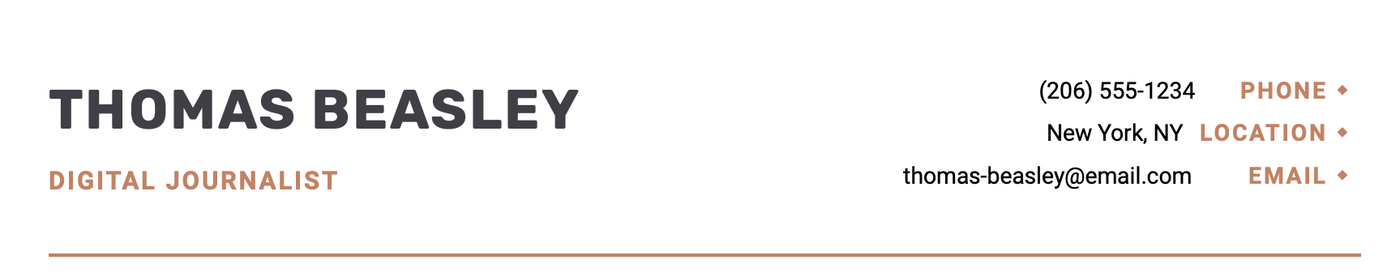
List the following details so employers can contact you if they want to move your application forward:

  • Full name
  • Professional email (e.g., full.name@email.com)
  • Phone number
  • Town/city and state (full address is not necessary)

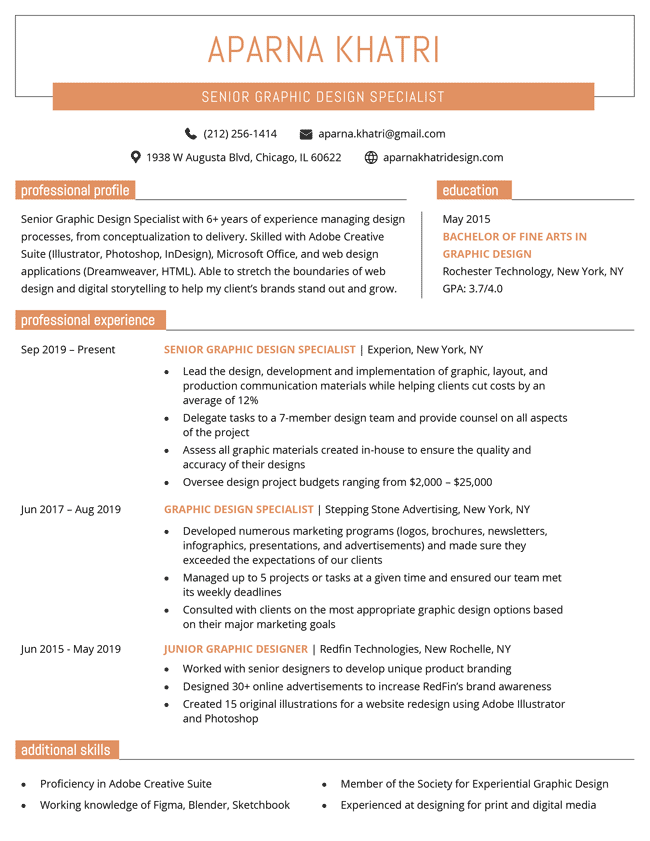
Example of how to fill out the header of an entry level resume template

Objective

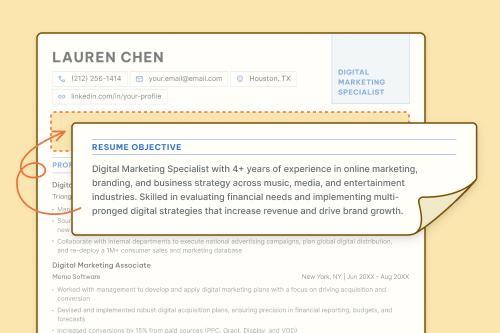
In your resume objective (also called an introduction, summary, or profile), summarize who you are and what makes you a good fit for the job. You should include:

  • Your profession and years of experience (if any)
  • 1–2 relevant skills or achievements
  • A career goal or the value you bring

Keep this section brief. 1–3 sentences is plenty.

Example of how to fill out the objective of an entry level resume template

Education

If you’re a recent college graduate, your education section should go near the top of your resume. List your most recent program first, and include:

  • School name
  • Location
  • Degree or program
  • Graduation date (or expected date)

Boost this section with relevant coursework, academic honors, or your GPA (if 3.5 or higher). These optional details will help make up for limited work history.

Example of how to fill out the education section of an entry level resume template

Experience

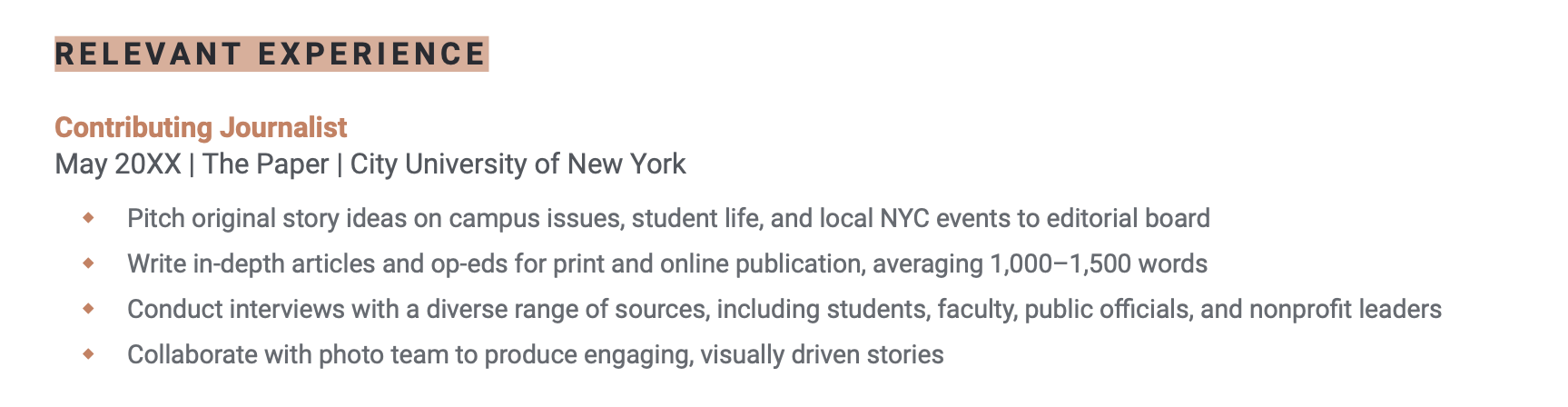
Your relevant experience can include:

  • Paid jobs
  • Internships
  • Volunteer experience
  • Clubs where you held a leadership or helping role

List your experience in reverse-chronological order, starting with your most recent role. Each entry should include the following details:

  • Job title
  • Organization
  • Location
  • Start and end dates
  • 3–5 bullet points describing achievements or responsibilities that show the relevant skills and knowledge you used

When describing your work experience, you should show how the role prepared you for the job you’re applying for.

Example of how to fill out the experience section of an entry level resume template

When possible, quantify your achievements to show the impact you’ve made.

Skills

Treat this section as a shortlist of the skills that match you to the job.

List up to 10 relevant hard skills (like software or tools). You can also include any certifications that you’ve completed (e.g., a CPR certificate).

Example of how to fill out the skills section of an entry level resume template

Don't list soft skills in this section

Adding soft skills like “communication” and “teamwork” doesn’t tell employers anything of value. Highlight these strengths through examples in your cover letter and job interview.

Additional sections

Some of our entry-level resume templates include additional sections that can help strengthen your job applications early in your career.

We explain how to format these sections below. You can also delete these sections if they aren’t relevant to your background or target position.

Hobbies and interests

Including the right hobbies and interests helps you show enthusiasm for the role and align yourself with the culture of the company you’re applying for. Still you should only include this section if your other resume sections are looking thin.

List hobbies and interests that demonstrate skills relevant to the job:

  • Team sports
  • Creative pursuits
  • Photography or design
  • Language learning

Example of how to fill out the hobbies section of an entry level resume template

Projects

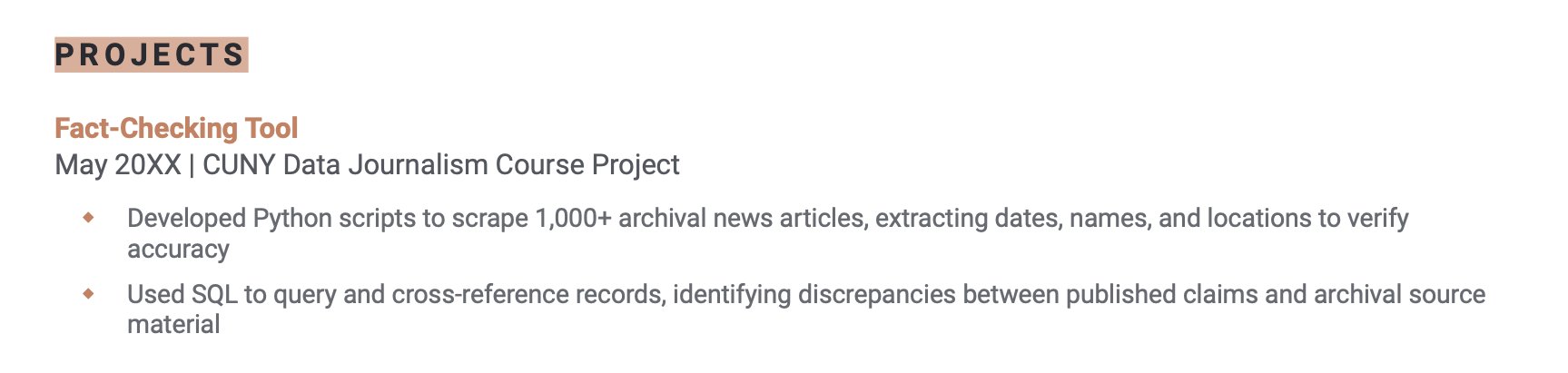
A projects section is most useful for entry-level jobs in software development, design, marketing, data analysis, and writing. Projects let you provide concrete examples of your skills when you don’t have work experience.

List each project in reverse order, starting with the most recent, and include:

  • The project name
  • Your role (if it was a group project)
  • Date completed
  • A link to the project, if available (like a GitHub repo or portfolio site)

Focus on projects that relate to the job you’re applying for, and use 2–4 bullet points to describe what you built and the results.

Example of how to fill out the projects section of an entry level resume template

Tools to help you fill in your entry-level resume template

Quickly fill out your template and complete your resume with these free writing tools:

  • Resume summary generator: Creates an effective professional summary that highlights your key skills and qualifications
  • Bullet point generator: Converts job duties into results-focused accomplishments
  • Skills generator: Recommends important industry keywords based on your role
  • AI resume generator: Automatically drafts a complete resume from a short prompt about your work history
  • ATS resume checker: Checks your resume for ATS-friendly formatting and parsability

Frequently asked questions (FAQs)

Here are some additional questions you might have about writing your entry-level resume.

What should I put in the work experience section on an entry-level resume?

On an entry-level resume, your work experience section can include internships, part-time jobs, volunteer work, freelance projects, or campus leadership roles — anything that shows responsibility and transferable skills.

How do I professionally say I have no experience?

Never say you have no experience on your resume. Employers are interested in what you can offer them, not what you lack.

If you have no formal work experience, focus on the skills you’ve obtained through study or other life experiences.

If you can show the employer that you’re a well-rounded, hard-working individual with knowledge of their field or industry, they’re much more likely to consider you for an entry-level position.

Do I need a resume objective?

Yes, you should include an objective. Your introduction briefly explains who you are and what value you bring. This information tailors your resume to the role and shows the employer how your qualifications relate to the position they’re hiring for.

Having an introduction, summary, or profile section on your resume is the same as having an objective.

How long should an entry-level resume be?

An entry-level resume should be one page long. Since you’re just starting out, focus on including only the most relevant information, such as your education, skills, internships, volunteer work, and key accomplishments.

Should I put high school experience on my resume?

Only put high school experience on your resume if you’re still in high school student or have recently graduated, especially if it includes relevant achievements or leadership roles. Remove it when you finish college or have more than a year of work experience.

Table of Contents
Resume Genius
LinkedIn Instagram Youtube Facebook Twitter Tiktok Pinterest Giphy
Resumes
  • Resume Builder
  • Resume Templates
  • ATS Resume Checker
  • AI Resume Generator
  • Resume Summary Generator
  • Resume Bullet Point Generator
  • Resume Skills Generator
  • Resume Parser
  • Resume Examples
  • How to Make a Resume
  • Resume Format
Cover Letters
  • Cover Letter Generator
  • Cover Letter Templates
  • Cover Letter Examples
  • How to Write a Cover Letter
  • Cover Letter Format
CVs
  • CV Maker
  • CV Templates
  • How to Write a CV
  • CV Examples
  • CV vs Resume
Policies
  • Terms & Conditions
  • Privacy Policy
  • CCPA/GDPR
  • Accessibility
  • Editorial Guidelines
Additional Resources
  • About Us
  • Career Experts Program
  • Join Our Team
  • Press & Media Mentions
  • Pricing
  • Product Reviews
  • The Genius Blog
Support
  • Help & Support
  • Contact Us
  • Forgot Password
  • Frequently Asked Questions
  • Add Resume Genius as a preferred source on Google
Member of
Certified professional resume writer official seal

© 2026, Sonaga Tech Limited. All rights reserved

ResumeGenius.com is owned and operated by Sonaga Tech Limited, Hamilton, Zweigniederlassung Luzern with offices in Luzern Switzerland.

Your review would mean a lot to us.

We hope our free downloadable resources will help you on your path to career success. If you have time, a quick review would really make our day (it'll only take 15 seconds). Best of luck on the job hunt!

Leave A Review